
What Is Thermal Inkjet Printing?
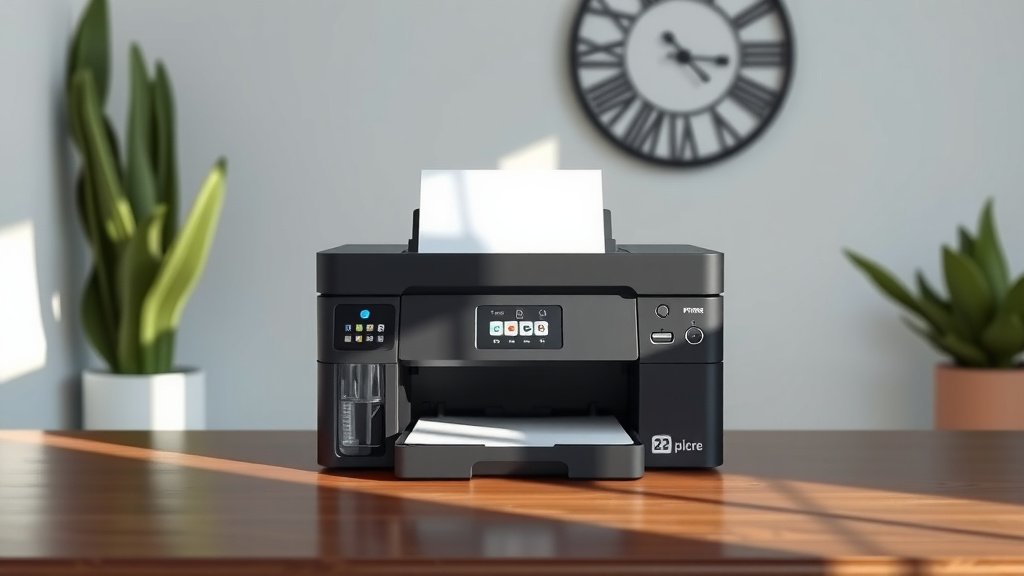
Thermal inkjet printing uses heat to create tiny vapor bubbles that force ink droplets through microscopic nozzles onto paper.
This technology powers most home and office inkjet printers, heating ink to around 300°C in microseconds to produce high-quality text and images.
You probably use thermal inkjet printing every day without even thinking about it. When you hit print on your home computer, there’s a good chance your printer relies on this smart technology to turn digital files into physical documents.
Let me walk you through everything you need to know about thermal inkjet printing. You’ll discover how it works, why it’s so popular, and what makes it different from other printing methods.
How Thermal Inkjet Printing Actually Works
Think of thermal inkjet printing like a tiny, controlled explosion happening thousands of times per second. Your printer contains a print head with hundreds or even thousands of microscopic chambers filled with liquid ink.
Here’s what happens when you print a document. Each chamber has a heating element called a thermal resistor. When your printer needs to place a dot of ink on paper, it sends an electrical pulse to the resistor.
The Heat and Bubble Process
The resistor heats up incredibly fast, reaching temperatures around 300°C in just a few microseconds. This intense heat instantly vaporizes a tiny amount of ink, creating a vapor bubble.
The bubble expands rapidly, building pressure inside the chamber. This pressure forces a droplet of ink through the nozzle and onto your paper. The whole process takes less time than you can blink.
The Recovery Cycle
After the droplet fires, the heating element cools down quickly. The vapor bubble collapses, creating a vacuum that draws fresh ink from the reservoir into the chamber. Now the chamber is ready for the next firing cycle.
This happens so fast that a single nozzle can fire thousands of droplets per second. Your printer coordinates all these tiny chambers to create text and images dot by dot.
Key Components of Thermal Inkjet Systems
Understanding the parts helps you see why thermal inkjet printers work so well. Each component plays a specific role in delivering quality prints.
Print Head Design
The print head is the heart of thermal inkjet printing. It contains arrays of firing chambers, each smaller than a human hair. Modern print heads can have over 600 nozzles per inch.
Each chamber connects to an ink reservoir through tiny channels. The nozzles are precisely engineered to control droplet size and direction.
Thermal Resistors
These microscopic heating elements sit at the bottom of each firing chamber. They’re made from materials that can withstand millions of heating and cooling cycles.
The resistors must heat up and cool down incredibly fast. This rapid thermal cycling is what makes thermal inkjet printing possible.
Ink Formulation
Thermal inkjet printers need specially formulated inks. The ink must flow properly at room temperature but vaporize quickly when heated. It also needs the right surface tension to form perfect droplets.
Most thermal inkjet inks are water-based, which makes them safe for home use and easy to clean up.
Types of Thermal Inkjet Printers
You’ll find thermal inkjet technology in several types of printers. Each serves different needs and budgets.
Home Desktop Printers
These are the most common thermal inkjet printers. They’re designed for occasional printing of documents, photos, and school projects. Most use separate cartridges for black and color inks.
Desktop models are typically affordable upfront but may have higher per-page printing costs. They’re perfect if you print less than a few hundred pages per month.
All-in-One Printers
These combine thermal inkjet printing with scanning, copying, and sometimes faxing. They’re popular in home offices because they save space while offering multiple functions.
Many all-in-one models also include wireless connectivity and mobile printing features.
Photo Printers
Specialized photo printers use thermal inkjet technology with additional color cartridges. Some have six or more ink colors to produce gallery-quality photo prints.
These printers often support various paper sizes and types, from standard 4×6 photos to large poster prints.
Thermal Inkjet vs Other Printing Technologies
How does thermal inkjet stack up against other printing methods? Let me break down the main differences you should know about.
Thermal Inkjet vs Piezoelectric Inkjet
Piezoelectric inkjet printers use pressure instead of heat to fire ink droplets. They use tiny crystals that change shape when electricity is applied, pushing ink through the nozzles.
Thermal inkjet printers are generally less expensive to buy. Piezoelectric models often cost more but can handle a wider variety of inks and paper types.
Thermal Inkjet vs Laser Printing
Laser printers use toner powder and heat fusion instead of liquid ink. They’re typically faster for large print jobs and have lower per-page costs for text documents.
Thermal inkjet printers excel at photo printing and color accuracy. They’re also quieter and use less power than most laser printers.
Advantages of Thermal Inkjet Printing
Why do so many people choose thermal inkjet printers? The technology offers several real benefits that matter in daily use.
Excellent Print Quality
Thermal inkjet printers can produce incredibly sharp text and vibrant photos. Modern models achieve resolutions up to 4800 x 1200 dots per inch or higher.
The precise droplet control allows for smooth color gradients and fine detail reproduction. You can print professional-looking photos at home.
Affordable Entry Cost
You can buy a decent thermal inkjet printer for under $100. This low upfront cost makes them accessible for students, families, and small businesses.
Many retailers even sell basic models for $30-50, though these may have limited features and higher ink costs.
Quiet Operation
Thermal inkjet printers are much quieter than laser printers. The main noise comes from paper feeding and the print head moving back and forth. There’s no loud fan or fuser unit.
This quiet operation makes them suitable for home offices and bedrooms where noise matters.
Compact Size
Most thermal inkjet printers have a small footprint. They fit easily on desks or shelves without taking up much space.
The simple mechanism doesn’t require the complex drums, rollers, and fuser units found in laser printers.
Disadvantages to Consider
Like any technology, thermal inkjet printing has some drawbacks you should understand before buying.
Higher Per-Page Costs
Ink cartridges can be expensive, especially for low-volume printing. Some cartridges cost $20-40 each and may only print a few hundred pages.
If you print thousands of pages monthly, the ink costs can add up quickly compared to laser printing.
Slower Printing Speed
Thermal inkjet printers are generally slower than laser printers for large documents. A typical home inkjet might print 10-15 pages per minute, while laser printers often exceed 20-30 pages per minute.
Photo printing is especially slow, sometimes taking several minutes per page depending on size and quality settings.
Ink Drying and Clogging
If you don’t print regularly, the tiny nozzles can clog with dried ink. This leads to streaky prints or missing colors until you run cleaning cycles.
Cleaning cycles use extra ink and take time. Some people find they need to print something weekly just to keep the printer working well.
How to Choose the Right Thermal Inkjet Printer
Shopping for a thermal inkjet printer can feel overwhelming with so many options. Here’s how to pick one that fits your needs.
Consider Your Print Volume
How much do you actually print each month? If it’s just occasional documents and photos, a basic model works fine. Heavy users should look for printers with high-capacity cartridges or tank systems.
Tank-based printers cost more upfront but have much lower per-page costs if you print frequently.
Think About Print Types
Do you mainly print text documents, photos, or both? Basic four-color printers (black, cyan, magenta, yellow) handle most tasks well.
Serious photo printing benefits from additional colors like light cyan and light magenta for smoother skin tones and gradients.
Check Connectivity Options
Modern printers offer USB, WiFi, and often Bluetooth connections. WiFi lets multiple devices print wirelessly, which is convenient for families.
Look for mobile printing support if you want to print from smartphones and tablets.
Paper Handling Features
Consider what paper sizes and types you’ll use. Basic models handle standard letter and legal sizes. Photo printers often support various photo paper sizes.
Some printers have multiple paper trays, letting you keep both plain paper and photo paper loaded simultaneously.
Maintenance Tips for Better Performance
Taking care of your thermal inkjet printer helps it last longer and produce better prints. Most maintenance is simple and takes just a few minutes.
Print Regularly
The best way to prevent clogs is to print something at least once a week. Even a simple test page keeps ink flowing through the nozzles.
If you don’t print often, consider setting a weekly reminder to print a page or run a nozzle check.
Use Quality Paper
Cheap paper can cause jams and poor print quality. It may also shed fibers that clog your printer’s mechanisms.
Stick to paper designed for inkjet printers. For photos, use genuine photo paper for best results.
Replace Cartridges Properly
Don’t let cartridges run completely empty, as this can damage the print head. Replace them when print quality starts to fade.
Follow the manufacturer’s instructions for cartridge installation. Touching the nozzles or electrical contacts can cause problems.
Clean When Needed
Most printers have built-in cleaning cycles you can run from the control panel or software. Use these when you notice streaks or missing colors.
Don’t overuse cleaning cycles, as they consume ink. Try printing a few pages first to see if the problem clears up naturally.
Common Problems and Solutions
Even well-maintained thermal inkjet printers can develop issues. Here are the most common problems and how to fix them.
Streaky or Faded Prints
This usually means clogged nozzles or low ink levels. Check your ink levels first, then run a nozzle check to see which colors are affected.
Run one or two cleaning cycles if needed. If streaks persist, the cartridge might be defective or very old.
Paper Jams
Remove jammed paper gently, following the direction of normal paper flow. Don’t yank or force it, as this can damage rollers.
Check for torn paper pieces left inside. Make sure your paper stack isn’t too thick and the guides are properly adjusted.
Poor Photo Quality
Make sure you’re using the right paper type setting in your printer driver. Printing on plain paper with photo settings wastes ink and looks terrible.
Check that you’re using genuine photo paper. Generic papers may not absorb ink properly, leading to smudging or dull colors.
| Problem | Likely Cause | Quick Fix |
|---|---|---|
| Missing colors | Clogged nozzles | Run cleaning cycle |
| Smeared text | Wrong paper setting | Check driver settings |
| Slow printing | High quality setting | Use draft mode for text |
| WiFi issues | Connection problems | Restart printer and router |
The Future of Thermal Inkjet Technology
Thermal inkjet printing continues to evolve with new innovations. Manufacturers keep improving speed, quality, and cost efficiency.
Higher Resolution Printing
Newer print heads pack more nozzles into smaller spaces, allowing for even finer detail. Some professional models now exceed 9600 dpi resolution.
This means sharper text and smoother photo gradients, approaching the quality of traditional photo lab prints.
Faster Print Speeds
Advanced thermal inkjet printers are getting faster through better print head designs and smarter ink placement algorithms.
Some business-focused models can now match entry-level laser printer speeds while maintaining inkjet quality advantages.
Lower Operating Costs
Tank-based ink systems are becoming more common, dramatically reducing per-page costs. Some manufacturers claim costs as low as half a penny per page for text.
These systems let you refill ink reservoirs from bottles instead of replacing expensive cartridges.
Conclusion
Thermal inkjet printing remains one of the most popular and versatile printing technologies available today. Its combination of excellent print quality, affordable entry costs, and compact design makes it perfect for homes and small offices.
While per-page costs can be higher than laser printing, the superior photo quality and quiet operation often make up for this drawback. Modern innovations like tank-based ink systems are also addressing cost concerns.
Whether you need occasional document printing or high-quality photos, thermal inkjet technology likely has a solution that fits your needs and budget. The key is understanding your printing habits and choosing the right model accordingly.
What’s the difference between thermal and piezoelectric inkjet printing?
Thermal inkjet uses heat to create vapor bubbles that push ink droplets, while piezoelectric uses electric crystals that change shape to force ink through nozzles. Thermal systems are typically less expensive, while piezoelectric can handle more ink types and last longer.
How long do thermal inkjet print heads typically last?
Most thermal inkjet print heads are designed to last for the life of the printer with normal use. Print heads integrated into cartridges get replaced with each new cartridge, while permanent print heads can handle millions of droplet firings before wearing out.
Can I use third-party ink cartridges in thermal inkjet printers?
Yes, compatible cartridges often work fine and cost less than original cartridges. Quality varies by manufacturer, so research reviews before buying. Some printers may display warnings about non-genuine cartridges, but they typically still function normally.
Why does my thermal inkjet printer use ink even when not printing?
Thermal inkjet printers perform automatic maintenance cycles to prevent nozzle clogging. These cleaning cycles use small amounts of ink to keep nozzles clear and ready for printing. Some ink also evaporates naturally from the cartridges over time.
What temperature and humidity conditions work best for thermal inkjet printing?
Room temperature between 60-80°F and humidity levels of 20-80% work best for thermal inkjet printers. Extreme temperatures can affect ink viscosity and print quality, while very low humidity can cause static electricity and paper feeding problems.
