
What Is Inkjet Printing?
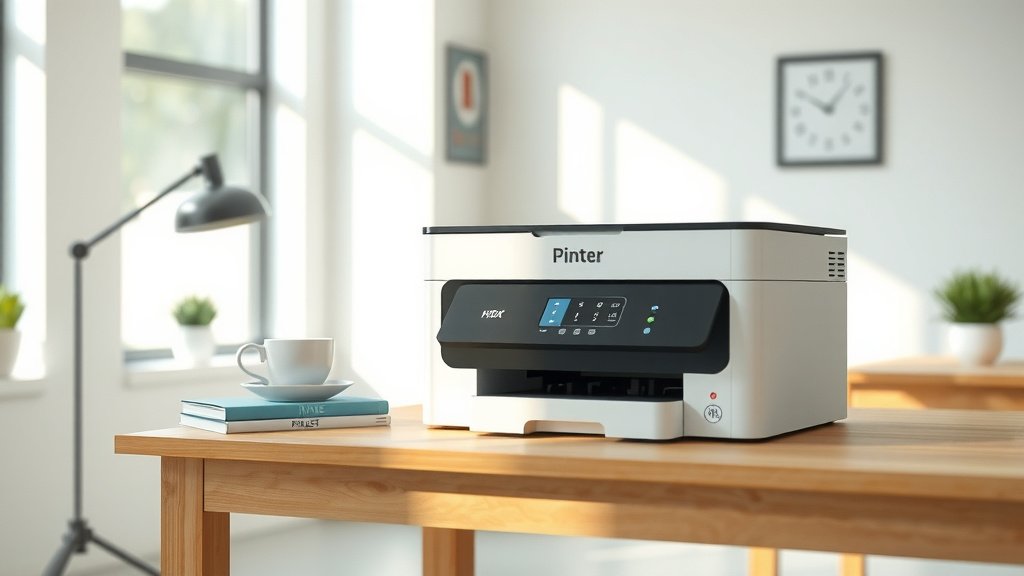
Inkjet printing is a technology that creates images and text by spraying tiny droplets of liquid ink onto paper or other surfaces through microscopic nozzles.
Your inkjet printer works by heating ink or using piezoelectric crystals to force precise ink droplets through small holes, building up letters and images dot by dot.
How Does Inkjet Printing Actually Work?
Think of inkjet printing like a super-precise garden sprinkler system. Your printer has a print head that moves back and forth across the paper. This head contains hundreds or thousands of tiny nozzles, each smaller than a human hair.
When you hit print, your computer sends digital instructions to the printer. The printer translates these into a pattern of dots. Each nozzle then fires ink droplets at exact moments to create the right colors and shapes on paper.
The Two Main Inkjet Technologies
I found that most inkjet printers use one of two methods to push ink through the nozzles.
Thermal Inkjet Printing
This method heats the ink to create a tiny bubble. When the bubble pops, it forces an ink droplet through the nozzle. Canon and HP typically use this approach in their consumer printers.
Piezoelectric Inkjet Printing
Here, a small crystal changes shape when electricity hits it. This change pushes ink out of the nozzle. Epson uses this technology in most of their inkjet printers.
What Types of Inkjet Printers Can You Choose From?
Not all inkjet printers work the same way. You have several options depending on your needs.
Desktop Inkjet Printers
These are the most common type you’ll find in homes and small offices. They’re affordable, compact, and handle everyday printing tasks well.
Single-Function Printers
These only print. They’re simple, reliable, and usually the cheapest option if you don’t need scanning or copying.
All-in-One Inkjet Printers
These combine printing, scanning, copying, and sometimes faxing in one device. Perfect if you want to save desk space and handle multiple tasks.
Photo Inkjet Printers
Want to print high-quality photos at home? Photo inkjet printers use more ink colors and finer nozzles. Some use six or more ink cartridges instead of the standard four.
Wide-Format Inkjet Printers
These giants can print on paper sizes much larger than standard 8.5×11 inches. Architects, engineers, and graphic designers love them for blueprints and large artwork.
How Inkjet Printing Compares to Other Methods
You might wonder how inkjet stacks up against other printing technologies. Here’s what I found when researching the differences.
| Feature | Inkjet | Laser | Dot Matrix |
|---|---|---|---|
| Initial Cost | Low | Medium-High | Very Low |
| Print Speed | Slow-Medium | Fast | Very Slow |
| Photo Quality | Excellent | Good | Poor |
| Text Quality | Good | Excellent | Fair |
| Running Costs | High | Low | Very Low |
When Should You Choose Inkjet?
Inkjet printing shines in specific situations. You’ll love it if you print photos, need color documents, or don’t print very often.
Perfect for Home Users
Most families print occasionally and want the option to print photos. Inkjet printers handle both text documents and colorful images beautifully.
Great for Creative Work
Artists, photographers, and designers need accurate colors and fine detail. High-end inkjet printers deliver professional results that rival traditional photo labs.
Understanding Inkjet Ink Systems
The ink system makes or breaks your inkjet experience. Let me break down what you need to know.
Cartridge Types
Your inkjet printer uses one of these cartridge setups.
Integrated Cartridges
These combine the ink reservoir and print head in one unit. When your ink runs out, you replace both parts. It’s more expensive but reduces clogging issues.
Separate Cartridges
Here, the print head stays in the printer while you replace only the ink containers. This saves money over time but requires more maintenance.
Color Systems
Most consumer inkjet printers use a four-color system: cyan, magenta, yellow, and black (CMYK). Photo printers often add light cyan and light magenta for smoother color gradients.
Why Black Ink Matters
You might think mixing cyan, magenta, and yellow creates black ink. In reality, this combination produces muddy brown. That’s why printers include a separate black cartridge for sharp text.
Common Inkjet Printing Problems You’ll Face
Every inkjet printer owner deals with these issues at some point. Here’s what to expect and how to handle them.
Clogged Print Heads
Ink dries up in the tiny nozzles, especially if you don’t print regularly. Your printer likely has a cleaning cycle that pushes fresh ink through the heads.
Prevention Tips
Print at least one page per week to keep ink flowing. Turn off your printer properly so it can park the print heads in a sealed position.
Streaky or Faded Prints
This usually means low ink levels or partially clogged nozzles. Check your ink levels first, then run a cleaning cycle if needed.
Paper Jams
Inkjet printers have a curved paper path that can cause jams. Use the right paper type and don’t overfill the paper tray.
Choosing the Right Paper for Inkjet Printing
Your paper choice affects print quality as much as your printer settings. Different papers absorb ink differently.
Plain Paper
Standard copy paper works fine for text documents and draft prints. It’s cheap but doesn’t show off your printer’s full potential.
Photo Paper
Photo papers have special coatings that prevent ink from soaking in. This keeps colors bright and details sharp. Expect to pay more for better results.
Glossy vs. Matte Finishes
Glossy paper produces vibrant colors and sharp details, perfect for photos. Matte paper has a softer look that works well for art prints and documents.
Inkjet Printing Costs: What You Need to Know
Inkjet printers seem affordable until you factor in ongoing ink costs. Here’s the real story about long-term expenses.
Cost Per Page Calculations
I found online that ink costs typically range from 5 to 20 cents per page, depending on coverage and cartridge prices. Photo prints can cost 25 to 50 cents each.
Ways to Reduce Ink Costs
You have several strategies to keep printing affordable.
- Buy high-capacity cartridges when available
- Use draft mode for everyday documents
- Print in grayscale when color isn’t needed
- Consider compatible third-party cartridges
- Look into ink subscription services
Future of Inkjet Printing Technology
Inkjet printing keeps getting better. Manufacturers are working on faster speeds, lower costs, and new applications.
Industrial Inkjet Applications
Beyond office printing, inkjet technology now prints on fabric, ceramics, and even food. Some companies use inkjet systems to print electronic circuits.
3D Inkjet Printing
Some 3D printers use inkjet-like technology to spray liquid materials layer by layer. This creates smooth surfaces and fine details.
Conclusion
Inkjet printing remains one of the most versatile and accessible printing technologies available today. Whether you need crisp text documents or vibrant photos, inkjet printers deliver quality results at home or in the office. While ink costs can add up over time, the flexibility and excellent color reproduction make inkjet printing perfect for most users. Understanding how your inkjet printer works helps you make better choices about maintenance, paper selection, and when to replace consumables. With proper care and realistic expectations, your inkjet printer will serve you well for years to come.
What’s the difference between dye and pigment inks in inkjet printers?
Dye inks dissolve completely in liquid and produce vibrant colors but fade faster when exposed to light. Pigment inks contain tiny solid particles suspended in liquid, offering better longevity and water resistance but sometimes appearing less vibrant on plain paper.
How long do inkjet cartridges last before they expire?
Most inkjet cartridges have a shelf life of 18 to 24 months when stored properly in their original packaging. Once installed, cartridges typically last 6 months to 2 years depending on usage and environmental conditions like humidity and temperature.
Can you use an inkjet printer without the color cartridges?
This depends on your specific printer model. Many consumer inkjet printers require all cartridges to be installed and functional before they’ll print anything, even black-and-white documents. Some newer models and business printers allow black-only printing when color cartridges are empty.
Why do inkjet prints sometimes smudge when they first come out?
Inkjet prints smudge because the ink hasn’t fully absorbed into or dried on the paper surface yet. This happens more with high-coverage prints, photo paper, or when using draft/fast print modes that lay down more ink quickly.
What causes horizontal lines or bands across inkjet prints?
Horizontal banding usually results from clogged nozzles, low ink levels, or a misaligned print head. Running your printer’s automatic cleaning cycle and head alignment utility often fixes this problem. If banding persists, you may need to manually clean the print head or replace cartridges.
