
What Is Inkjet Printer?
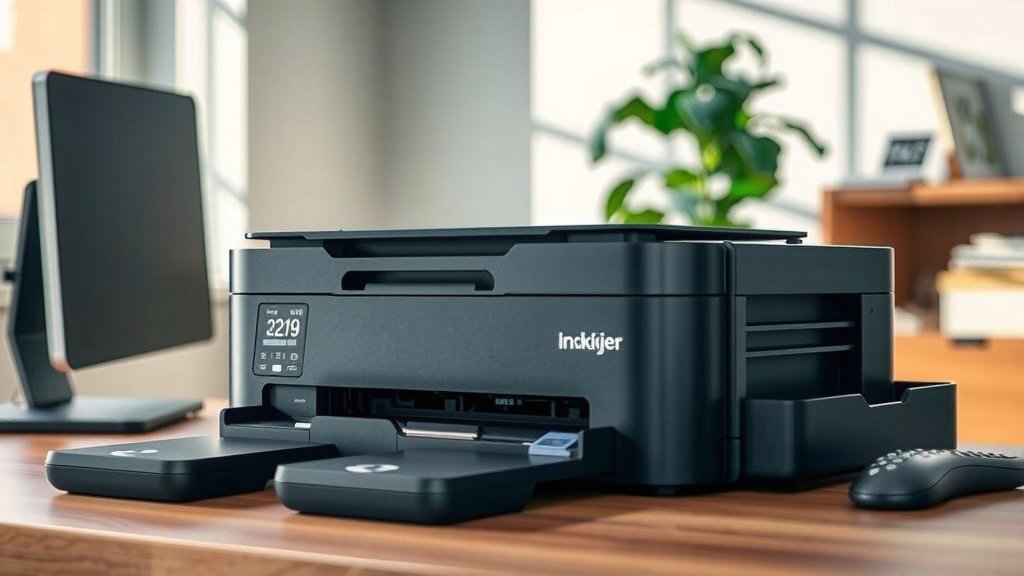
An inkjet printer is a type of printer that creates images and text by spraying tiny droplets of liquid ink onto paper through microscopic nozzles.
You’ll find inkjet printers in most homes and offices because they’re affordable, versatile, and can print both documents and high-quality photos.
How Inkjet Printers Work
Think of an inkjet printer like a tiny paint sprayer that’s incredibly precise. When you send a document to print, the printer head moves back and forth across the paper. As it moves, hundreds of microscopic nozzles spray droplets of ink in exact patterns to form letters, numbers, and images.
The droplets are so small you can barely see them. We’re talking about droplets that are just a few picoliters in volume. That’s smaller than a speck of dust!
The Print Head Technology
Your inkjet printer uses one of two main technologies to spray ink. The first is thermal inkjet, where tiny heaters warm the ink until it forms a bubble that pushes a droplet through the nozzle.
The second is piezoelectric inkjet. This method uses crystals that vibrate when electricity hits them. The vibration squeezes the ink through the nozzles like a tiny pump.
How Colors Are Created
Most inkjet printers use four basic ink colors: cyan, magenta, yellow, and black. This system is called CMYK. By mixing these colors in different amounts, your printer can create millions of different shades.
Some photo printers add extra colors like light cyan or light magenta. This gives you smoother color transitions and better photo quality.
Types of Inkjet Printers
Single-Function Inkjet Printers
These printers do one thing: print. They’re perfect if you just need basic printing for documents or photos. They’re usually the cheapest option and take up less space on your desk.
All-in-One Inkjet Printers
These machines print, scan, copy, and sometimes fax. You get multiple devices in one package. They’re great for home offices where space is tight and you need different functions.
Photo Inkjet Printers
Built for photo printing, these printers often use six or more ink colors. They can print on special photo papers and produce gallery-quality prints. If you’re serious about photography, this might be your best choice.
Wide-Format Inkjet Printers
These large printers handle paper sizes bigger than standard letter or legal size. Artists, architects, and engineers use them for posters, blueprints, and large graphics.
Inkjet vs Laser Printers
You might wonder whether to choose inkjet or laser. Here’s the simple breakdown:
| Feature | Inkjet | Laser |
|---|---|---|
| Initial Cost | Lower | Higher |
| Cost Per Page | Higher for text | Lower for text |
| Photo Quality | Better | Good |
| Speed | Slower | Faster |
| Size | Compact | Larger |
When to Choose Inkjet
Pick an inkjet printer if you print photos, need color documents, or don’t print huge volumes. They’re also better if you print occasionally since laser toner can dry up from lack of use.
When to Choose Laser
Go with laser if you print lots of text documents, need fast printing, or want the lowest cost per page for black and white printing.
Advantages of Inkjet Printers
Affordable Entry Point
You can get a decent inkjet printer for under $100. This makes them perfect for students, families, and small businesses starting out.
Outstanding Photo Quality
Modern inkjet printers produce photos that rival professional photo labs. The color accuracy and detail are impressive, especially on quality photo paper.
Compact Design
Most inkjet printers fit comfortably on a desk or shelf. They don’t need the space that larger laser printers require.
Versatile Paper Handling
Inkjet printers can handle various paper types, from thin copy paper to thick cardstock and specialty photo papers. Some can even print on fabric, CDs, or envelopes.
Energy Efficiency
Inkjet printers use less power than laser printers. They don’t need to heat up a fuser like laser printers do, which saves electricity.
Disadvantages of Inkjet Printers
Higher Operating Costs
Ink cartridges can be expensive, especially if you print a lot. The cost per page for text printing is usually higher than laser printers.
Slower Printing Speed
If you’re printing a 50-page report, an inkjet will take much longer than a laser printer. They’re built for quality, not speed.
Ink Can Dry Out
If you don’t print regularly, your ink cartridges might dry up or clog. This is frustrating and wastes money.
Water Sensitivity
Inkjet prints can smudge if they get wet, unless you use special water-resistant inks or papers.
How to Choose the Right Inkjet Printer
Consider Your Printing Volume
How much do you actually print? If it’s just a few pages per month, a basic model works fine. If you print hundreds of pages, look for models with larger ink cartridges or tank systems.
Think About What You Print
Printing mostly text documents? You don’t need the most expensive photo printer. But if you want to print family photos, invest in a model with good photo capabilities.
Check the Ink Costs
Before buying any printer, research how much replacement ink costs. Sometimes a slightly more expensive printer saves you money long-term with cheaper ink.
Look at Connection Options
Make sure the printer connects the way you want. Most modern printers offer USB, Wi-Fi, and mobile printing. Some even support cloud printing services.
Maintenance Tips for Your Inkjet Printer
Print Regularly
Use your printer at least once a week to keep the ink flowing. Even printing a test page helps prevent clogs.
Use Quality Paper
Cheap paper can jam your printer or produce poor results. Invest in decent paper for better prints and fewer problems.
Keep It Clean
Dust can interfere with your printer’s sensors and mechanics. Wipe it down regularly and keep it covered when not in use.
Store Ink Properly
Keep spare ink cartridges in a cool, dry place. Heat and humidity can damage them before you even install them.
Common Inkjet Printer Problems and Solutions
Streaky or Faded Prints
This usually means your ink is running low or the print heads need cleaning. Most printers have a built-in cleaning function you can run from the settings menu.
Paper Jams
Remove jammed paper gently and check for torn pieces left inside. Make sure you’re using the right paper size and type for your printer.
Printer Not Responding
Try turning it off and on again. Check all cable connections and make sure your computer recognizes the printer.
The Future of Inkjet Technology
Inkjet technology keeps getting better. Manufacturers are developing faster print speeds, longer-lasting inks, and more eco-friendly options.
Tank-based systems are becoming popular. Instead of small cartridges, these printers have large ink reservoirs you refill with bottles. This dramatically reduces the cost per page.
From what I’ve read in industry reports, we’ll see more wireless features and better mobile integration in future models.
Conclusion
An inkjet printer gives you affordable, high-quality printing for both documents and photos. While they’re slower than laser printers and have higher operating costs for text, they’re perfect for home users and small offices that need versatile, color printing capabilities.
When choosing an inkjet printer, think about what you’ll print most often and how much you’re willing to spend on ink. With proper care and regular use, a good inkjet printer will serve you well for years.
Can inkjet printers print on both sides of paper automatically?
Many modern inkjet printers include automatic duplex printing, which prints on both sides without you having to flip the paper manually. Check the specifications before buying if this feature matters to you.
How long do ink cartridges last in storage?
Most ink cartridges stay good for 18 to 24 months when stored properly in cool, dry conditions. Always check the expiration date on the package and use older cartridges first.
Why does my inkjet printer use black ink when printing in draft mode?
Draft mode often mixes colors to create black text instead of using pure black ink. You can change this in your printer settings by selecting “black ink only” or “grayscale” mode.
Can I refill my own ink cartridges to save money?
Yes, you can buy refill kits, but results vary widely. Refilled cartridges might leak, clog, or produce poor print quality. Many printer warranties don’t cover damage from third-party inks.
What’s the difference between dye-based and pigment-based inks?
Dye-based inks produce brighter colors and work well for photos but fade faster. Pigment-based inks last longer and resist water better but may not have the same color vibrancy. Many printers use a combination of both.
