
What Is Difference Between Inkjet Printer And Laser Printer?
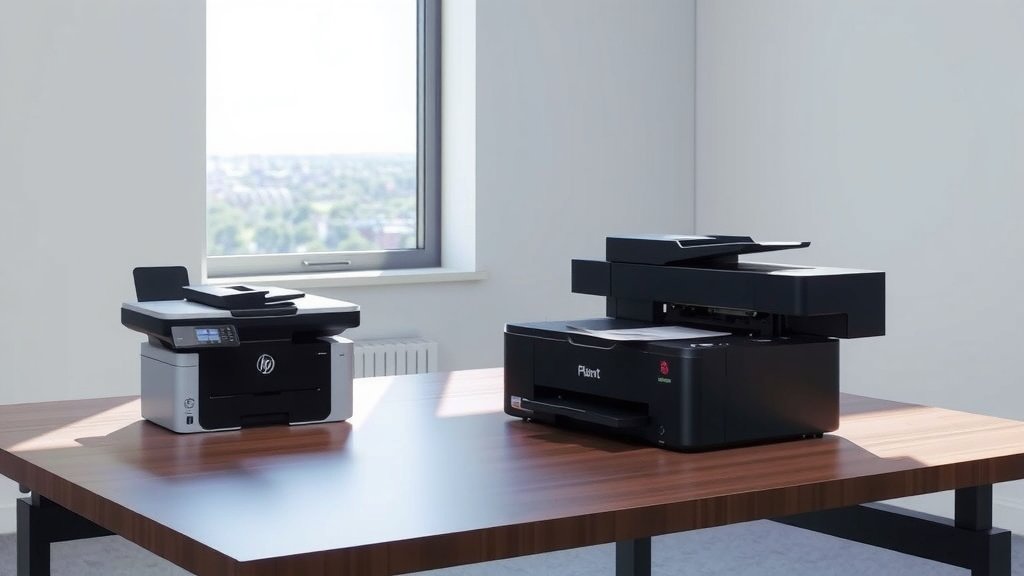
The main difference between inkjet printer and laser printer is their printing technology: inkjet printers spray liquid ink droplets onto paper, while laser printers use heat to fuse powdered toner onto paper.
Inkjet printers cost less upfront and excel at photo printing, while laser printers print faster and offer lower per-page costs for text documents.
How Inkjet Printers Work
Think of inkjet printers like tiny paintbrushes that never touch the paper. They shoot microscopic drops of liquid ink through hundreds of tiny nozzles onto your paper.
The printer head moves back and forth across the page. As it moves, it fires ink drops at exactly the right spots to create your text or images. It’s like a super-precise spray gun that can paint letters and pictures.
Inkjet Print Head Technology
Most inkjet printers use one of two methods to push ink out. Thermal inkjets heat the ink to create bubbles that push drops out of the nozzles. Piezoelectric inkjets use tiny crystals that change shape when electricity hits them.
From what I read, thermal technology is more common in home printers. Piezoelectric systems often show up in professional photo printers because they give you more control over drop size.
Ink Cartridge Systems
You’ll find two main cartridge setups. Some printers combine all colors in one cartridge. Others use separate cartridges for each color – usually cyan, magenta, yellow, and black.
Separate cartridges save money because you only replace the colors you use up. Combined cartridges are simpler but waste ink when just one color runs out.
How Laser Printers Work
Laser printers work more like photocopiers. They use static electricity, laser light, and heat to stick powdered toner to paper.
Here’s the process: A laser beam draws your page onto a metal drum. The drum picks up toner powder where the laser hit. Paper rolls past the drum and picks up the toner. Finally, heated rollers melt the toner into the paper permanently.
Laser Imaging Process
The photosensitive drum is the heart of any laser printer. This metal cylinder holds an electrical charge until laser light hits it. The laser removes charge from specific spots, creating an invisible pattern of your page.
Toner sticks to the charged areas because opposites attract. It’s like rubbing a balloon on your hair – the static electricity makes things stick together.
Toner Cartridge Design
Black and white laser printers use one toner cartridge. Color laser printers need four – one each for cyan, magenta, yellow, and black. Some cartridges include the drum, while others keep it separate.
I found that all-in-one cartridges cost more but guarantee fresh drums with each replacement. Separate drums and toner save money since drums last longer than toner.
Print Quality Comparison
Photo quality strongly favors inkjet printers. Their liquid inks blend smoothly and create gradual color transitions that look natural. Many inkjet printers also use extra ink colors beyond the basic four.
Laser printers win for sharp text. Their toner creates crisp edges that look professional. However, laser photo quality often appears grainy or shows visible dot patterns.
Resolution Differences
Don’t get fooled by resolution numbers alone. Inkjet printers often claim 4800 x 1200 dpi or higher, while laser printers usually max out around 1200 x 1200 dpi.
But laser printers place their dots more precisely. Each toner particle lands exactly where it should. Inkjet drops can spread or drift slightly, making actual sharpness different from advertised resolution.
Color Accuracy
Professional inkjet printers often produce more accurate colors, especially for photos. Their liquid inks mix better and create smoother color gradients.
Laser printers sometimes struggle with accurate skin tones or subtle color variations. The powdered toner doesn’t blend as naturally as liquid ink.
Speed and Volume Performance
Laser printers print much faster than inkjets for text documents. A basic laser printer easily handles 20-30 pages per minute, while most inkjets manage 5-15 pages per minute.
Monthly print volume also differs dramatically. Home inkjets work fine for 100-500 pages monthly. Office laser printers can handle 2,000-10,000 pages monthly without problems.
Warm-Up Time
Laser printers need time to heat their fusing rollers before printing. This warm-up takes 30-60 seconds when you turn them on or wake them from sleep mode.
Inkjet printers start printing almost immediately. They might run a quick cleaning cycle, but that usually takes just a few seconds.
First Page Out Time
Once warmed up, laser printers deliver the first page faster than inkjets. The entire page gets printed at once instead of line by line.
Inkjet printers need to scan back and forth multiple times to complete each page. Complex graphics slow them down even more.
Cost Analysis
Inkjet printers cost much less to buy initially. You can find decent home inkjets for $50-200. Basic laser printers start around $150-300.
But running costs tell a different story. Research shows laser printers offer lower per-page costs, especially for text printing.
| Cost Factor | Inkjet | Laser |
|---|---|---|
| Initial Price | $50-500 | $150-1000 |
| Text Page Cost | 5-15 cents | 2-7 cents |
| Photo Page Cost | 25-75 cents | 50-150 cents |
Replacement Supply Costs
Ink cartridges need frequent replacement and cost more per page. A standard black cartridge might print 200-400 pages and cost $15-30.
Toner cartridges print thousands of pages before replacement. A laser toner cartridge costing $50-100 might print 2,000-5,000 pages.
Hidden Costs
Many experts point to maintenance as a hidden cost difference. Inkjet printers need regular use to prevent ink from drying in the nozzles. Extended storage often leads to expensive repairs.
Laser printers handle irregular use better. Their toner won’t dry out or clog printing mechanisms during storage.
Maintenance Requirements
Inkjet printers require more regular maintenance. You should print something every few days to keep ink flowing smoothly. Long breaks between printing sessions can clog the print heads.
Most inkjet printers run automatic cleaning cycles that waste ink. Heavy users might need professional head cleaning services when clogs become severe.
Laser Printer Maintenance
Laser printers need less frequent maintenance but require more technical knowledge when problems occur. Drums, transfer belts, and fusing units all wear out over time.
I found online that replacing these components often requires taking the printer apart. Many people prefer professional service for major laser printer repairs.
Environmental Considerations
Paper handling differs between the two technologies. Inkjet printers can print on almost any paper type, including specialty photo papers and fabric transfers.
Laser printers work best with standard copy paper. Their heat can damage some specialty papers or cause plastic films to melt inside the printer.
Which Type Should You Choose
Choose inkjet if you print photos regularly, have a small budget, or print infrequently. Their photo quality beats laser printers, and low upfront costs make them attractive for light users.
Pick laser if you print mostly text, need fast speeds, or print high volumes. Office environments usually benefit from laser printer reliability and speed.
Home User Recommendations
Most home users print a mix of documents and photos. If photos matter to you, inkjet wins easily. The quality difference for photos is huge.
But if you mostly print homework, recipes, or business documents, a laser printer saves money long-term. Calculate your monthly page count to see which offers better value.
Small Office Considerations
Small offices printing 500+ pages monthly usually benefit from laser printers. The faster speeds and lower per-page costs add up quickly.
Consider getting both if your budget allows. Use laser for everyday documents and keep an inkjet for occasional photo printing or specialty papers.
Technology Trends
Both technologies keep improving. Tank-based inkjet printers now offer much lower running costs by using refillable ink reservoirs instead of cartridges.
LED printers work like laser printers but use LED arrays instead of laser beams. They’re smaller and more reliable but still use the same toner technology.
Wireless and Smart Features
Modern printers of both types offer wireless printing from phones and tablets. Cloud printing lets you print from anywhere with internet access.
Many newer models include touch screens, automatic two-sided printing, and scanning capabilities. These features appear in both inkjet and laser versions.
Conclusion
Your choice between inkjet and laser printers depends on what you print most often. Inkjet printers excel at photos and cost less upfront, making them perfect for home users who want versatility. Laser printers win for text documents, speed, and high-volume printing, making them ideal for offices and heavy users.
Consider your monthly printing volume, photo quality needs, and budget for both initial purchase and ongoing supplies. Neither technology is universally better – they each serve different needs well.
Can I use generic ink or toner cartridges safely?
Generic cartridges usually work fine and cost much less than brand-name versions. However, they might void your warranty and occasionally cause print quality issues. Start with one generic cartridge to test compatibility before buying in bulk.
How long do unused ink and toner cartridges last?
Sealed toner cartridges stay good for 2-3 years when stored properly. Ink cartridges typically last 1-2 years unopened. Heat, humidity, and freezing temperatures can damage both types, so store them in normal room conditions.
Why does my inkjet printer waste ink during cleaning cycles?
Cleaning cycles push ink through all nozzles to clear clogs and maintain print quality. The printer can’t recycle this cleaning ink, so it gets absorbed by waste pads inside the machine. Printing regularly reduces the need for these cycles.
Do laser printers really last longer than inkjet printers?
Laser printers typically last 5-10 years with proper maintenance, while inkjets usually last 3-5 years. Laser printers have fewer moving parts and don’t suffer from dried ink problems. However, individual results vary based on usage patterns and care.
What’s the difference between dye and pigment inks?
Dye inks dissolve completely in water and produce brighter colors but fade faster when exposed to light. Pigment inks contain tiny solid particles that resist fading and water damage but may look slightly less vibrant. Most photo printers now use pigment inks for better longevity.
