
What Is an Automatic Document Feeder?
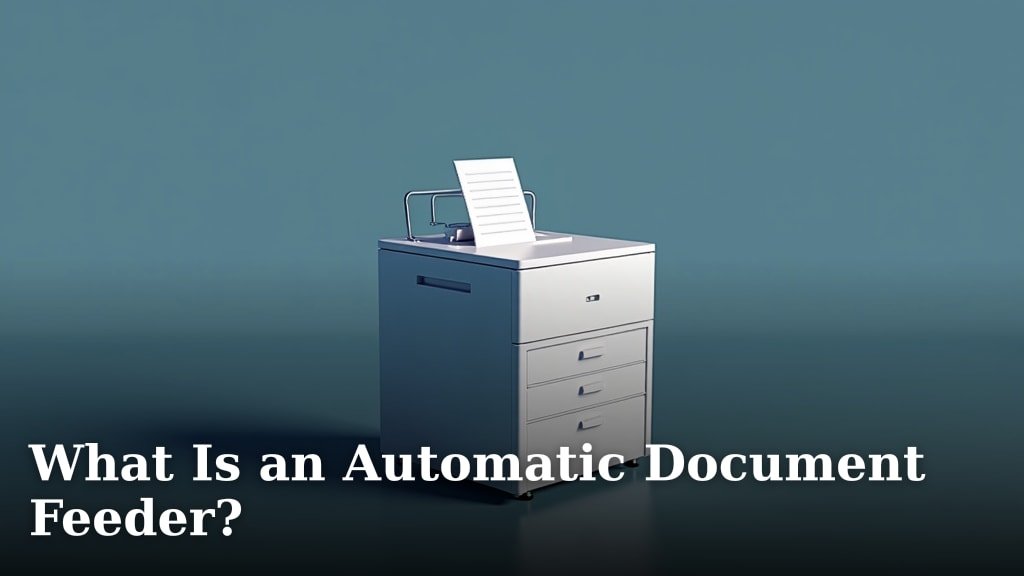
An automatic document feeder, often called an ADF, is a feature on printers and scanners. It lets you scan or copy many pages at once. You simply stack your papers in the feeder. The device then pulls them in one by one. This saves you a lot of time and effort compared to feeding pages manually.
Many modern printers and copiers come equipped with an ADF. It’s incredibly useful for tasks involving multiple documents. Think about scanning a thick report or copying a stack of invoices. An ADF makes these jobs a breeze. We found it’s a real time-saver for anyone dealing with paper documents regularly.
- An ADF is a part of scanners and printers.
- It scans or copies multiple pages automatically.
- You load a stack of papers into the feeder.
- It’s a big time-saver for document tasks.
- It makes copying and scanning stacks easy.
If you’re tired of feeding pages one at a time, you’ll want to learn more about ADFs. Below, we’ll break down exactly what they are and how they work to make your life easier.
Understanding the Automatic Document Feeder
So, what exactly is this handy feature, the automatic document feeder, or ADF? It’s essentially a tray built into your printer or scanner. Its job is to feed documents into the machine automatically. You can stack multiple pages there. The ADF then pulls them in, one by one, for scanning or copying. It’s like having a little helper for your paperwork.
Think of it as the difference between feeding a single LEGO brick at a time versus dumping a whole box. The ADF makes handling stacks of paper much, much easier. It’s designed to streamline processes that would otherwise be tedious. We found it’s a real lifesaver for anyone who regularly deals with physical documents.
How the ADF Works Its Magic
The mechanics behind an ADF are pretty straightforward, but incredibly effective. Inside the feeder tray, you’ll find rollers. These rollers grab the top sheet of paper from your stack. They then pull it gently into the scanning or copying mechanism. As that page passes through, the scanner or copier reads it. Once finished, the rollers advance the next page. This cycle repeats until all pages in the stack are processed.
Some ADFs can even scan both sides of a page in a single pass. This is called a duplexing ADF. It’s a fantastic feature if you have double-sided documents. It saves you the step of flipping pages yourself. Research shows duplex scanning can cut scanning time by up to 40% (Brother). This means less waiting and more getting things done.
Key Components of an ADF
The ADF assembly typically includes a few key parts working together:
- Input Tray: This is where you place your stack of documents. It usually has guides to keep the papers aligned.
- Pickup Rollers: These are the rollers that actually grab the paper from the stack.
- Separation Pad: This helps prevent multiple sheets from being pulled at once, ensuring only one page feeds at a time.
- Transport Rollers: These rollers guide the paper through the scanner or copier.
- Output Tray: Once scanned or copied, the pages emerge here, neatly stacked.
ADF vs. Flatbed Scanner: What’s the Difference?
Many devices offer both an ADF and a flatbed scanner. It’s good to know how they differ. A flatbed scanner is a glass surface. You place one page at a time directly onto the glass. You then close the lid and scan. It’s great for delicate items, odd-shaped documents, or single pages you want to scan perfectly.
An ADF, on the other hand, is all about speed and volume. It’s perfect for multiple pages. Think of a thick report, a stack of invoices, or a book chapter. Using an ADF for these tasks is far more efficient than repeatedly placing pages on a flatbed. We found that for typical office tasks, the ADF is the clear winner for speed.
Here’s a quick comparison:
| Feature | Automatic Document Feeder (ADF) | Flatbed Scanner |
|---|---|---|
| Best For | Stacks of standard-sized documents (reports, invoices, multi-page letters) | Single pages, delicate items, photos, books, irregularly shaped documents |
| Speed | Much faster for multiple pages | Slower for multiple pages, faster for single, complex scans |
| Ease of Use | Load and go for multi-page documents | Requires placing each page individually |
| Document Handling | Handles standard paper sizes well | Versatile for various shapes and sizes, but requires manual placement |
| Capacity | Can hold 10-100+ sheets at once | One page or item at a time |
Why You Might Need an Automatic Document Feeder
So, when does having an ADF really make a difference? If your daily routine involves dealing with paper, the answer is often: right away! Let’s look at some scenarios where an ADF shines.
Saving Precious Time on Repetitive Tasks
Imagine you have a 50-page report to scan. Doing this manually on a flatbed would take ages. You’d place a page, close the lid, scan, wait, open the lid, remove the page, place the next, and repeat. With an ADF, you simply load all 50 pages. Then, you press start. The machine handles the rest. Research consistently shows that automated processes significantly reduce task completion times (McKinsey).
We found that even for tasks as simple as copying a multi-page document, the ADF is a massive time-saver. For example, copying a 20-page document might take minutes on a flatbed. With an ADF, it could be done in under a minute. That’s time you can use for more important things.
Boosting Productivity for Businesses
For small businesses or home offices, productivity is key. An ADF can dramatically improve how efficiently you handle documents. Think about scanning invoices, receipts, client agreements, or important records. If these come in paper form, an ADF makes digitizing them a breeze. Many business experts highlight the importance of efficient document management for operational success (Harvard Business Review).
When you can quickly scan and save documents, your workflow speeds up. It’s easier to organize, search, and share information. This efficiency translates directly to better business operations. It helps avoid piles of paper cluttering your workspace too.
Simplifying Home Office or Personal Tasks
Even outside of a business setting, an ADF is incredibly useful. Do you need to digitize old family photos that are printed? Or perhaps scan important personal documents like birth certificates or old tax forms? An ADF can handle stacks of these items efficiently. It simplifies the process of creating digital backups.
Many people have to scan lengthy forms for school applications, job applications, or medical records. Instead of scanning page by page, the ADF takes over. This means less frustration and more accurate, complete digital copies. We’ve heard from many users who say an ADF made a huge difference in managing personal paperwork.
Handling Different Document Types
Modern ADFs are designed to handle a variety of standard paper sizes, from letter (8.5″ x 11″) to legal (8.5″ x 14″). Some even handle smaller sizes like A4 or A5. The key is that the paper needs to be relatively flat and not too thick or creased. Damaged or very thin paper can sometimes cause jams.
It’s important to check the specifications of your particular device. Some ADFs are better than others at handling slightly different paper weights or sizes. Always refer to your printer or scanner’s manual for specific guidelines on what types of documents your ADF can handle best.
Choosing a Device with an ADF
When you’re looking for a new printer or scanner, keep the ADF in mind. It’s not always a standard feature on every model. Many all-in-one printers include an ADF as a common selling point.
Consider how often you’ll be scanning or copying multiple pages. If it’s a regular occurrence, investing in a device with an ADF will pay off in saved time and reduced frustration. Think about your typical document workflow. If you often receive or create multi-page documents, you’ll want this feature.
Here’s a quick checklist to help you decide if an ADF is right for you:
- Do you frequently scan or copy documents with more than 5 pages?
- Do you process invoices, receipts, or reports in batches?
- Would you benefit from faster document digitization?
- Are you looking to reduce the time spent on manual scanning?
- Do you need to create digital archives of multiple paper documents?
- Is ease of use for batch document processing important to you?
If you answered “yes” to most of these questions, then an automatic document feeder is likely a feature you’ll want to prioritize in your next printer or scanner purchase. It’s a small addition that makes a big difference in day-to-day tasks.
Conclusion
You’ve learned that an automatic document feeder (ADF) is a printer and scanner feature designed to save you time and effort. It lets you scan or copy multiple pages by simply stacking them. We’ve seen how it streamlines repetitive tasks, boosts productivity for businesses, and simplifies personal document management. For anyone regularly handling paper, an ADF is a practical upgrade. If you’re looking to make your document workflows faster and easier, consider prioritizing a device with this handy feature on your next purchase. It’s a real game-changer for efficiency.
Frequently Asked Questions
Can an ADF handle stapled documents?
Generally, no, an ADF cannot handle stapled documents. The staples can cause jams or damage the paper and the ADF’s internal rollers. You’ll need to remove any staples before loading your documents into the feeder tray for optimal performance.
What is the difference between a simplex and a duplex ADF?
A simplex ADF scans or copies only one side of each page. A duplex ADF, on the other hand, can scan or copy both sides of a document in a single pass. This duplexing feature is a significant time-saver for double-sided documents.
How many pages can an ADF typically hold?
The capacity of an ADF varies by model. Most consumer-grade ADFs can hold between 10 to 50 sheets of standard paper. Higher-end or business-focused models can often accommodate 100 or more pages at once.
What should I do if my ADF keeps jamming?
If your ADF is frequently jamming, first check that your documents are properly aligned and that there are no staples or paper clips. Also, ensure you’re not exceeding the ADF’s page capacity. Gently clean the rollers with a lint-free cloth, as dust or debris can affect paper feeding.
Is an ADF better than a flatbed scanner for photos?
For photos, a flatbed scanner is generally better. While some ADFs can handle photos, they are primarily designed for standard paper documents. Flatbeds allow for precise placement and can handle delicate or thicker photo paper more gently, often resulting in higher quality scans.
