
How Much Should I Budget for a Home Office Printer?
Budgeting for a home office printer really depends on your needs. For basic document printing, you can expect to spend between $50 to $150. If you need more features like scanning, copying, or color printing, your budget might rise to $150 to $400. High-volume or professional photo printing could mean a budget of $400 and up.
We found that the type of printing you do is the biggest factor. Think about whether you’ll print frequently, need color, or require high-quality images. Also, consider ongoing costs like ink or toner. These can add up quickly and impact your total budget over time. Many experts suggest looking at the total cost of ownership, not just the initial purchase price.
- Basic document printing: $50 – $150
- All-in-one (print, scan, copy): $150 – $400
- Photo/high-quality printing: $400+
- Factor in ink/toner costs
- Consider print volume and frequency
Let’s break down what factors influence your printer budget and help you find the perfect fit for your home office setup.
Figuring Out Your Home Office Printer Budget
So, you’re ready to set up or upgrade your home office printer. That’s a smart move! Getting the right printer means less frustration and more productivity. But how much dough should you set aside? We’ve found that the biggest factor is simply what you’ll be using it for.
Think of it like buying a car. Do you need a reliable sedan for daily commutes, a spacious SUV for family trips, or a powerful truck for hauling? Your printer needs are just as varied. Let’s look at the key things that influence the price tag.
Understanding Your Printing Habits
Before we even talk numbers, let’s get real about your printing needs. Are you a casual printer, or do you churn out pages daily? Do you need vibrant colors for presentations, or are black-and-white documents enough? Answering these questions first will save you money and headaches down the road.
Print Volume: How Many Pages?
This is probably the most important factor. If you only print a few pages a month, a basic inkjet might be fine. But if you print dozens or hundreds of pages weekly, you’ll need something more robust. High-volume printing often means looking at laser printers.
Color vs. Black & White
Do you ever need to print photos, charts, or graphics in color? Color printing requires different technology and, generally, more expensive ink or toner. If black and white is all you ever need, you can save money upfront and on consumables.
Print Quality Needs
Are you printing shipping labels, or are you creating marketing materials? For everyday documents, standard quality is usually fine. If you need sharp text for reports or high-resolution images for photos, you’ll want a printer with a higher DPI (dots per inch).
The Role of Printer Technology: Inkjet vs. Laser
The type of printer technology plays a huge role in both cost and performance. We found that most home office users will choose between inkjet and laser printers.
Inkjet Printers: The Versatile Choice
Inkjet printers spray tiny droplets of ink onto the paper. They’re generally less expensive upfront. They excel at printing photos and graphics in vibrant color. Many also come as all-in-one units with scanning and copying capabilities. However, ink can be pricey, and print speeds can be slower for large documents.
Laser Printers: The Document Powerhouse
Laser printers use a laser beam and toner powder to create images. They are typically faster for text-based documents and offer very sharp, crisp text. Toner cartridges can last much longer than ink cartridges, making them cost-effective for high-volume text printing. Color laser printers exist but are often more expensive than their inkjet counterparts, and photo quality may not match a good inkjet.
Understanding the Total Cost of Ownership
It’s easy to get swayed by a low purchase price. But many experts say you must consider the total cost of ownership. This includes the printer itself, plus ink or toner, paper, and even electricity. Let’s break down where the costs lie.
Initial Purchase Price
As we saw in the intro, this can range from under $100 to over $500. A basic printer might cost $50-$150. An all-in-one unit with more features will likely be $150-$400. Professional or high-volume machines can easily go above $400.
Ink and Toner Costs: The Recurring Expense
This is where many people get surprised. Ink and toner can add up quickly. We found that some printers, especially very cheap inkjets, might have a low purchase price but then require frequent and expensive ink cartridge replacements. Always check the price of replacement cartridges before you buy.
For example, a single black ink cartridge might cost $20-$30 and yield a few hundred pages. A color set could be $60-$100. Laser toner cartridges are pricier upfront, often $50-$100 or more, but they print thousands of pages. This is why laser printers can be cheaper per page for heavy users.
Paper and Other Supplies
Don’t forget about paper! Different projects might call for different types of paper, like glossy photo paper or cardstock. These can add to your ongoing costs. You might also need staples, shredders, or other office supplies.
Budgeting Based on Your Needs: A Closer Look
Let’s put some numbers to these categories. These are general estimates, and prices can vary based on brands and sales.
The Budget-Friendly Basic: $50 – $150
This range is for you if you print occasionally. Think students printing assignments, or someone who just needs to print a boarding pass now and then. You’ll likely get a simple inkjet printer. It might not be the fastest, and color quality might be just okay. Features will be minimal, often just printing. Scanning and copying are usually not included here.
The All-Around Workhorse: $150 – $400
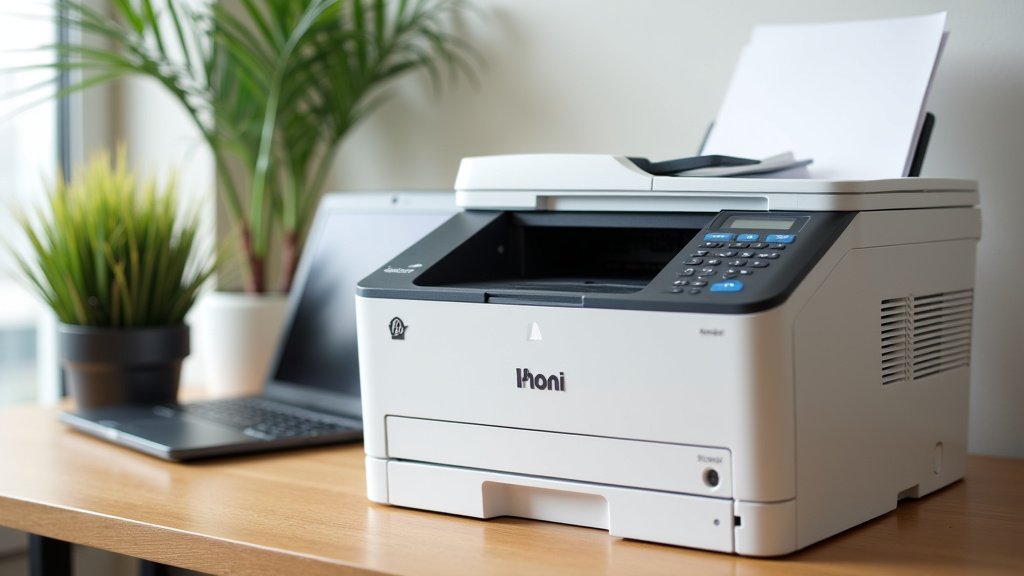
This is the sweet spot for many home offices. In this range, you can find excellent all-in-one printers. These let you print, scan, and copy. Many offer wireless connectivity, so you can print from your phone or tablet. You’ll get decent print speeds and good quality for both documents and photos. Inkjet models will offer better photo color, while some entry-level color laser all-in-ones might start appearing here too.
The Professional & High-Volume Pro: $400+
If you have a home-based business, a creative profession, or print large volumes regularly, you’ll want to look higher. This budget opens doors to robust laser printers (color or monochrome) with high page yields and fast speeds. You could also find high-end inkjet printers designed for professional photo printing with exceptional color accuracy and detail. These printers are built for durability and heavy use.
Key Features That Influence Price
Beyond the core function, certain features can bump up the price. Consider if these are must-haves for your workflow.
Wireless Connectivity
Being able to print from any device on your network without cables is a huge convenience. Most printers in the $150+ range offer Wi-Fi. Some may even support direct printing from smartphones or cloud services.
Automatic Document Feeder (ADF)
If you scan or copy multi-page documents often, an ADF is a lifesaver. It lets you load a stack of paper, and the printer feeds it through automatically. This feature is common in all-in-one printers in the $200+ range.
Duplex Printing (Automatic Two-Sided Printing)
This feature prints on both sides of the paper automatically, saving you time and paper. It’s becoming more common and can be found on many models from $150 upwards.
Print Speed (PPM – Pages Per Minute)
Faster printers mean less waiting. If you print large reports, speed matters. Laser printers generally offer higher PPM for text than inkjets. Expect to pay more for faster speeds.
A Quick Checklist for Your Printer Budget
To help you narrow it down, ask yourself these questions:
- How many pages do I print per month, roughly?
- Do I absolutely need color printing?
- Will I be printing photos or graphics that require high quality?
- Do I need scanning and copying features?
- What’s my budget for ink or toner over the next year?
- Are features like Wi-Fi or automatic duplex printing essential for my workflow?
By thoughtfully considering these points, you’ll be much closer to understanding the right printer budget for your home office. Remember, the cheapest printer isn’t always the most economical choice over time.
Conclusion
Determining your home office printer budget boils down to understanding your unique printing needs. We’ve seen that a basic inkjet for occasional use can be under $150, while a versatile all-in-one for regular tasks might range from $150 to $400. For professional quality or high-volume printing, be prepared to invest $400 or more. Remember to always factor in the total cost of ownership, especially ink or toner expenses, which can add up quickly. Before you buy, take a moment to assess your print volume, color needs, and desired features to make the most informed decision for your home office.
Frequently Asked Questions
What’s the biggest mistake people make when budgeting for a printer?
The most common mistake is focusing only on the initial purchase price. Many people fail to consider the long-term cost of ink or toner. We’ve found that printers with low upfront costs can sometimes have very expensive consumables, making them less economical over time. Always research the price of replacement cartridges before you buy.
Are laser printers or inkjet printers cheaper to own in the long run?
For printing lots of text documents, laser printers are often cheaper to own in the long run. While the initial toner cartridge is more expensive than ink, it prints far more pages. Inkjet printers are usually less expensive to buy and better for photos, but their ink can be costly if you print frequently.
Can I find a good all-in-one printer for under $200?
Yes, you absolutely can find capable all-in-one printers (print, scan, copy) for under $200. These models are great for general home office use and often include wireless connectivity. While they might not offer the fastest print speeds or the absolute highest print quality, they provide excellent value for most users who need multiple functions.
How often should I expect to replace ink or toner cartridges?
This really depends on your print volume. If you print only a few pages a week, cartridges can last many months. If you print dozens of pages daily, you might go through black ink cartridges monthly or toner cartridges every few months. Always check the estimated page yield for cartridges when comparing printers.
Should I budget more if I need to print photos?
Yes, you should generally budget more if high-quality photo printing is a priority. Inkjet printers typically offer superior color accuracy and detail for photos compared to laser printers. Look for printers with multiple ink cartridges (often including special photo colors) and a higher DPI (dots per inch) for the best results, which will likely place you in the $150-$400 range or higher.
