
How To Print On Fabric With Inkjet Printer?
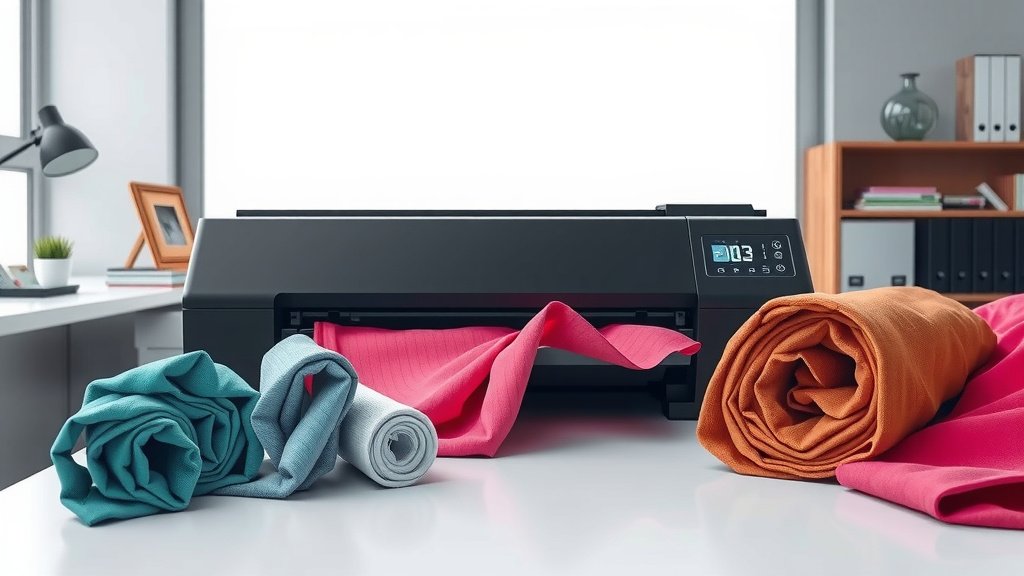
You can print on fabric with an inkjet printer by using fabric sheets designed for inkjet printing or treating regular fabric with a printable medium.
The key is choosing the right fabric type, using fabric-compatible inks, and following proper pre-treatment and heat-setting steps for lasting results.
Want to turn your creative ideas into custom fabric designs? Printing on fabric opens up amazing possibilities for personalized clothing, quilts, and home decor projects.
Let me walk you through everything you need to know about fabric printing with your regular inkjet printer.
What You Need Before Starting
Getting great results starts with having the right supplies. You can’t just feed any fabric through your printer and expect success.
Here’s your essential shopping list:
- Pretreated fabric sheets or freezer paper
- 100% cotton or cotton-poly blend fabric
- Fabric medium or textile ink
- Iron and ironing board
- Sharp scissors
Choosing Your Fabric Type
Cotton works best for inkjet printing. The fibers absorb ink well and produce vibrant colors.
Cotton-polyester blends can work too, but stick to at least 50% cotton content. Pure synthetic fabrics like polyester don’t absorb water-based inks properly.
Understanding Fabric Sheets vs Regular Fabric
Pretreated fabric sheets come ready to print. They’re backed with removable paper and sized perfectly for your printer.
Regular fabric needs more prep work but costs less and gives you more fabric choices.
Method 1: Using Pretreated Fabric Sheets
This is the easiest way to start fabric printing. Think of these sheets like special photo paper, but made of fabric.
Step 1: Design Your Print
Create your design in any image editing software. Keep these tips in mind:
- Set resolution to 300 DPI for crisp prints
- Use bright, bold colors
- Remember images will be slightly less vibrant on fabric
Design Size Considerations
Most fabric sheets come in 8.5 x 11 inch sizes. Plan your design to fit with small margins for trimming.
Step 2: Print Settings
Select the right printer settings for best results:
- Choose “Photo Paper” or “High Quality” mode
- Select “Best” or “Maximum” quality
- Turn off fast printing modes
Color Management Tips
Fabric absorbs ink differently than paper. Your prints might look slightly muted compared to what you see on screen.
Test print on one sheet first if you’re doing multiple copies.
Step 3: The Printing Process
Feed the fabric sheet into your printer just like regular paper. The backing makes it stiff enough to move through smoothly.
Print slowly and don’t rush. Let each sheet completely exit before adding the next one.
Handling Fresh Prints
Don’t touch the printed area immediately. The ink needs a few minutes to set before handling.
Method 2: Preparing Regular Fabric
Want more fabric options? You can prepare regular fabric yourself with freezer paper backing.
Step 1: Cut and Prepare
Cut your fabric slightly larger than 8.5 x 11 inches. You’ll trim it later.
Iron the fabric completely smooth. Any wrinkles will show up as printing problems.
Fabric Preparation Tips
Wash and dry your fabric first. This removes sizing chemicals that might block ink absorption.
Don’t use fabric softener in the wash. It creates a barrier that repels ink.
Step 2: Apply Freezer Paper Backing
Cut freezer paper to exact 8.5 x 11 inch size. Iron the shiny side onto the back of your fabric.
This backing makes your fabric stiff enough to feed through the printer without jamming.
Getting Smooth Adhesion
Use medium heat on your iron. Press firmly and move slowly to avoid bubbles.
The freezer paper should stick completely flat with no loose edges.
Step 3: Trim to Size
Trim the fabric-paper combo to exactly 8.5 x 11 inches. Clean, straight edges prevent printer jams.
Ink Types and Compatibility
Not all inks work well on fabric. Here’s what you need to know about your options.
Standard Inkjet Inks
Regular inkjet inks work for basic fabric printing. They’re water-based and absorb into cotton fibers reasonably well.
Colors might fade over time and through washing, but they’re fine for decorative items.
Pigment vs Dye-Based Inks
Pigment inks last longer on fabric than dye-based inks. They sit on top of fibers rather than soaking in completely.
Dye-based inks give brighter colors but fade faster with washing and sunlight.
Checking Your Printer’s Ink Type
Most home inkjet printers use dye-based inks. Check your printer manual or manufacturer website to confirm.
Heat Setting Your Prints
Heat setting locks the ink into fabric fibers. Skip this step and your prints will fade quickly.
The Heat Setting Process
Remove any backing paper first. Place a clean cloth or parchment paper over your printed fabric.
Iron on medium-high heat for 3-5 minutes. Move the iron slowly to heat every area evenly.
Alternative Heat Setting Methods
You can also heat set in a clothes dryer on high heat for 30 minutes. This works well for larger pieces.
Testing Heat Setting Success
Test a corner with a damp cloth. If ink doesn’t transfer to the cloth, your heat setting worked.
Washing and Care Instructions
Proper care keeps your fabric prints looking good longer.
First Wash Guidelines
Wait at least 24 hours before the first wash. This gives the ink extra time to bond with fibers.
Wash in cold water on gentle cycle. Turn the item inside out to protect the printed surface.
Detergent Selection
Use mild detergent without bleach or brighteners. These chemicals can break down fabric inks over time.
Drying Your Printed Fabrics
Air dry when possible. High heat from dryers can fade prints faster.
If you must use a dryer, choose low heat and remove items while slightly damp.
Troubleshooting Common Problems
Even experienced fabric printers run into issues. Here’s how to fix the most common problems.
Fabric Jamming in Printer
This usually happens when backing isn’t smooth or edges are rough. Check that freezer paper adheres completely flat.
Trim edges cleanly with sharp scissors. Ragged edges catch inside the printer mechanism.
Prevention Tips
Feed fabric sheets slowly into the manual feed tray rather than the main paper tray when possible.
Faded or Blurry Prints
Low ink levels cause faded prints. Replace cartridges when colors look weak.
Blurry prints often mean the fabric moved during printing. Make sure backing paper is firmly attached.
Color Accuracy Issues
Fabric absorbs ink differently than paper, so colors look different. This is normal, not a problem to fix.
Ink Not Absorbing Properly
This happens with synthetic fabrics or fabrics treated with starch or softeners.
Stick to 100% cotton or high-cotton blends. Pre-wash fabric without softeners.
Best Printer Settings for Different Fabrics
Different fabrics need slightly different printer settings for best results.
| Fabric Type | Best Setting | Quality Level |
|---|---|---|
| Cotton | Photo Paper | Best Quality |
| Cotton Blend | Plain Paper | High Quality |
| Canvas | Photo Paper | Maximum Quality |
Fine-Tuning Print Density
Some printers let you adjust ink density. For fabric, try increasing density by 10-20% for more vibrant colors.
Safety Tips and Precautions
Fabric printing is generally safe, but follow these guidelines to avoid problems.
Ventilation and Workspace
Work in a well-ventilated area when heat setting. Heated inks can produce fumes.
Keep your workspace clean to avoid getting dust or debris on wet prints.
Protecting Your Printer
Clean your printer regularly when doing fabric printing. Fabric fibers can accumulate inside the mechanism.
Don’t force jammed fabric through the printer. Turn off the printer and carefully remove stuck material.
Cost Comparison: DIY vs Professional
Let’s look at the real costs of printing your own fabric versus ordering custom prints.
DIY Fabric Printing Costs
Pretreated fabric sheets cost about $1-3 per sheet. Add ink costs and you’re looking at roughly $2-4 per print.
Preparing your own fabric with freezer paper costs less – maybe $0.50-1.00 per sheet plus ink.
When Professional Makes Sense
For large quantities or specialty fabrics, professional printing often costs less per piece.
Complex designs with lots of colors might also work better with professional equipment.
Creative Project Ideas
Now for the fun part – what can you make with your fabric printing skills?
Home Decor Projects
Custom pillowcases, placemats, and wall hangings make great starter projects. They don’t require complex sewing skills.
Photo transfers onto fabric create unique gifts. Family pictures on fabric make wonderful keepsakes.
Quilting Applications
Many quilters use fabric printing to add photo blocks or custom designs to their quilts.
Fashion and Accessories
T-shirt designs, tote bags, and scarves let you wear your creativity. Start simple and work up to more complex projects.
Conclusion
Printing on fabric with your inkjet printer opens up a world of creative possibilities. Whether you choose convenient pretreated sheets or prepare your own fabric, success comes down to using the right materials and following proper techniques.
Start with simple cotton fabrics and basic designs while you learn the process. Remember that heat setting is your secret weapon for long-lasting prints that won’t fade quickly.
With practice, you’ll discover that fabric printing lets you create truly unique items for your home, gifts for friends, or even small business products. The initial learning curve pays off in creative satisfaction and practical results.
Can I use any inkjet printer for fabric printing?
Most standard inkjet printers work for fabric printing, but printers with pigment-based inks give better longevity. Avoid printers that only handle very thin paper, as fabric sheets are slightly thicker.
How long do fabric prints last before fading?
With proper heat setting and care, fabric prints can last 2-5 years of regular wear and washing. Decorative items that aren’t washed frequently can maintain their colors much longer.
What’s the difference between fabric medium and regular ink?
Fabric medium is an additive you mix with regular acrylic paint for fabric painting by hand. For inkjet printing, you use regular printer ink, but fabric-specific inks offer better wash resistance and color retention.
Can I print white ink on dark fabric?
Standard inkjet printers cannot print white ink – they create white by leaving areas unprinted. For white designs on dark fabric, you need special transfer papers or professional printing services with white ink capabilities.
Is it safe to put fabric through my expensive printer?
When properly backed with freezer paper or using commercial fabric sheets, fabric printing is generally safe for your printer. Always ensure edges are clean and backing is firmly attached to prevent jams that could damage the mechanism.
