Is Canon Pixma Better Than Epson Ecotank?
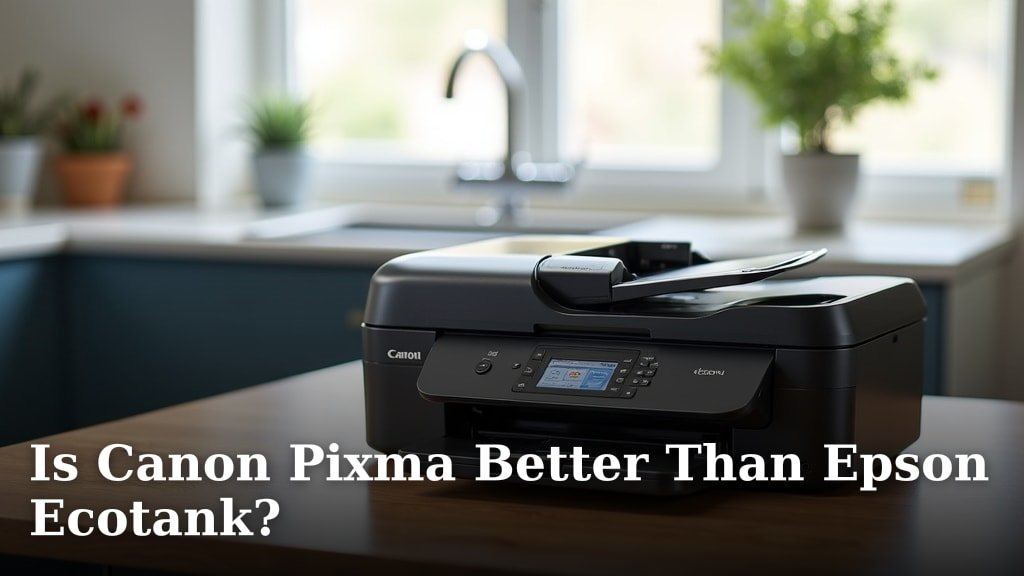
When comparing Canon Pixma vs. Epson EcoTank printers, neither one is definitively “better” for everyone; it depends on your specific needs. Canon Pixma often wins for initial purchase price and photo quality. Epson EcoTank, however, typically offers much lower long-term ink costs and high-volume printing.
You’re probably asking yourself, “Which printer makes more sense for my home or small office?” We understand that choosing the right printer can feel like a big decision. We looked at what makes each brand unique, focusing on their strengths and weaknesses.
- Canon Pixma often has lower upfront costs.
- Epson EcoTank excels in ink efficiency.
- Photo quality is often a Canon strength.
- EcoTank is ideal for high-volume printing.
- Your budget and printing habits matter most.
Let’s dive into the details and help you decide which printer best fits your printing style and wallet.
Canon Pixma vs. Epson EcoTank: Which Printer is Right for You?
Deciding between a Canon Pixma and an Epson EcoTank printer really comes down to what you value most: a lower upfront cost or saving money on ink over time. We found that each series shines in different scenarios, making your printing habits the ultimate guide.
Understanding the Core Differences
Before we dive deep, let’s look at the fundamental difference between these two popular printer lines. It’s like comparing two cars – both get you from point A to point B, but one might be a budget-friendly compact, while the other is a fuel-efficient hybrid.
Canon Pixma: The Cartridge King
Canon Pixma printers traditionally use ink cartridges. These are small, sealed units containing ink that you replace once they run dry. They’ve been the standard for decades. You buy a new printer for a lower price, but you’ll consistently buy new cartridges.
- Lower initial price: You’ll typically pay less for the printer itself.
- Easy setup: Just pop in the cartridges, and you’re often ready to print.
- Good photo quality: Many Pixma models are celebrated for their vibrant photo prints.
Epson EcoTank: The Tank Innovator
Epson EcoTank printers, on the other hand, feature large, refillable ink tanks. Instead of replacing cartridges, you pour ink from bottles directly into these tanks. This design completely changes the math for long-term costs. It’s a newer approach, designed to save you money on ink.
- Higher initial price: You’ll usually pay more for an EcoTank printer upfront.
- Ultra-low ink costs: Ink bottles are much cheaper per page than cartridges.
- High-volume printing: Ideal if you print a lot of pages regularly.
Upfront Costs: What Will You Pay Initially?
When you first walk into the store (or browse online), you’ll notice a clear price difference. This is often the first thing that catches your eye, and it can significantly sway your decision if you’re working with a tight budget.
Canon Pixma printers generally have a more appealing price tag right out of the box. You can often find a good quality Pixma all-in-one printer for under $100, sometimes even less when on sale. This makes them very attractive for students or casual users.
Epson EcoTank printers, however, command a higher initial price. You might pay anywhere from $200 to $500 or more for an EcoTank model. This sticker shock can be a deal-breaker for some. It’s an investment, but one that promises future savings.
Ink Costs and Page Yield: The Long-Term Game
This is where the rubber meets the road and where the EcoTank truly shines. While the initial printer cost matters, the cost of ink over time often outweighs it, especially if you print regularly.
Canon Pixma’s cartridge system means you’ll be buying new cartridges frequently if you print a lot. These cartridges can be expensive. Many users report feeling “held hostage” by the recurring ink purchases. The cost per page can add up quickly (PCMag). Understanding the cost to refill ink cartridges can help you compare the long-term expenses of different printer types.
Epson EcoTank turns this model on its head. The ink bottles are incredibly economical. One set of EcoTank ink bottles can often print thousands of pages – sometimes enough to last for years for an average home user. This dramatically reduces your cost per page.
Think of it like this: a Pixma is like buying a car that’s cheap to buy but uses expensive premium gas. An EcoTank is like buying a more expensive car upfront, but it runs on super-cheap, efficient fuel for years.
Print Quality: Photos, Documents, and Everything in Between
What you print is just as important as how much you print. Both brands offer excellent quality, but they have subtle differences in their strengths.
Photo Printing Excellence
Many professional reviewers and users often cite Canon Pixma printers for their outstanding photo quality. They tend to produce vibrant colors, smooth gradients, and impressive detail, especially on glossy photo paper. If you’re a hobby photographer or print family photos often, a Pixma might be your go-to choice (Wirecutter).
Document Printing and Everyday Tasks
For everyday text documents, spreadsheets, and presentations, both Canon Pixma and Epson EcoTank deliver crisp, clear results. You won’t typically see a major difference here. Both produce sharp black text that’s easy to read. EcoTank models are built for volume, so they’ll handle those large reports without flinching.
Speed and Performance: How Fast Do They Print?
Nobody likes waiting forever for their prints. Printing speed is measured in pages per minute (PPM). Both brands offer a range of speeds, depending on the model and price point.
Generally, you’ll find comparable speeds across similar price points for both Canon Pixma and Epson EcoTank for standard document printing. Neither one consistently blows the other out of the water. For most home users, the speeds offered by either brand will be perfectly adequate.
User Experience and Features: What’s It Like to Own One?
Beyond costs and quality, how easy is the printer to use? What extra features do you get? This is where small details can make a big difference in your daily life.
Ease of Setup and Refills
Canon Pixma printers are generally very straightforward to set up. You load paper, install cartridges, and connect to your computer or Wi-Fi. It’s usually a quick process.
Epson EcoTank setup is a little different because of the ink tanks. You’ll need to pour the ink into the tanks, which sounds messier than it is. Most EcoTank bottles are designed with “key-shaped” nozzles that only fit the correct tank, preventing accidental spills or mixing colors. It’s usually a clean process, but it takes a few extra minutes the first time.
Connectivity Options
Both Canon Pixma and Epson EcoTank models offer a wide array of connectivity options. You’ll find Wi-Fi, USB, and often Ethernet on higher-end models. Many also support mobile printing apps (like Apple AirPrint or Mopria Print Service), allowing you to print directly from your smartphone or tablet.
Additional Features You Might Like
Both brands offer printers with features like automatic document feeders (ADF), duplex printing (two-sided), touchscreen displays, and integrated scanners/copiers. It really depends on the specific model you choose, rather than the brand itself. For those seeking a versatile device, our guide to the best all-in-one printer for home use can help you find models with these combined features.
Environmental Impact: Thinking Green
This is an area where the EcoTank system has a clear advantage. Every time you replace an ink cartridge, you’re contributing plastic waste. While some companies have recycling programs, many cartridges end up in landfills.
Epson EcoTank’s refillable tank system uses far less plastic over its lifetime. Instead of throwing away an entire cartridge, you’re only disposing of small ink bottles. This reduces plastic waste significantly, making it a more environmentally friendly choice if that’s important to you (Epson).
The Verdict: Which One Should You Choose?
We’ve covered a lot, so let’s distill it down to help you make your final choice. There isn’t a single “better” printer; there’s only the better printer for your specific situation.
| Feature | Canon Pixma | Epson EcoTank |
|---|---|---|
| Initial Printer Cost | Lower | Higher |
| Ink Cost (Per Page) | Higher | Much Lower |
| Photo Print Quality | Excellent | Very Good |
| Document Print Quality | Excellent | Excellent |
| Volume Printing | Less ideal (due to ink cost) | Ideal (cost-effective) |
| Environmental Impact | More plastic waste | Less plastic waste |
Your Personal Printer Checklist
To really nail down your decision, ask yourself these questions. This little checklist can guide you to the perfect printer match.
- Do you print occasionally, or do you have a high volume of pages every month?
- Is your budget very tight for the initial purchase?
- How important is professional-grade photo printing to you?
- Are you comfortable with a slightly higher upfront cost for long-term ink savings?
- How concerned are you about reducing plastic waste from ink cartridges?
If you mainly print a few documents here and there, and photos are a big deal, a Canon Pixma might be your happy place. If you run a small business from home, have kids with endless school projects, or just print a ton, the Epson EcoTank will likely save you a fortune over time. It’s about weighing those initial costs against the ongoing expense of ink.
Conclusion
Your choice between a Canon Pixma and an Epson EcoTank ultimately hinges on your printing habits and budget. If you print occasionally and prioritize upfront savings or superior photo quality, a Canon Pixma is likely your best bet. However, if you print high volumes and want to save significantly on ink costs over time, investing in an Epson EcoTank will pay off considerably.
We’ve shown that there’s no single “winner.” Instead, focus on your personal printing needs. Use our checklist to match your requirements with the strengths of each brand. Make the decision that genuinely suits your home or small office best.
Frequently Asked Questions
Is Canon Pixma better for photos than Epson EcoTank?
Many users and experts agree that Canon Pixma printers often produce slightly more vibrant and detailed photo prints. If professional-quality photo printing is your top priority, a Canon Pixma model is often the preferred choice. Epson EcoTank still delivers very good photo quality, but Pixma often has an edge.
How much ink does an Epson EcoTank save compared to Canon Pixma?
Epson EcoTank printers can save you a significant amount on ink. While initial printer costs are higher, the refillable ink bottles are much cheaper per page than traditional cartridges. Over time, especially for high-volume users, this can lead to savings of hundreds of dollars on ink alone.
Are EcoTank printers worth the higher upfront cost?
Yes, an EcoTank printer is often worth the higher upfront cost if you print frequently. The savings on ink over its lifetime typically outweigh the initial price difference. For a casual user who prints very little, a cheaper Canon Pixma might be more cost-effective overall.
Which printer is more environmentally friendly?
Epson EcoTank printers are generally considered more environmentally friendly. Their refillable ink tank system uses significantly less plastic waste compared to the constant disposal of ink cartridges from Canon Pixma or similar printers. This reduces your ecological footprint.
Can I use third-party ink with Canon Pixma or Epson EcoTank?
While third-party inks exist for both, it’s generally not recommended. Using non-brand ink can void your printer’s warranty and may lead to print quality issues or even damage the print head. For the best performance and longevity, stick to genuine manufacturer ink.