Can I Print On Vinyl With An Inkjet Printer?
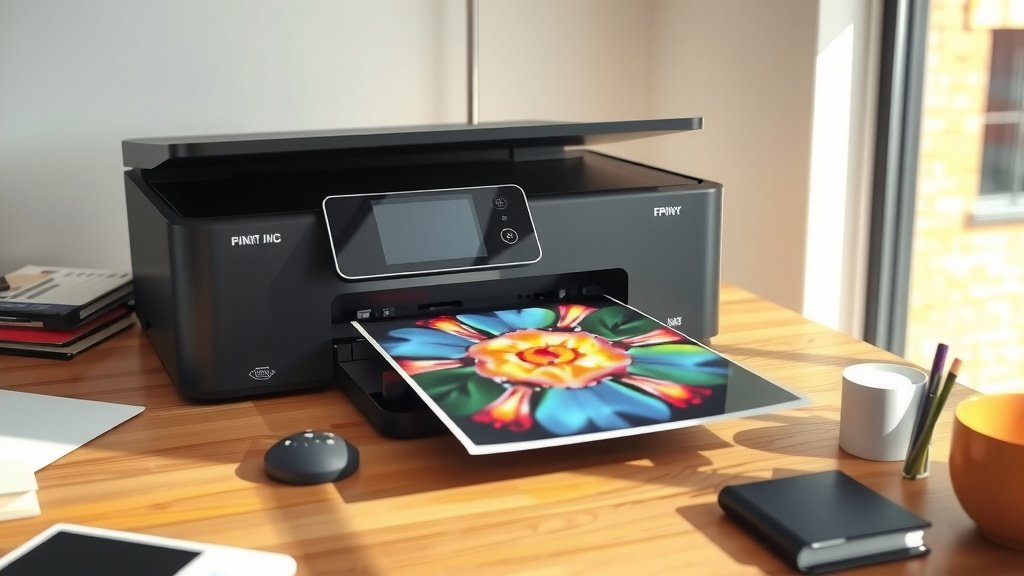
Yes, you can print on vinyl with an inkjet printer, but you need the right type of vinyl and proper printer settings for best results.
Standard inkjet printers work well with printable vinyl sheets designed for inkjet printing, though results vary based on vinyl quality and ink type.
What You Need to Know About Printing Vinyl
Printing on vinyl opens up amazing creative possibilities. You can make custom stickers, labels, decals, and signs right from your home office.
But here’s the thing – not all vinyl works with inkjet printers. You need special printable vinyl that accepts ink properly.
Types of Vinyl That Work With Inkjet Printers
I researched different vinyl options and found three main types that work well:
- White printable vinyl – most common and affordable
- Clear printable vinyl – great for transparent stickers
- Matte printable vinyl – reduces glare and fingerprints
Regular craft vinyl won’t work. It repels ink instead of absorbing it.
Glossy vs Matte Vinyl Options
Glossy vinyl gives you bright, vibrant colors. Think of it like photo paper – colors pop and look rich.
Matte vinyl offers a softer look with less reflection. It’s easier to read under bright lights.
Which Should You Choose?
Pick glossy for photos, logos, or colorful designs. Choose matte for text-heavy labels or professional applications.
Best Inkjet Printer Settings for Vinyl
Your printer settings make a huge difference. Wrong settings can cause smudging, poor colors, or wasted vinyl.
Paper Type Selection
Most printers don’t have a “vinyl” setting. I found that using these settings works best:
- Photo paper setting for glossy vinyl
- Matte paper setting for matte vinyl
- Heavy paper or cardstock setting if available
Print Quality Settings
Always use high quality or best quality settings. Draft mode saves ink but looks terrible on vinyl.
Slow down the print speed if your printer allows it. This gives ink more time to set properly.
Color Management Tips
Turn off automatic color correction for accurate colors. Use your design software’s color management instead.
Step-by-Step Printing Process
Follow these steps for the best results every time:
Before You Start
Clean your printer’s print heads. Clogged nozzles create streaks and missing colors.
Load vinyl one sheet at a time. Vinyl is thicker than paper and can jam if you load too many sheets.
Loading the Vinyl
Place vinyl with the printable side down in most printers. Check your manual to be sure.
Adjust the paper guides snugly against the vinyl. Loose guides cause crooked prints.
Print Direction Matters
Some vinyl has a grain direction like fabric. Test print in both directions to see which looks better.
After Printing
Let prints dry completely before handling. Vinyl takes longer to dry than regular paper.
Store finished prints flat to prevent curling or sticking together.
Common Problems and Solutions
Even with the right setup, things can go wrong. Here’s how to fix common issues:
Ink Smearing or Running
This usually means too much ink or wrong settings. Try these fixes:
- Switch to photo paper setting
- Reduce ink density if available
- Use slower print speed
- Check if your vinyl is actually printable
Colors Look Washed Out
Faded colors often come from draft quality settings or low ink levels.
Check your ink cartridges first. Replace any that are running low.
Profile Mismatch Issues
Your printer might be using the wrong color profile. Switch to sRGB for most vinyl projects.
Vinyl Jamming in Printer
Vinyl jams happen when it’s too thick or curled. Try these solutions:
- Use thinner vinyl sheets
- Flatten curled vinyl under heavy books overnight
- Feed vinyl more slowly
- Clean your paper path
Durability and Protection
Inkjet prints on vinyl need protection to last. Regular inkjet ink isn’t waterproof or UV-resistant.
Laminating Your Prints
Clear laminate film protects against water, scratches, and fading. It doubles your vinyl’s lifespan.
You can laminate by hand or use a laminating machine for better results.
UV Protection Options
Outdoor vinyl needs UV protection. Regular prints fade within months in direct sunlight.
UV-resistant inks cost more but last years instead of months outdoors.
Indoor vs Outdoor Use
Indoor vinyl lasts 2-5 years without protection. Outdoor vinyl needs lamination to last more than 6 months.
Cost Comparison
Printing your own vinyl costs less than professional printing for small jobs. Here’s what I found:
| Item | DIY Cost | Professional Cost |
|---|---|---|
| Single 8.5×11 sheet | $2-4 | $8-15 |
| Small stickers (25 pack) | $5-8 | $20-35 |
| Large format (18×24) | Not possible | $25-50 |
When Professional Printing Makes Sense
Go professional for large quantities, outdoor durability, or sizes bigger than your printer handles.
Professional shops use eco-solvent or UV inks that last much longer outdoors.
Choosing the Right Vinyl Brand
I researched popular vinyl brands and found big differences in quality and price.
Budget-Friendly Options
Generic printable vinyl works fine for indoor projects and testing. It costs about half as much as name brands.
Quality varies between suppliers, so buy small quantities first.
Premium Vinyl Choices
Name-brand vinyl gives more consistent results and better color reproduction.
It costs more upfront but wastes less material due to fewer failed prints.
Adhesive Strength Differences
Permanent vinyl sticks strongly and removes with difficulty. Removable vinyl comes off cleanly but may not stick to textured surfaces.
Conclusion
You absolutely can print on vinyl with your inkjet printer. The key is using printable vinyl sheets and adjusting your printer settings properly. Start with small test prints to dial in your settings before printing important projects. With practice, you’ll create professional-looking vinyl prints at home for a fraction of professional printing costs. Remember to protect outdoor prints with lamination and store unused vinyl flat in a cool, dry place.
Can I use regular vinyl from craft stores with my inkjet printer?
No, regular craft vinyl has a surface that repels ink rather than absorbing it. You need specially made printable vinyl that’s designed to accept inkjet ink properly.
How long do inkjet vinyl prints last outdoors?
Without protection, inkjet vinyl prints fade within 3-6 months outdoors. With proper lamination and UV-resistant inks, they can last 3-5 years depending on sun exposure and weather conditions.
Why does my vinyl keep jamming in the printer?
Vinyl jams usually happen because it’s thicker than regular paper or has curled edges. Try using thinner vinyl, flatten curled sheets overnight, and load only one sheet at a time with snug paper guides.
What’s the difference between pigment and dye-based inks for vinyl?
Pigment inks resist fading better and work well for outdoor projects, while dye-based inks produce more vibrant colors but fade faster. Pigment inks are better for vinyl that will see sun exposure or weather.
Can I print white ink on clear vinyl with my inkjet printer?
Most consumer inkjet printers cannot print white ink – they only use cyan, magenta, yellow, and black. For white designs on clear vinyl, you’ll need to use the vinyl’s white backing or consider professional printing services that offer white ink capabilities.