Can Inkjet Print White?
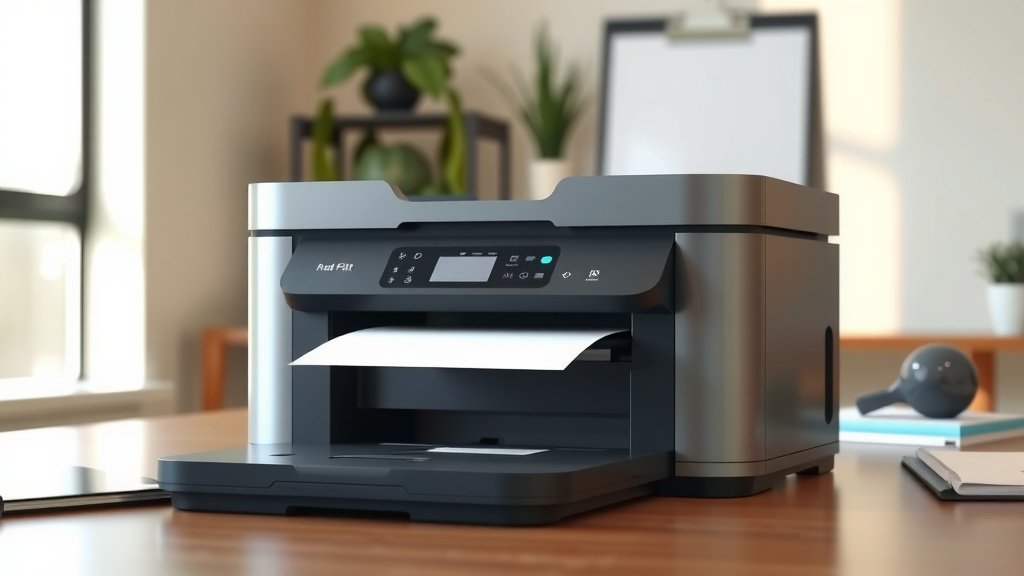
Most standard inkjet printers cannot print white ink because they rely on the white paper beneath to create white areas by simply not printing anything there.
To print white with an inkjet printer, you need a special printer designed with white ink cartridges or specialized white toner systems.
Have you ever wondered why your inkjet printer seems to skip over white areas in your designs? You’re not alone in this confusion. Many people assume their printer can handle any color, including white.
The truth is more complex than you might think. Let me walk you through everything you need to know about printing white with inkjet printers.
How Standard Inkjet Printers Handle White
Your typical home or office inkjet printer uses what experts call “subtractive color printing.” This means it creates colors by combining different inks on white paper.
When your printer needs to show white, it simply doesn’t print anything at all. The white you see comes from the paper itself showing through.
Think of it like painting on a white canvas. You add colors where you want them, but you leave areas blank to show the white canvas underneath.
The CMYK Color System Limitation
Most inkjet printers use CMYK inks: Cyan, Magenta, Yellow, and Black (Key). This system works great on white paper.
But what happens when you try to print on dark or colored paper? That’s where the problem shows up.
Your printer still “prints white” by printing nothing. But on black paper, nothing still looks black.
Why Regular Printers Skip White Ink
Printer manufacturers design standard inkjets for white paper use. Adding white ink would increase costs and complexity for something most users don’t need.
White ink also presents technical challenges. It tends to clog print heads more easily than other colors.
When You Actually Need to Print White
You might need true white printing in several situations. Let me share the most common ones I found through research.
Printing on Dark Materials
If you want to print on black t-shirts, dark cardstock, or colored materials, you need real white ink.
The white creates a base layer that makes other colors pop. Without it, your colors look muddy or disappear completely.
Creating Highlights and Effects
Artists and designers often want bright white highlights that are brighter than paper white.
Think of adding sparkle to jewelry photos or creating snow effects that really stand out.
Professional Graphics Work
Sign makers, label producers, and packaging designers frequently need white ink for their projects.
Many commercial applications require printing on clear or colored substrates where paper white won’t work.
Printers That Can Print White Ink
Good news: several printer types can handle white ink. Each has its own strengths and trade-offs.
Specialized Inkjet Printers
Some high-end inkjet printers include white ink cartridges. These cost more but offer true white printing capability.
Roland, Epson, and other manufacturers make models with white ink options. They’re mainly targeted at commercial users.
Desktop White Ink Printers
A few desktop models now include white ink capability. They’re still expensive compared to standard printers.
These work well for small businesses or serious hobbyists who need occasional white printing.
Wide Format White Ink Printers
Large format printers with white ink handle bigger projects like banners and signs.
They’re professional-grade equipment with professional-grade price tags.
UV Printers with White Ink
UV printers cure ink instantly with ultraviolet light. Many include white ink as a standard feature.
They can print on almost any material: wood, metal, plastic, glass. The white ink coverage is usually excellent.
Screen Printing Alternative
Screen printing handles white ink beautifully. It’s not technically inkjet, but it’s worth considering for some projects.
You get vibrant white coverage, especially on dark fabrics. The setup takes more work, but results can be stunning.
Workarounds for Standard Inkjet Printers
What if you have a regular printer but need some white elements? I researched several creative solutions.
White Paper Strategy
Design your project so white areas align with the natural paper white. Plan your layout carefully.
This works great for business cards, flyers, and documents where paper white is acceptable.
Reverse Printing Technique
Print your design in reverse on special transfer paper. Then apply it to your dark material.
The white transfer material creates the white areas you need. It takes extra steps but costs less than a white ink printer.
Heat Transfer Papers
Heat transfer papers designed for dark fabrics include a white base layer.
You print normally, then heat-press the transfer onto your dark shirt or material.
Vinyl Cutting Method
Cut white vinyl shapes and apply them to your dark surface first. Then print other colors around them.
This works well for simple designs with solid white areas.
Two-Step Printing Process
Some crafters print colored elements first, then add white details by hand or with white pens.
It’s labor-intensive but gives you control over exactly where white appears.
Technical Challenges with White Ink
White ink brings unique problems that other colors don’t have. Understanding these helps explain why it’s not universal.
Opacity Issues
White ink often needs multiple passes to achieve solid coverage. One layer might look gray or translucent.
This slows down printing and uses more ink than you might expect.
Clogging Problems
White ink contains titanium dioxide particles that settle and clog more easily than dye-based inks.
Printers with white ink need more frequent cleaning and maintenance.
Storage Considerations
White ink cartridges often have shorter shelf lives. The particles separate if left unused too long.
Some printers require daily or weekly agitation cycles to keep white ink flowing properly.
Color Matching Challenges
Getting consistent white color across different print runs can be tricky. White ink opacity varies with humidity and temperature.
Professional print shops spend considerable time calibrating white ink systems.
Cost Considerations
Let me break down the real costs of white ink printing so you can make smart decisions.
Equipment Costs
White ink printers cost significantly more than standard models. Entry-level units start around $3,000.
Professional models can cost $10,000 to $50,000 or more, depending on size and capabilities.
Ongoing Ink Costs
White ink cartridges typically cost more per milliliter than other colors.
You’ll also use more white ink since it often requires multiple coats for solid coverage.
Maintenance Expenses
More frequent cleaning cycles mean higher maintenance costs and more downtime.
Factor in replacement print heads and cleaning solutions when budgeting.
| Printer Type | Initial Cost | White Ink Cost | Best For |
|---|---|---|---|
| Standard Inkjet | $50-$500 | Not Available | Regular documents |
| Desktop White Ink | $2,000-$5,000 | $100-$200/cartridge | Small business projects |
| Professional White Ink | $10,000+ | $300-$500/liter | Commercial printing |
| UV White Ink | $15,000+ | $200-$400/liter | Specialty substrates |
Choosing the Right Solution
Your best choice depends on how often you need white printing and what your budget allows.
For Occasional Use
If you rarely need white printing, workarounds or outsourcing make more sense than buying specialized equipment.
Consider local print shops that offer white ink services for your occasional projects.
For Regular Business Use
If white printing is part of your regular workflow, investing in proper equipment pays off over time.
Calculate your monthly white ink needs and compare equipment costs to outsourcing costs.
Volume Considerations
High-volume users benefit most from owning white ink printers. The per-print cost drops significantly.
Low-volume users often find outsourcing more economical in the long run.
Conclusion
Standard inkjet printers cannot print white ink because they’re designed to use paper white for white areas. To truly print white, you need specialized printers with white ink cartridges, UV printers, or creative workarounds like transfer papers and reverse printing techniques. While white ink printing technology exists, it comes with higher costs, maintenance challenges, and technical complexities. Your best choice depends on your specific needs, budget, and how frequently you require white printing capabilities.
Can I add white ink to my existing inkjet printer?
No, you cannot add white ink capability to a standard inkjet printer. The printer firmware, ink delivery system, and print heads are specifically designed for CMYK inks only. You would need to purchase a printer specifically manufactured with white ink compatibility.
What’s the difference between paper white and printed white ink?
Paper white is simply the absence of ink, showing the natural paper color underneath. Printed white ink is an actual pigment that sits on top of the surface, allowing you to print white on dark or colored materials where paper white wouldn’t be visible.
How long do white ink cartridges last compared to regular ink?
White ink cartridges typically have shorter lifespans than regular ink cartridges due to the titanium dioxide particles that can settle and separate over time. They usually need replacement every 6-12 months even with minimal use, compared to 1-2 years for standard inks.
Can laser printers print white better than inkjet printers?
Standard laser printers have the same limitation as inkjet printers – they cannot print white toner. White laser printing requires specialized equipment with white toner cartridges, which are even rarer and more expensive than white ink inkjet printers.
What materials work best with white ink printing?
White ink works best on non-porous, smooth surfaces like vinyl, plastic, glass, and coated papers. Porous materials like uncoated paper or fabric may absorb the white ink unevenly, requiring multiple coats or special preparation to achieve solid white coverage.