
Can You Use Any Ink Cartridge in Any Printer?
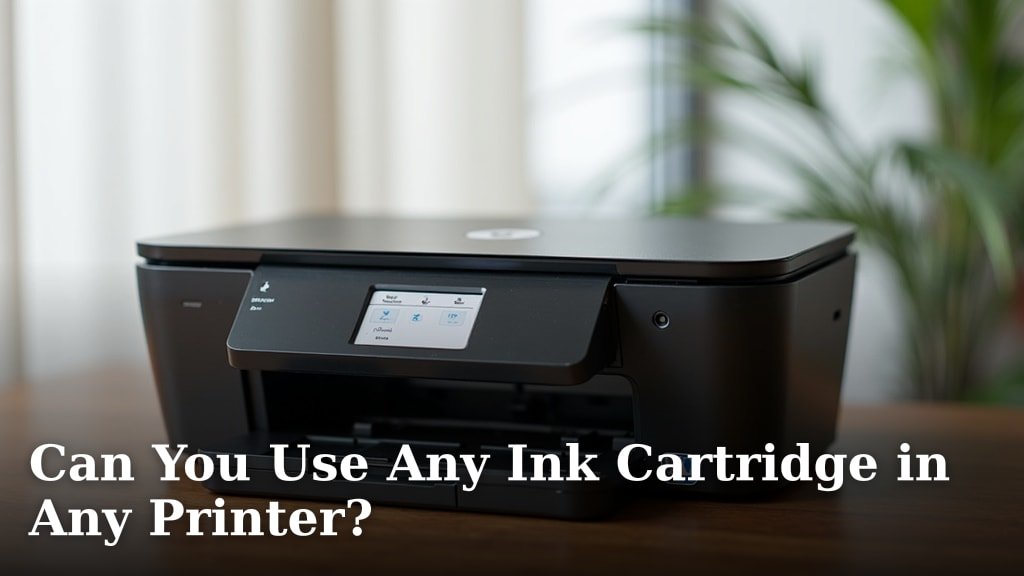
No, you generally cannot use just any ink cartridge in any printer. Printers are designed to work with specific ink cartridges, much like a car needs a particular type of fuel. Using the wrong one simply won’t work or could even cause damage.
Most printer manufacturers use proprietary technology. This means their cartridges have unique shapes, chips, and ink formulations. This ensures compatibility and often protects their brand. Trying to force a different cartridge can lead to error messages or a non-functioning printer.
- Printers need specific ink cartridges.
- Cartridges have unique designs and chips.
- Using the wrong ink can cause errors or damage.
- Compatible or remanufactured cartridges are alternatives.
- Always check your printer’s model for correct ink.
So, what does this mean for you when you need new ink? We’ll walk you through how to find the right cartridges and discuss your options, helping you understand this common printing puzzle.
Why Most Ink Cartridges Aren’t Interchangeable
The short answer is simple: printers and cartridges are specifically designed to work together. Think of it like a car and its parts – you can’t put a Ford engine into a Toyota, right? Inkjet printers are very similar.
Every printer manufacturer has its own unique specifications. They use different technologies to get the ink onto the paper. This means they need their own types of ink. It’s a precise science to get good print quality.
The Science Behind Printer Compatibility
There’s more to an ink cartridge than just a plastic shell full of colored liquid. A lot of engineering goes into each one. Manufacturers invest heavily in research and development.
The ink itself is a complex chemical formula. It’s designed for the specific printhead in your machine. This ensures colors are accurate and prints don’t smudge. We found that ink formulation varies greatly between brands.
Ink Composition Matters
Ink isn’t just dye and water. It often contains pigments, solvents, and binders. These components help the ink dry quickly and adhere to different paper types. Using the wrong ink can lead to faded prints or clogged nozzles.
Some inks are water-based, others are pigment-based. Pigment inks are generally more resistant to fading and water. Dye-based inks offer brighter colors. Your printer is built for one or the other. You can’t just swap them out.
Printhead Technology Differences
Printers use tiny nozzles to spray ink onto the page. These nozzles are incredibly small, often thinner than a human hair. Each brand designs its printheads differently. Some use heat, others use vibrations (Consumer Reports).
If the ink isn’t formulated for that specific printhead, problems arise. It might be too thick or too thin. This can damage the printhead over time. We’ve seen this lead to expensive repairs or even a ruined printer.
Physical and Digital Roadblocks
Beyond the ink itself, there are physical and digital barriers. Manufacturers make it difficult to use generic or competitor cartridges. This is part of their business model, as they make money from ink sales.
Cartridge Shape and Size
Have you ever tried to fit a square peg in a round hole? That’s what it’s like with ink cartridges. Each printer model has a specific slot design. Cartridges are molded to fit only that slot.
They have unique tabs, grooves, and connectors. These physical differences prevent you from inserting the wrong cartridge. It’s a simple, yet effective, way to control compatibility.
Embedded Chips and Firmware
Many modern ink cartridges have tiny microchips. These chips communicate with your printer. They tell the printer the cartridge type, ink level, and whether it’s genuine. This is a digital handshake between cartridge and machine.
If the chip isn’t recognized, the printer won’t print. It will often display an error message. We found that manufacturers update printer firmware. This can sometimes block older compatible cartridges from working. It’s a constant cat-and-mouse game for third-party ink makers.
Finding the Right Ink for Your Printer
So, if you can’t just pick any cartridge, how do you find the right one? It’s easier than you might think. Your printer provides all the information you need. You just need to know where to look.
Locating Your Printer Model Number
The first step is to identify your exact printer model. This is crucial for buying the correct ink. Every printer has a unique model name or number. It’s like finding your car’s make and model before buying new tires.
You can usually find this number in a few places. Check the front or top of the printer. It’s often printed on a label. You might also find it on the back or bottom of the unit. The printer’s user manual is another good source.
Cross-Referencing with Ink Cartridges
Once you have your printer model, finding the ink is straightforward. Ink cartridges are always labeled with the printer models they support. Look for the “Compatible with” section on the ink packaging.
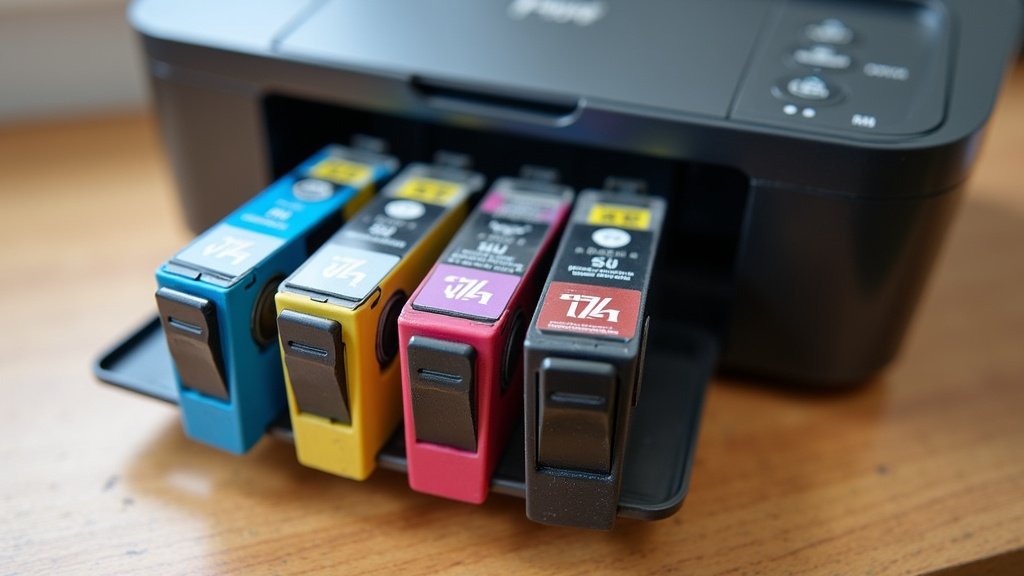
Most ink cartridges also have a specific number or code. For example, an HP printer might use a ’61’ cartridge, while an Epson uses a ‘220’. This number is your key. Always match this number to your printer’s requirements.
- Check the front or top of your printer for the model number.
- Look for a label on the back or bottom.
- Consult your printer’s user manual.
- Note the ink cartridge number (e.g., HP 61, Canon 245).
- Match this number exactly when purchasing new ink.
Understanding Your Ink Cartridge Options
While you can’t use just *any* cartridge, you do have options beyond buying only from the printer manufacturer. Let’s explore the main types of ink cartridges available to you.
Original Equipment Manufacturer (OEM) Cartridges
These are the brand-name cartridges made by your printer’s manufacturer. Think HP ink for an HP printer, or Canon ink for a Canon printer. They are designed for perfect compatibility. You’re guaranteed to get the best performance and print quality.
The downside? They are typically the most expensive option. This is where manufacturers make a significant portion of their profit. They are the “premium fuel” for your printer, if you will.
Compatible and Remanufactured Cartridges
Looking for a more budget-friendly choice? You have compatible and remanufactured cartridges. These are alternatives to the pricier OEM options. They offer a way to save money without necessarily sacrificing too much quality. But there are important differences.
Compatible Cartridges
Compatible cartridges are brand-new cartridges made by a third-party company. They are designed to function like the OEM version. They fit correctly and contain ink formulated for your printer type. They are like buying generic brand medicine instead of the name brand.
Many reputable companies make compatible ink. We found that quality can vary, so it’s wise to read reviews. They are often significantly cheaper than OEM cartridges. However, some printer warranties might be affected by using them (check your warranty details).
Remanufactured Cartridges
Remanufactured cartridges are original OEM cartridges that have been recycled. A third-party company cleans, refills, and sometimes replaces worn parts in an empty OEM cartridge. They then test it and resell it.
This is an environmentally friendly option. It keeps plastic out of landfills. Like compatibles, they are cheaper than new OEM cartridges. Quality depends on the remanufacturing process. Look for companies with strong guarantees. Some studies show that remanufactured cartridges perform very well (Consumer Reports).
| Cartridge Type | Description | Pros | Cons |
|---|---|---|---|
| OEM (Original) | Made by your printer’s manufacturer. | Guaranteed compatibility, best quality. | Highest cost. |
| Compatible | Brand-new, made by a third party. | Lower cost, good performance. | Quality can vary, potential warranty issues. |
| Remanufactured | Recycled and refilled OEM cartridge. | Lower cost, environmentally friendly. | Quality can vary, potential warranty issues. |
Refilling Your Own Cartridges
You might see kits to refill your own empty cartridges. This seems like a great way to save money, right? It certainly can be cheaper upfront. However, it comes with its own set of challenges.
Refilling can be messy and tricky. You need the right kind of ink for your specific cartridge. Often, the printhead on an OEM cartridge is designed for a single use. Reusing it can lead to clogging or poor print quality. Many experts say it’s often more trouble than it’s worth unless you’re very careful (PCMag).
Potential Risks of Using Incorrect Ink
We’ve talked about why different inks don’t work. But what actually happens if you try to force the issue? It’s not usually good news for your printer. You could face several issues.
Printer Damage and Malfunctions
The most serious risk is damaging your printer’s internal components. As we discussed, ink formulas are very specific. Incorrect ink can clog the tiny nozzles in your printhead. This is often an expensive part to replace.
Beyond clogs, the wrong ink might corrode components or cause electrical issues. We’ve seen instances where attempting to use an incompatible cartridge results in the printer refusing to work at all. It’s often not worth the gamble to save a few dollars.
Voiding Your Printer Warranty
Many printer manufacturers include clauses in their warranty. These clauses state that using non-OEM ink cartridges can void your warranty. If your printer breaks down while using a compatible or remanufactured cartridge, the manufacturer might not cover the repair.
It’s always a good idea to check your printer’s warranty terms. This helps you make an informed decision. For many, the peace of mind of a valid warranty outweighs the cost savings of third-party ink.
Poor Print Quality
Even if an incorrect cartridge doesn’t break your printer, it will likely lead to bad prints. You might see faded colors, streaks, or uneven prints. Photos won’t look sharp. Documents won’t be crisp.
This defeats the purpose of printing in the first place. You end up wasting paper and ink. It can be very frustrating. Ultimately, you want your prints to look good, don’t you?
Conclusion
As you’ve seen, the idea of using “any” ink cartridge in “any” printer just doesn’t work. Printers are designed with specific cartridges in mind. This ensures proper function and print quality. You now understand the science, technology, and business reasons behind this compatibility.
Always prioritize matching your printer’s model number with the correct ink cartridge number. While OEM options offer guaranteed performance, compatible and remanufactured cartridges provide budget-friendly alternatives. Just remember to weigh potential risks against cost savings.
By making informed choices, you can keep your printer running smoothly. You’ll get the quality prints you expect without unnecessary hassle or damage.
Frequently Asked Questions
Can using compatible ink cartridges void my printer warranty?
Sometimes, yes. Many printer manufacturers include clauses stating that using non-OEM cartridges might void your warranty. Always check your printer’s warranty terms to be sure before purchasing compatible or remanufactured ink.
How do I find the correct ink cartridge number for my specific printer model?
You can usually find your printer’s model number on a label on the printer itself. This is often on the front, top, back, or bottom. Once you have the model number, you can easily look up the corresponding ink cartridge number online or in your user manual.
Are remanufactured ink cartridges good for the environment?
Yes, remanufactured cartridges are a very environmentally friendly choice. They reuse existing plastic cartridges, keeping them out of landfills. This reduces waste and conserves resources compared to buying brand-new OEM cartridges every time.
What are the immediate signs that I’ve used the wrong ink cartridge?
If you’ve used the wrong ink, your printer will likely display an error message right away. It might not recognize the cartridge or refuse to print. You could also see very poor print quality, such as streaks, faded colors, or blank pages, if it attempts to print.
Is it ever worth refilling my own ink cartridges?
Refilling your own cartridges can be cheaper upfront, but it’s often more trouble than it’s worth. It can be messy, and the quality of refills varies greatly. You risk clogging nozzles or damaging the cartridge, leading to poor prints or even printer problems in the long run.
