What’s The Difference Between Laser Printer And Inkjet?

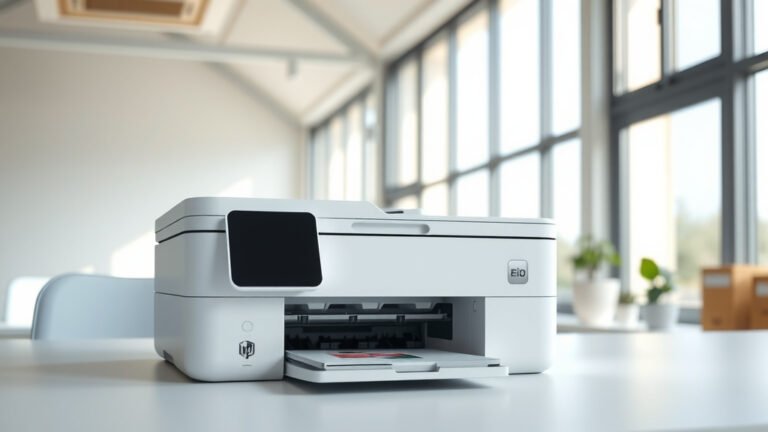
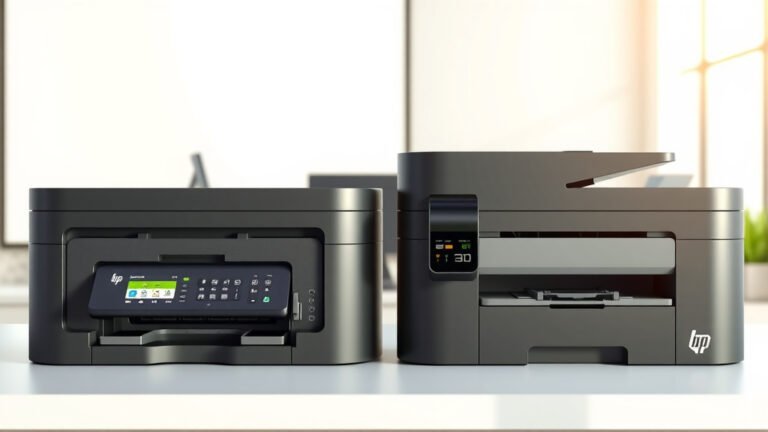
The main difference between laser printer and inkjet is their printing technology: laser printers use toner powder and heat fusion, while inkjet printers spray liquid ink droplets onto paper.
Laser printers are faster and more cost-effective for high-volume printing, while inkjet printers produce better photo quality and cost less upfront.
How Laser Printers Work
Think of a laser printer like a high-tech copy machine. It uses a laser beam to create an electrostatic image on a rotating drum. Toner powder sticks to this image, then transfers to paper.
The final step involves heat and pressure. Your paper passes through hot rollers that melt the toner permanently onto the page. This process happens lightning-fast.
The Laser Printing Process Step by Step
Here’s what happens inside your laser printer every time you hit print:
- Laser beam draws your document onto a photosensitive drum
- Toner powder clings to the charged areas
- Paper rolls past the drum, picking up toner
- Hot fuser rollers melt toner into the paper fibers
- Your finished page comes out warm and dry
Why Laser Prints Don’t Smudge
Ever notice how laser prints feel slightly raised? That’s because the toner actually melts into the paper. You can’t smudge it with water like you can with inkjet prints.
How Inkjet Printers Work
Inkjet printers work more like tiny paint sprayers. They shoot microscopic droplets of liquid ink through hundreds of nozzles in the print head.
The print head moves back and forth across the page. As it travels, it sprays different colored inks to build up your image or text, dot by dot.
The Inkjet Printing Process
Your inkjet printer creates images through this process:
- Print head moves across the paper
- Tiny nozzles spray ink droplets
- Different colors mix to create the full spectrum
- Paper absorbs the wet ink
- Ink dries naturally or with mild heat
Why Inkjet Photos Look Amazing
Inkjet printers can place ink droplets as small as 1 picoliter. That’s incredibly tiny – smaller than bacteria. This precision lets them blend colors smoothly for photo-realistic results.
Print Quality Comparison
When it comes to text, laser printers usually win. The toner creates sharp, crisp letters that look professional. Inkjet text can sometimes look slightly fuzzy, especially on regular copy paper.
For photos and graphics, inkjet printers take the lead. They handle color gradients and fine details better than most laser printers.
Text Print Quality
Laser printers produce text that looks almost typeset. The edges are clean and sharp. This makes them perfect for business documents, reports, and presentations.
Inkjet text quality depends heavily on your paper choice. On photo paper, inkjet text looks great. On cheap copy paper, it might bleed or look fuzzy.
Color Document Quality
Color laser printers create vibrant business graphics. They’re great for charts, logos, and marketing materials. But they can’t match inkjet printers for subtle color transitions.
Color inkjet printers excel at photographs and artistic prints. They can reproduce millions of colors and create smooth gradients that look natural.
Speed and Volume Differences
Laser printers are speed demons. Most can print 20-50 pages per minute once they warm up. Some office models print even faster.
Inkjet printers work more slowly. They typically print 5-15 pages per minute for text, and even slower for photos.
Why Laser Printers Are Faster
The laser printing process happens all at once for each page. The entire page image gets created on the drum simultaneously, then transfers to paper in one pass.
Inkjet printers must build each page line by line. The print head makes multiple passes for complex images, which takes more time.
First Page Out Time
Laser printers need a few seconds to warm up their fuser. But once ready, that first page prints quickly. Inkjet printers start printing almost immediately but take longer to finish each page.
Cost Analysis
The cost picture gets tricky when you compare laser and inkjet printers. You need to look at both upfront costs and ongoing expenses.
Inkjet printers usually cost less to buy. You can get a decent inkjet for $50-150. Laser printers typically start around $100-200 for basic models.
Upfront Purchase Costs
Here’s what you can expect to pay:
| Printer Type | Entry Level | Mid-Range | High-End |
|---|---|---|---|
| Inkjet | $50-100 | $150-300 | $400-800 |
| Laser | $100-200 | $250-500 | $600-1200 |
Per-Page Printing Costs
This is where laser printers often win. Toner cartridges cost more upfront but print many more pages. Research from independent testing labs shows laser printers typically cost 3-5 cents per page, while inkjet can cost 8-15 cents per page.
When Inkjet Costs Less
If you print fewer than 200 pages per month, inkjet might cost less overall. The lower purchase price offsets the higher per-page costs for light users.
For heavy printing – more than 500 pages monthly – laser printers usually save money in the long run.
Maintenance and Reliability
Laser printers are generally more reliable. They have fewer moving parts and don’t suffer from dried ink problems. Toner doesn’t expire or dry out like liquid ink does.
Inkjet printers require more babying. If you don’t print regularly, the ink can dry in the nozzles and cause clogs.
Common Laser Printer Issues
Laser printers can develop these problems over time:
- Fuser roller wear causing smudges
- Drum unit degradation creating faded prints
- Paper jams from worn feed rollers
- Toner streaks from dirty internal components
Typical Inkjet Problems
Inkjet printers face different challenges:
- Clogged nozzles from dried ink
- Print head alignment issues
- Ink cartridge recognition errors
- Paper feeding problems with photo paper
Cleaning and Care Requirements
Laser printers need occasional cleaning of internal components. Most maintenance involves replacing worn parts every few years.
Inkjet printers require regular use to prevent clogs. Many have automatic cleaning cycles that waste some ink but keep nozzles clear.
Which Type Should You Choose?
Your choice depends on what you print and how often. Do you print mostly text documents for work? Laser makes sense. Are you printing family photos and colorful projects? Inkjet fits better.
Consider your monthly print volume too. High-volume users almost always benefit from laser printers.
Choose Laser If You
- Print more than 300 pages monthly
- Focus on text documents and business graphics
- Need fast printing for office use
- Want minimal maintenance hassles
- Print infrequently but want reliability
Choose Inkjet If You
- Print photos and creative projects regularly
- Have a tight budget for the initial purchase
- Print fewer than 200 pages monthly
- Need excellent color accuracy for images
- Print on specialty papers like photo stock
Special Considerations for Home Users
Home users often prefer inkjet printers for their versatility. You can print everything from homework to holiday cards with one machine.
But if your kids print lots of school reports, a laser printer might save money and time.
Office Environment Factors
Offices typically choose laser printers for their speed and low per-page costs. They handle high-volume printing better and produce professional-looking documents.
Creative businesses might prefer high-end inkjet printers for marketing materials and client presentations.
Environmental Impact
Both printer types have environmental considerations. Laser printers use more energy during operation because of their heating elements.
Inkjet printers consume less power but create more plastic waste from frequent cartridge replacements.
Energy Usage Patterns
Laser printers draw significant power when printing but use very little in standby mode. Inkjet printers use steady, moderate power levels.
For occasional printing, inkjet printers are more energy-efficient. For frequent printing, the efficiency gap narrows.
Consumable Waste Considerations
Toner cartridges are larger but last longer than ink cartridges. This can mean less frequent trips to recycling centers.
Many manufacturers now offer cartridge recycling programs for both types of printers.
Conclusion
The choice between laser and inkjet printers comes down to your specific needs and printing habits. Laser printers excel at fast, high-volume text printing with low per-page costs and minimal maintenance. Inkjet printers shine for photo printing, color accuracy, and lower upfront costs, making them ideal for light users and creative projects.
Consider your monthly print volume, the types of documents you create, and your budget for both initial purchase and ongoing supplies. Most users will find that one type clearly fits their situation better than the other. Don’t overthink it – both technologies are mature and reliable when matched to the right use case.
Can I use regular paper in both laser and inkjet printers?
Yes, both printer types work with standard copy paper, but results vary. Laser printers handle cheap paper better because toner bonds permanently to any surface. Inkjet printers perform better on slightly heavier paper that absorbs ink without bleeding.
Do laser printers work in cold environments?
Laser printers can struggle in very cold conditions because their fuser needs to reach specific temperatures. Most work fine in normal indoor temperatures, but avoid placing them in unheated garages or basements during winter months.
How long do ink and toner cartridges last when not in use?
Toner cartridges can sit unused for years without problems since toner is powder. Ink cartridges typically last 1-2 years in packaging but may dry out in the printer if unused for several months.
Which printer type is quieter during operation?
Inkjet printers are generally much quieter than laser printers. Laser printers make fan noise, mechanical sounds, and fuser operation noise. Inkjet printers only produce gentle mechanical sounds from the moving print head.
Can I print on both sides of paper with these printer types?
Many laser and inkjet printers offer automatic two-sided printing. Laser printers handle duplex printing more reliably since the toner won’t smudge when flipping pages. Inkjet printers may need brief pauses between sides to let ink dry properly.