How Do I Know If My Printer Is An Inkjet?
You can identify if your printer is an inkjet by looking for removable ink cartridges, checking the printer model online, or examining the print quality for smooth color gradients.
Inkjet printers use liquid ink stored in cartridges and spray tiny droplets onto paper, while laser printers use toner powder and heat to fuse prints.
Quick Physical Signs Your Printer Is an Inkjet
The easiest way to tell if you have an inkjet printer? Open it up and look inside. You’ll see small, removable cartridges that contain liquid ink. These cartridges usually snap in and out pretty easily.
Inkjet printers also tend to be lighter than laser printers. You can probably lift yours with one hand without much trouble. Laser printers feel heavier because they have more mechanical parts inside.
The Cartridge Test
Pop open your printer’s front or top cover. Do you see plastic cartridges about the size of a small soap bar? Those are ink cartridges, and they’re a dead giveaway you have an inkjet printer.
These cartridges might be black, color, or a mix of both. Some printers have separate cartridges for cyan, magenta, yellow, and black. Others combine colors into one cartridge.
What Ink Cartridges Look Like
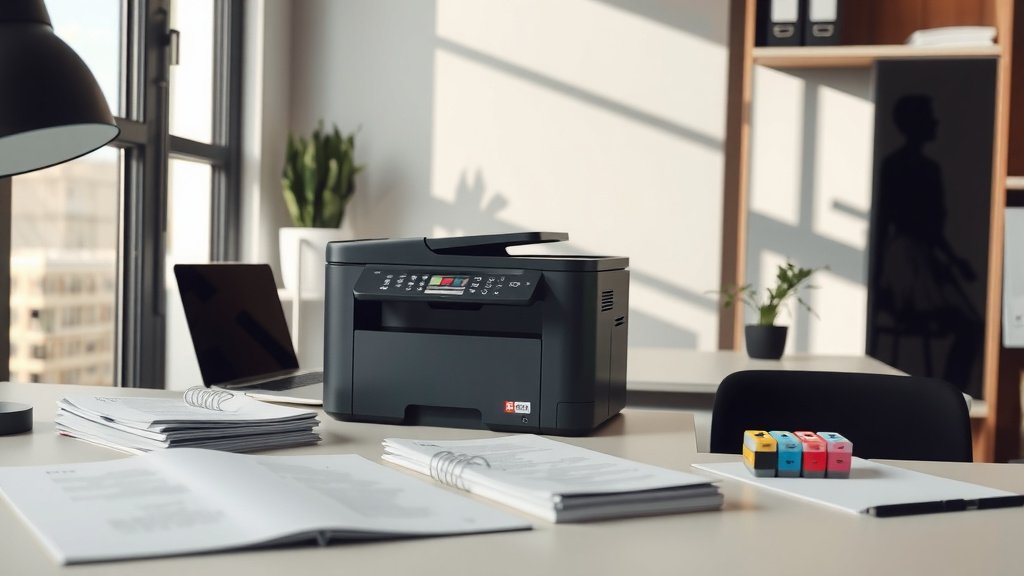
Ink cartridges are usually rectangular plastic boxes with a label showing the ink color. They have electrical contacts that look like small gold or copper strips. You might even see tiny holes where the ink comes out.
Sound Differences
Listen to your printer when it works. Inkjet printers make a gentle whooshing or sliding sound as the print head moves back and forth across the paper. It’s pretty quiet overall.
Laser printers sound different. They make more mechanical noises, like whirring and clicking. Some people describe it as a “warming up” sound when they first start printing.
Check Your Printer Model Online
Can’t tell by looking? Find your printer’s model number. It’s usually printed on a sticker somewhere on the device. Look on the front, back, or inside the paper tray area.
Once you have the model number, search for it online. The manufacturer’s website will tell you right away if it’s an inkjet or laser printer. This method works every time.
Where to Find Model Numbers
Most printer manufacturers put the model number in obvious spots. Check these places first:
- Front panel or display screen
- Back panel near the power cord
- Inside the paper tray area
- Under the printer hood where cartridges go
- On the bottom of the printer
Popular Inkjet Printer Series
Some well-known inkjet printer lines include HP’s DeskJet and Envy series, Canon’s PIXMA line, and Epson’s Expression models. If your printer belongs to one of these families, you’ve got an inkjet.
Examine Your Print Quality
Look at something you recently printed, especially photos or colorful documents. Inkjet printers excel at smooth color transitions and detailed images. The colors blend together nicely without visible dots or lines.
Text from inkjet printers might look slightly soft or have tiny feathered edges, especially on regular copy paper. This happens because liquid ink absorbs into the paper fibers.
Photo Print Quality
Did you ever print photos that looked almost professional? That’s probably an inkjet printer at work. These machines handle color gradients beautifully, making them perfect for family photos and artwork.
Laser printers can print photos too, but they often look more contrasty with less smooth color blending. The difference becomes obvious when you compare them side by side.
Paper Curl and Drying Time
Papers from inkjet printers sometimes curl or feel slightly damp right after printing. This happens because liquid ink needs time to dry completely. Laser printer output feels dry immediately because heat fuses the toner during printing.
Cost Clues That Reveal Printer Type
Think about what you paid for your printer and replacement supplies. Inkjet printers usually cost less upfront but have expensive ink cartridges. Many people get sticker shock when buying replacement ink.
From what I found online, ink cartridges often cost $20 to $60 each, and some printers need multiple cartridges. If you’ve experienced this pricing pain, you probably own an inkjet printer.
Ink vs Toner Replacement Costs
Research shows that inkjet users typically spend more on supplies over time, even though the initial printer costs less. Laser printer toner cartridges cost more upfront but last much longer.
| Printer Type | Initial Cost | Supply Cost | Pages Per Cartridge |
|---|---|---|---|
| Inkjet | $50-200 | $20-60 per cartridge | 200-500 pages |
| Laser | $150-400 | $50-150 per cartridge | 1,000-3,000 pages |
Size and Weight Differences
Most home inkjet printers are compact and lightweight. You can easily move them around your desk or carry them to another room. They’re designed for occasional home use and don’t need heavy-duty components.
Laser printers pack more machinery inside, making them heavier and often larger. Even small laser printers usually weigh more than comparable inkjet models.
Desktop Space Requirements
If your printer fits comfortably on a small desk or shelf, it’s likely an inkjet. These printers are built for home offices where space matters. Many models are designed to look nice sitting next to your computer.
All-in-One Features
Both inkjet and laser printers come in all-in-one versions with scanning and copying. But inkjet all-in-ones tend to be more affordable and compact, making them popular for home use.
Power Consumption Signs
Inkjet printers use less electricity than laser printers. They don’t need to heat up toner or run powerful motors. You might notice your inkjet printer starts printing almost immediately after you press print.
Laser printers often have a “warm-up” period where they heat the fuser unit. During this time, you might hear fan noises or see “warming up” messages on the display.
Standby Behavior
When not printing, inkjet printers go into a quiet sleep mode. They wake up quickly when you send a print job. Some models are so quiet you forget they’re there.
Print Speed Patterns
Inkjet printers typically print slower than laser printers, especially for text documents. They build each page line by line as the print head moves across the paper. You can often watch the page being created from top to bottom.
If your printer takes several seconds per page for basic text documents, you probably have an inkjet. Laser printers usually zip through text pages much faster.
Color vs Black Print Speeds
Many inkjet printers slow down noticeably when printing color documents. The print head needs to make multiple passes to layer different ink colors. Black-only text usually prints faster on the same machine.
Maintenance Requirements
Does your printer occasionally run cleaning cycles on its own? Inkjet printers do this to keep the tiny nozzles from clogging with dried ink. You might hear it making soft mechanical sounds even when you’re not printing.
These automatic maintenance routines are common with inkjet printers. The machine is basically giving itself a tune-up to prevent print quality problems.
Nozzle Check Patterns
Most inkjet printers let you print test patterns to check if all the ink nozzles are working properly. These patterns look like grids or lines in different colors. Laser printers don’t need this type of test.
Head Cleaning Options
If you’ve ever seen menu options for “head cleaning” or “nozzle cleaning” on your printer, that confirms you have an inkjet. These features don’t exist on laser printers because they use completely different technology.
Paper Handling Characteristics
Inkjet printers often handle different paper types better than laser printers. You can usually print on photo paper, cardstock, envelopes, and specialty papers without problems. The liquid ink adapts well to various surfaces.
If your printer came with sample photo paper or you’ve successfully printed on thick cardstock, you likely own an inkjet printer. These machines are more flexible with paper choices.
Paper Path Design
Look at how paper moves through your printer. Inkjet printers often have a straight-through paper path or a gentle C-shaped curve. This design accommodates different paper thicknesses without jamming.
Conclusion
Identifying your printer type doesn’t have to be complicated. The quickest method is checking for removable ink cartridges inside your printer. If you see small plastic cartridges filled with liquid ink, you have an inkjet printer. You can also verify this by looking up your printer’s model number online or examining the print quality for smooth color gradients typical of inkjet technology. Understanding your printer type helps you buy the right supplies and set proper expectations for print speed and quality.
Can I convert my inkjet printer to use laser technology?
No, you cannot convert an inkjet printer to laser technology. These are completely different printing methods with incompatible hardware. Inkjet printers use liquid ink and spray nozzles, while laser printers use toner powder and heat fusion systems.
Why do some inkjet printers have only two cartridges while others have four or more?
The number of cartridges depends on the printer’s design philosophy. Two-cartridge systems typically have one black and one tri-color cartridge. Multi-cartridge systems separate each color, which can be more economical since you only replace empty colors rather than the entire color cartridge.
Do inkjet printers work better in certain room temperatures?
Yes, inkjet printers perform best in moderate temperatures between 60-80°F. Very cold temperatures can thicken the ink and cause flow problems, while excessive heat can cause ink to dry too quickly and clog the nozzles.
Is the smell from my printer a clue about whether it’s inkjet or laser?
Laser printers often produce a slight ozone smell or warm plastic odor due to the heat and electrical processes involved. Inkjet printers typically have little to no smell during normal operation, though you might detect a faint ink odor when changing cartridges.
Can inkjet and laser printers use the same type of paper?
Both can use standard copy paper, but they each have optimal paper types. Inkjet printers work better with slightly more absorbent papers and handle photo papers excellently. Laser printers prefer smoother papers and may not work well with very thick photo papers that can’t handle the heat from the fusing process.