How Does An Inkjet Printer Work?
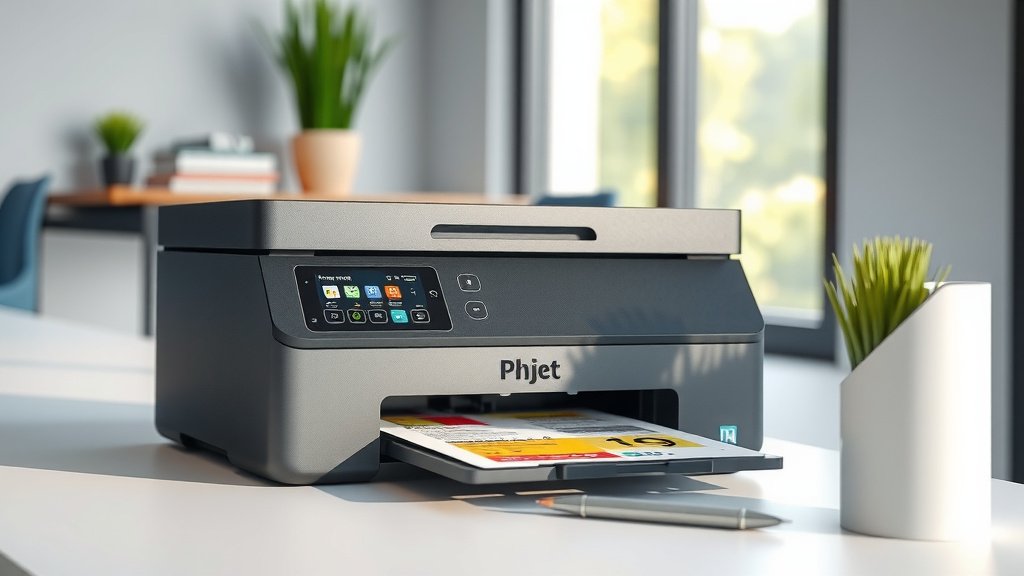
An inkjet printer works by shooting tiny droplets of liquid ink through microscopic nozzles onto paper to create text and images.
The printer uses thermal or piezoelectric technology to heat or vibrate the ink, forcing it through print head nozzles in precise patterns controlled by your computer.
The Basic Process of Inkjet Printing
Think of an inkjet printer like a tiny, super-precise paint sprayer. When you hit print, your computer sends digital instructions to the printer. These instructions tell the printer exactly where to place each drop of ink.
The magic happens in the print head. This component moves back and forth across the paper while shooting ink droplets smaller than the width of human hair. Each droplet lands exactly where it needs to create your document or photo.
Two Main Types of Inkjet Technology
I found that most inkjet printers use one of two methods to push ink through the nozzles.
Thermal Inkjet Technology
Thermal printers heat the ink to create tiny bubbles. When these bubbles pop, they force ink droplets through the nozzles. Canon and HP use this method in most of their consumer printers.
The heating element reaches about 300 degrees Celsius in microseconds. That’s hot enough to create steam bubbles that act like tiny pistons.
Piezoelectric Inkjet Technology
Piezoelectric printers use crystals that change shape when electricity hits them. These crystals squeeze the ink chamber, pushing droplets out. Epson uses this technology across their printer lineup.
This method gives you more control over droplet size and placement. It also works with a wider range of ink types.
Inside the Print Head Assembly
The print head is where the real action happens. It contains hundreds or thousands of tiny nozzles, each smaller than you can see with your naked eye.
Nozzle Configuration
Each color gets its own set of nozzles. A basic color printer has four sets: cyan, magenta, yellow, and black. Photo printers might have six or more colors for better image quality.
The nozzles are arranged in rows. As the print head moves across the paper, different nozzles fire at different times to create the right pattern.
Droplet Size Control
Modern inkjet printers can create different sized droplets. Tiny droplets work great for smooth color gradients. Larger droplets fill in solid areas faster.
Some printers shoot droplets as small as 1.5 picoliters. That’s about 20 billion times smaller than a drop from your kitchen faucet.
How Ink Gets to the Print Head
Your printer needs a steady supply of fresh ink to keep working. The ink delivery system makes sure each nozzle gets exactly what it needs.
Cartridge-Based Systems
Most home printers use removable cartridges. The cartridge holds the ink and often includes the print head. When you replace the cartridge, you get fresh nozzles too.
The cartridge connects to the printer through electrical contacts and ink ports. Spring-loaded mechanisms ensure good connections.
Tank-Based Systems
Newer printers sometimes use refillable tanks instead of cartridges. You pour liquid ink directly into built-in reservoirs.
These systems use tubes to carry ink from the tanks to the print head. They cost less to operate but need more maintenance.
Paper Movement and Positioning
While the print head sprays ink, the paper needs to move at exactly the right speed. Too fast or slow, and your prints look stretched or compressed.
Feed Rollers
Rubber rollers grab your paper and pull it through the printer. These rollers have tiny treads that grip without damaging the paper surface.
The main roller connects to a stepper motor that moves in precise increments. This gives you sharp, aligned text and images.
Paper Detection
Sensors tell the printer when paper enters and exits. They also detect the paper size and type. This helps the printer adjust its ink output and timing.
Optical sensors use light beams to detect paper edges. Mechanical sensors use tiny levers that paper pushes as it moves through.
The Complete Printing Sequence
Let me walk you through what happens from the moment you click print to when your document appears.
Step 1: Data Processing
Your computer converts your document into a language the printer understands. This includes color information, positioning data, and print quality settings.
Step 2: Print Head Preparation
The printer runs a quick check to make sure all nozzles are clear. It might fire a few test drops into a waste area to prime the system.
Step 3: Paper Loading
The feed system grabs the first sheet and positions it under the print head. Sensors confirm the paper is straight and ready.
Step 4: Printing Pass
The print head moves across the paper, firing ink droplets in precise patterns. After each pass, the paper advances a small amount.
Step 5: Completion
When the document is finished, the printer ejects it and returns the print head to its home position.
Color Mixing and Quality Control
Creating full-color prints requires careful coordination between different ink colors.
CMYK Color Model
Inkjet printers use cyan, magenta, yellow, and black inks to create all colors. By mixing different amounts of each ink, you can produce millions of color combinations.
Black ink handles text and dark areas. The three colors work together for photos and graphics.
Dithering Patterns
Since printers can’t mix inks like paint on a palette, they use dithering. This means placing dots of different colors close together so your eyes blend them.
From normal viewing distance, red and yellow dots look orange. Blue and yellow dots appear green.
Print Resolution and Quality
Print quality depends on how precisely the printer can place ink droplets.
DPI Measurements
Dots per inch (DPI) tells you how many ink droplets fit in a one-inch line. Higher DPI usually means sharper prints.
Most home printers handle 600 to 4800 DPI. Photo printing benefits from higher resolutions, while text looks fine at lower settings.
Print Speed vs Quality
Your printer can work faster or better, but not both at the same time. Draft mode prints quickly with larger droplets. Photo mode takes longer but uses smaller droplets for smooth gradients.
| Print Mode | Speed | Quality | Best For |
|---|---|---|---|
| Draft | Fast | Basic | Internal documents |
| Normal | Medium | Good | General use |
| Photo | Slow | Excellent | Photos and presentations |
Common Inkjet Printing Issues
Understanding how inkjet printers work helps you fix problems when they occur.
Clogged Nozzles
Ink can dry inside the tiny nozzles, blocking them. This causes missing lines or colors in your prints.
Most printers have cleaning cycles that force fresh ink through all nozzles. Running these cycles every few weeks prevents most clogs.
Alignment Problems
If colors don’t line up properly, your print head might need alignment. This usually happens after changing cartridges or moving the printer.
Your printer’s software includes alignment routines that print test patterns and adjust the timing between colors.
Maintenance for Optimal Performance
Taking care of your inkjet printer keeps it working smoothly for years.
Regular Use
Inkjet printers work best when you use them regularly. Printing at least once a week keeps the ink flowing and prevents nozzle clogs.
If you don’t print often, run a cleaning cycle monthly to keep everything fresh.
Quality Paper
Cheap paper creates dust and fibers that can clog your printer’s mechanisms. Good paper also absorbs ink better, giving you sharper prints.
Paper designed for inkjet printers has special coatings that prevent ink from spreading or bleeding.
Conclusion
Inkjet printers work through a fascinating combination of precise mechanics and fluid dynamics. From heating ink to create pressure bubbles to coordinating thousands of nozzles with paper movement, these machines pack impressive technology into affordable packages.
Understanding this process helps you make better printing decisions and troubleshoot issues when they arise. Whether you need crisp text for work documents or vibrant photos for your family album, knowing how your printer works gives you the power to get exactly what you want from every print job.
How fast do inkjet print heads move across the paper?
Print heads typically move at speeds between 5 to 30 inches per second, depending on the printer model and quality settings. Higher quality settings use slower speeds for more precise droplet placement.
Can inkjet printers work with different types of ink?
Piezoelectric inkjet printers can handle various ink types including dye-based, pigment-based, and specialty inks. Thermal inkjet printers are more limited and work best with inks specifically formulated for heat-based systems.
Why do some inkjet printers have more than four ink colors?
Photo printers often include additional colors like light cyan, light magenta, or gray to create smoother color transitions and better skin tones. More colors reduce the visible dot patterns in photos and produce more accurate color reproduction.
What happens if you use the wrong paper type in an inkjet printer?
Wrong paper types can cause ink bleeding, poor color saturation, longer drying times, and potential paper jams. Non-inkjet papers may also leave fibers or dust that can clog the print head nozzles over time.
How long do inkjet print heads typically last?
Built-in print heads in tank-based systems usually last 2-5 years with proper maintenance. Cartridge-based systems replace the print head with each cartridge change, so the print head lifespan matches the cartridge usage, typically 200-500 pages.