How To Inkjet Print On Fabric?
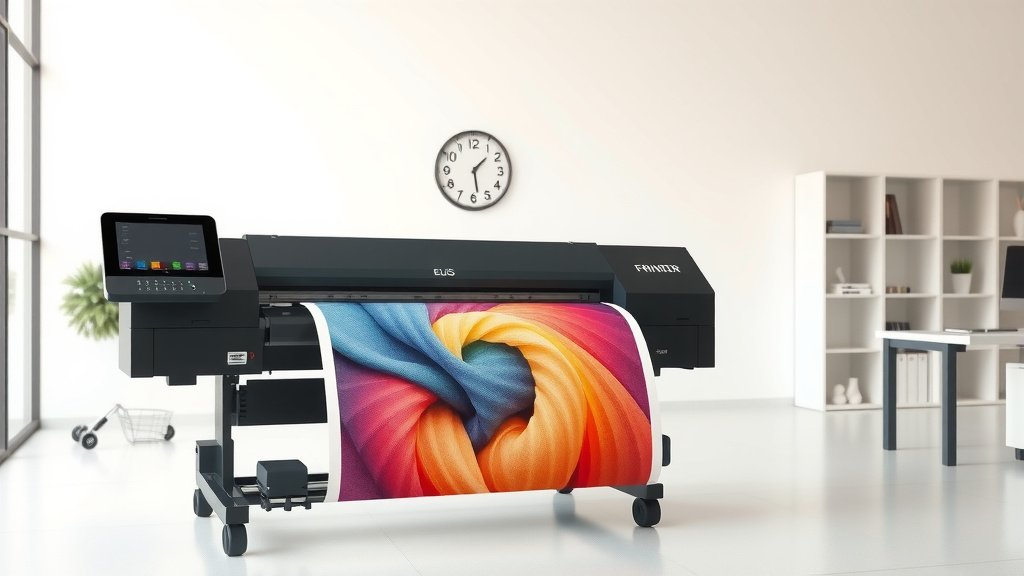
You can inkjet print on fabric using specialized fabric inks, proper pre-treatment, and the right heat-setting techniques to create permanent, washable designs.
The key to successful fabric printing is choosing compatible materials, adjusting your printer settings, and following proper curing procedures for long-lasting results.
What You Need to Start Printing on Fabric
Getting into fabric printing feels overwhelming at first. But you only need a few basic items to begin. Your regular inkjet printer can handle this job with some adjustments.
Essential Equipment and Materials
Here’s what I found works best for beginners:
- Standard inkjet printer (Canon or Epson work well)
- Fabric ink cartridges or pigment-based inks
- Pre-treated fabric sheets or fabric medium
- Iron or heat press
- Parchment paper
- Sharp scissors
You don’t need expensive equipment right away. Many people start with basic supplies and upgrade later.
Choosing the Right Fabric Ink
Regular printer ink won’t stick to fabric properly. You need special fabric inks that bond with textile fibers. Research shows two main types work best:
- Pigment-based inks: Last longer and resist fading
- Dye-based inks: Create brighter colors but may fade faster
I found that pigment inks give better results for items you’ll wash frequently.
Preparing Your Fabric for Printing
Preparation makes the difference between a messy failure and professional-looking results. You can’t just feed raw fabric through your printer.
Pre-Treatment Options
You have two main choices here. Buy pre-treated fabric sheets or treat your own fabric.
Ready-Made Fabric Sheets
These come backed with paper for easy feeding. They work like regular printer paper but have fabric on top. Perfect for testing your first projects.
DIY Fabric Treatment
Mix fabric medium with water according to package directions. Soak your fabric, let it dry, then iron it onto freezer paper. This creates a stable backing your printer can handle.
Fabric Selection Tips
Not all fabrics print equally well. Cotton and cotton blends give the best results. Here’s what works:
- 100% cotton: Takes ink beautifully
- Cotton blends: Good compromise between durability and print quality
- Silk: Creates stunning colors but requires gentle handling
Avoid synthetic fabrics like polyester for your first attempts. They repel water-based inks.
Setting Up Your Printer
Your printer needs specific settings for fabric printing. Default settings won’t work properly.
Printer Configuration
Access your printer properties and make these changes:
- Paper type: Select “Photo Paper” or “Matte Paper”
- Quality: Choose highest available setting
- Color management: Turn off automatic corrections
- Print speed: Select slowest option
These settings help your printer lay down more ink slowly and evenly.
Loading Fabric Properly
Feed fabric sheets one at a time. Never stack them like regular paper. The backing paper should face down, fabric side up.
Make sure edges are smooth and corners aren’t curled. Wrinkled edges cause paper jams.
Design Considerations
Creating designs for fabric differs from regular paper printing. You need to think about how the final product will look and feel.
Image Resolution and Size
Use high-resolution images (300 DPI minimum) for sharp results. Low-resolution images look pixelated on fabric.
Size your design to fit your fabric sheet with some border space. Don’t print edge-to-edge.
Color Adjustments
Colors often appear different on fabric than on your screen. Fabric absorbs ink, making colors slightly muted.
I found that increasing saturation by 10-15% in your image editor helps compensate for this absorption.
Mirror Image Requirements
If you’re making transfers, flip your image horizontally before printing. This ensures text reads correctly after transfer.
The Printing Process Step-by-Step
Now comes the actual printing. Take your time here. Rushing leads to mistakes.
Pre-Printing Checklist
Before you hit print, double-check these items:
- Fabric is loaded correctly
- Printer settings are adjusted
- Ink levels are sufficient
- Design is sized properly
During Printing
Stay nearby while printing. Fabric sheets can jam more easily than paper. If you hear unusual noises, stop the printer immediately.
Don’t touch the printed surface while wet. Wet ink smears easily and ruins your design.
Handling Print Issues
Common problems include streaking, fading, or uneven coverage. Usually these stem from clogged print heads or wrong settings.
Run a print head cleaning cycle if you see streaks or gaps in your print.
Heat Setting Your Printed Fabric
This step makes your print permanent and washable. Skip it, and your design will fade or wash out completely.
Iron Method
Place parchment paper over your printed design. Set your iron to the appropriate temperature for your fabric type.
Press firmly for 30-60 seconds, moving the iron slowly across the entire design. Don’t slide the iron back and forth.
Heat Press Alternative
A heat press gives more consistent results than a household iron. Use medium pressure and follow timing guidelines from your ink manufacturer.
Research from textile experts suggests 300°F for 15-20 seconds works well for most fabric inks.
Post-Processing and Care
Your printed fabric needs proper care to maintain its appearance and durability.
Initial Washing Guidelines
Wait 24 hours before the first wash. This allows the ink to fully cure and bond with fabric fibers.
Wash in cold water with mild detergent. Hot water can cause colors to bleed or fade prematurely.
Drying Best Practices
Air dry when possible. High heat from dryers can crack or fade printed designs over time.
If you must use a dryer, choose low heat settings.
Troubleshooting Common Problems
Even experienced users run into issues. Here are solutions to frequent problems.
Color Problems
Colors looking dull or wrong? Check your printer’s color calibration. Many printers drift over time.
Also verify you’re using fabric-specific inks, not regular printer ink.
Durability Issues
If your prints wash out quickly, you likely skipped proper heat setting or used incompatible materials.
| Problem | Likely Cause | Solution |
|---|---|---|
| Fading after washing | Insufficient heat setting | Increase temperature or time |
| Cracking design | Too much heat or wrong ink | Lower temperature, check ink type |
| Bleeding colors | Fabric not pre-treated properly | Use proper fabric medium |
Advanced Techniques
Once you master basic fabric printing, you can explore more advanced methods.
Multi-Layer Printing
Create depth and texture by printing multiple layers. Let each layer dry completely before adding the next.
Mixed Media Applications
Combine printed elements with hand-painted details or embroidery for unique effects.
Professional Finishing Touches
Edge treatments and proper trimming make your projects look store-bought rather than homemade.
Safety and Maintenance
Keep your workspace and equipment in good condition for consistent results.
Ventilation Requirements
Some fabric inks produce fumes during heat setting. Work in a well-ventilated area or use a fan.
Printer Maintenance
Clean your printer heads regularly when using fabric inks. They can clog more easily than standard inks.
Run cleaning cycles monthly, even if you’re not actively printing.
Conclusion
Inkjet printing on fabric opens up endless creative possibilities for your projects. Start with simple designs and basic materials to build your confidence. The key is proper preparation, correct settings, and patience with the heat-setting process. Remember that practice makes perfect – your first attempts might not be flawless, but each project teaches you something new. With the right supplies and techniques, you can create professional-looking fabric prints that last for years. Whether you’re making custom t-shirts, quilting squares, or home décor items, fabric printing lets you bring your digital designs into the physical world.
Can I use regular printer ink for fabric printing?
No, regular printer ink won’t bond properly with fabric fibers and will wash out quickly. You need specialized fabric inks or pigment-based inks designed for textile printing to achieve permanent, washable results.
What’s the best fabric type for beginners to start with?
100% cotton or cotton-rich blends work best for beginners. These natural fibers absorb ink well and produce vibrant, lasting colors. Avoid synthetic materials like polyester until you gain more experience.
How long should I wait before washing printed fabric?
Wait at least 24 hours after heat setting before the first wash. This allows the ink to fully cure and bond with the fabric. For the first wash, use cold water and mild detergent to protect your design.
Why do my fabric prints look faded compared to the original design?
Fabric absorbs ink differently than paper, making colors appear more muted. Increase your image saturation by 10-15% before printing, and make sure you’re using high-quality fabric inks with proper heat setting.
Can I print on dark-colored fabrics?
Standard inkjet printers work best on light-colored or white fabrics because they can’t print white ink. For dark fabrics, you’ll need special transfer papers or consider screen printing methods instead of direct inkjet printing.