How To Know If Your Printer Is Inkjet?
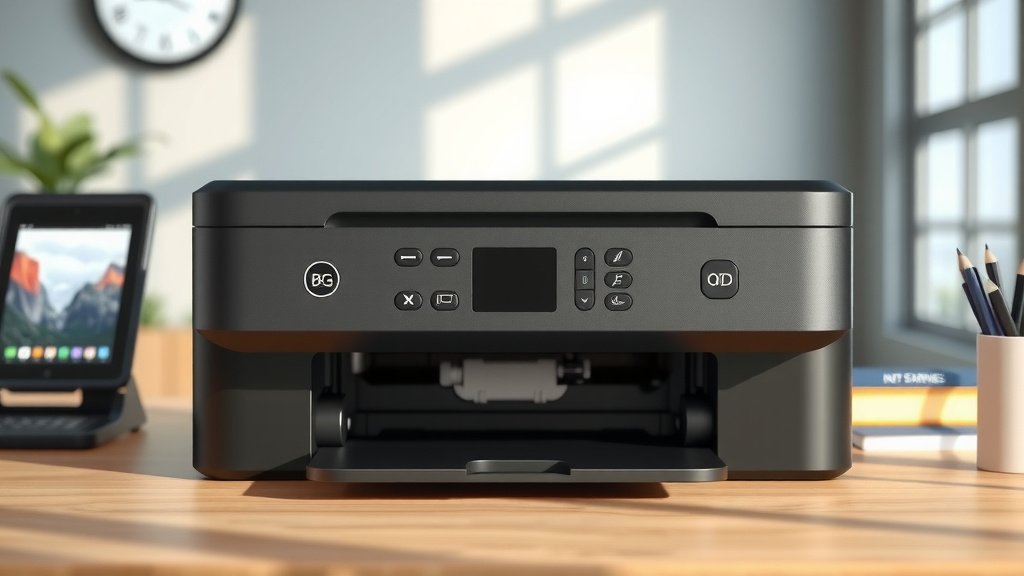
You can tell if your printer is inkjet by looking for removable ink cartridges with liquid ink, checking for a print head that moves back and forth during printing, and noticing the slower printing speed compared to laser printers.
Inkjet printers typically produce high-quality color photos, use liquid ink that can smudge when wet, and have a quieter operation with distinctive mechanical sounds during the printing process.
Quick Ways to Identify an Inkjet Printer
Ever wondered what type of printer sits on your desk? You’re not alone. Many people buy printers without paying attention to the technology inside.
The easiest way to spot an inkjet printer is by opening the front cover. You’ll see colorful cartridges filled with liquid ink. These cartridges slide in and out easily for replacement.
Watch your printer work. Does a mechanism move left and right across the paper? That’s the print head spraying tiny droplets of ink. Laser printers don’t have this moving part.
Physical Characteristics of Inkjet Printers
Inkjet printers have distinct physical features. They’re usually compact and lightweight compared to laser models.
The paper tray often sits at the bottom or back. You’ll notice the printer pulls paper through a curved path rather than straight through.
Size and Weight Differences
Most home inkjet printers weigh between 10-20 pounds. They fit comfortably on a desk without taking up huge amounts of space.
Compare this to laser printers, which often weigh 30-50 pounds or more. Your back will thank you when moving an inkjet printer.
External Design Elements
Look for a hinged front cover or top lid. This gives you access to the ink cartridges inside.
Many inkjet printers have a small LCD screen for basic settings. You might also see buttons for power, cancel, and resume functions.
Understanding Ink Cartridge Systems
The ink cartridge system gives away an inkjet printer immediately. Open the printer and you’ll find plastic containers holding liquid ink.
These cartridges come in different configurations. Some printers use separate cartridges for each color. Others combine colors into one cartridge.
Types of Ink Cartridges
Standard inkjet printers use four main colors: black, cyan, magenta, and yellow. This combination creates all the colors you see in your prints.
Photo-focused inkjet printers might have additional cartridges. Light cyan and light magenta create smoother skin tones and gradients.
Cartridge Replacement Process
Replacing inkjet cartridges is straightforward. The printer moves the cartridge holder to a center position when you open the cover.
You simply lift a latch, pull out the old cartridge, and snap in the new one. The whole process takes less than two minutes.
Ink Level Monitoring
Most inkjet printers show ink levels on your computer screen. You’ll get warnings when cartridges run low.
Some newer models have transparent windows on the cartridges. You can actually see the ink level without checking your computer.
Print Quality Characteristics
Inkjet printers excel at photo printing. The liquid ink blends smoothly, creating natural-looking images with rich colors.
Text quality varies depending on the paper. Regular copy paper might show slight bleeding around letters. High-quality paper produces crisp text.
Photo Printing Capabilities
Want to print family photos at home? Inkjet printers handle this task beautifully. The technology works well for images with gradual color transitions.
I found that photo paper makes a huge difference. Glossy photo paper brings out vibrant colors and sharp details that regular paper can’t match.
Color Accuracy and Vibrancy
Inkjet printers reproduce colors more accurately than most laser printers. This makes them popular with photographers and graphic designers.
The liquid ink penetrates paper fibers, creating deeper color saturation. You’ll notice this especially in landscape photos with blue skies and green foliage.
Text Document Quality
For basic text documents, inkjet printers do a decent job. Black text appears sharp on quality paper.
But here’s the trade-off: inkjet text can smudge if you spill water on it. The liquid ink doesn’t fuse to the paper like laser toner does.
Speed and Performance Indicators
Inkjet printers work slower than laser models. You’ll wait longer for documents, especially when printing photos or graphics.
A typical home inkjet prints 5-15 pages per minute for text. Photo printing takes much longer, often 2-5 minutes per page.
Printing Speed Comparison
Why do inkjet printers work slowly? The print head must move across each line of the page, spraying ink droplets precisely.
Laser printers transfer entire pages at once. This explains why offices often choose laser technology for high-volume printing.
Warm-up Time
Inkjet printers start working almost immediately. Press print and you’ll hear mechanical sounds within seconds.
This quick start makes inkjet printers convenient for occasional home use. No waiting for the printer to heat up like laser models require.
| Feature | Inkjet Printer | Laser Printer |
|---|---|---|
| Startup Time | Instant | 30-60 seconds |
| Text Speed | 5-15 pages/minute | 20-40 pages/minute |
| Photo Quality | Excellent | Good |
| Operating Noise | Moderate | Loud |
Sound and Operation Patterns
Listen to your printer work. Inkjet printers make specific sounds that give away their identity.
You’ll hear a mechanical whirring as the print head moves back and forth. This creates a rhythmic pattern unique to inkjet technology.
Distinctive Inkjet Sounds
The print head carriage makes a sliding sound as it travels across the page. You might also hear clicking noises as the printer advances the paper.
These sounds are much quieter than laser printers. You can easily have a conversation while an inkjet printer works nearby.
Maintenance Cycle Sounds
Inkjet printers run cleaning cycles to keep the print heads working properly. You’ll hear extended mechanical activity during these cycles.
This maintenance happens automatically when you first turn on the printer or when it detects clogged nozzles.
Software and Driver Clues
Your computer software reveals printer type information. Check the printer properties or settings menu.
Inkjet printer drivers include photo printing options and paper type selections. You’ll see settings for glossy paper, photo paper, and draft mode.
Print Settings Options
Inkjet printer software offers quality settings from draft to high-quality photo mode. Draft mode uses less ink and prints faster.
Photo mode activates all color cartridges and prints much slower. This setting produces the best possible image quality.
Paper Type Selection
Your printer driver lists many paper types: plain paper, photo paper, glossy paper, and specialty media. This variety indicates inkjet technology.
Laser printers have fewer paper options because they work differently. They mainly handle plain paper and card stock.
Cost and Maintenance Factors
Inkjet printers cost less upfront but more over time. The initial purchase price seems attractive, but ink cartridges add up quickly.
I researched typical ink costs and found that replacement cartridges often cost 50-70% of the original printer price. This creates ongoing expenses for heavy users.
Ongoing Operating Costs
Calculate your cost per page to understand inkjet economics. Color pages cost significantly more than black-and-white pages.
Photo printing uses lots of ink. A single 4×6 photo might cost $0.25-$0.50 in ink, depending on your printer model.
Maintenance Requirements
Inkjet printers need regular use to stay healthy. The liquid ink can dry out and clog the print heads if you don’t print often enough.
Plan to print something at least once a week. This keeps the ink flowing and prevents costly print head problems.
Common Inkjet Printer Brands
Major inkjet printer manufacturers include Canon, Epson, HP, and Brother. Each brand has distinctive design elements.
HP inkjet printers often have sleek, curved designs. Canon models tend to be more boxy and functional-looking.
Brand-Specific Features
Epson specializes in photo-quality inkjet printers. Their models often include extra color cartridges for better photo reproduction.
Brother focuses on all-in-one inkjet models with scanning and copying functions. These machines handle multiple office tasks.
When to Choose Inkjet Technology
Inkjet printers work best for low-volume printing with occasional photos. They suit home users who print sporadically.
Choose inkjet technology if you value photo quality over speed. The superior color reproduction makes family photos look professional.
Ideal Use Cases
Students benefit from inkjet printers for school projects with color graphics. The lower upfront cost fits tight budgets.
Photographers and artists appreciate the color accuracy for portfolio prints. Some professional photographers use high-end inkjet printers for gallery work.
Conclusion
Identifying an inkjet printer becomes simple once you know what to look for. The removable liquid ink cartridges, moving print head, and photo-quality output clearly distinguish inkjet technology from laser alternatives. Whether you’re troubleshooting printer problems or shopping for a new model, these physical and performance characteristics help you make informed decisions about your printing needs.
Can I convert my inkjet printer to use laser technology?
No, you cannot convert an inkjet printer to laser technology. These are completely different printing methods with incompatible internal mechanisms. You would need to purchase a separate laser printer.
How long do inkjet cartridges last if I rarely print?
Unused inkjet cartridges typically last 12-24 months when stored properly. In the printer, they may dry out after 3-6 months of non-use, requiring cleaning cycles or replacement to restore print quality.
Why does my inkjet printer make noise even when not printing?
Your inkjet printer runs automatic maintenance cycles to keep print heads clean and prevent ink from drying. These cleaning cycles occur periodically, especially after the printer has been idle for several days.
Do all inkjet printers use the same type of ink?
No, different inkjet printers use various ink formulations including dye-based ink, pigment-based ink, or hybrid systems. Each type has different characteristics for color vibrancy, fade resistance, and water resistance.
Can inkjet printers handle thick paper like cardstock?
Most inkjet printers can handle light cardstock up to about 110-140gsm weight. Check your printer specifications for maximum paper thickness, as forcing thick materials through can damage the paper feed mechanism.