How to Print Waterproof Labels at Home?
On this page (7 sections)
Yes, you can absolutely print waterproof labels at home. It’s easier than you might think with the right water-resistant materials. You just need to select the correct type of label paper and set up your printer properly.
This allows you to create labels for all sorts of things, from kitchen containers to outdoor gear. Imagine labels that won’t smudge or fade when they get wet. We’ve researched the best methods to ensure your labels stand up to moisture and last longer.
- Choose waterproof label sheets designed for inkjet or laser printers.
- Print your design using appropriate ink or toner.
- Consider adding a waterproof sealant for extra durability.
- Test your labels in wet conditions to ensure they hold up.
Ready to make labels that can handle a splash? Let’s walk through exactly how to print waterproof labels right in your home.
Creating Your Own Waterproof Labels at Home
You want labels that can withstand a bit of a splash, right? Whether it’s a sweaty drink bottle or a jam jar in the fridge, water-resistant labels make life easier. We’ve figured out the best ways to get these durable labels made without leaving your house. It all comes down to choosing the right materials and understanding your printer.
Selecting the Right Waterproof Label Material
This is where the magic happens! Not all label paper is created equal. For waterproof results, you need something specifically designed to resist water. Think of it like choosing the right raincoat for a rainy day; you wouldn’t wear a cotton shirt!
Understanding Inkjet vs. Laser Printer Compatibility
Your first big decision is based on the printer you have. For printing shipping labels, see printing shipping labels. Inkjet printers and laser printers use different technologies to put ink on paper. This means they need different types of label sheets to work effectively and create those water-resistant finishes. For inkjet printers, you’ll need special printable vinyl sheets designed for inkjet use.
Inkjet Printer Labels
Inkjet printers spray tiny droplets of liquid ink onto the paper. For waterproof labels, you’ll need special waterproof inkjet label sheets. These usually have a special coating that helps the ink dry quickly and prevents it from running or smudging when it gets wet. Many brands offer these, so look for descriptions like “waterproof,” “water-resistant,” or “photo quality” when you’re shopping. We found that a matte finish tends to absorb ink better for water resistance than a glossy one, though some glossy options are also formulated for this. Make sure the packaging explicitly states it’s for inkjet printers.
Laser Printer Labels
Laser printers use toner, which is a powder that’s fused onto the paper with heat. For laser printers, you’ll want waterproof laser label sheets. These are often more durable from the get-go because the toner is melted into the label material. Again, check the packaging to ensure it’s specifically for laser printers and is marketed as waterproof or water-resistant. Some labels are designed to work with both types of printers, which can be a handy option if you’re unsure.
Types of Waterproof Label Finishes
Beyond the printer type, the finish of the label plays a role. You’ll commonly find matte, glossy, and sometimes satin finishes. Each has its own look and feel, and can affect how water-resistant the final product is.
Matte Waterproof Labels
Matte labels have a non-shiny surface. They tend to absorb ink well, which can be great for water resistance with inkjet printers. These are a popular choice for everyday use, like labeling pantry items or craft supplies. We found that matte labels often look very professional and blend well with various packaging types. They are generally easy to write on with pens, too.
Glossy Waterproof Labels
Glossy labels have a shiny, reflective surface. They can make colors pop and give a very polished look, similar to product packaging. For waterproof performance, make sure the glossy label is specifically designed for water resistance. Some glossy inks might bead up or smudge more easily if not properly formulated. These are great for decorative labels or products that need a high-sheen finish. We found that some glossy labels are more prone to showing fingerprints, so consider how the label will be handled.
Common Label Materials for Durability
The material beneath the printable surface is also important. You’ll often see labels made from various types of synthetic materials designed for durability.
- Polyester Labels: These are super tough and resistant to water, chemicals, and abrasion. They are often used in harsh environments.
- Vinyl Labels: Flexible and durable, vinyl labels can handle moisture well and are great for curved surfaces.
- Polypropylene Labels: These offer good water and chemical resistance and are a solid all-around choice for many applications.
When you’re shopping, look for labels made from these types of materials if maximum durability is your goal. They often cost a bit more, but they perform better in wet conditions. Many office supply stores and online retailers carry a good selection of these specialty labels. You might need to search for “waterproof polyester labels” or “water-resistant vinyl sheets” to find them.
Preparing Your Printer for Waterproof Labels
Once you have your special label sheets, you need to make sure your printer is ready to go. It’s not just about popping the sheet in; a few settings can make a big difference in the final quality and durability.
Printer Settings for Optimal Results
This is a small step that yields big rewards. Correct printer settings can help ensure the ink adheres properly and dries effectively. It prevents common issues like smudging or banding.
Inkjet Printer Settings
For inkjet printers, we recommend selecting a “heavy paper” or “photo paper” setting. This tells the printer to lay down ink more carefully and allows more time for drying. If you have an option for “best print quality” or “high resolution,” choose that. Avoid “draft” mode, as it might not put enough ink down or allow it to bond properly. Many waterproof inkjet labels also benefit from a slightly slower print speed, which some advanced printer settings might offer.
Laser Printer Settings
With laser printers, you’ll want to ensure the “label” or “cardstock” setting is selected. This tells the printer to adjust its temperature and toner density for thicker media. Some laser printers have a specific setting for waterproof or synthetic labels; if yours does, use it! If not, the cardstock setting is usually the next best thing. Make sure your printer can handle the specific material weight of your label sheets.
Ink Cartridge Considerations
What about the ink itself? For the most water-resistant results, especially with inkjet printers, consider using pigment-based inks rather than dye-based inks. Pigment inks are more resistant to fading and water. Many photo printers and some all-in-one printers come with pigment black ink and dye-based color inks, which is a good combination. If your printer uses only dye-based inks, your waterproof label sheets are still your best bet for water resistance.
We found that some people have great success with third-party “waterproof” ink cartridges, but it’s always best to stick with the manufacturer’s recommendations unless you’ve done extensive research on compatible options. For laser printers, the toner itself is generally quite water-resistant once fused to the label.
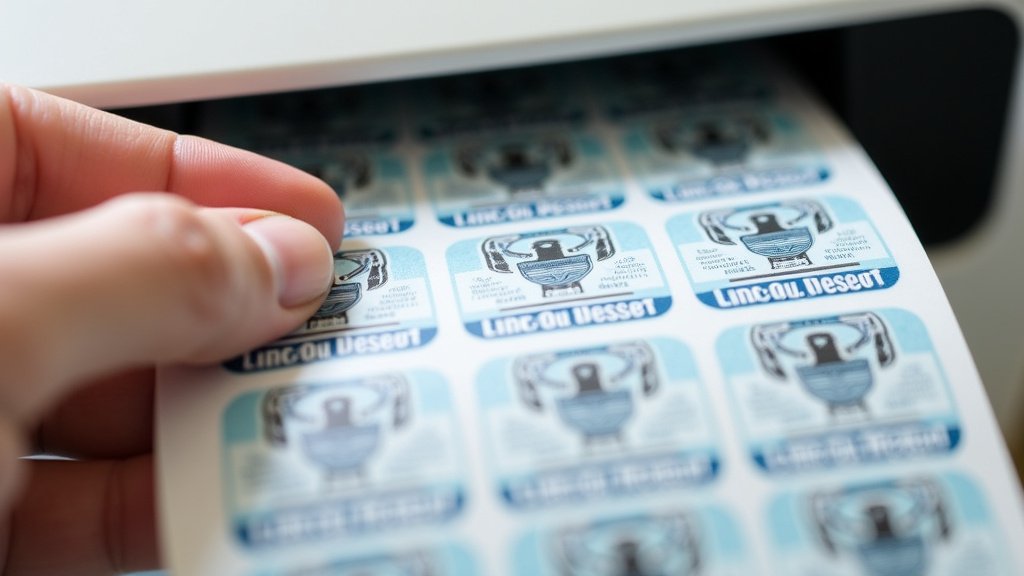
Designing and Printing Your Waterproof Labels
Now for the fun part: designing your labels and getting them printed! You can create anything from simple text labels to elaborate graphics.
Choosing Your Design Software
You have lots of options for creating your label design. If you’re new to this, simple software is best. For more advanced designs, you have more tools.
- Online Design Tools: Many label manufacturers offer free online design software on their websites. These are usually templates you can easily customize.
- Word Processing Software: Programs like Microsoft Word or Google Docs have built-in label templates. You can insert text and simple images.
- Graphic Design Software: For professional-looking designs, consider software like Canva (web-based and user-friendly) or Adobe Illustrator (more advanced).
Whatever you choose, make sure your design fits the exact dimensions of your label sheet. Most software will let you select standard label sizes.
Printing Tips for Best Results
When you’re ready to print, do a test run first. It’s better to waste one sheet than a whole pack. Print a single label or a small section of your design on plain paper first. You can then hold this up to your label sheet (or even place it on top) to check alignment. Once you’re confident, load your waterproof label sheets into the printer correctly. Make sure they are fed straight to avoid jams or misaligned prints.
We found that ensuring the correct side is facing up is crucial. Most label sheets have a specific printable side and a backing that goes through the printer. Check your label packaging for instructions. Printing a single label at a time can sometimes help with alignment and prevent issues with heavier stacks of labels.
Enhancing Waterproof Performance (Optional)
While the right label sheets and ink are often enough, you might want extra protection for extremely wet conditions. This is where sealants come in.
Using a Waterproof Sealant or Laminate
After printing, you can apply a clear sealant. This acts like an extra layer of armor for your labels. Look for waterproof clear spray sealants or liquid sealers. These are often available at craft stores or office supply stores.
Another option is to use clear laminate sheets. You can get self-adhesive laminates that you carefully apply over your printed labels. This provides a durable, waterproof barrier. Be sure to apply them smoothly to avoid air bubbles. We found that using a sealant or laminate is a good idea for labels that will be submerged or constantly exposed to moisture, like outdoor gear labels or reusable food container labels.
Testing Your Waterproof Labels
Before you commit your new labels to their final purpose, it’s smart to test their durability. Print a sample label with your design and chosen materials. Then, put it to the test! You could run it under a faucet, soak it in water, or even place it in the freezer. Observe how it holds up. Does the ink run? Does the label start to peel or dissolve? This simple test will give you confidence in your waterproof labels.
Here’s a quick checklist to recap your journey to waterproof labels:- Choose the right label sheets for your printer type (inkjet or laser) and ensure they are waterproof.
- Check your printer settings—use “heavy paper” or “cardstock” for best results.
- Consider pigment-based inks for inkjet printers if possible for extra water resistance.
- Design carefully, ensuring your layout matches the label sheet dimensions.
- Print a test label and test its water resistance before mass printing.
- Apply a sealant or laminate if extra durability is needed for harsh conditions.
Conclusion
You’ve learned that creating waterproof labels at home is totally achievable. By selecting the correct waterproof label sheets for your printer type and adjusting your printer settings, you’re well on your way. Remember to consider pigment-based inks for inkjet if you want that extra layer of protection. Don’t forget the option to add a sealant for extreme conditions. Now, go ahead and print those durable labels for all your needs!
Frequently Asked Questions
Can I use regular label paper and just spray it with a waterproof sealant?
While a sealant can add some water resistance, it’s not a complete solution for regular paper. The paper itself will likely still absorb water, causing ink to run or the label to degrade. For true waterproof results, you really need labels specifically designed to repel moisture.
Are “water-resistant” labels truly waterproof?
Generally, “water-resistant” means the label can withstand light splashes or brief contact with water without immediate damage. However, “waterproof” implies it can handle prolonged submersion or heavy moisture exposure. Always check the product’s specifications and test it yourself if you need full waterproofing.
How long do waterproof labels typically last?
The lifespan of waterproof labels can vary significantly based on the material, ink used, and the environmental conditions they are exposed to. Labels used indoors and kept dry will last much longer than those constantly exposed to sun, moisture, or abrasion. We found that high-quality synthetic labels with pigment inks tend to offer the best longevity.
What’s the difference between inkjet and laser waterproof labels?
Inkjet waterproof labels are designed to work with liquid inks, often having a special coating to help ink dry quickly and prevent smudging when wet. Laser waterproof labels are made to withstand the heat of laser printers and use toner, which fuses to the label material, offering good durability from the start.
Can I write on my waterproof labels after printing?
It depends on the label’s finish and coating. Matte waterproof labels are generally easier to write on with pens. Glossy labels, especially those with very slick coatings, might require specific types of markers or pens designed for glossy surfaces to prevent smudging. We recommend testing this on a sample label.