Is My Printer Inkjet Or Laser?
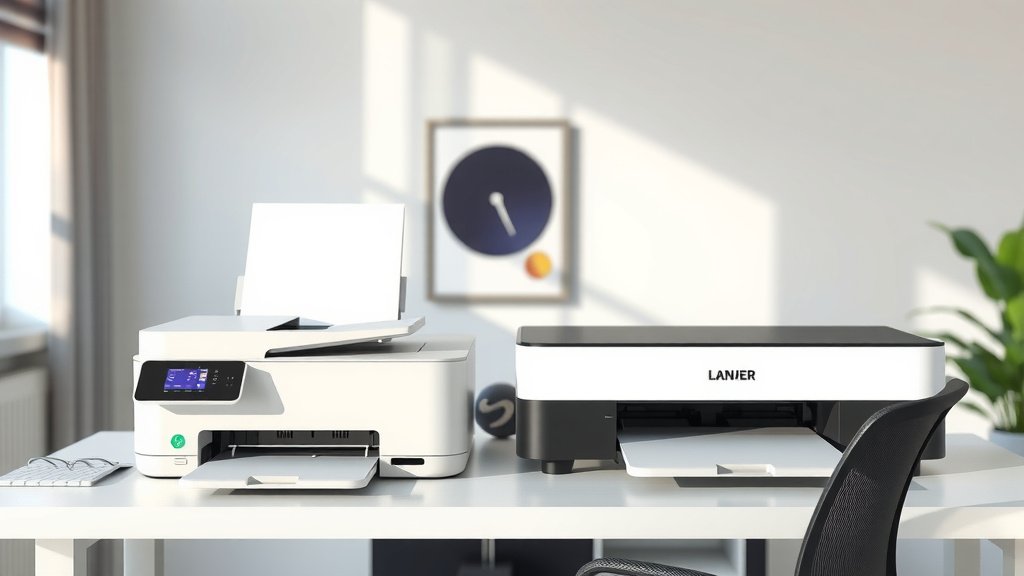
You can tell if your printer is inkjet or laser by looking at the type of cartridges it uses – inkjet printers use liquid ink cartridges while laser printers use toner powder cartridges.
The easiest way to identify your printer type is to open the printer cover and check if you see small ink cartridges or a large drum unit with toner cartridge.
Quick Ways to Identify Your Printer Type
Not sure what type of printer sits on your desk? You’re not alone. Many people buy printers without paying attention to the technology inside.
The good news is that figuring out your printer type takes just a few minutes. Let me walk you through the simplest methods.
Check the Cartridge Compartment
Open your printer’s front or top cover. This is where you’ll find the biggest clue.
If you see small, rectangular cartridges that you can easily lift out, you have an inkjet printer. These cartridges contain liquid ink and usually come in black, cyan, magenta, and yellow.
If you see a large drum unit or cylindrical toner cartridges, you’re looking at a laser printer. The toner cartridges are bigger and heavier than ink cartridges.
Look at Your Printer Model Number
Find the model number on your printer’s front panel or back label. Type this number into any search engine with “specs” after it.
The search results will quickly tell you whether it’s inkjet or laser. This method works great when you can’t open the printer for some reason.
Physical Differences Between Inkjet and Laser Printers
Once you know what to look for, telling these printers apart becomes easy. They have distinct physical features.
Size and Weight
Laser printers are typically heavier and bulkier. They need space for the drum unit, toner cartridges, and fusing mechanism.
Inkjet printers are usually lighter and more compact. They don’t need as much internal machinery, so manufacturers can make them smaller.
Paper Handling
Most laser printers have larger paper trays. They’re built for higher volume printing in offices.
Inkjet printers often have smaller paper trays. Some budget models only hold 50-100 sheets at a time.
Sound and Speed Clues
Your printer’s behavior during operation gives away its type too.
Startup Sounds
Laser printers make mechanical whirring sounds when they start up. You’ll hear the drum unit and other parts moving into position.
Inkjet printers are quieter during startup. They might make some clicking sounds as the print head moves, but it’s much softer.
Printing Speed
Laser printers typically print faster, especially for text documents. They can handle 20-40 pages per minute.
Inkjet printers work slower, usually printing 5-15 pages per minute for text. Photo printing takes even longer.
What Your Printer Manual Says
Still have your printer manual or setup guide? Check the first few pages.
The manual always states the printer type clearly. Look for terms like “inkjet,” “laser,” “thermal inkjet,” or “LaserJet.”
Finding Manuals Online
Lost your manual? No problem. Search for your printer model followed by “manual” or “user guide.”
Most manufacturers keep PDF manuals available for download. The first page usually identifies the printer type.
Software and Driver Clues
Your computer might already know what type of printer you have.
Check Printer Properties on Windows
Go to Settings, then Printers & Scanners. Click on your printer name.
The printer information often mentions whether it’s inkjet or laser. You might see terms like “PCL” (common for laser) or “Inkjet” in the driver name.
Mac System Information
On Mac, go to Apple menu, then About This Mac, then System Report. Click on Printers in the sidebar.
Your printer’s details will show the driver type and often indicate the printing technology.
Understanding Print Quality Differences
The type of output your printer creates can hint at its technology.
Text Quality
Laser printers produce crisp, sharp text. The edges of letters look clean and professional.
Inkjet text might show slight bleeding or fuzzy edges, especially on regular copy paper. However, modern inkjets have improved significantly.
Photo Quality
Inkjet printers excel at photo printing. They can produce smooth color gradients and fine details.
Basic laser printers struggle with photos. Color laser printers can handle photos but often look less natural than inkjet photos.
Cost Per Page Analysis
Your printing costs can reveal your printer type too.
Replacement Cartridge Prices
Check how much your replacement cartridges cost. Ink cartridges for inkjet printers usually cost $15-50 each.
Laser toner cartridges cost more upfront, often $50-150, but they last much longer.
Page Yield Numbers
Look at how many pages your cartridges print. Ink cartridges might print 200-500 pages.
Toner cartridges often print 1,000-5,000 pages or more. This higher yield helps offset the higher upfront cost.
Common Printer Brand Patterns
While not foolproof, some brands focus more on certain technologies.
Inkjet-Focused Brands
Canon, Epson, and HP make lots of inkjet printers for home users. If you bought a budget home printer from these brands, it’s probably inkjet.
Laser-Heavy Brands
Brother and Lexmark sell many laser printers. Samsung (now owned by HP) was known for laser printers too.
Office supply stores often stock more laser printers for business customers.
Maintenance Requirements
How often your printer needs maintenance can indicate its type.
Cleaning Cycles
Inkjet printers run cleaning cycles regularly. You’ll see “cleaning print heads” messages on the display.
Laser printers rarely need automatic cleaning. They might occasionally calibrate colors, but it’s less frequent.
Dried Ink Issues
If your printer stops working after sitting unused for weeks, it’s probably inkjet. Liquid ink dries in the print heads.
Laser printers handle long periods of non-use better. Toner powder doesn’t dry out like liquid ink.
Power Consumption Differences
Watch your printer during operation to spot technology clues.
Warm-Up Time
Laser printers need warm-up time. The fuser unit must reach high temperatures to melt toner onto paper.
Inkjet printers start printing almost immediately. They don’t need to heat up first.
Energy Usage
Laser printers use more electricity during printing. The heating elements consume significant power.
Inkjet printers use less energy overall. They only need power to move the print head and pump ink.
When to Choose Each Type
Now that you know your printer type, let’s talk about when each works best.
Inkjet Advantages
Choose inkjet for photo printing, low-volume text printing, and tight budgets. The upfront cost is lower.
Inkjets work well for families who print occasionally. They handle various paper types and sizes easily.
Laser Advantages
Pick laser for high-volume text printing, office use, and lower per-page costs. They’re faster and more reliable for business documents.
Laser printers shine in offices where multiple people print frequently throughout the day.
Troubleshooting Based on Printer Type
Knowing your printer type helps with problem-solving.
Common Inkjet Problems
- Clogged print heads from dried ink
- Streaky prints from low ink levels
- Bleeding colors on wrong paper types
Common Laser Problems
- Faded prints from low toner
- Paper jams from worn rollers
- Smudged prints from dirty drum units
Conclusion
Identifying whether your printer is inkjet or laser doesn’t have to be complicated. Start by opening the printer cover and looking at the cartridges – small liquid ink cartridges mean inkjet, while large toner cartridges or drum units mean laser.
You can also check your printer’s model number online, listen to startup sounds, or examine print quality. Each method gives you clear clues about your printer’s technology. Once you know your printer type, you’ll make better decisions about cartridge purchases, maintenance, and troubleshooting. This knowledge helps you get the most from your printing investment.
Can I convert my inkjet printer to laser or vice versa?
No, you cannot convert between printer types. Inkjet and laser printers use completely different mechanisms and components. The print heads, cartridge systems, and internal parts are not interchangeable.
Why does my printer sometimes say it’s out of ink when cartridges look full?
This happens with inkjet printers when sensors detect low ink levels or air bubbles in the cartridge. Sometimes removing and reinstalling the cartridge fixes sensor issues, but truly empty cartridges need replacement regardless of appearance.
Do laser printers work better in cold environments?
Laser printers generally handle temperature changes better than inkjets because toner powder doesn’t freeze like liquid ink can. However, extremely cold conditions can still affect paper feeding and internal components in both printer types.
Which printer type is better for printing shipping labels?
Laser printers typically work better for shipping labels because they produce waterproof, smudge-resistant text that won’t run if labels get wet. The heat-fused toner creates more durable prints than liquid ink.
How can I tell if my all-in-one device uses inkjet or laser technology?
Open the printer section of your all-in-one device and check the cartridges using the same methods. All-in-one devices use either inkjet or laser technology for printing, while scanning functions work the same regardless of print technology.