What Does Inkjet Printer Mean?
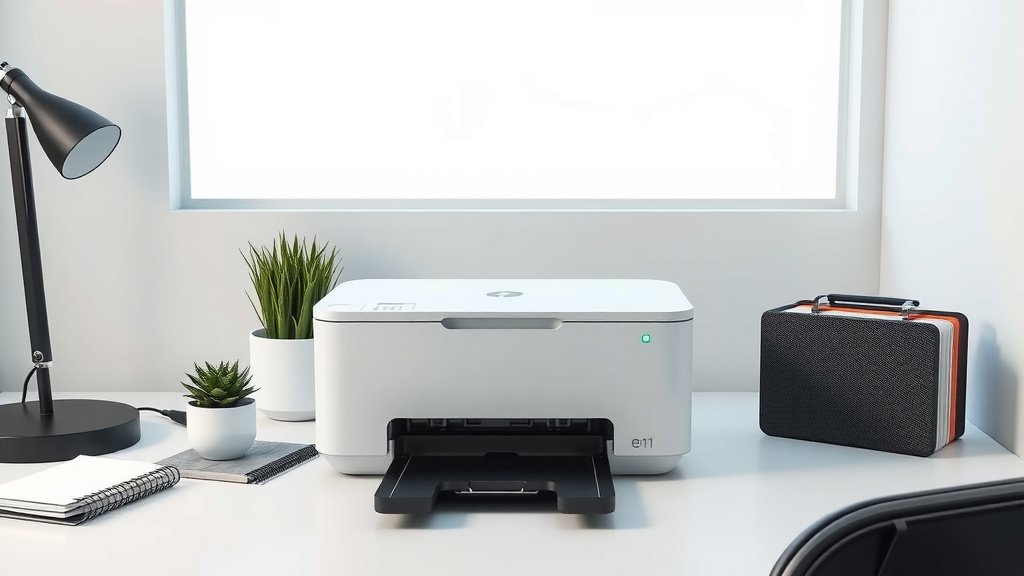
An inkjet printer is a type of computer printer that creates images and text by spraying tiny droplets of liquid ink onto paper through microscopic nozzles.
Inkjet printers work by using thermal or piezoelectric technology to force ink through small openings, making them popular for home and office use due to their affordability and versatility.
How Inkjet Printers Actually Work
Think of an inkjet printer like a tiny paint sprayer that’s incredibly precise. Your printer receives digital information from your computer and translates it into millions of microscopic ink dots.
The process starts when your print command travels to the printer. Inside, a print head moves back and forth across the paper. This print head contains hundreds of tiny nozzles – smaller than a human hair.
The Ink Delivery System
Each nozzle connects to an ink reservoir through thin tubes. When the printer needs to place a dot of color, it uses one of two main methods to push ink through the nozzle.
Thermal inkjet printers heat the ink quickly. This creates a bubble that forces a droplet out. Canon and HP use this method in most of their consumer printers.
Piezoelectric printers use tiny crystals that vibrate when electricity hits them. These vibrations push the ink out. Epson favors this approach for many of their models.
Creating Colors and Images
Your inkjet printer typically uses four main ink colors: cyan, magenta, yellow, and black (CMYK). By mixing these colors in different combinations, it can create almost any color you see on your screen.
The printer places these tiny dots so close together that your eye blends them into smooth colors and sharp text. It’s like how pointillism works in art – lots of small dots create the bigger picture.
Types of Inkjet Printers
Consumer Inkjet Printers
These are the printers you’ll find in most homes and small offices. They’re designed for everyday printing needs like documents, photos, and school projects.
Consumer models usually print at speeds of 10-20 pages per minute for black text. Photo printing takes longer – often 2-5 minutes for a single 4×6 photo.
All-in-One Models
Many consumer inkjets combine printing with scanning, copying, and sometimes faxing. These multifunction devices save space and money compared to buying separate machines.
Photo-Focused Printers
Some inkjet printers target photography enthusiasts. They often use six or more ink colors instead of four. This gives them better color range and smoother gradients in photos.
Professional Inkjet Printers
Professional models cost more but offer better print quality and faster speeds. Graphic designers, photographers, and small businesses often choose these.
These printers typically handle larger paper sizes and use higher-quality inks that last longer without fading.
Inkjet vs Other Printer Types
You might wonder how inkjet printers compare to laser printers or other options. Each type has its strengths and weaknesses.
| Feature | Inkjet | Laser |
|---|---|---|
| Initial Cost | Lower | Higher |
| Photo Quality | Excellent | Good |
| Text Speed | Moderate | Fast |
| Cost per Page | Higher | Lower |
When Inkjet Makes Sense
Inkjet printers work best when you need high-quality photos or color documents. They’re also great if you don’t print large volumes regularly.
If you print fewer than 100 pages per month, an inkjet probably costs less overall than a laser printer.
When to Consider Alternatives
If you print hundreds of pages monthly, mostly black text, a laser printer might save you money long-term. Laser printers also work better in dusty environments.
Understanding Inkjet Print Quality
Resolution Measurements
Print quality gets measured in dots per inch (DPI). Higher DPI numbers mean more detail and sharper images.
Most inkjet printers today offer at least 1200 x 1200 DPI. Photo-quality printing often uses 2400 DPI or higher.
Paper Choice Matters
Your paper choice affects print quality as much as your printer settings. Plain copy paper works fine for text documents.
For photos, you’ll want photo paper with a smooth, coated surface. This prevents ink from soaking in and spreading, keeping your images sharp.
Paper Weight and Finish
Heavier paper (measured in GSM) feels more professional and resists curling. Glossy finishes make colors pop but show fingerprints easily. Matte finishes hide fingerprints but may look less vibrant.
Ink Types and Cartridges
Dye-Based Inks
Most consumer inkjet printers use dye-based inks. These create bright, vibrant colors that look great for photos and graphics.
Dye inks dissolve completely in their liquid carrier. This lets them blend smoothly and create subtle color gradients.
Pigment-Based Inks
Pigment inks use tiny solid particles suspended in liquid. They resist fading better than dye inks and work well for documents you need to keep long-term.
Many newer printers use pigment black ink for text and dye colors for photos. This gives you the best of both worlds.
Cartridge Systems
Some printers use individual cartridges for each color. Others combine multiple colors in one cartridge.
Individual cartridges cost less to replace because you only change the empty color. Combined cartridges waste ink when one color runs out first.
Maintenance and Troubleshooting
Keeping Your Printer Happy
Inkjet printers need regular use to stay healthy. If you don’t print for weeks, ink can dry in the nozzles and cause clogs.
Try to print at least one page per week, even if it’s just a test page. This keeps ink flowing and prevents problems.
Cleaning Cycles
All inkjet printers have built-in cleaning cycles. These push extra ink through the nozzles to clear minor clogs.
Run a cleaning cycle if you notice streaks, missing colors, or faded areas in your prints. Don’t overdo it though – cleaning cycles use lots of ink.
Deep Cleaning Options
For stubborn clogs, most printers offer deep cleaning modes. These use more ink but push harder to clear blockages.
Environmental Factors
Keep your inkjet printer in a stable environment. Extreme temperatures and humidity can affect ink flow and paper handling.
Dust can also cause problems. Try to keep your printer covered when not in use, especially in garages or workshops.
Cost Considerations
Initial Purchase Price
Basic inkjet printers start around $50-100. Photo-quality models typically cost $150-300. Professional units can exceed $1000.
Remember that manufacturers often sell printers at low profit margins. They make money on ink cartridge sales over time.
Operating Costs
Research from consumer groups shows that ink costs vary widely between brands and models. Some printers cost 20 cents per page, while others cost just 3-4 cents.
Check ink prices before buying a printer. A cheaper printer with expensive ink might cost more long-term than a pricier model with affordable cartridges.
Third-Party Ink Options
Compatible ink cartridges from third-party companies often cost 50-80% less than original cartridges. Quality varies, so read reviews before switching.
Some printer warranties don’t cover damage from third-party inks. Weigh the savings against potential risks.
Future of Inkjet Technology
Eco-Tank Systems
Newer inkjet designs use refillable ink tanks instead of cartridges. You buy bottles of ink and refill the tanks yourself.
These systems cost more upfront but dramatically reduce per-page printing costs. They’re becoming popular for high-volume users.
Improved Print Speeds
Manufacturers continue improving inkjet print speeds. Some newer models print text documents almost as fast as laser printers.
Wide print heads and better ink formulations help achieve these speed improvements without sacrificing quality.
Choosing the Right Inkjet Printer
Assess Your Needs
Start by estimating how much you print monthly. Count both pages and types – photos take more time and ink than text documents.
Consider what you print most. If it’s mostly black text, you might prefer a laser printer. If you print lots of photos or colorful documents, inkjet works better.
Space and Features
Measure your available space before shopping. Some inkjet printers extend quite far when paper trays are open.
Think about which features you’ll actually use. Built-in scanners and wireless connectivity add convenience but also cost.
Connectivity Options
Most modern inkjets offer Wi-Fi connectivity. This lets multiple people print from phones, tablets, and computers without cables.
Some models support direct printing from cloud services or memory cards. These features can be handy for quick photo printing.
Conclusion
Inkjet printers remain one of the most versatile and accessible printing technologies available today. They offer excellent photo quality, reasonable text output, and affordable entry prices for most users.
Understanding how inkjet printers work helps you make better decisions about which model to buy, how to maintain it, and when to consider alternatives. Whether you’re printing family photos, school reports, or business documents, knowing your printer’s capabilities ensures you get the best results possible.
The key is matching your inkjet printer choice to your actual printing habits. Print volume, quality needs, and budget all play important roles in finding the right fit for your home or office.
What’s the main difference between thermal and piezoelectric inkjet printers?
Thermal inkjets heat ink to create bubbles that push droplets out, while piezoelectric inkjets use vibrating crystals to force ink through nozzles. Both methods produce similar quality, but piezoelectric systems typically last longer and handle different ink types better.
How often should I replace inkjet cartridges?
Replace cartridges when print quality drops noticeably or when your printer indicates low ink levels. Most cartridges print 200-500 pages depending on coverage. Don’t wait until cartridges are completely empty, as this can damage print heads.
Can I use any type of paper in my inkjet printer?
While inkjet printers handle various paper types, using paper designed for your printer type gives better results. Avoid paper thicker than your printer’s specifications, and use photo paper for high-quality image printing to prevent ink bleeding.
Why do my inkjet prints fade over time?
Dye-based inks fade when exposed to light and air over months or years. To minimize fading, use pigment-based inks when possible, store prints away from direct sunlight, and choose acid-free paper for important documents you want to preserve.
Is it worth buying an expensive inkjet printer for occasional use?
For light printing needs, a basic inkjet printer usually provides the best value. Expensive models offer features like faster speeds and better photo quality that casual users rarely need. Focus on finding a model with affordable replacement ink instead.