
Can Inkjet Printers Print On Vinyl?
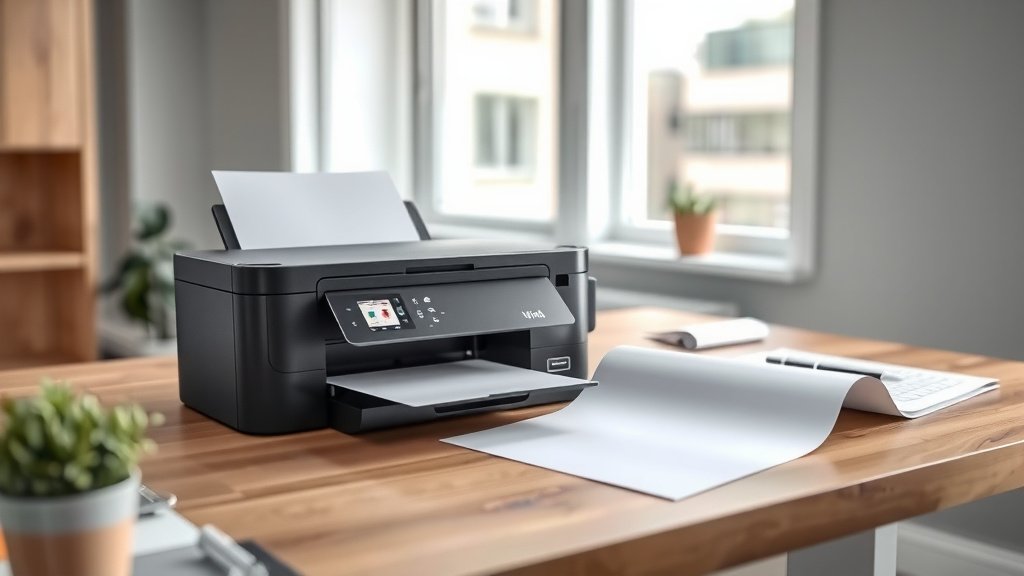
Yes, inkjet printers can print on vinyl, but you need the right type of vinyl and proper printer settings. Most standard inkjet printers work with printable vinyl sheets designed for inkjet use.
The key is using vinyl specifically made for inkjet printing, which has a special coating that absorbs the ink properly. Regular vinyl won’t work and can damage your printer.
What Types of Vinyl Work With Inkjet Printers?
Not all vinyl is created equal when it comes to inkjet printing. You need vinyl with a printable surface that can handle water-based inks.
Printable Vinyl Sheets
These are your best bet for inkjet printing. They come with a special coating that lets the ink stick and dry properly. You’ll find them at most office supply stores.
The coating prevents the ink from beading up or smearing. Think of it like the difference between writing on paper versus writing on plastic wrap.
Adhesive Vinyl for Inkjet
Some vinyl comes with adhesive backing, perfect for stickers and labels. Make sure the package says “inkjet compatible” before buying.
These work great for custom decals, address labels, or small signs. Just remember they’re usually not waterproof unless you add a protective coating.
White vs. Clear Vinyl
White vinyl gives you the most vibrant colors. Clear vinyl only works if you want a transparent look, but your colors will be much lighter.
Clear vinyl is tricky because you’re essentially printing on see-through material. The results often look washed out unless you use very bold designs.
How to Set Up Your Inkjet Printer for Vinyl
Getting your printer ready for vinyl takes a few simple steps. The right settings make all the difference between success and disaster.
Choose the Right Print Settings
Select “photo paper” or “glossy paper” in your printer settings. These settings use more ink and print slower, which helps with vinyl adhesion.
Avoid “draft” or “fast” modes. They use less ink and print too quickly for vinyl to absorb properly.
Feed the Vinyl Correctly
Load vinyl sheets one at a time. They’re thicker than regular paper and can jam if you load too many.
Make sure the printable side faces the right direction. Most vinyl has a slight texture difference between sides.
Temperature and Humidity Matter
Print in a room that’s not too humid. High humidity can make the ink take longer to dry and may cause smearing.
Let your printer warm up for a few minutes before printing. Cold printers sometimes don’t feed vinyl sheets smoothly.
Common Problems When Printing on Vinyl
Even with the right vinyl and settings, you might run into issues. Here are the most common problems and how to fix them.
Ink Smearing or Not Sticking
This usually means you’re using the wrong type of vinyl. Regular vinyl doesn’t have the coating needed for inkjet inks.
Switch to vinyl made specifically for inkjet printers. It costs a bit more but saves you from wasted ink and frustration.
Colors Look Faded
Faded colors often happen when you use “draft” mode or when the vinyl coating isn’t absorbing ink well.
Try switching to “photo” or “best quality” mode. Also check that your ink cartridges aren’t running low.
Vinyl Gets Stuck in the Printer
Vinyl sheets are thicker than paper and can jam more easily. Always load them one sheet at a time.
If jamming keeps happening, try a different brand of vinyl. Some are thinner and feed better through certain printers.
Best Practices for Long-Lasting Vinyl Prints
Want your vinyl prints to last longer and look better? These tips will help you get professional results.
Let Prints Dry Completely
Don’t touch or move your vinyl prints right after printing. Give them at least 30 minutes to dry fully.
Rushing this step can cause fingerprints or smears that ruin your work. Patience pays off here.
Consider a Protective Coating
For outdoor use or high-wear items, spray your finished prints with a clear protective coating. This helps prevent fading and water damage.
You can find these coatings at craft stores. Just make sure they’re compatible with inkjet inks.
Store Unused Vinyl Properly
Keep unused vinyl sheets flat and away from heat or direct sunlight. Heat can warp the sheets and make them hard to print on.
A cool, dry place works best. I found that storing them in the original packaging helps prevent dust buildup too.
Types of Projects Perfect for Inkjet Vinyl Printing
Wondering what you can actually make with vinyl and your inkjet printer? Here are some popular projects that work well.
Custom Stickers and Decals
Personal stickers are probably the most popular vinyl printing project. Kids love custom stickers with their names or favorite characters.
Just remember that inkjet vinyl stickers aren’t usually waterproof unless you add protection. They work great for indoor use though.
Address Labels and Name Tags
Vinyl address labels look more professional than paper ones and last longer in the mail.
Name tags made from vinyl feel more substantial too. They’re perfect for events where you want something nicer than paper tags.
Small Signs and Displays
Indoor signs work well with inkjet vinyl. Think small “Welcome” signs, price tags for garage sales, or labels for storage bins.
Keep outdoor signs small and simple. Inkjet vinyl isn’t as weather-resistant as professional sign vinyl.
Comparing Vinyl Options
| Vinyl Type | Best For | Durability | Cost |
|---|---|---|---|
| Printable Adhesive Vinyl | Stickers, labels | 6 months indoors | Low |
| Printable Magnetic Vinyl | Fridge magnets | 1 year indoors | Medium |
| Clear Printable Vinyl | Window clings | 3 months outdoors | Medium |
| Waterproof Vinyl | Outdoor use | 2 years outdoors | High |
Troubleshooting Print Quality Issues
Getting perfect prints on vinyl takes practice. Here’s how to fix the most common quality problems.
Streaky or Uneven Colors
Streaks usually mean your print heads need cleaning. Most printers have an automatic cleaning cycle you can run.
If cleaning doesn’t help, your ink might be running low. Even cartridges that aren’t empty yet can cause streaky prints.
Text Looks Blurry
Blurry text often happens when the vinyl moves slightly during printing. Make sure your vinyl lies flat in the paper tray.
Also check that you’re using a font size that’s not too small. Tiny text doesn’t print well on textured vinyl surfaces.
Printer Alignment Problems
If your colors don’t line up right, run your printer’s alignment utility. You’ll find this in your printer’s maintenance menu.
Misaligned colors make everything look fuzzy or show colored edges where they shouldn’t be.
Cost Considerations for Vinyl Printing
Printing on vinyl costs more than regular paper printing. Here’s what affects your costs and how to save money.
Vinyl Sheet Costs
Printable vinyl costs about 10 times more per sheet than regular paper. A pack of 20 sheets might cost $15-25.
Buy in larger quantities if you plan to do lots of vinyl printing. The per-sheet cost drops quite a bit with bigger packs.
Ink Usage
Vinyl printing uses more ink than paper printing because you need those richer “photo” quality settings.
Plan for about 20-30% higher ink usage compared to normal document printing. This adds up over time.
Ways to Save Money
Design your projects to use less ink. White backgrounds use no ink, while black backgrounds use tons.
Print multiple items on one sheet when possible. This saves both vinyl and ink costs per item.
When Inkjet Vinyl Isn’t the Right Choice
Sometimes inkjet vinyl just won’t work for your project. Here’s when you need different solutions.
Large Outdoor Signs
Inkjet vinyl fades quickly in direct sunlight. For big outdoor signs, you need professional-grade vinyl and UV-resistant inks.
Most print shops can handle large outdoor vinyl projects much better than home inkjet printers.
High-Wear Items
Things that get handled a lot or washed frequently need stronger materials. Think laptop stickers or phone decals that get touched constantly.
Commercial vinyl with solvent-based inks lasts much longer for high-wear applications.
Very Detailed Designs
Inkjet printers have limits on fine detail, especially on textured vinyl surfaces.
If your design has lots of tiny text or intricate patterns, consider having it professionally printed instead.
Safety Tips for Vinyl Printing
Vinyl printing is generally safe, but a few precautions will keep you and your printer happy.
Ventilation
Some vinyl types can smell strong when printing. Make sure your printing area has good airflow.
The smell comes from the vinyl coating, not the ink. It’s usually not harmful but can be unpleasant in closed spaces.
Printer Maintenance
Clean your printer more often when printing vinyl. The coating can sometimes leave residue on the rollers.
Check your printer manual for cleaning instructions. Most printers have special cleaning modes you can run monthly.
Conclusion
Inkjet printers can absolutely print on vinyl, opening up a world of creative possibilities for stickers, labels, and small signs. The key is using vinyl specifically designed for inkjet printing and adjusting your printer settings for the best results. While it costs more than regular paper printing and has some limitations, vinyl printing lets you create professional-looking projects at home. Start with simple projects like address labels or custom stickers to get comfortable with the process. With the right materials and settings, your inkjet printer becomes a powerful tool for personalized vinyl creations that last much longer than paper alternatives.
Can I use any vinyl with my inkjet printer?
No, you need vinyl specifically made for inkjet printers. Regular craft vinyl lacks the coating needed for ink absorption and can damage your printer or produce poor results.
How long do inkjet vinyl prints last outdoors?
Most inkjet vinyl prints last 3-6 months outdoors before significant fading occurs. For longer outdoor durability, consider adding a UV-protective coating or using professional printing services.
Why does my vinyl keep jamming in the printer?
Vinyl sheets are thicker than paper and need to be loaded one at a time. Also ensure you’re using the correct paper thickness setting and that your vinyl sheets aren’t warped or damaged.
Can I make waterproof stickers with inkjet vinyl?
Standard inkjet vinyl isn’t waterproof, but you can buy waterproof inkjet vinyl or apply a clear protective coating after printing to add water resistance to your finished projects.
What’s the smallest text size I can print clearly on vinyl?
Generally, avoid text smaller than 8-point font on vinyl. The textured surface of vinyl can make very small text appear blurry or hard to read, especially with detailed fonts.
