
What Printer Is Compatible with Heat Transfer Vinyl?
When asking what printer is compatible with heat transfer vinyl, the simplest answer is that inkjet printers are generally compatible, but you will need special inkjet-printable heat transfer paper. Laser printers can also work, but they require specific laser-printable transfer paper designed for their toner. Most home users find inkjet options more accessible for DIY projects.
You might be surprised to learn that not all printers are created equal when it comes to HTV. The type of printer you have dictates the kind of heat transfer paper you’ll need to buy. This is important for getting vibrant, long-lasting designs on your t-shirts and other fabrics. For instance, you can’t use inkjet paper in a laser printer.
- Inkjet printers are most common for HTV.
- You need special inkjet transfer paper.
- Laser printers also work, with specific paper.
- Matching paper to your printer is key.
Let’s dive into the details and help you pick the perfect printer setup for your next heat transfer vinyl project.
Printer Choices for Your Heat Transfer Vinyl Projects
When you’re ready to dive into making custom t-shirts, tote bags, or other fabric items, your printer choice is the first big decision. Essentially, you’ll be looking at either an inkjet or a laser printer for your heat transfer vinyl.
Inkjet Printers: Your Go-To for DIY HTV
Most homes already have an inkjet printer, making them a super convenient option for many crafters. These printers use liquid ink that gets sprayed onto the paper. They’re typically more affordable up front and easier to find.
How Inkjet Printers Work with HTV
For inkjet printers, you need a special type of paper called inkjet heat transfer paper. This paper has a coating that absorbs the liquid ink and then, with heat, transfers it onto your fabric. Think of it like a temporary tattoo, but for fabric!
- They use liquid ink cartridges.
- Perfect for detailed, colorful designs.
- Inkjet transfer paper is widely available.
- Great for beginners and hobbyists.
Considering Inkjet Paper Types
You’ll find two main types of inkjet transfer paper: one for light fabrics and one for dark fabrics. Paper for light fabrics often makes the design look like it’s dyed into the shirt. Paper for dark fabrics, on the other hand, usually prints an opaque image that sits on top of the fabric (many also require you to cut out the design). Make sure you grab the right one for your project!
Laser Printers: A Professional HTV Alternative
Laser printers use toner, which is a powder, instead of liquid ink. They’re often found in offices and typically print faster and can handle larger volumes. While less common for home HTV users, they offer a very durable transfer option.
The Laser Printer Process for HTV
Just like with inkjet, you’ll need specific laser heat transfer paper. This paper is designed to withstand the higher heat of a laser printer’s fuser and bond with the toner. The result is often a very crisp and long-lasting transfer, often without the “hand” or feel of inkjet transfers on the fabric (when using special self-weeding paper).
- They use dry toner powder.
- Excellent for sharp lines and text.
- Laser transfer paper is distinct from inkjet paper.
- Often preferred for commercial or high-volume projects.
Why Laser Printers Aren’t Always First Choice for DIY
While powerful, laser printers can be more expensive initially. Their toner cartridges also tend to cost more than inkjet ink. And, getting the right laser transfer paper can be a bit more of a specialty item than standard inkjet paper. Some people also find them a little trickier for full-color photographic images on fabric because of how toner mixes colors.
Comparing Printer Types for Heat Transfer Vinyl
Let’s break down the differences so you can clearly see which printer might be best for your HTV adventures. It’s not just about what you already own, but what kinds of projects you plan to do, and your budget for supplies.
| Feature | Inkjet Printer | Laser Printer |
|---|---|---|
| Initial Cost | Generally lower | Generally higher |
| Consumables (Ink/Toner) | Liquid ink cartridges (can be costly over time) | Dry toner cartridges (higher initial cost, but can last longer) |
| Paper Required | Inkjet Heat Transfer Paper | Laser Heat Transfer Paper |
| Image Quality (Photo) | Excellent, vibrant, good color blending | Good, sharp; sometimes colors are less vibrant than inkjet (depends on toner) |
| Durability of Transfer | Good, but can crack/fade over many washes (depends on paper quality) | Very good, often more wash-resistant |
| Learning Curve | Low | Moderate (especially with self-weeding papers) |
| Best For | Home projects, personalized gifts, full-color designs | Business use, sharp designs, high volume, durable finishes |
Direct-to-Garment (DTG) Printers: The Professional Route
While not a typical home option, you might hear about DTG printers. These are specialized machines that literally print ink directly onto the fabric, much like a giant inkjet printer for textiles. They don’t use transfer paper at all.
When DTG is Used for HTV Alternatives
DTG printers offer incredible detail, softness, and breathability because the ink becomes part of the fabric itself. However, they are very expensive and require a lot of maintenance. You’ll usually see these in professional custom t-shirt shops or print fulfillment businesses, not in a home craft room.
- Prints directly onto fabric.
- No transfer paper needed.
- Very high quality and soft feel.
- Not for home use due to cost and complexity.
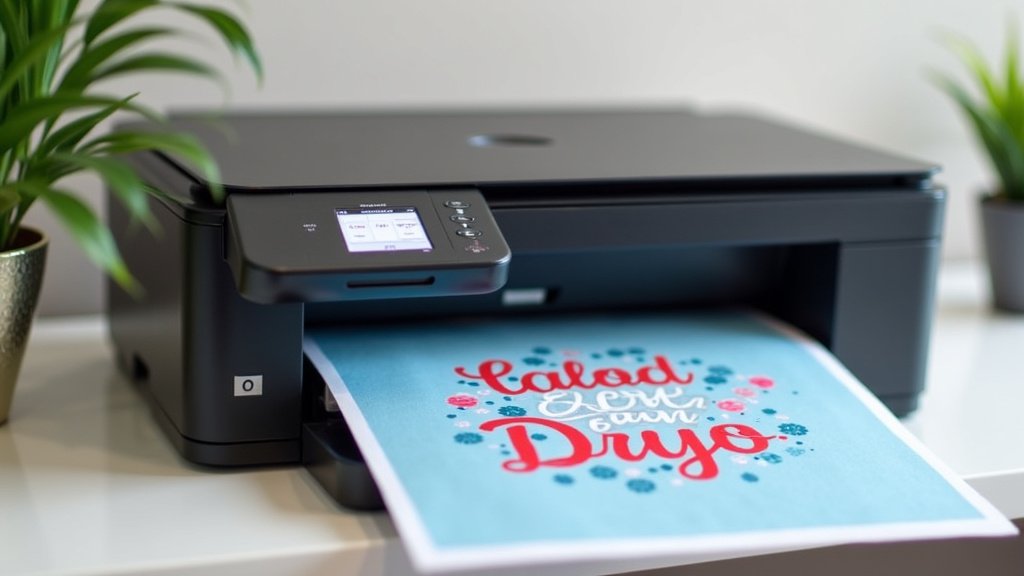
Key Considerations for Your HTV Printer Setup
Before you buy paper or commit to a printer, think about your specific needs. It’s like buying a car; you wouldn’t get a sports car for hauling lumber, right? Each printer type has its strengths.
Matching Your Printer to Your Project Needs
What are you creating? Are you making a custom shirt for a single birthday party, or do you plan to start a small business selling dozens of shirts? Your answer will guide your printer decision.
- Are you a casual crafter or small business? (Volume)
- How important is photographic quality vs. sharp text? (Design type)
- What’s your total budget, including paper and supplies? (Cost)
- How durable do you need the transfer to be? (Longevity)
Understanding Heat Transfer Paper is Crucial
This is probably the most important takeaway: the paper must match the printer. Using inkjet paper in a laser printer can seriously damage the printer, as the high heat will melt the plastic coating on the inkjet paper inside the machine. Conversely, laser paper in an inkjet printer won’t absorb the ink properly, leading to a blurry mess.
Always double-check the packaging of your heat transfer paper. It will clearly state whether it’s for inkjet or laser printers. Don’t guess!
A Quick Checklist Before You Print
To ensure a smooth HTV project, run through this quick mental checklist:
- Do you have an inkjet or laser printer?
- Is your heat transfer paper specifically for that type of printer?
- Is the paper for light or dark fabrics (if applicable)?
- Have you printed a test page on regular paper first? (to check design size/orientation)
- Do you have a heat press or iron ready? (essential for transferring!)
Using the wrong paper is a common mistake that can lead to frustration and wasted supplies. We’ve certainly learned that the hard way in our research! Always read the instructions that come with your transfer paper; they often have very specific tips for optimal results.
Conclusion
Choosing the right printer for heat transfer vinyl doesn’t have to be complicated. Based on our research, an inkjet printer with specialized inkjet transfer paper is your most accessible and cost-effective starting point for DIY projects. For professional, high-volume, or super-durable results, a laser printer with compatible transfer paper might be a better fit, though it’s a larger investment.
Always remember that matching your heat transfer paper to your printer type is absolutely critical to prevent damage and achieve successful transfers. Now, you’re ready to confidently select your setup and get to printing those amazing custom creations!
Frequently Asked Questions
Can I use regular copy paper with heat transfer vinyl?
No, you cannot use regular copy paper. Standard paper won’t hold the ink or toner properly for transfer and lacks the special coating needed to bind the design to fabric when heat is applied. You must use specific heat transfer paper designed for your printer type.
Does the brand of printer matter for HTV?
Generally, the brand isn’t as critical as the printer type (inkjet vs. laser). Most major brands like Epson, Canon, HP (inkjet) or Brother, HP, Canon (laser) will work, as long as you use the correct heat transfer paper. Focus more on whether it’s an inkjet or laser machine.
Is there a difference in durability between inkjet and laser HTV transfers?
Yes, there can be a noticeable difference. Laser printer transfers often boast superior wash durability and resistance to cracking or fading compared to many inkjet transfers. The toner used in laser printers tends to create a tougher, more resilient bond with the fabric.
Can I use my existing home printer for HTV?
If you have an inkjet printer at home, chances are high you can use it! You will just need to purchase the correct inkjet-specific heat transfer paper. If you have a laser printer, you’ll need laser-specific transfer paper. Always verify your printer type before buying supplies.
Why can’t I use inkjet paper in a laser printer?
Using inkjet paper in a laser printer is very risky and can damage your machine. Laser printers use high heat to fuse toner to paper. Inkjet transfer paper has a plastic coating that will likely melt inside the laser printer’s fuser, causing a costly mess and potential irreparable damage.
