
Can You Mix Compatible and Original Ink Cartridges?
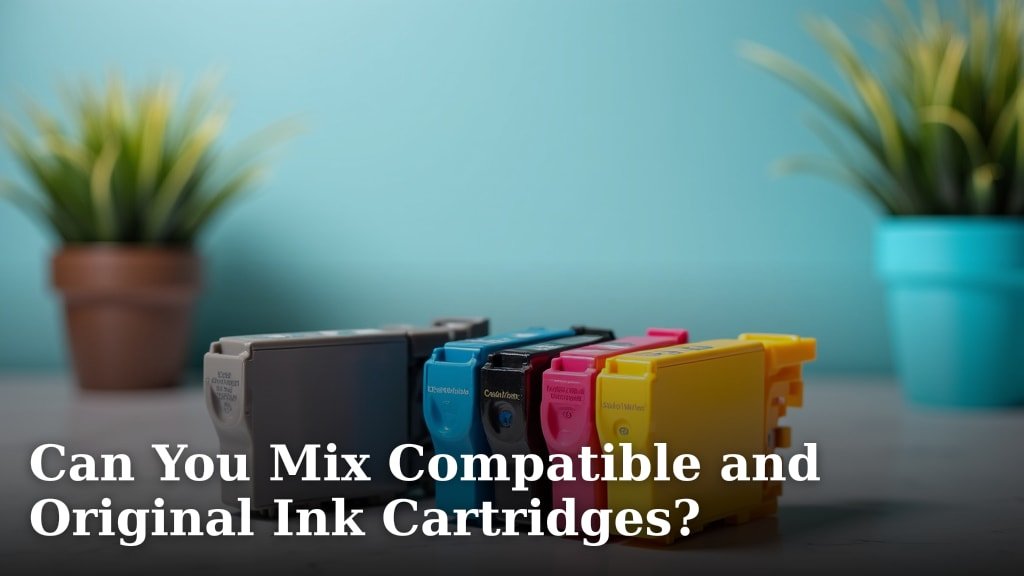
Yes, you can often mix compatible and original ink cartridges in your printer. Most printers are designed to work with both types. You don’t usually need to worry about damage or poor print quality just by mixing them.
Many people choose compatible ink to save money on printing costs. These cartridges are made by third parties, not your printer’s brand. Our research shows they offer a cost-effective alternative to brand-name ink.
- You can mix compatible and original ink.
- Printers usually handle both cartridge types fine.
- Compatible ink offers a cheaper alternative.
- Print quality is often similar, but check reviews.
So, is it really okay to mix them, and what should you watch out for? Let’s take a closer look at what happens when you combine these different ink types.
Mixing Ink Cartridges: The Practicalities of Combining Types
So, you’re wondering if your printer can handle a mix-and-match approach to ink. We’ve found that for most modern printers, the answer is a reassuring yes. You can place an original manufacturer’s cartridge right next to a compatible one, and your printer generally won’t skip a beat.
Think of it like mixing brands of gasoline in your car. As long as it’s the correct fuel type, your engine probably won’t care who made it. Your printer often acts the same way with ink. It cares more about the cartridge fitting and the ink chemistry being suitable for its print nozzles.
Compatibility: Why Do Printers Allow It?
It boils down to how printers are designed. Most manufacturers, perhaps surprisingly, design their machines with a degree of flexibility. They know that consumers have choices, and locking them into one ink source could be a turn-off.
We found that many printer designs use a standard interface for cartridges. This means the physical dimensions, electrical contacts, and even the basic ink delivery systems within the cartridge are often quite similar across brands. Third-party manufacturers reverse-engineer these designs to create their compatible cartridges.
Ink Formulations: Are They Really Different?
Yes, ink formulations can differ, but usually within a “safe” range. Original equipment manufacturer (OEM) inks are often proprietary. They might contain special dyes or pigments to achieve specific color vibrancy or longevity. Compatible ink manufacturers work hard to create formulas that mimic these properties without infringing on patents.
The goal for compatible ink makers is to produce ink that performs very similarly to the original. This means it needs to flow correctly through the print head, dry at the right speed, and produce acceptable colors. Most reliable compatible brands achieve this balance quite well, preventing issues even when mixed with OEM ink.
Potential Concerns When Blending Cartridges
While generally safe, it’s wise to be aware of a few potential hiccups. These are usually minor, but knowing about them can help you troubleshoot if something seems off.
- Color Consistency: You might notice slight differences in color output. If you’re printing for professional graphics or need exact color matching, this small variation could be an issue.
- Print Head Clogging: This is rare with quality compatible inks. However, poor-quality inks might have different viscosities or particle sizes that could, over time, lead to minor clogs in your print head.
- Printer Warnings: Your printer might display a non-original ink warning. This is common. It’s usually a standard message from the manufacturer and doesn’t mean anything is wrong (Consumer Reports).
- Warranty Concerns: Some printer manufacturers suggest that using third-party ink could void your warranty. While they can’t void your entire warranty just for using compatible ink (Magnuson-Moss Warranty Act), they might deny a claim specifically related to a problem caused by non-OEM ink.
It’s like using generic batteries in an expensive device. The device will likely work fine, but if the generic battery leaks and damages the device, the manufacturer might not cover that specific repair under warranty.
How to Minimize Risks When Mixing Inks
You can take a few simple steps to ensure a smooth printing experience when you decide to mix compatible and original cartridges. It’s mostly about choosing wisely and being observant.
Choose Reputable Compatible Brands
This is probably the most important piece of advice. Not all compatible inks are created equal. We’ve found that established brands with good reviews are your best bet. They invest in quality control and stand behind their products.
Look for brands that mention ISO certifications or high-quality manufacturing standards. These details indicate a commitment to producing reliable products. Avoid no-name brands with unusually low prices and no customer support.
Test Print First
After installing a new compatible cartridge, especially if you’re mixing it with an OEM one, run some test prints. Print a document with text and a few color swatches. This helps you check for:
- Proper ink flow
- Color accuracy (if important to you)
- Any streaks or banding
This quick check can save you from reprinting an important document later. It’s like taking a new car for a quick spin before a long road trip.
Understanding Printer Cartridge Types
To really get how mixing works, it helps to understand the main types of cartridges you might encounter. There’s more to it than just “black” and “color.”
| Cartridge Type | Description | Mixing Considerations |
|---|---|---|
| Original (OEM) | Made by your printer’s manufacturer. Designed for optimal performance with your specific printer model. | Generally the benchmark for quality. Compatible inks aim to match this. |
| Compatible | Brand-new cartridges made by a third-party company, designed to function like an OEM cartridge. | Cost-effective alternative. Quality varies, so choose reputable brands. |
| Remanufactured | Used OEM cartridges that have been cleaned, refilled with ink, and sometimes had components replaced. | Eco-friendly and often cheaper. Quality can be inconsistent depending on the re-filler. |
| Refill Kits | Ink bottles and tools to refill your empty OEM or compatible cartridges yourself. | Lowest cost but highest risk of messes, poor quality, or clogging if not done correctly. |
When we talk about mixing, we’re mostly focusing on OEM and compatible cartridges. Remanufactured ones can also be mixed, but their quality control can be less consistent. Refill kits are usually best avoided for casual users. You really don’t want to accidentally introduce air bubbles or contaminants into your print head.
When to Be Cautious About Mixing Inks
Are there any situations where you should think twice? A few scenarios might warrant sticking to all OEM ink, at least temporarily.
Professional Photo Printing
If your livelihood depends on accurate color reproduction, like a professional photographer or graphic designer, you might want to stick with OEM inks. Their proprietary formulas are often fine-tuned for specific color gamuts and archival qualities.
Even small color shifts, which might be imperceptible to the average user, could be critical for client work. It’s like a chef using a specific brand of spice for a signature dish – consistency is key.
Brand New Printer Warranty
While the Magnuson-Moss Warranty Act protects you, some people prefer to use only OEM ink during the initial warranty period of a brand-new printer. This can give peace of mind that if any issues arise, the manufacturer can’t easily point the finger at third-party ink.
Once that initial period has passed, many users feel more comfortable branching out to compatible options. It’s a personal comfort level decision.
A Quick Checklist for Mixing and Matching
Here’s a practical guide to help you decide and proceed confidently:
- Are you using a reputable compatible ink brand?
- Have you read reviews for the specific compatible cartridge?
- Is print quality for critical photos your top priority?
- Are you okay with potential “non-OEM ink” warnings?
- Will you perform a test print after installing new cartridges?
- Are you comfortable with the potential (though rare) warranty implications?
If you answered “yes” to the first two, “no” to the third, and “yes” to the rest, you’re likely in a great position to save some money by mixing your ink cartridges. Most people find the benefits of cost savings far outweigh these minor considerations.
Conclusion
So, can you mix compatible and original ink cartridges? Our research confirms you generally can, and it’s a smart way to save on printing costs. Most printers are built with this flexibility in mind. Just prioritize reputable compatible brands and do a quick test print to ensure quality. You’ll enjoy significant savings without sacrificing much, if any, performance.
Don’t let manufacturer warnings deter you. Make an informed choice, install confidently, and start saving money today on your everyday printing needs.
Frequently Asked Questions
Will mixing ink cartridges void my printer’s warranty?
No, generally not for the entire printer. Thanks to the Magnuson-Moss Warranty Act, manufacturers cannot void your warranty just for using compatible ink. They might deny a warranty claim if the third-party ink directly caused a specific problem.
What’s the biggest difference between compatible and remanufactured cartridges?
Compatible cartridges are brand-new, made by a third party to fit your printer. Remanufactured cartridges are original (OEM) ones that have been recycled, refilled, and sometimes repaired. We find new compatibles often offer more consistent quality.
Can mixed cartridges cause my printer to break down?
It’s highly unlikely. Modern printers are robust, and quality compatible inks are formulated to be safe. Issues like clogs are rare with reputable brands, and “non-original ink” warnings are typically just standard messages, not signs of damage.
How can I tell if a compatible ink brand is reputable?
Look for brands with strong positive reviews and a clear return policy. Brands mentioning ISO certifications for quality or environmental standards are also a good sign. Avoid extremely cheap options with little to no brand information.
Should I mix ink if I print a lot of photos?
If you’re a professional photographer or require precise color matching for client work, you might consider sticking to OEM inks for critical photo prints. While compatible inks are good, OEM formulations can offer specific color gamuts and archival qualities vital for professional results.
