
What Is the Best Printer for Small Business?
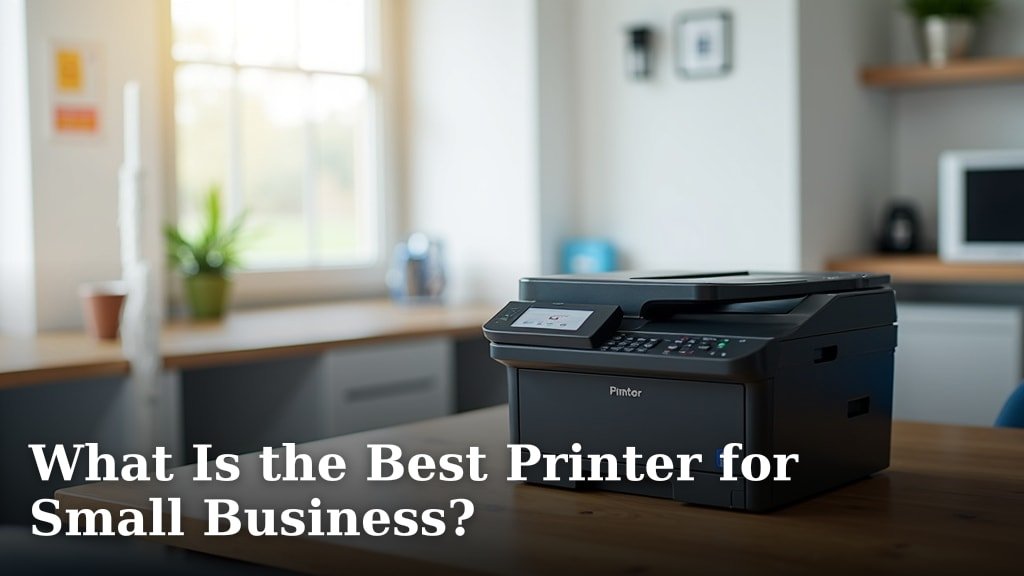
The best printer for small business depends on your specific needs, but we found that multifunction laser printers offer the best blend of speed, cost-effectiveness, and reliability for most operations. They handle high-volume printing without breaking your budget.
You need a printer that works as hard as you do, right? A printer for your small business should be able to print, scan, copy, and maybe even fax. We looked at options that deliver great print quality and keep your running costs low.
- Laser printers are best for speed and high volume.
- Inkjet printers are good for color and photos.
- Multifunction devices save space and money.
- Consider print speed, cost per page, and connectivity.
- Look for printers with good customer reviews and support.
Below, we break down everything you need to know to choose the perfect printer for your small business. Let’s find you a printing solution that makes sense!
Choosing the Right Printer for Your Small Business
Finding the perfect printer for your small business can feel like a big decision. You want something that’s reliable, efficient, and won’t drain your budget. We understand that every business is unique, so let’s break down the types of printers available and what they’re best for.
Laser vs. Inkjet: Which Technology is Best?
This is often the first question business owners ask. Both laser and inkjet printers have their strengths. Your choice will depend on what you print most often.
Laser Printers: Speed and Economy for Text
Laser printers use toner, a fine powder, instead of liquid ink. They are known for their speed and ability to handle high volumes of black and white documents. If your business primarily prints invoices, reports, or legal documents, a laser printer is usually the most economical choice.
Many small businesses find that the initial cost of a laser printer is higher than an inkjet. However, the cost per page is often much lower (PCMag).
They can print thousands of pages before needing a toner cartridge replacement. This means less frequent purchasing and less downtime for your team.
Inkjet Printers: Vibrant Color and Photo Quality
Inkjet printers spray tiny droplets of liquid ink onto paper. They excel at producing vibrant colors and high-quality images, making them ideal for marketing materials, presentations, or photos.
If your business needs to print glossy brochures or detailed graphics, an inkjet will deliver better results. The initial cost is typically lower, which can be attractive for startups. However, ink cartridges can be expensive over time if you print a lot (Consumer Reports).
Some modern inkjet printers now offer “tank” systems that you refill with ink bottles. This can significantly lower your cost per page, making them more competitive for higher volumes.
Why Multifunction Printers (MFPs) are Often the Best Bet
A multifunction printer (MFP), sometimes called an “all-in-one” printer, combines several devices into one unit. Think of it as your office superhero, handling printing, scanning, copying, and often faxing. This saves valuable space and can be more cost-effective than buying separate machines.
For most small businesses, an MFP is a smart investment. It streamlines your office workflow. You don’t need to juggle multiple devices or worry about different consumables. We found that the convenience factor alone is a huge plus.
Space-Saving and Budget-Friendly
Imagine clearing off your desk. An MFP can help you do that. Instead of a scanner here, a printer there, and a fax machine in the corner, you have one compact unit. This is especially useful if your office space is limited.
Financially, buying one MFP is almost always cheaper than purchasing individual devices with similar capabilities. Plus, you only have one set of drivers and one device to troubleshoot if issues arise.
Key Features to Look For in a Business Printer
When you’re ready to choose, keep these essential features in mind. They can make a big difference in your day-to-day operations.
Print Speed (Pages Per Minute – PPM)
Time is money, right? Print speed is measured in pages per minute (PPM). For a busy office, faster PPM means less waiting. A good business printer should offer at least 20-30 PPM for black and white documents. Color PPM is often lower but still important for efficiency.
Consider your busiest printing times. Do you often print large batches of documents? A higher PPM will keep things moving smoothly. Nobody likes standing around waiting for a print job to finish.
Cost Per Page (CPP)
This is where many businesses make or break their budget. CPP is the actual cost of printing a single page, including the cost of ink or toner. A low initial price tag on a printer can be misleading if the consumables are expensive.
To calculate CPP, divide the cartridge cost by its estimated page yield. For example, a $50 toner cartridge that prints 2,000 pages has a CPP of 2.5 cents per page. We recommend comparing CPP across different models before buying.
Connectivity Options
How will your team connect to the printer? Modern business printers offer several options:
- Wi-Fi: Allows wireless printing from computers, laptops, and mobile devices. Essential for a flexible workspace.
- Ethernet: For a more stable, wired network connection. Great for shared office environments.
- USB: For direct connection to a single computer. Handy for quick local prints.
- Mobile Printing Apps: Many brands offer apps for easy printing from smartphones and tablets.
The more ways you can connect, the more versatile your printer will be for your growing business needs.
Automatic Document Feeder (ADF)
If you do a lot of scanning or copying of multi-page documents, an ADF is a must-have. It automatically feeds pages through the scanner, saving you from manually placing each sheet. This is a huge time-saver for administrative tasks.
Look for an ADF with “duplexing” capabilities. This means it can scan both sides of a page in a single pass, further increasing efficiency. You’ll thank yourself later.
Making Your Final Decision: A Quick Checklist
Ready to make a choice? Use this quick checklist to guide your decision. It helps ensure you cover all the important bases.
- What are your primary printing needs (text, color, photos)?
- How many pages do you print on average each month?
- What is your budget for the printer and ongoing supplies?
- Do you need scanning, copying, or faxing capabilities?
- What connectivity options are essential for your team?
- Is automatic duplex printing (two-sided printing) important?
Answering these questions honestly will narrow down your options significantly. Remember, the “best” printer is the one that best fits your specific business requirements.
Understanding Printer Brands and Support
Once you’ve decided on the type of printer and features, you’ll want to consider brands. Companies like HP, Canon, Epson, Brother, and Lexmark are well-established in the printer market. They all offer a range of options for small businesses.
We found that customer support and warranty options vary by brand. It’s wise to check reviews regarding reliability and how easy it is to get help if you encounter a problem. A printer that goes down can halt your business, so good support is vital.
Look for brands that offer extended warranties or readily available service plans. Knowing you have backup can provide peace of mind. Also, check the availability and cost of replacement ink or toner cartridges for the models you’re considering. Sometimes, specific brands have cheaper consumables than others.
Comparing Printer Types at a Glance
Here’s a simple table to help you visualize the differences between common printer types you might consider for your small business. This makes it easy to compare strengths and weaknesses.
| Feature | Monochrome Laser | Color Laser | Inkjet (Standard) | Inkjet (Tank-based) |
|---|---|---|---|---|
| Best For | High-volume B&W text | High-volume color text/graphics | Low-volume color, photos | High-volume color, photos |
| Initial Cost | Medium | High | Low | Medium to High |
| Cost Per Page | Very Low | Low | High | Very Low |
| Print Speed | Very Fast | Fast | Slow to Medium | Medium |
| Print Quality (Color/Photos) | N/A | Good | Excellent | Excellent |
| Maintenance | Low | Medium | Medium | Low |
Conclusion
Choosing the best printer for your small business doesn’t have to be overwhelming. You’ve seen that a multifunction laser printer often hits the sweet spot for speed, cost-efficiency, and versatility. By focusing on your specific printing volume, content type, and essential features like CPP and connectivity, you can make a smart choice. We’ve given you the tools to evaluate what truly matters. Take this information and confidently select a printer that will truly support your business growth, not hinder it.
Frequently Asked Questions
How often should I replace my small business printer?
Most small business printers are built to last 3-5 years, depending on usage. If you’re experiencing frequent breakdowns, declining print quality, or if it lacks essential modern features like mobile printing, it might be time for an upgrade. Sometimes, the cost of repairs can outweigh the cost of a new, more efficient model.
Can I use a home printer for my small business?
While you can, it’s generally not recommended for sustained business use. Home printers are typically designed for lower print volumes and may have higher costs per page. They often lack the durability, speed, and advanced features (like large paper trays or robust network connectivity) that a dedicated business printer offers.
Is it better to lease or buy a printer for a small business?
For most small businesses, buying a printer outright is more cost-effective. Leasing typically makes sense for larger businesses needing high-end, industrial-grade machines with extensive service contracts. If your needs are met by a standard office MFP, ownership usually provides better long-term value.
What is duplex printing and why is it important for business?
Duplex printing means your printer can automatically print on both sides of a page. This is important for businesses because it significantly reduces paper consumption, saving you money on supplies and contributing to environmental sustainability. It also makes documents like reports look more professional and less bulky.
Should I buy original brand ink/toner or third-party alternatives?
Using original manufacturer (OEM) ink or toner generally guarantees the best print quality and reliability, and prevents potential damage that could void your printer’s warranty. While third-party alternatives can be cheaper, they sometimes lead to inconsistent results, clogs, or page yield issues. For critical business documents, OEMs are often the safer bet.
