What Is the Best Sublimation Printer for Tumblers?
The best sublimation printer for tumblers often depends on your budget and desired features, but for most crafters, we found that the Epson EcoTank series modified for sublimation, or dedicated printers like the Sawgrass SG500, offer excellent results. These printers balance print quality with user-friendliness for personalized tumbler designs.
Choosing the right printer can feel overwhelming, right? You want crisp, vibrant images that last, and a machine that won’t break the bank. We found that printers offering consistent color output and reliable performance are key when you’re creating custom tumblers for gifts or your small business.
- Epson EcoTank models are popular for their affordability and easy conversion.
- Sawgrass SG500 is a dedicated sublimation printer, great for beginners.
- Print quality and vibrant colors are essential for tumblers.
- Consider your budget and ease of use when making your choice.
Let’s walk through the top options and what makes them stand out, so you can pick the perfect sublimation printer for your tumbler projects.
Uncovering the Top Sublimation Printers for Tumbler Customization
When you’re ready to dive into creating personalized tumblers, selecting the right sublimation printer is your first big decision. We found that the best options usually fall into two main categories: dedicated sublimation printers and converted inkjet printers. Each has its own set of advantages, depending on your needs and budget.
You’re looking for a machine that delivers vibrant colors, sharp details, and a reliable performance. Think of your printer as the artist’s brush; it needs to be precise to bring your vision to life on every tumbler. Let’s explore the leading contenders.
Dedicated Sublimation Printers: The Sawgrass SG Series
For many, a dedicated sublimation printer is the ultimate choice. These machines are built from the ground up for sublimation, meaning they use sublimation inks and come with specialized software. This often leads to a more streamlined and hassle-free experience, especially for beginners.
The Sawgrass SG500 is a standout in this category. It’s incredibly popular for a good reason. You get fantastic print quality right out of the box. Setup is straightforward, and the printer comes with its own sublimation ink, so there’s no messy conversion process for you to worry about.
Why Choose a Sawgrass SG500?
The Sawgrass SG500 is often recommended for those just starting out or for small businesses focused solely on sublimation. It’s designed to be user-friendly, taking much of the guesswork out of color management. We found that its consistency and ease of use are its biggest draws.
- It uses genuine Sawgrass SubliJet-UHD inks, which are formulated for vibrant, long-lasting results.
- The printer comes with access to Sawgrass’s CreativeStudio design software, simplifying the design process.
- You get technical support directly from Sawgrass, which can be a huge plus if you run into issues.
- It’s a compact printer, fitting comfortably on most work desks.
Of course, this convenience comes with a slightly higher initial cost compared to converting an inkjet printer. But for many, the time saved and the peace of mind are well worth the investment. Think of it as buying a car specifically built for racing versus modifying a sedan – both can go fast, but one is designed for it.
Converted Inkjet Printers: The Epson EcoTank Advantage
On the other side of the coin, we have converted inkjet printers. This is where many crafters find an affordable entry point into sublimation. The most popular choice by far is the Epson EcoTank series. These printers are not initially made for sublimation, but their unique ink tank system makes them ideal for conversion.
You essentially empty the original EcoTank ink and fill it with specialized sublimation ink. This process is surprisingly simple, but it’s important to remember that once you convert an EcoTank, it’s dedicated to sublimation. You can’t switch back to regular printing with ease.
Popular Epson EcoTank Models for Sublimation
Several Epson EcoTank models are favored for sublimation. The Epson EcoTank ET-2800 and ET-2850 are often cited as excellent choices due to their affordability and ease of conversion. For larger projects or more professional output, models like the ET-4760 or even the wider-format ET-15000 might be considered.
When you convert an EcoTank, you’re looking for a model with piezoelectric print heads, which Epson printers use. This technology is crucial because it doesn’t use heat to eject ink, unlike some other inkjet printers. Heat can damage sublimation inks, making Epson a natural fit.
- Cost-effectiveness: The initial printer purchase is generally lower than a dedicated sublimation printer.
- Ink savings: EcoTank’s refillable ink tanks mean you buy bulk sublimation ink, which is much cheaper per print.
- DIY satisfaction: There’s a certain satisfaction in setting up your own sublimation system.
- Versatility: If you choose a model with a scanner, you still get a multi-function device, even if it’s only for sublimation.
The main caveat here is that converting an EcoTank will void its warranty. This is a risk many are willing to take for the significant cost savings on ink over time.
Comparing Your Choices: Sawgrass vs. Converted EcoTank
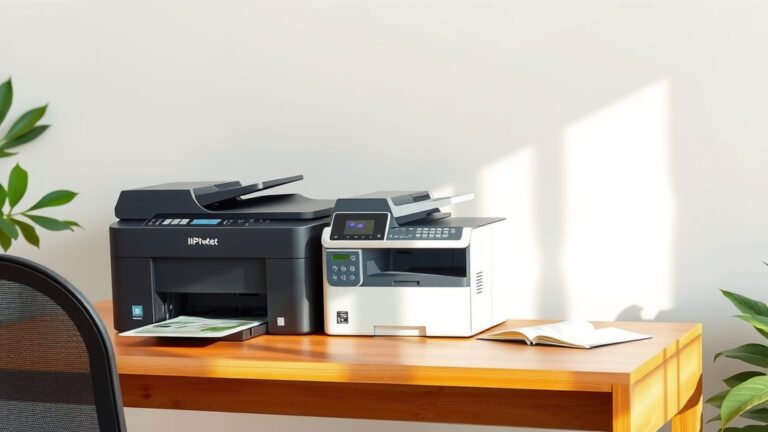
So, how do you decide between a dedicated Sawgrass and a converted Epson EcoTank? It really boils down to your budget, technical comfort, and long-term goals. Both options can produce stunning results, but their paths to get there are different.
Think of it like choosing between a pre-built custom computer and building your own. The pre-built is often easier and comes with support, but building your own can save money and give you more control if you know what you’re doing. There’s no single “best” choice for everyone.
| Feature | Sawgrass SG500 | Epson EcoTank (Converted) |
|---|---|---|
| Initial Cost (Printer) | Higher | Lower |
| Ink Cost (Ongoing) | Higher (proprietary cartridges) | Lower (bulk bottles) |
| Ease of Setup | Very Easy (dedicated) | Moderate (conversion needed) |
| Warranty | Full manufacturer warranty | Voided upon conversion |
| Color Management | Pre-calibrated, optimized profiles | Requires custom ICC profiles for best results |
| Technical Support | Direct from Sawgrass | Community forums, trial and error |
| Print Quality | Excellent, consistent | Excellent, consistent (with proper profiles) |
As you can see, each has its strong points. We found that if you value convenience and dedicated support, the Sawgrass often wins. If you’re budget-conscious and comfortable with a bit of DIY, an EcoTank conversion is a fantastic route.
Essential Features to Look for in Any Sublimation Printer
Regardless of whether you go with a dedicated or converted printer, there are a few universal features that will make your sublimation journey much smoother. Keeping these in mind will help you make a smart choice.
Print Resolution and Color Depth
You want your tumbler designs to be crisp, not pixelated. A higher print resolution (measured in DPI, or dots per inch) will give you finer details and smoother gradients. Most modern printers offer resolutions suitable for sublimation, but it’s always good to check. Think of it like a high-definition TV versus a standard definition one – you want that clear picture.
Color depth refers to how many colors the printer can reproduce. For vibrant tumbler designs, you need a printer that can handle a wide color gamut. This is where quality sublimation inks and proper ICC color profiles become so important. Without them, even a great printer might give you dull colors.
Paper Handling and Size
Consider the maximum paper size your printer can handle. While many tumblers can be done with standard 8.5″ x 11″ or 8.5″ x 14″ paper, some larger designs or multiple small designs might benefit from wider format printing. If you plan on doing bigger items in the future, a printer like the Epson ET-15000, which can print up to 13″ x 19″, offers more versatility.
Also, look at how the printer feeds paper. A rear-feed tray is often preferred for sublimation paper as it creates a straighter path, reducing the chance of paper jams or roller marks on your delicate designs.
The Sublimation Process: A Quick Overview
Understanding the basics of sublimation helps you appreciate why certain printer features are so important. Sublimation is a chemical process where solid ink turns directly into a gas, bypassing the liquid state, and then permanently bonds with polyester materials or polyester-coated items like tumblers.
Here’s a simplified look at what happens:
- You print your design (mirrored!) onto special sublimation paper using sublimation ink.
- You secure this paper to your tumbler using heat-resistant tape.
- You apply heat and pressure (using a mug press or convection oven).
- The heat causes the solid ink on the paper to turn into a gas.
- This gas then permeates the polyester coating on your tumbler.
- As it cools, the ink returns to a solid state, becoming a permanent part of the tumbler’s surface.
This process results in a smooth, durable, and vibrant image that won’t crack, peel, or wash away. It’s why sublimation is so popular for tumblers and other personalized gifts. The right printer is the crucial first step in making this magic happen.
Your Sublimation Printer Checklist
Before you make your final decision, run through this quick checklist. It will help ensure you’re getting a printer that aligns with your needs and expectations.
- Is it a dedicated sublimation printer or an inkjet model suitable for conversion?
- Does it use piezoelectric print heads (essential for converted inkjets)?
- What are the ongoing costs of ink, and are they manageable for your budget?
- Does it handle the paper sizes you’ll need for your tumbler projects?
- Are you comfortable with the setup process (conversion vs. ready-to-use)?
- What kind of technical support is available if you run into problems?
Answering these questions honestly will guide you to the perfect printer. Whether you choose the plug-and-play convenience of a Sawgrass or the budget-friendly flexibility of a converted EcoTank, you’ll be well on your way to creating stunning, custom tumblers!
Conclusion
Choosing the best sublimation printer for tumblers doesn’t have to be complicated. We found that your