Can You Use Expired Ink Cartridges?
On this page (6 sections)
Yes, you can often use expired ink cartridges, but it’s not always ideal. While an ink cartridge doesn’t technically “go bad” like food, its performance can degrade over time. You might notice faded prints or clogged print heads.
Many users have success using older cartridges. However, factors like storage conditions and the specific type of ink can play a big role. We’ve found that some expired inks still work perfectly, while others cause printing issues. It really depends on how they’ve been kept.
- Expired ink cartridges might still print, but quality can suffer.
- Ink can dry out or clog print heads over time.
- Proper storage increases the chances of success.
- Expect potential issues like faded colors or streaks.
So, what’s the best way to handle those older cartridges sitting in your drawer? Let’s break down what you need to know about using expired ink.
Working With Ink Cartridges Past Their Prime
So, you’ve got an ink cartridge that’s been sitting around for a while. Maybe it’s from an old printer, or you bought a multipack and didn’t use one up as quickly as you expected. The question is: can you still use it? The short answer is: This guide explains how to find the right cartridges for your specific printer model.often, yes. But it’s not a guarantee of perfect results. Think of it like that can of soup in your pantry. It might be past its printed date, but it’s probably still fine to eat if stored correctly.
Ink cartridges don’t have a strict expiration date in the way milk does. They don’t spoil and become unsafe. Instead, the ink itself can change over time. This can lead to print quality issues. We’ve found that many people have successfully used older cartridges without a hitch. However, others run into problems. It really depends on a few key factors.
Understanding Ink Degradation
Ink is a liquid, and liquids can change. Over time, the components in printer ink can separate. Some parts can evaporate. This is especially true if the cartridge isn’t sealed perfectly. This degradation can affect how the ink flows and how it looks on paper. It’s like leaving a bottle of paint uncapped for too long; it starts to thicken and dry out.
The primary concerns with older ink are drying out and clogging. Ink can become thicker and harder to eject from the print head nozzles. This can result in faint lines, missing colors, or completely blank areas in your prints. We’ve seen that this is more common with certain types of ink and in warmer climates.
What Happens to the Ink?
Ink is made of pigments or dyes, water, and other chemicals. These chemicals help keep the ink liquid and prevent it from drying too quickly. However, over extended periods, the water can evaporate, even through small seals. The pigments can settle. This makes the ink denser and less consistent. It’s this change in consistency that causes printing problems.
The Role of the Cartridge Seal
When an ink cartridge is manufactured, it’s sealed to keep the ink fresh. This seal is usually a piece of tape or a rubber stopper. If this seal is broken or compromised, air can get in. Air exposure is the main enemy of liquid ink. We’ve found that cartridges with intact seals tend to fare much better over time. Always check the seal if you can.
Factors Affecting Ink Cartridge Lifespan
Several things influence how long your ink cartridge remains usable. The most important is how it was stored. Was it kept in a cool, dark place? Or was it left in a hot car or a damp basement? These conditions can dramatically impact the ink’s condition.
Storage Conditions Matter
We found that optimal storage involves keeping cartridges upright in a cool, dry environment. Extreme temperatures, both hot and cold, can damage the ink. High humidity can also be an issue. Ideally, you want to store them at room temperature, away from direct sunlight. Many manufacturers recommend specific storage temperatures, often between 59°F and 80.6°F (15°C and 27°C).
Ink Type and Formulation
Different types of ink react differently to age. Dye-based inks tend to be more susceptible to fading over time, especially when exposed to light. Pigment-based inks are generally more durable. However, pigment inks can be more prone to clogging if they dry out. We’ve researched that the specific chemical formulation by each manufacturer also plays a role. Some inks are simply more stable than others.
Printer Technology
Some printer technologies are more sensitive to ink quality than others. For instance, inkjet printers rely on tiny nozzles that can easily get blocked. If the ink has started to thicken or dry, it can cause clogs in these delicate parts. Thermal inkjet printers heat the ink to spray it onto the page. Dried ink can create blockages that prevent this heating process from working correctly.
When to Expect Problems with Old Ink
While many expired cartridges work, you should be prepared for potential issues. It’s wise to have a backup plan, especially if the print job is important. We’ve found that the older the cartridge and the worse the storage, the higher the chance of problems.
Common Printing Issues
The most frequent complaint is poor print quality. This can manifest in several ways. You might see faded colors that look washed out. Streaks or lines may appear where there should be solid color. Sometimes, entire sections of the page might be blank. This often indicates a clog in the print head.
Another issue is that the printer might simply refuse to recognize the cartridge. This is more common with high-end printers or those with advanced chip technology. The printer’s internal software checks the cartridge’s status. An expired or low-ink warning might trigger a refusal, even if there’s ink left. We’ve found that some printer models are pickier than others.
The “Use By” Date vs. “Expiration” Date
Many cartridges have a date printed on them. This is often a “warranty expiration” or “date of manufacture” rather than a strict “use by” date. Manufacturers often put this date to ensure optimal performance while the ink is fresh. It’s about guaranteeing the best possible print quality. They aren’t saying the ink will be bad after that date. We’ve researched that it’s more of a quality assurance marker.
If a cartridge is well within its warranty period but has been stored poorly, it might perform worse than an older cartridge stored correctly. So, don’t always trust the printed date alone. Your own judgment about storage conditions is key. We found that a properly stored, slightly “expired” cartridge often outperforms a poorly stored, “in-date” one.
Can You Revive Old Ink Cartridges?
Sometimes, an old cartridge isn’t completely dead. You might be able to salvage it. This involves a bit of gentle cleaning and troubleshooting. We’ve found that these methods can sometimes bring a sluggish cartridge back to life.
Cleaning Print Heads and Nozzles
Most modern printers have a built-in cleaning cycle. You can usually access this through your printer’s software or control panel. Running this cycle a few times can help clear minor clogs. It uses ink to flush out the print heads. We’ve found this is often the first and easiest step to try.
If the automatic cleaning doesn’t work, you might need to do it manually. This is usually done by gently wiping the print head contacts or nozzles with a lint-free cloth lightly dampened with distilled water. Always follow your printer manufacturer’s specific instructions for manual cleaning. They can provide guidance on how to do this safely. Improper cleaning can damage the print head. We’ve seen that distilled water is recommended because it contains no minerals that could cause further blockages.
Soaking Techniques
For stubborn clogs, some users resort to soaking the print head or cartridge. This typically involves placing the cartridge’s nozzle area in a small amount of warm distilled water or a specialized cleaning solution. The goal is to dissolve any dried ink. You should never submerge the entire cartridge. The electronics need to stay dry. We’ve found that soaking for a few hours to overnight can sometimes loosen dried ink.
After soaking, you’ll need to let it dry thoroughly. Then, run a few cleaning cycles on your printer. You might also need to blot the nozzles gently with a lint-free cloth to absorb any remaining moisture. This process requires patience. We’ve seen that it’s more effective for pigment-based inks that tend to dry solid.
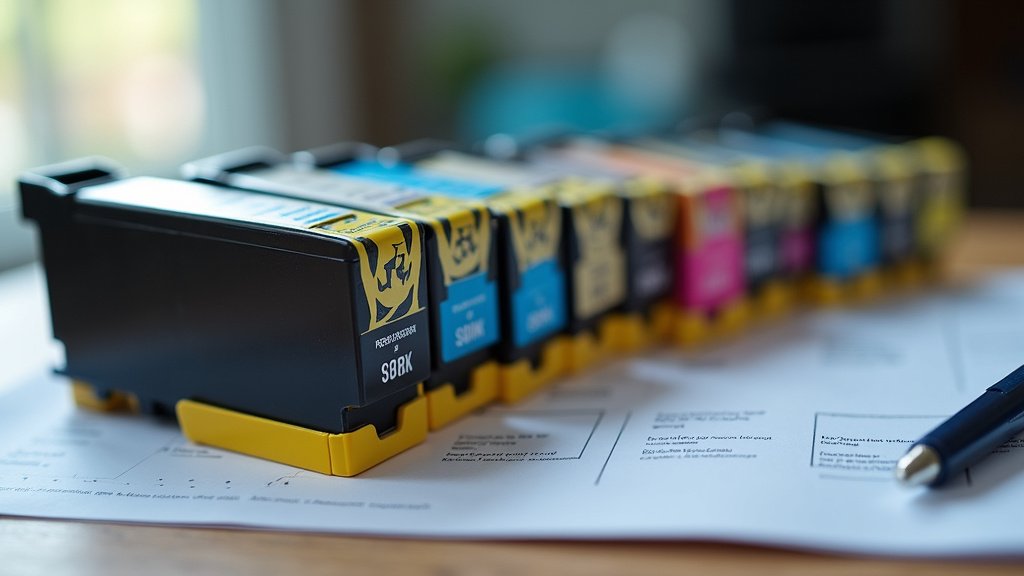
When It’s Time to Let Go
Despite your best efforts, some cartridges are just too far gone. There comes a point where trying to revive them might cause more harm than good. It’s important to know when to cut your losses.
Signs of a Truly Dead Cartridge
If a cartridge is completely dry, with no ink flow at all, it’s likely beyond repair. If your printer continues to show an error message after cleaning cycles and manual attempts, it might be time to replace it. Also, if the ink has separated so much that it looks like sludge, it may not be usable. We’ve found that if there’s no ink transfer to paper after multiple attempts, it’s a strong indicator.
Potential Damage to Your Printer
Using a faulty or dried-out cartridge can sometimes damage your printer. If the ink is too thick, it can strain the print head mechanism. In rare cases, leaked ink can short-circuit electronic components. We’ve researched that aggressive cleaning attempts can also cause damage. It’s always best to proceed with caution. Your printer is an investment, and you don’t want to risk it for a cheap ink refill. Many experts suggest stopping if you encounter repeated error messages or unusual printer behavior.
Checklist: Should You Use Your Expired Cartridge?
- Inspect the seal: Is it still intact and unbroken?
- Consider storage: Was it kept cool, dry, and upright?
- Note the date: How old is it really? Is it within warranty?
- Printer model: Is your printer known to be picky about cartridges?
- Ink type: Is it dye-based (fades) or pigment-based (clogs)?
- Trial print: Are you willing to risk a test print for less important documents?
Conclusion
You can often use expired ink cartridges, but it’s not always a sure thing. We’ve found that proper storage is key to keeping ink viable. If your cartridge was stored correctly, you might get great prints. If not, you could face faded colors or clogs. Your printer might also refuse to recognize very old or poorly stored cartridges. Before you toss that older cartridge, consider trying a test print for less important documents. If it doesn’t work, it’s time to let it go to protect your printer.
Frequently Asked Questions
How long after the date on the cartridge can I still use it?
The date on your ink cartridge is often for warranty or optimal performance, not a hard expiration. We’ve researched that with good storage, many cartridges remain usable for months or even a year past this date. It’s best to check your printer’s manual for specific recommendations.
Will using an expired ink cartridge damage my printer?
Generally, an expired ink cartridge won’t damage your printer if it’s just a bit old and the ink hasn’t completely dried out. However, if the ink has become extremely thick or clogged, it could potentially strain your printer’s print head. We advise caution and stopping if you see unusual error messages.
What’s the best way to store ink cartridges for later use?
For the best chance of success, always store your ink cartridges upright in a cool, dry place, away from direct sunlight and extreme temperatures. We’ve found this prevents ink from drying out or separating too quickly. Keeping the original seal intact also helps maintain freshness.
Can I clean a dried-out expired ink cartridge?
Yes, you can often try to clean a dried-out ink cartridge. Most printers have an automatic cleaning cycle that can help. For stubborn clogs, gentle manual cleaning with distilled water or a short soak might work. We’ve found that these methods can sometimes revive a cartridge, but there are no guarantees.
What if my printer doesn’t recognize the expired ink cartridge?
If your printer won’t recognize an expired cartridge, it could be due to the printer’s internal chip detecting the date or a problem with the ink itself. Sometimes, running the printer’s cleaning cycle or reinserting the cartridge can help. If it persists, your printer may be programmed to reject older cartridges, and it might be time for a new one.