Can You Use Inkjet Paper In A Laser Printer?
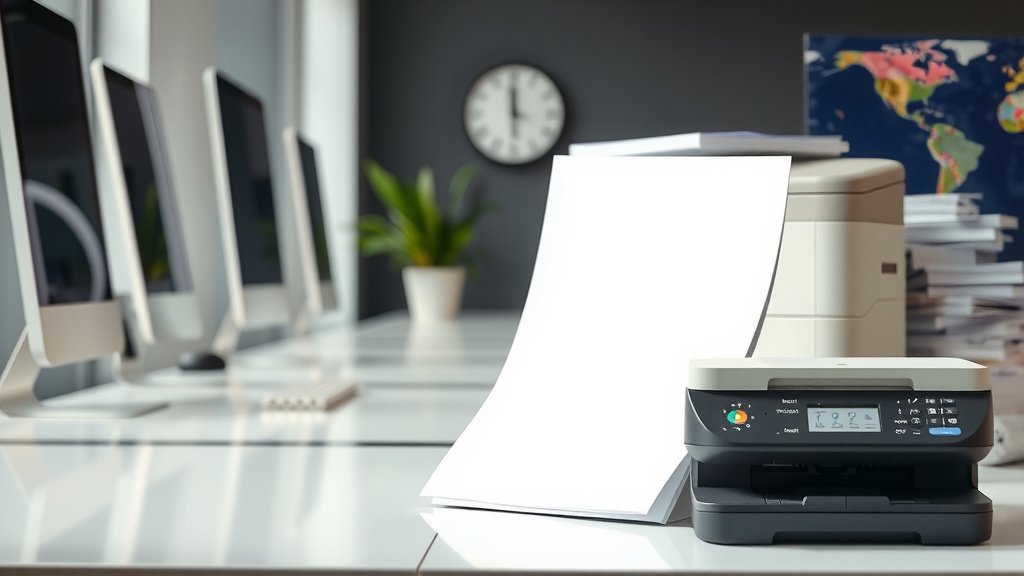
No, you should not use inkjet paper in a laser printer as it can damage the printer and produce poor print quality.
Inkjet paper lacks the heat resistance needed for laser printing and may jam, melt, or leave residue in your laser printer.
What Happens When You Use Inkjet Paper in a Laser Printer?
Your laser printer uses heat and pressure to fuse toner onto paper. This process reaches temperatures around 400°F. Inkjet paper isn’t designed for these extreme conditions.
When inkjet paper meets that intense heat, several problems can occur. The coating may melt and stick to your printer’s fuser unit. This creates a mess that’s expensive to clean or repair.
Immediate Problems You’ll Face
You might notice these issues right away:
- Paper jams that keep happening
- Toner that doesn’t stick properly
- Smudged or blotchy prints
- Strange chemical smells from your printer
Long-Term Damage to Your Printer
The real trouble starts inside your machine. I found through research that inkjet paper coatings can build up on printer components over time.
This buildup affects your printer’s heating elements and rollers. You’ll end up with costly repairs that could have been avoided.
Why Inkjet and Laser Papers Are Different
Think of inkjet and laser papers like different types of clothing. You wouldn’t wear a winter coat in summer, right? Each paper type serves a specific purpose.
How Inkjet Paper Works
Inkjet paper has a special coating that absorbs liquid ink quickly. This coating prevents ink from bleeding or spreading across the page.
The surface is designed to stay wet just long enough for sharp text and images to form. Then it dries fast to prevent smudging.
How Laser Paper Works
Laser paper has a smoother, more uniform surface. It doesn’t need special coatings because toner works differently than liquid ink.
The paper must withstand high heat without warping or releasing harmful chemicals. This makes laser paper more stable under extreme conditions.
The Science Behind the Heat Problem
Your laser printer’s fuser unit acts like a hot iron pressing clothes. It melts toner powder and bonds it permanently to paper fibers.
Inkjet paper coatings aren’t meant for this process. Research from printing industry experts shows these coatings can break down at high temperatures.
What Happens to Paper Coatings
When inkjet paper gets too hot, the coating changes from solid to liquid. This liquid can transfer onto your printer’s metal parts.
Once it cools down, you’re left with a sticky residue that’s hard to remove. This gunk affects future print jobs and can permanently damage expensive components.
Temperature Differences That Matter
Here’s a simple comparison of what each paper type can handle:
| Paper Type | Safe Temperature Range | Coating Type |
|---|---|---|
| Inkjet Paper | Up to 200°F | Absorbent coating |
| Laser Paper | Up to 450°F | Heat-resistant surface |
What About Plain Paper?
You might wonder if plain paper works in both printer types. The answer is yes, but with some considerations.
When Plain Paper Works for Both
Basic copy paper without special coatings usually works fine in laser printers. It doesn’t have the problematic coatings that cause trouble.
But don’t expect the same print quality you’d get from proper laser paper. Colors might look dull, and text edges could appear fuzzy.
Quality Trade-offs
Using the wrong paper type affects your results. You’ll notice differences in:
- Color brightness and accuracy
- Text sharpness and clarity
- Paper curl and flatness
- How long prints last before fading
Signs You’re Using the Wrong Paper
Your printer will give you clues when something’s wrong. Watch for these warning signs.
Visual Clues in Your Prints
Look at your finished pages carefully. Poor paper choice shows up as:
- Toner that rubs off easily
- Uneven color distribution
- White spots where toner didn’t stick
- Wavy or curled paper edges
Printer Behavior Changes
Your machine might start acting differently too. You’ll hear unusual noises or see error messages more often.
Paper jams become frequent, even with careful loading. The printer might also take longer to warm up or print each page.
How to Choose the Right Paper
Shopping for printer paper doesn’t have to be confusing. Follow these simple guidelines to make smart choices.
Reading Paper Labels
Paper packages clearly state which printer types they support. Look for phrases like “laser compatible” or “inkjet optimized.”
Don’t trust generic terms like “multi-purpose” without checking the fine print. Some papers claim to work for everything but perform poorly in practice.
Weight and Thickness Considerations
Paper weight affects how it moves through your printer. Most laser printers handle weights from 16 to 32 pounds without problems.
Heavier papers produce more professional-looking documents. But they also cost more and might not fit in all paper trays.
Standard Weight Options
Here’s what different paper weights work best for:
- 20 lb: Daily printing and drafts
- 24 lb: Professional documents
- 28 lb: Presentations and reports
- 32 lb: Premium correspondence
Cost Considerations
Using the right paper might cost more upfront, but it saves money long-term. Let me break down the real costs involved.
Paper Price Differences
Laser paper typically costs 10-20% more than basic inkjet paper. This seems expensive until you consider the alternatives.
Printer repairs from using wrong paper can cost hundreds of dollars. That’s enough to buy quality paper for years of normal printing.
Hidden Costs of Wrong Paper Choice
Beyond repair bills, you’ll waste money on:
- Reprinting failed jobs
- Replacing damaged printer parts
- Lost productivity from printer downtime
- Professional cleaning services
What to Do If You Already Used Wrong Paper
Don’t panic if you’ve already put inkjet paper through your laser printer. Quick action can prevent serious damage.
Immediate Steps to Take
Stop printing right away if you notice problems. Turn off your printer and let it cool completely before checking inside.
Look for any visible residue on the paper path or fuser area. Don’t touch hot components, even if the printer seems off.
When to Call for Help
Contact a repair service if you see:
- Sticky residue on metal parts
- Burnt paper stuck in the mechanism
- Strange smells that won’t go away
- Consistent print quality problems
DIY Cleaning Safety
If you want to clean minor residue yourself, wait until everything cools down completely. Use only alcohol-based cleaning solutions recommended by your printer manufacturer.
Never use water-based cleaners on electrical components. When in doubt, leave it to professionals who have proper tools and experience.
Alternative Solutions
Sometimes you need special printing effects but want to use your laser printer. Here are safer alternatives to inkjet paper.
Specialty Laser Papers
Many companies make laser papers that mimic inkjet paper effects. You can find laser-compatible versions of:
- Photo paper
- Glossy presentation paper
- Textured stationery
- Label sheets
Hybrid Papers That Work for Both
Some newer papers claim compatibility with both printer types. I found that these work better in laser printers than true inkjet papers, but they’re still not ideal.
Test small quantities first before buying large amounts. Print quality and reliability can vary between brands.
Conclusion
Using inkjet paper in your laser printer is like putting diesel fuel in a gas car. It might seem similar, but the results can be costly and frustrating. The high heat in laser printers breaks down inkjet paper coatings, causing jams, poor print quality, and potential damage to expensive printer components. Stick with laser-compatible paper to keep your printer running smoothly and your documents looking professional. The small extra cost of proper paper pays for itself by avoiding repairs and reprints. When in doubt, check the paper package labels or your printer manual for guidance. Your printer will thank you with years of reliable service and crisp, clear prints every time.
Can I use laser paper in an inkjet printer?
Yes, you can safely use laser paper in inkjet printers. Laser paper won’t damage inkjet printers since there’s no high heat involved. But print quality might suffer because laser paper lacks the absorbent coatings that help inkjet ink dry properly and look vibrant.
What’s the cheapest safe paper for laser printers?
Basic copy paper rated for laser use offers the best value. Look for 20 lb multipurpose paper specifically labeled as laser compatible. Avoid papers with special coatings or treatments unless they’re designed for laser printing.
How can I tell if paper is safe for my laser printer?
Check the package for terms like “laser compatible,” “laser safe,” or “suitable for laser printers.” Avoid papers labeled only for inkjet use, photo papers with glossy coatings, or any specialty papers not specifically tested for high-heat printing.
Will using wrong paper void my printer warranty?
Using non-recommended paper types can void your warranty if it causes damage. Most manufacturers specify acceptable paper types in their documentation. Keep your manual handy and follow their guidelines to protect your warranty coverage.
Can I fix my laser printer after using inkjet paper?
Minor issues might clear up after using proper paper for several print jobs. Serious problems like melted coating residue usually require professional cleaning or part replacement. Stop using the wrong paper immediately and assess the damage before deciding on repairs.