How Does Inkjet Printing Work?
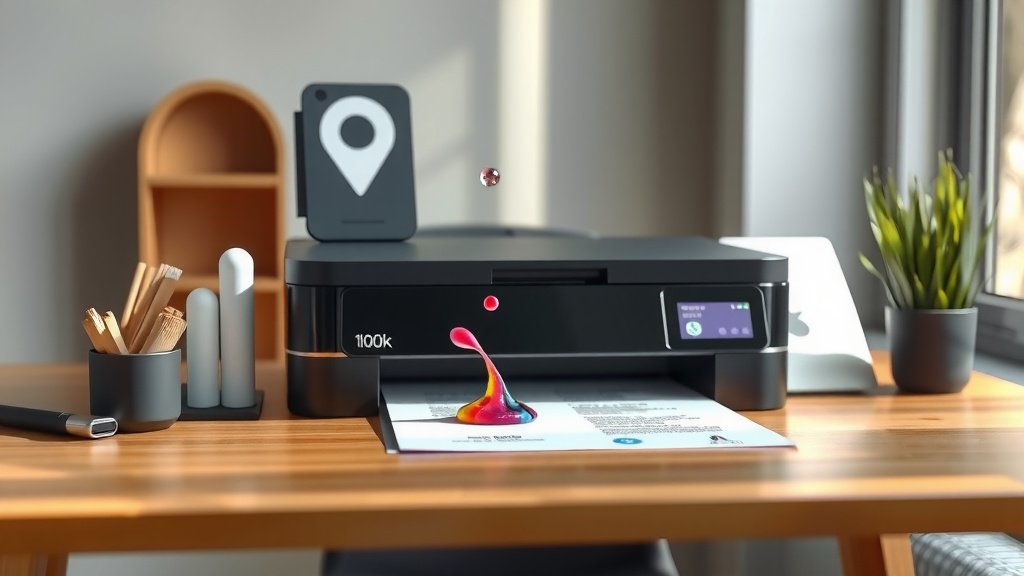
Inkjet printing works by spraying tiny droplets of liquid ink through microscopic nozzles onto paper or other surfaces to create images and text.
The printer uses thermal or piezoelectric technology to heat or vibrate the ink, forcing it through the printhead in precise patterns controlled by your computer.
The Basic Process Behind Inkjet Printing
Your inkjet printer is like a tiny, super-fast artist. When you hit print, your computer sends digital data to the printer. This data tells the printer exactly where each dot of color should go.
The printer head moves back and forth across the paper. As it moves, hundreds of tiny nozzles spray ink droplets onto specific spots. Each droplet is smaller than the width of a human hair.
Think of it like a high-tech spray paint job. But instead of covering everything, your printer places each droplet exactly where it belongs to form letters, pictures, and graphics.
Two Main Types of Inkjet Technology
Thermal Inkjet Technology
Thermal inkjet printers heat the ink to create bubbles. When the ink heats up quickly, it forms a tiny bubble that pushes ink through the nozzle.
I found that most home printers use thermal technology. It’s cheaper to make and works well for everyday printing needs.
The heating element reaches about 300 degrees Celsius in microseconds. That’s hot enough to create the pressure needed to shoot ink droplets at the right speed.
How Thermal Heating Works
Each nozzle has a tiny heating element. When electricity flows through it, the element heats up instantly. This creates steam and pressure that forces ink out of the nozzle.
After the droplet shoots out, the heating element cools down. The bubble collapses, and new ink flows into the chamber. This happens thousands of times per second.
Piezoelectric Inkjet Technology
Piezoelectric printers use crystals that change shape when electricity hits them. These crystals squeeze the ink chamber to push droplets through the nozzles.
Research shows that piezoelectric technology offers more control over droplet size. You get better print quality, especially for photos and detailed graphics.
Many professional and high-end printers use this method. It’s more expensive but gives you sharper results.
Crystal Power in Action
The piezoelectric crystal acts like a tiny muscle. When voltage hits it, the crystal bends. This squeezes the ink chamber and shoots out a droplet.
You can control how much the crystal bends by changing the voltage. More bend means bigger droplets. Less bend means smaller droplets. This gives you better control over print quality.
The Inkjet Printhead System
The printhead is the heart of your inkjet printer. It contains all those tiny nozzles that spray the ink. Most printheads have between 300 to over 1,000 nozzles.
Your printhead might be built into the ink cartridge or separate from it. Built-in heads get replaced when you change cartridges. Separate heads last longer but cost more to replace if they break.
How Nozzles Stay Clean
Ink can dry up and clog nozzles. Your printer has cleaning cycles to prevent this. During cleaning, the printer forces ink through all nozzles to clear blockages.
You’ll hear your printer making noise sometimes when it’s not printing. That’s usually the cleaning cycle running to keep everything working smoothly.
Printhead Movement Patterns
The printhead doesn’t just move left to right. Modern printers use smart movement patterns to speed up printing and improve quality.
Some printers print in both directions as the head moves across the paper. Others print only when moving in one direction for better alignment.
Ink Types and Composition
Dye-Based Inks
Dye-based inks dissolve completely in liquid. They create bright, vivid colors that look great for photos. But they fade faster when exposed to sunlight.
These inks soak into paper fibers. This gives you smooth color transitions and gradients. Your photo prints will have that professional look.
Pigment-Based Inks
Pigment inks contain tiny solid particles suspended in liquid. They sit more on top of the paper surface rather than soaking in.
I found that pigment inks last much longer without fading. They’re better for documents you want to keep for years. But colors might not look as vibrant as dye inks.
Which Ink Should You Choose?
For photos you’ll display or share right away, dye inks give you stunning colors. For important documents, bills, or photos you want to keep long-term, pigment inks are your best bet.
Many newer printers use a mix of both types. They automatically choose the right ink based on what you’re printing.
Paper Interaction and Dot Formation
When ink hits paper, several things happen at once. The paper fibers absorb some ink. Some ink stays on the surface. How this works affects your print quality.
Coated photo papers have special surfaces that control how ink behaves. Plain copy paper lets ink soak in more, which can make colors look duller.
Dot Size and Resolution
Print quality depends on how small the dots are and how close together they sit. This is measured in DPI (dots per inch).
Higher DPI means more dots per inch, which usually means better quality. But you don’t always need the highest setting. Draft mode uses fewer dots to save ink and print faster.
Color Mixing on Paper
Your printer creates millions of colors using just a few ink colors. Most home printers use cyan, magenta, yellow, and black (CMYK).
Colors mix right on the paper surface. Tiny dots of different colors sit next to each other. Your eyes blend them together to see the final color.
Print Quality Control Systems
Automatic Nozzle Checking
Modern printers check their own nozzles for clogs. They can detect when ink isn’t flowing properly and run cleaning cycles automatically.
Some printers can even redirect printing to working nozzles when others get clogged. This keeps your prints looking good even when maintenance is needed.
Print Alignment Technology
Your printer needs to place dots in exactly the right spots. Alignment systems make sure colors line up properly and text looks sharp.
Most printers run alignment routines when you install new cartridges. This calibrates the system for consistent results.
Speed and Efficiency Features
Print speed depends on several factors. Print quality settings, paper type, and image complexity all affect how fast your printer works.
Draft mode prints quickly by using fewer dots and simpler patterns. Photo mode takes longer but gives you much better quality.
Bidirectional Printing
Many printers can print while the head moves in both directions. This doubles the printing speed for everyday documents.
For high-quality photos, your printer might switch to unidirectional printing. This takes longer but ensures better color accuracy.
| Print Mode | Speed | Quality | Best For |
|---|---|---|---|
| Draft | Fast | Basic | Documents, drafts |
| Normal | Medium | Good | Letters, reports |
| Photo | Slow | Excellent | Photos, presentations |
Common Inkjet Problems and Solutions
Clogged Nozzles
When you don’t print for weeks, ink can dry in the nozzles. Your prints will have white lines or missing colors.
Run the printer’s cleaning cycle a few times. If that doesn’t work, you might need to manually clean the printhead or replace it.
Streaky Prints
Streaks usually mean the printhead needs alignment or cleaning. Sometimes low ink levels cause this problem too.
Check your ink levels first. If they’re fine, try the alignment utility in your printer software.
Preventing Print Problems
Print something at least once a week to keep ink flowing. Store your printer in a room with stable temperature and humidity.
Use genuine or high-quality compatible cartridges. Cheap ink can clog nozzles and damage your printer over time.
Advances in Modern Inkjet Technology
Today’s inkjet printers are much smarter than older models. They can detect paper types automatically and adjust settings for the best results.
Some printers now use more than four ink colors. Photo printers might have six to twelve different inks for amazing color accuracy.
Micro-Droplet Technology
Newer printers can create incredibly small droplets. Some produce droplets as small as 1 picoliter. That’s 50 times smaller than older technology.
Smaller droplets mean smoother gradients and finer details. You’ll see less grain in your photos and sharper text edges.
Conclusion
Inkjet printing combines precise engineering with smart software to create the prints you need. Whether your printer uses thermal heating or piezoelectric crystals, the basic idea stays the same: controlled droplets of ink placed exactly where they belong.
Understanding how your inkjet printer works helps you make better printing choices and solve problems when they come up. Regular maintenance and quality supplies keep your printer running smoothly for years of reliable service.
How long does an inkjet printhead typically last?
Most inkjet printheads last 2-5 years with regular use, but this varies greatly depending on print volume, ink quality, and maintenance habits. Printheads built into cartridges get replaced every few months when you change ink.
Can I use any type of paper in my inkjet printer?
While inkjet printers can handle many paper types, using the wrong paper affects print quality. Plain copy paper works for documents, but photos need special coated papers to prevent ink from bleeding and to show vibrant colors.
Why do some colors print differently than what I see on screen?
Computer monitors use light to create colors (RGB), while printers use ink (CMYK). This difference means some bright screen colors can’t be perfectly matched with ink. Calibrating your monitor and using proper color profiles helps reduce this gap.
What happens if I keep printing when ink is low?
Continuing to print with very low ink can damage your printhead permanently. Air can enter the system and create clogs that cleaning cycles can’t fix. Replace cartridges when your printer warns you they’re getting low.
How often should I run printhead cleaning cycles?
Only run cleaning cycles when you notice print quality problems like missing lines or faded colors. These cycles use a lot of ink, so running them too often wastes cartridges. Printing regularly is the best way to prevent clogs naturally.