Is The HP Envy Printer Inkjet?
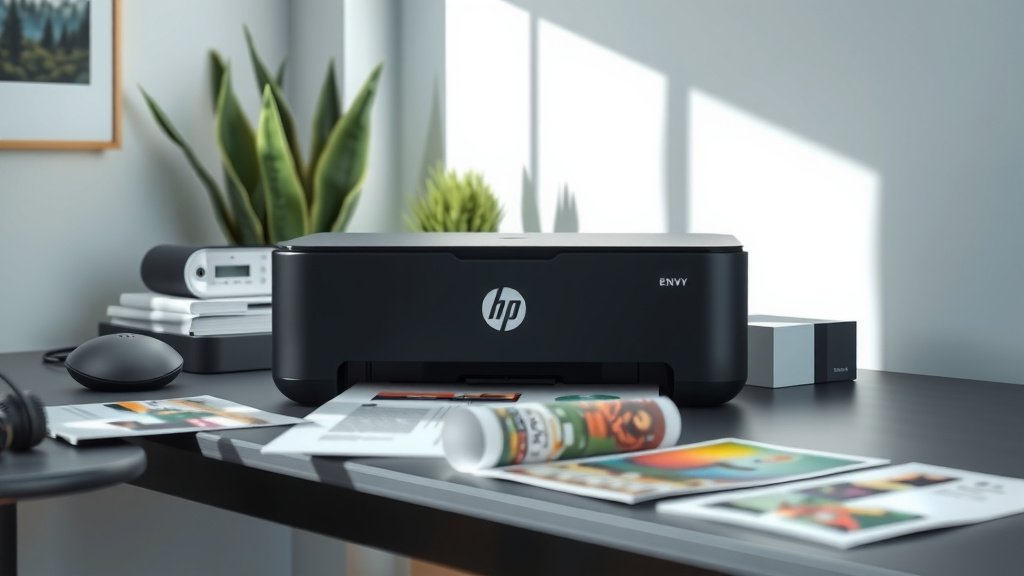
Yes, the HP Envy printer is an inkjet printer that uses liquid ink cartridges to produce high-quality prints for both documents and photos.
HP Envy printers belong to HP’s consumer inkjet line, designed for home and small office use with wireless connectivity and versatile printing capabilities.
What Makes HP Envy an Inkjet Printer?
The HP Envy series falls squarely into the inkjet category. These printers spray tiny droplets of liquid ink onto paper through microscopic nozzles. Think of it like a super-precise water gun that shoots colored ink instead of water.
I found that HP positions the Envy line as their premium consumer inkjet series. It sits above their basic DeskJet models but below their professional OfficeJet Pro series.
How Inkjet Technology Works in HP Envy
Your HP Envy uses thermal inkjet technology. When you hit print, tiny heating elements warm the ink inside the cartridge. The heat creates a bubble that forces ink through the printhead nozzles onto your paper.
This happens incredibly fast. We’re talking about thousands of droplets per second. That’s why you can print a full page in under a minute.
The Printhead System
HP Envy printers use integrated printheads. This means the printhead comes built into each ink cartridge. When you replace your cartridge, you get a fresh printhead too.
This design helps maintain print quality. You won’t deal with clogged printheads as much since they get replaced with each new cartridge.
HP Envy Ink Cartridge Types
Most HP Envy models use either two or four cartridges. The two-cartridge system has one black and one tri-color cartridge. The four-cartridge setup uses separate black, cyan, magenta, and yellow cartridges.
Standard vs XL Cartridges
You’ll find both regular and XL cartridge options for your HP Envy. The XL versions contain more ink and offer better value per page. If you print regularly, XL cartridges save you money in the long run.
From what I read, XL cartridges can print up to twice as many pages as standard ones. The upfront cost is higher, but the per-page cost drops significantly.
Compatible Cartridge Numbers
Different HP Envy models use different cartridge series. Common ones include:
- HP 64 series (black and tri-color)
- HP 65 series (black and tri-color)
- HP 67 series (black and tri-color)
- HP 902 series (individual colors)
- HP 910 series (individual colors)
Print Quality Differences: Inkjet vs Laser
Your HP Envy inkjet excels at photo printing and color documents. The liquid ink blends smoothly and creates vibrant colors that laser printers can’t match.
Research shows that inkjet printers like the HP Envy produce better color gradients and skin tones in photos. That’s why photographers and graphic designers often prefer inkjet technology.
Text Printing Performance
For text documents, your HP Envy does well but won’t match a laser printer’s crispness. Inkjet text can look slightly fuzzy around the edges, especially on plain paper.
But here’s the thing: most people won’t notice the difference for everyday documents. Your letters, reports, and homework will look perfectly fine.
Best Paper Types for HP Envy
You’ll get the best results using HP’s recommended paper types:
- Plain paper for everyday documents
- Bright white paper for presentations
- Photo paper for pictures
- Cardstock for invitations or cards
Operating Costs and Maintenance
Inkjet printers like your HP Envy typically cost less upfront but more per page than laser printers. I found that average inkjet printing costs range from 5 to 15 cents per page, depending on what you’re printing.
When Ink Costs Add Up
Color photos cost the most to print. Black text documents are cheapest. If you print mainly text, you might want to consider a laser printer instead.
But if you need color capability and photo printing, your HP Envy offers great value. The convenience of having everything in one machine often outweighs the higher per-page costs.
Reducing Your Printing Costs
Want to save money on ink? Try these tips:
- Use draft mode for internal documents
- Print in grayscale when color isn’t needed
- Buy XL cartridges when available
- Consider HP Instant Ink subscription service
HP Envy Model Variations
The HP Envy family includes several different models, but they’re all inkjet printers. You’ll find basic models for simple printing and advanced all-in-ones with scanning and copying.
Popular HP Envy Series
Current HP Envy models include the 6000, 6400, and Pro 6400 series. Each offers different features, but all use inkjet technology.
The Pro models typically include additional business features like automatic document feeders and faster printing speeds.
Wireless and Mobile Features
Most HP Envy printers connect wirelessly to your home network. You can print from your phone, tablet, or laptop without cables.
The HP Smart app lets you manage your printer remotely. You can check ink levels, order supplies, and even troubleshoot problems from your phone.
Troubleshooting Common Inkjet Issues
Like all inkjet printers, your HP Envy might occasionally have problems. The most common issues relate to ink and print quality.
Dealing with Streaky Prints
Streaky or faded prints usually mean your ink cartridges are low or the printhead needs cleaning. Your HP Envy has built-in cleaning cycles you can run from the control panel.
If cleaning doesn’t help, you might need new cartridges. Don’t wait too long when ink gets low – printing with empty cartridges can damage the printhead.
Paper Jam Solutions
Paper jams happen to every printer. With your HP Envy, gently pull the paper out in the direction it normally feeds. Don’t yank it backward – you might damage the internal mechanisms.
After clearing a jam, run a test page to make sure everything’s working properly.
Comparing HP Envy to Other Inkjet Brands
How does your HP Envy stack up against Canon, Epson, or Brother inkjets? I researched several comparison studies and found that each brand has strengths.
| Brand | Print Speed | Photo Quality | Ink Costs |
|---|---|---|---|
| HP Envy | Good | Very Good | Medium |
| Canon PIXMA | Good | Excellent | High |
| Epson Expression | Fair | Excellent | Low |
| Brother MFC | Very Good | Good | Low |
Why Choose HP Envy Over Competitors?
HP Envy printers offer a good balance of features, quality, and price. They’re not the absolute best in any single category, but they perform well across the board.
The HP Smart app and wireless setup process are particularly user-friendly. Many experts praise HP’s software experience compared to other brands.
Future of Inkjet Technology
Inkjet printing continues to evolve. HP recently introduced their Smart Tank series, which uses refillable ink tanks instead of cartridges.
Will HP add tank technology to the Envy line? It’s possible, but for now, the Envy series sticks with traditional cartridges.
Environmental Considerations
Inkjet printers like your HP Envy use less energy than laser printers. They don’t need to heat up a fuser unit, so they consume less power during operation.
HP also offers cartridge recycling programs. You can return used cartridges to any office supply store for proper recycling.
Conclusion
Your HP Envy is definitely an inkjet printer, and it’s designed to handle your everyday printing needs with style. Whether you’re printing documents for work, photos for family, or creative projects for fun, the inkjet technology in your HP Envy delivers reliable results at a reasonable cost.
The liquid ink system gives you vibrant colors and smooth gradients that make your prints look professional. While the per-page costs might be higher than laser printing, the versatility and photo quality you get make it worthwhile for most home users.
Remember to use genuine HP cartridges or high-quality compatible ones to keep your printer running smoothly. With proper care and maintenance, your HP Envy inkjet will serve you well for years to come.
Can I use third-party ink cartridges in my HP Envy printer?
Yes, you can use compatible third-party cartridges, but quality varies significantly between brands. Some work perfectly while others may cause printing problems or void your warranty. Research reviews before buying and stick with reputable compatible cartridge manufacturers.
How often should I replace the ink cartridges in my HP Envy?
Replace cartridges when your printer indicates they’re low or when print quality noticeably decreases. Don’t wait until they’re completely empty, as this can damage the printhead. Most users replace cartridges every 2-6 months depending on printing volume.
Why does my HP Envy printer use ink even when I’m not printing?
Your HP Envy runs automatic maintenance cycles to keep the printhead clean and prevent ink from drying out. This uses small amounts of ink but helps maintain print quality. You can reduce this by turning off the printer when not in use for extended periods.
What’s the difference between dye-based and pigment-based inks in HP Envy printers?
Most HP Envy models use dye-based color inks and pigment-based black ink. Dye inks produce more vibrant colors but fade faster, while pigment inks last longer but may appear less bright. This combination gives you both quality and longevity.
Can my HP Envy print on both sides of the paper automatically?
Many HP Envy models include automatic duplex printing, which prints on both sides without you flipping the paper manually. Check your specific model’s features or look for the duplex option in your print settings to see if your printer supports this function.