What Printer Is Best for Printing on Canvas?
On this page (3 sections)
For printing on canvas at home, we found that inkjet printers are generally the best choice. Specifically, models designed for photo printing offer the quality you need. These printers handle thicker media well and produce vibrant colors.
When you want to turn your photos into art, a good printer makes all the difference. You’re looking for a printer that can handle heavy canvas sheets without jamming. Plus, it needs to lay down ink with clarity and color accuracy.
- Inkjet printers are ideal for canvas.
- Photo-quality models work best.
- Look for printers that handle thick media.
- Ensure good color output.
- Matching ink to canvas type matters.
Ready to discover the perfect printer for your canvas projects? Let’s explore the options and help you make a smart choice.
Choosing the Right Printer for Your Canvas Creations
You’re ready to print on canvas, and we’re here to help you pick the perfect printer. Most home users find inkjet printers work best for this task. They offer the versatility and quality needed for striking canvas prints.
Understanding Inkjet Printers for Canvas
Why inkjet, you ask? Well, inkjet printers use tiny nozzles to spray liquid ink onto your canvas. This method allows for a wider range of colors and smoother tonal transitions, which is crucial for photographic quality. We found they handle the unique texture of canvas much better than other printer types.
Dye-Based vs. Pigment-Based Inks
When you’re looking at inkjet printers, you’ll often see two main types of ink: dye-based and pigment-based. There’s a big difference for canvas printing!
- Dye-based inks are generally less expensive and produce very vibrant colors. They’re great for prints viewed indoors and offer a wide color gamut. However, they can fade faster, especially when exposed to UV light.
- Pigment-based inks cost a bit more, but they are much more archival. This means your canvas prints will resist fading for decades, even in bright conditions. They offer excellent water resistance too. For canvas art that you want to last, pigment inks are usually the way to go.
We recommend choosing a printer that uses pigment inks if you want your canvas prints to stand the test of time. Think about it: you put all that effort into creating art, you want it to last!
Key Features to Look for in a Canvas Printer
Not all inkjet printers are created equal when it comes to canvas. To avoid frustration, focus on these important features.
Media Handling Capabilities
Canvas isn’t like regular paper. It’s much thicker and sometimes has a special coating. A good canvas printer needs to handle this without bending or jamming. Check the printer’s specifications for its maximum media thickness. We found printers designed for “art paper” or “fine art media” usually excel here. Look for a printer with a straight-through paper path if possible, as this really helps with thick canvases (Consumer Reports).
Print Resolution (DPI)
Resolution, measured in dots per inch (DPI), tells you how much detail a printer can produce. For canvas prints, you want a high DPI to ensure your images are crisp and clear, not pixelated. A minimum of 2400 x 1200 DPI is a good starting point for quality photo prints on canvas. Higher is almost always better for fine art reproductions.
Number of Ink Cartridges
Basic printers often use four ink cartridges (CMYK: Cyan, Magenta, Yellow, Black). However, photo-focused printers for canvas printing typically use six or more individual ink tanks. These extra colors, like light cyan, light magenta, gray, or even photo black, help create smoother color gradients and more accurate skin tones. More ink colors usually mean more realistic and vibrant prints (PCMag).
Imagine painting with only four colors versus a full palette – more colors give you more options and better results. It’s the same for your printer.
Connectivity Options
How will you connect your printer? Most modern printers offer Wi-Fi, which is super convenient. You can print from your computer, tablet, or even your phone. USB connectivity is also standard and provides a very reliable connection. We find that Wi-Fi connectivity offers the most flexibility for a home setup.
Choosing the Right Canvas for Your Printer
The printer is only half the equation! The canvas you choose makes a huge difference in your final print. You wouldn’t put an oil painting on tissue paper, right? The canvas type matters.
Rolled vs. Stretched Canvas
You can buy canvas in two main forms:
- Rolled canvas comes in sheets or rolls, just like paper. You’ll print on it and then mount it yourself onto stretcher bars or a board. This gives you more flexibility in sizing and framing. Most home printers are designed for rolled canvas sheets.
- Stretched canvas is already mounted onto a wooden frame. While handy for ready-to-hang art, it’s generally not suitable for typical desktop canvas printers because of its bulk. Industrial printers handle stretched canvas. For your home setup, stick to rolled canvas sheets.
Canvas Material and Coatings
Canvas sheets come in various materials, like cotton, poly-cotton, or synthetic blends. There are also different finishes – matte, satin, or glossy.
- Matte canvas gives a non-reflective, artistic look. It’s great for fine art reproductions.
- Satin or glossy canvas adds a slight sheen, making colors pop and mimicking traditional photographic prints.
Always make sure your chosen canvas is specifically labeled “inkjet printable.” These canvases have a special coating designed to absorb and hold inkjet inks properly. If you use regular untreated canvas, your ink will bleed and look terrible.
Setting Up Your Printer for Canvas Printing Success
Once you have your printer and canvas, a few simple steps will ensure a smooth printing process.
- Load Canvas Correctly: Pay close attention to your printer’s manual for loading thick media. Some printers have a rear feed tray specifically for thicker paper. Always load one sheet at a time to prevent misfeeds.
- Select the Right Settings: In your printer’s software, choose “canvas,” “fine art paper,” or a similar heavy media setting. This tells the printer to use more ink and sometimes a slower print speed for better absorption.
- Adjust Color Profiles: For the most accurate colors, use an ICC profile specific to your printer, ink, and canvas combination. Many canvas manufacturers provide these profiles on their websites. This might sound techy, but it really helps match what you see on your screen to what prints (Datacolor).
Think of it like cooking: you have the ingredients (ink and canvas), but you need the right recipe (settings and profiles) for the best result.
Popular Printer Brands for Canvas Printing
Based on our research, a few brands consistently stand out for quality canvas printing at home.
- Epson: Often praised for their photo-specific printers that use pigment inks, like the SureColor series. They offer excellent color accuracy and longevity.
- Canon: Their imagePROGRAF and PIXMA Pro series printers are also very popular among photographers and artists. They generally offer great detail and vibrant colors.
- HP: Some of HP’s PhotoSmart and Envy Photo models can handle canvas for casual use, though may not offer the same archival quality as Epson or Canon specialized photo printers.
When you’re ready to buy, diving into reviews for models within these brands will help you find the sweet spot for your budget and needs.
Quick Checklist Before You Print
Before you hit that print button, do a quick mental check. This can save you time, ink, and canvas!
- Is your canvas sheet loaded correctly and facing the right way?
- Are your printer settings adjusted for “canvas” or “heavy media”?
- Have you selected the correct print quality (e.g., “high” or “best”)?
- Is your image resolution high enough for the print size you want?
- Do you have enough ink in all your cartridges?
Taking these few seconds beforehand can make all the difference for a successful print.
Conclusion
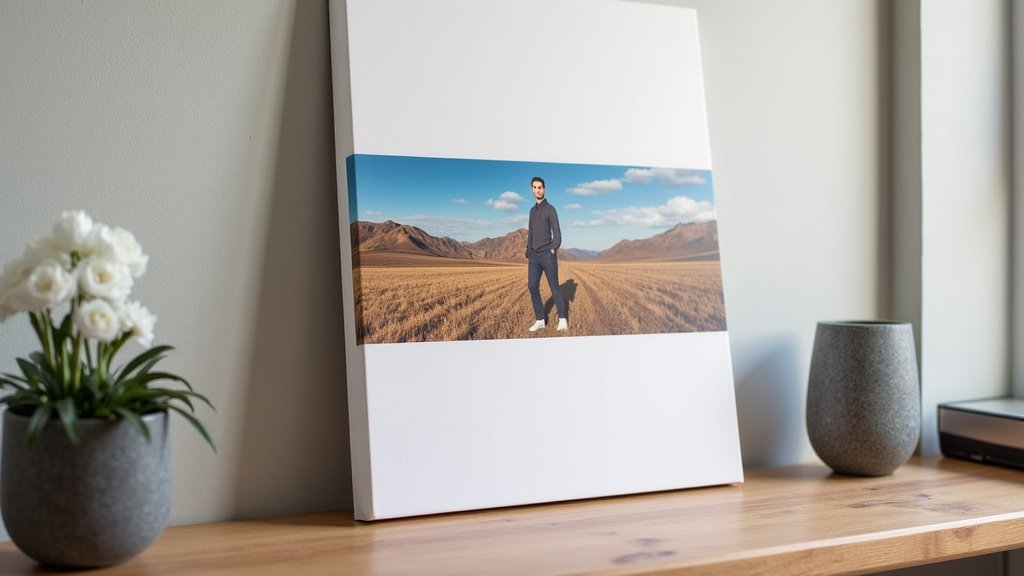
Choosing the best printer for canvas printing at home doesn’t have to be overwhelming. You’ve learned that an inkjet photo printer with pigment inks and strong media handling is your best bet. Remember to pair it with quality, inkjet-printable canvas and adjust your settings for optimal results. Your effort in selecting the right tools will translate directly into stunning, lasting canvas art. Now, go confidently create those beautiful prints you’ve been dreaming of!
Frequently Asked Questions
Can I use a regular photo printer for canvas printing?
Yes, many regular photo printers, especially those designed for high-quality photos, can print on canvas. However, you’ll need to check if your specific model can handle the thickness of canvas sheets. Look for printers with a rear feed or a straight-through paper path for the best experience.
How do I prevent my canvas prints from fading?
To prevent your canvas prints from fading, always use a printer with pigment-based inks, as these are much more archival than dye-based inks. Additionally, choose canvases specifically coated for inkjet printing. Displaying your prints away from direct sunlight will also significantly extend their lifespan.
Is it cheaper to print canvas at home or use a service?
For occasional prints, using a professional printing service might initially seem cheaper, as you avoid the upfront cost of a printer and supplies. However, if you plan to print frequently, investing in a good home canvas printer will save you money in the long run. You also gain more creative control and instant results.
What DPI should my image be for a good quality canvas print?
For a high-quality canvas print, your image should ideally have a resolution of at least 300 DPI at the final print size. If your image has a lower DPI, printing it large on canvas might result in a pixelated or blurry appearance. Always check your image resolution before printing to ensure sharp details.
Can I print black and white photos on canvas?
Absolutely! Many photographers love the classic look of black and white images on canvas. For the best results, a printer with multiple gray or black ink cartridges (like light black, gray, photo black, matte black) will produce smoother tonal transitions and richer blacks in your monochrome prints.