What Printer Works Best for Printing Shipping Labels Daily?
On this page (8 sections)
- Choosing the Right Printer for Daily Shipping Labels
- Why Thermal Printers Are Your Shipping Superstars
- Key Features to Look For in a Shipping Label Printer
- Comparing Popular Thermal Printer Types
- Considerations for Your Specific Shipping Needs
- Making the Final Decision: A Quick Checklist
- Conclusion
- Frequently Asked Questions
For printing shipping labels daily, a thermal label printer is your best bet. These printers use heat to create crisp, clear labels without ink or toner. They are incredibly fast and reliable, making them perfect for high-volume shipping operations. You’ll save money and time in the long run.
Many small businesses and e-commerce sellers struggle with choosing the right printer. Inkjet and laser printers can work for occasional use, but they often lead to costly replacements and slower print speeds. Thermal printers avoid these headaches by using a simpler, more durable technology. They are designed for consistent, daily use.
- Thermal printers are the top choice for daily label printing.
- They use heat, meaning no ink or toner is needed.
- This makes them faster, cheaper, and more reliable over time.
- They handle high volumes of labels with ease.
Let’s break down why a thermal printer is the workhorse you need for your shipping needs. We’ll cover what to look for and why it’s a smart investment. Learn why a thermal printer is a smart investment for your shipping needs.
Choosing the Right Printer for Daily Shipping Labels
When it comes to printing shipping labels day in and day out, you need a printer that can keep up. Our guide explains whether a label printer is worth it for small-business shipping. You’re likely wondering, “What printer is truly the best for printing shipping labels daily?” The answer almost always points to a thermal label printer. Think of it as your dedicated shipping assistant. It’s built for the task, and it excels at it.
This isn’t just a suggestion; it’s a recommendation based on how these machines operate and the demands of frequent shipping. For small businesses, e-commerce sellers, or anyone shipping more than a few packages a week, investing in the right printer saves headaches and money. Let’s explore why thermal printers stand out from the crowd.
Why Thermal Printers Are Your Shipping Superstars
Thermal printers work differently than your standard inkjet or laser printers. They don’t use ink or toner at all. Instead, they use heat to transfer an image onto special thermal paper. This makes them incredibly efficient and cost-effective for label printing.
Imagine a tiny heating element that presses against the label. It heats up specific points, making them turn black. That’s essentially how a thermal printer creates your shipping labels. This process is fast, quiet, and requires very little maintenance. You don’t have to worry about dried-out ink cartridges or smudged labels.
The Magic of Direct Thermal Printing
Most shipping label printers you’ll encounter use direct thermal technology. This means the label paper itself is heat-sensitive. When the print head heats up, it darkens the paper directly. No ribbons, no ink, no toner – just heat and special paper.
This simplicity is its biggest strength. For daily use, it means fewer moving parts to break down. It also means you don’t have the ongoing cost of buying ink or toner. Many research studies show that direct thermal printing is reliable for clear, crisp barcodes and text, which are essential for shipping (National Institute of Standards and Technology).
The Cost-Saving Advantage of Thermal Labels
Let’s talk numbers. Inkjet printers require ink cartridges, which can be surprisingly expensive. Laser printers need toner, which also adds up. For someone printing dozens or even hundreds of labels a day, these consumables become a major operating expense. Thermal printers, on the other hand, only require special thermal labels.
While the upfront cost of thermal labels might seem slightly higher than plain paper, you eliminate the cost of ink or toner entirely. Over time, this adds up to substantial savings. We found that businesses making the switch often report a significant reduction in printing costs within the first year.
Speed and Reliability: Your Business Depends on It
When you’re running a business, time is money. Waiting for a slow printer to churn out labels can hold up your entire shipping process. Thermal printers are built for speed. They can print a label in just a few seconds. This means you can get your packages out the door much faster.
Reliability is also key. You need a printer that works every single time, no excuses. Thermal printers are designed for high-volume printing. They are generally much more robust than standard home or office printers. Many experts state that thermal technology is ideal for applications requiring consistent, uninterrupted printing (Printing Industry Association).
Key Features to Look For in a Shipping Label Printer
Not all thermal printers are created equal. To make sure you get the best one for your needs, consider these important features:
Print Width and Resolution
Most shipping labels are 4×6 inches. You’ll want a printer that can accommodate this size easily. The print width refers to the maximum width of the label the printer can handle. For standard shipping labels, a width of around 4 inches is perfect.
Resolution is measured in dots per inch (DPI). Higher DPI means crisper text and sharper barcodes. For shipping labels, 203 DPI is usually sufficient. Some printers offer 300 DPI, which provides even better clarity, especially for very small text or complex barcodes. Experts recommend at least 203 DPI for scannable barcodes (GS1 Standards).
Connectivity Options: How Will You Connect?
You need to be able to easily connect your printer to your computer or network. Common connectivity options include:
- USB: This is the most standard connection. It’s simple and works with most computers.
- Ethernet: For connecting directly to your network. This is great if multiple computers need to access the printer.
- Wi-Fi: Wireless connectivity offers flexibility in placement. You can connect your printer without cables cluttering your workspace.
- Bluetooth: Less common for desktop label printers, but useful if you need to print from a mobile device.
Consider how you typically work. If it’s just you and one computer, USB might be all you need. If you have a team or want to place the printer away from your main workstation, Ethernet or Wi-Fi could be a better choice.
Speed of Printing: Labels Per Minute
As we discussed, speed is critical. Printers will often advertise their speed in “inches per second” or “labels per minute.” For daily shipping, look for a printer that can output at least 50-100 labels per minute. This might seem like overkill, but when you’re in a shipping rush, every second counts.
Don’t get too caught up in the maximum speed claims. Real-world speeds can vary depending on the complexity of the label and your computer’s performance. However, a higher rating generally means a faster, more capable printer.
Durability and Build Quality
You’ll be using this printer every single day. It needs to be built to last. Look for printers with a sturdy casing and a print head designed for heavy use. Many higher-end models are built for industrial environments, meaning they are incredibly tough.
Check reviews for comments on how well the printer holds up over time. Some cheaper models might start having issues after a few months of heavy use. Investing a little more upfront in a well-built machine can save you from frequent replacements or repairs.
Brand Reputation and Support
Stick with reputable brands known for their thermal printers. Companies like Zebra, Dymo, Brother, and Rollo have established track records in this space. They often provide better customer support and driver updates.
Before you buy, do a quick search for reviews and see what kind of customer support the brand offers. Are they responsive? Do they have helpful online resources? Good support can be a lifesaver when you run into an issue.
Comparing Popular Thermal Printer Types
When you start looking, you’ll see a few main types of thermal printers that are popular for shipping. Understanding the differences can help you narrow down your choice.
Desktop Thermal Printers
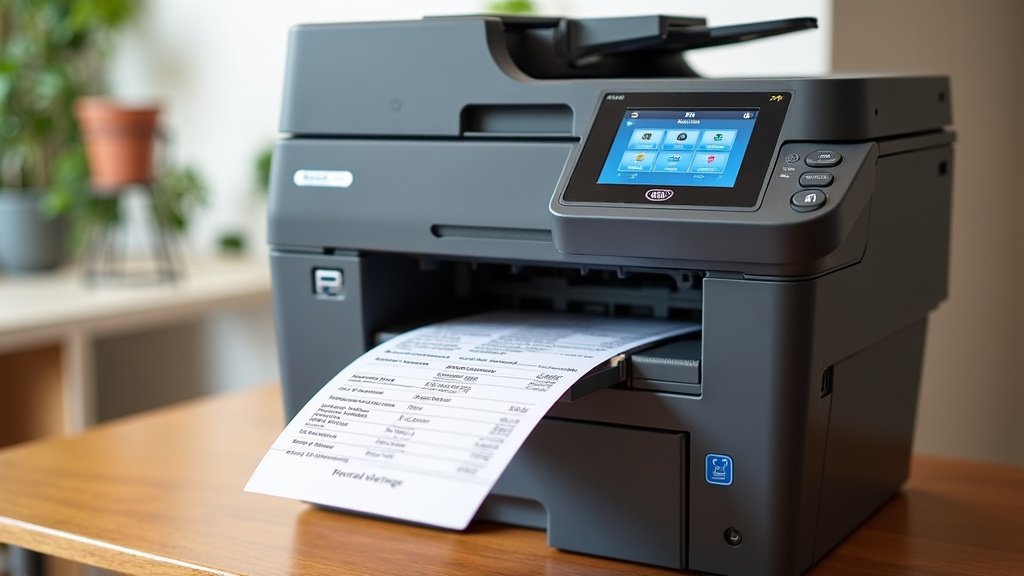
These are the most common type for small to medium businesses. They are compact, designed to sit on your desk or a shelf, and perfect for printing individual shipping labels or small batches.
Examples include models from Dymo (like the 4XL), Brother (like the QL series), and Rollo. They are typically plug-and-play and easy to set up. Their print speeds are usually very good, and they handle standard 4×6 labels with ease.
Industrial Thermal Printers
If your shipping volume is extremely high – think hundreds or thousands of labels per day – you might consider an industrial thermal printer. These are built like tanks and can handle continuous operation.
Brands like Zebra (e.g., ZT series) are leaders here. They are more expensive and larger than desktop models but offer unparalleled durability and speed. They often come with advanced features for batch printing and connectivity.
Mobile Thermal Printers
While not typically used for a dedicated shipping station, mobile printers are worth mentioning. These are small, portable devices that can print labels on the go. If you sometimes ship from different locations or need to print labels at a warehouse dock, a mobile option might be considered, though they usually have smaller print widths and slower speeds.
Considerations for Your Specific Shipping Needs
To make the perfect choice, think about your daily operations. How many labels do you print on your busiest days? Do you need to print other types of labels, like product labels or return labels? Are you printing barcodes that need to be exceptionally clear?
Volume and Frequency
This is the biggest factor. If you ship 10-20 labels a day, a good desktop thermal printer is more than enough. If you’re shipping 100+ labels daily, you’ll want a printer known for its speed and durability. We found that printers rated for higher duty cycles tend to last longer under heavy use.
Label Size Variety
While 4×6 inches is standard for shipping, some platforms or carriers might use slightly different sizes, or you might need to print smaller labels for product inventory. Check the maximum label width your potential printer can handle. Some printers can handle a wider range of sizes, offering more versatility.
Software and Integration
Most shipping label printers work with common shipping software like USPS Click-N-Ship, Pirate Ship, Shopify, Etsy, UPS, FedEx, and Amazon Seller Central. Ensure the printer you choose is compatible with the platforms you use. Good driver support and easy setup with these platforms are essential.
Some printers come with their own label design software. While often basic, these can be helpful for creating simple labels or templates. For more advanced needs, you’ll likely integrate with your existing shipping software.
Making the Final Decision: A Quick Checklist
Before you click “buy,” run through this quick checklist. It will help ensure you’re making the right choice for your business.
- Does it handle your standard label size (e.g., 4×6 inches)?
- Is the print resolution adequate (at least 203 DPI)?
- Does it have the connectivity you need (USB, Ethernet, Wi-Fi)?
- Is it rated for your daily printing volume?
- Are there good reviews regarding its durability and reliability?
- Is it compatible with your primary shipping software?
Conclusion
You’ve learned that for daily shipping label printing, a thermal label printer is your undisputed champion. Forget the constant hassle and expense of ink or toner. Thermal printers offer a faster, more reliable, and cost-effective solution designed for the demands of frequent shipping. By focusing on features like print width, resolution, connectivity, and durability, you can select a printer that perfectly fits your workflow. Make the smart investment today to streamline your shipping process and save money in the long run. Your next step is to check the printer compatibility with your current shipping software and make your purchase!
Frequently Asked Questions
Do I really need a thermal printer if I only ship 5-10 packages a day?
Even with lower volumes, a thermal printer can still be a great investment. You’ll avoid the frustration of dried-out ink cartridges and save money on consumables over time. For just a few packages a day, a basic desktop thermal model will serve you very well.
Can I use regular paper with a thermal printer?
No, thermal printers require special heat-sensitive thermal labels. Regular paper won’t work because it doesn’t react to the heat from the print head. You’ll need to purchase rolls or stacks of thermal paper that are compatible with your chosen printer.
Are thermal printers difficult to set up and use?
Most thermal label printers are designed for ease of use. They typically connect via USB or Ethernet and come with simple driver installations. Many are compatible with popular shipping software right out of the box, making the setup process quite straightforward.
What’s the difference between direct thermal and thermal transfer printers?
For shipping labels, you’ll almost always want a direct thermal printer. These use heat-sensitive labels and don’t need ink or ribbons. Thermal transfer printers use a ribbon to transfer ink onto the label material, which is typically used for more durable labels like those for product identification, not standard shipping.
How long does a thermal print head typically last?
The lifespan of a thermal print head is measured in miles or kilometers of printing. For most desktop thermal printers used for shipping, the print head is designed to last for many years of typical daily use. Heavy-duty industrial models will last even longer.