
Why Is My Ecotank Printer Not Drawing Ink?
Your EcoTank printer might not be drawing ink due to a few common culprits, often related to clogged print heads or issues with the ink delivery system. Sometimes, the ink tanks may not have been filled correctly, or air bubbles can get trapped, preventing proper ink flow. Don’t worry, though; these problems are usually fixable.
When your EcoTank isn’t pulling ink, it can be frustrating, especially when you have important documents to print. We found that this often happens after periods of inactivity or if the printer wasn’t set up perfectly. Understanding the root cause helps you get back to printing smoothly and avoid future headaches with your inkjet technology.
- Ink tanks might be low or empty.
- Air bubbles can block ink flow.
- Print heads may be clogged.
- Ink delivery tubes could have issues.
Let’s walk through the most likely reasons why your EcoTank printer is having trouble drawing ink and what you can do about it.
Troubleshooting Your EcoTank Printer’s Ink Draw Issues
When your EcoTank printer isn’t drawing ink, it can halt your printing tasks in their tracks. This guide will help you pinpoint the cause and get your printer back to producing vibrant pages.
Common Reasons Your EcoTank Isn’t Pulling Ink
Ink Levels and Initial Setup
The most straightforward reason is often overlooked. Check your ink levels carefully. EcoTank printers rely on a constant supply from these larger tanks. If any color is critically low or completely empty, the printer simply can’t draw it. Make sure you’ve also followed the initial setup steps precisely. This often involves a priming process to fill the ink tubes.
Air Bubbles in the Ink Lines
Air is the enemy of smooth ink flow. If air gets into the ink delivery tubes, it acts like a roadblock. This can happen during refilling if not done carefully, or sometimes after the printer has been idle for a long time. You might see streaks or gaps in your printed output. Trapped air prevents the ink from reaching the print head.
Clogged Print Heads
The print head is where the magic happens, spraying tiny ink droplets onto the paper. If these nozzles get blocked with dried ink, ink won’t flow through. This is very common with any inkjet printer, especially if it’s not used regularly. Dried ink is like a stubborn clog in a kitchen sink.
Ink Delivery System Problems
Beyond air bubbles, the tubes themselves or the connection points could be the issue. Seals might be loose, or a tube could be kinked. These components form the pathway for ink from the tank to the print head. Any disruption here means ink won’t arrive.
Step-by-Step Solutions to Get Your Ink Flowing
Verify Ink Tank Levels and Refill Properly
Let’s start with the basics. Open up your printer and look at each ink tank. Are they all above the minimum fill line? If not, it’s time to refill. When refilling, be sure to use the correct ink bottles for your specific EcoTank model. Pour slowly and steadily to avoid splashing or overfilling. Many experts recommend filling them up to the top line to ensure a good reservoir.
Perform a Power Cleaning or Ink Flush
Most EcoTank printers have a built-in maintenance function. This is often called a “Power Cleaning” or “Ink Flush.” It’s designed to force ink through the system and clear out blockages. You can usually access this through the printer’s control panel or the accompanying software on your computer. Research and found that running this cycle 1-2 times is often enough. You can find instructions in your printer’s manual or the manufacturer’s support website. Be aware that this process uses a good amount of ink, so only run it when necessary.
When to Use a Power Cleaning
This function is your first line of defense against clogs. You’ll want to use it if you notice fading print quality, missing colors, or if you’ve just replaced an ink tank and the printer isn’t picking up the new ink. It’s a robust way to refresh the ink delivery system. If you notice fading print quality, this guide offers solutions for streaky output that can help.
Run a Nozzle Check and Print Head Cleaning
Before and after a power cleaning, it’s a good idea to run a nozzle check. This prints a pattern that shows if all the print head nozzles are firing correctly. If the pattern has gaps or is incomplete, it confirms a clogged print head. After the nozzle check, you can initiate a standard print head cleaning from the printer’s maintenance menu. This is a less aggressive cleaning cycle than a power clean and is good for regular upkeep.
Interpreting Your Nozzle Check Results
Look closely at the pattern. Each color and shade should have solid, unbroken lines or dots. If you see missing sections, this tells you which color might be having trouble. Many guides suggest running the print head cleaning function 2-3 times, with a nozzle check after each cycle, to see improvement.
Manual Cleaning Methods (Use With Caution)
Sometimes, a stubborn clog requires a more hands-on approach. You can try cleaning the print head assembly manually. This usually involves gently wiping the print head nozzles with a lint-free cloth dampened with distilled water. Distilled water is important because it doesn’t contain minerals that could cause further clogs.
Steps for Manual Print Head Cleaning
- Turn off and unplug your printer.
- Access the print head. You may need to gently slide the print head carriage to the center of its travel path once the printer is on but the process is interrupted or by following specific instructions for your model.
- Dampen a lint-free cloth or coffee filter with distilled water.
- Gently dab or wipe the print head nozzles. Avoid excessive pressure.
- Let it air dry completely before reassembling or plugging the printer back in.
Many users report success with this method, especially for dried ink buildup. However, it’s important to be very gentle. Research and found that aggressive wiping can damage the delicate print head. If you’re not comfortable with this, it’s best to stick to the built-in cleaning cycles.
Checking for Air in the Ink Lines
Sometimes, you might be able to see air bubbles if you look closely at the ink tubes that run from the tanks to the print head. If you see a significant air pocket, it’s a clue. While there isn’t always a user-serviceable way to remove these air bubbles directly without running a power clean, understanding their presence helps confirm the issue.
The Role of Printer Usage
Printers, especially inkjets, need to be used regularly. Even printing a single page once a week can help keep the ink flowing and prevent clogs. If your printer sits idle for months, dried ink buildup becomes almost inevitable. Think of it like needing to run your car’s engine periodically.
Reinstalling Ink Cartridges (If Applicable)
Some EcoTank models might have refillable cartridges or specific components that can be removed and reinserted. If you’ve recently replaced a component or refilled an ink tank, try reseating it. Ensure it’s locked in place properly. A loose connection can disrupt the ink supply chain.
Checking for Obvious Physical Obstructions
It sounds simple, but sometimes a foreign object can get into the printer’s mechanism. Look inside the printer for any stray pieces of paper, labels, or other debris that might be interfering with the print head’s movement or the ink delivery path. Remove any obstructions carefully.
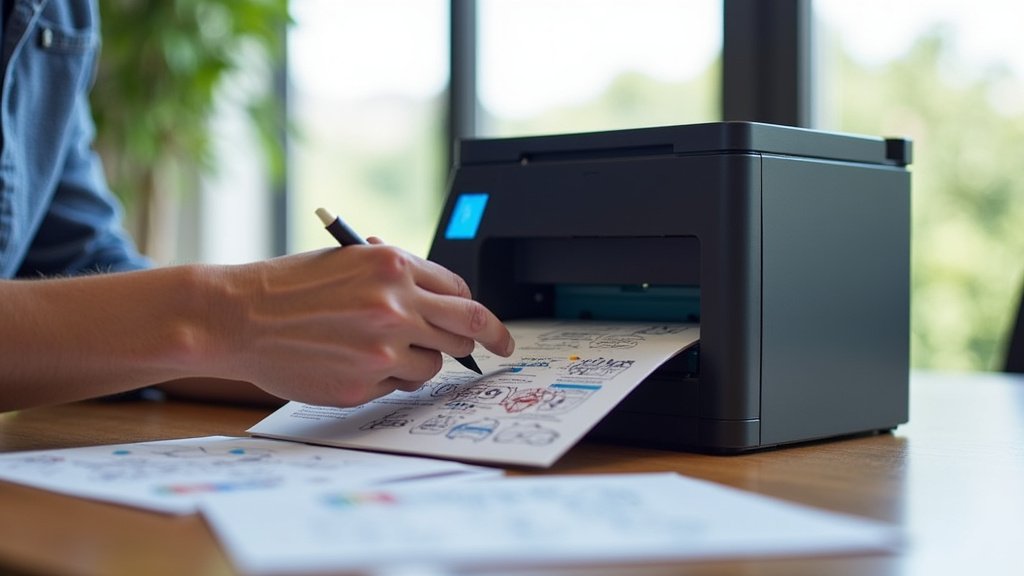
When to Seek Professional Help
If you’ve tried all the steps above and your EcoTank printer still isn’t drawing ink, it might be time to contact the manufacturer’s support. There could be a more serious internal issue, like a faulty pump or a damaged print head. They can provide further troubleshooting or guide you through repair options.
Here’s a quick checklist to run through:
- Ink Levels: Are all tanks filled above the minimum?
- Power Cleaning: Have you run the printer’s ink flush cycle?
- Nozzle Check: Does the pattern show complete lines?
- Manual Cleaning: Did you try gentle cleaning if needed?
- Obstructions: Is there anything physically blocking the printer?
- Setup Complete: Did you perform the initial ink charging process?
Conclusion
It can be frustrating when your EcoTank printer isn’t drawing ink, but remember that most issues stem from common causes like air bubbles or clogged print heads. You’ve learned how to check ink levels, perform essential cleaning cycles like Power Cleaning and nozzle checks, and even tackle manual cleaning with caution. Don’t forget that regular printer usage is key to preventing these problems in the first place.
If you’ve gone through these steps and are still having trouble, it might be time to reach out to the manufacturer’s support for expert assistance. Keep printing!
Frequently Asked Questions
How often should I run a Power Cleaning on my EcoTank?
You should only run a Power Cleaning when you notice print quality issues or if the printer isn’t picking up ink after refilling. Research shows that running this cycle too often uses a lot of ink and can shorten the life of the print head. Stick to standard print head cleaning for routine maintenance.
Can I use a third-party ink cleaner for my EcoTank?
It’s generally recommended to use only the manufacturer’s recommended cleaning solutions or distilled water for manual cleaning. Using unapproved cleaners could potentially damage the delicate print head nozzles or void your warranty. Always check your printer’s manual for specific advice.
My printer has been sitting unused for months. What’s the best way to get it printing again?
If your EcoTank has been idle for an extended period, dried ink is likely the culprit. Start by checking your ink levels and then perform a Power Cleaning cycle. Follow this with a nozzle check and a standard print head cleaning. You might need to repeat these steps a few times.
What does it mean if my nozzle check shows missing lines for one color?
Missing lines on a nozzle check pattern indicate a clog or a problem with ink delivery for that specific color. You should try running the standard print head cleaning function a couple of times, performing a nozzle check after each cycle. If the problem persists, gentle manual cleaning or a Power Clean might be necessary.
Is it normal to see air bubbles in the ink tubes of my EcoTank?
Seeing small air bubbles occasionally isn’t necessarily a problem, but larger air pockets or continuous streams of air in the ink tubes can definitely prevent ink from being drawn. If you suspect air is the issue, running a Power Cleaning cycle is often the most effective way to push the ink through and clear out trapped air.
