Can You Take a Printer on an Airplane?
On this page (6 sections)
Yes, you can take a printer on an airplane, but there are a few important rules. You can bring a printer in both your carry-on and checked luggage. Just make sure to follow TSA guidelines for batteries and ink cartridges.
Many travelers wonder about the rules for electronic devices when flying. We found that most small printers are perfectly fine to travel with. The main concerns are often about lithium-ion batteries and potential spills from ink cartridges. Proper packing makes all the difference.
- Printers are generally allowed in carry-on and checked bags.
- Remove toner or ink cartridges if possible.
- Pack batteries according to TSA safety rules.
- Always check your airline’s specific policies too.
Let’s walk through exactly what you need to do to fly with your printer without any hassle or surprises at security.
Traveling with Your Printer: What You Need to Know
You can certainly bring your printer on a plane. The key is understanding specific airline and TSA rules. It’s not just about if you can bring it, but how you pack it. We’ll guide you through the process, making sure your printer and your flight plan stay on track.
Carry-On vs. Checked Bag: Where Should Your Printer Go?
When flying with a printer, you have two main options: carry-on or checked luggage. Both have their pros and cons. Your choice often depends on the printer’s size and how fragile it is. We found most travelers prefer carry-on for smaller, more valuable electronics.
Taking a Printer in Your Carry-On
Bringing your printer in a carry-on bag is often the safest bet. It stays with you, reducing the chance of damage or loss. This is especially good for expensive or delicate models. You can keep an eye on it throughout your journey.
- Protects against rough handling by baggage handlers.
- Minimizes risk of theft or misplacement.
- Easily accessible if you need it during a layover.
Remember that carry-on limits still apply. Your printer must fit in the overhead bin or under the seat in front of you. Always check your airline’s specific dimensions for carry-on bags.
Checking Your Printer in Baggage
For larger printers, or if you simply don’t want to carry it through the airport, checking it is an option. However, this comes with more risks. Checked bags can be jostled or even misplaced. Proper packaging is extremely important here. Treat your printer like a fragile antique.
- Use the original box with its foam inserts if possible.
- If not, use a sturdy box with ample padding like bubble wrap.
- Clearly label the box as “FRAGILE.”
We found that while checking a printer saves you the effort of carrying it, it increases the chance of damage. Weigh your options carefully based on your printer’s value and sturdiness.
Navigating TSA Regulations for Printers
The Transportation Security Administration (TSA) has specific rules for electronics and components. These rules are for everyone’s safety. Knowing them beforehand will save you time and stress at security checkpoints. The main areas of concern are always batteries and ink cartridges.
Lithium-Ion Batteries: The Main Concern
Printers, especially portable ones, often contain lithium-ion batteries. These batteries are subject to strict TSA rules because they can pose a fire risk if damaged. Most portable electronics use these, so the rules apply broadly.
- For batteries installed in equipment, they are generally allowed.
- Spare lithium batteries must always be in your carry-on bag.
- They should be protected from short circuits (e.g., in original packaging or with tape over terminals).
Many airlines and the TSA specifically limit the size of lithium batteries. Batteries over a certain watt-hour rating (usually 100 Wh) may require airline approval or be forbidden. Always check your printer’s battery specifications. It’s listed on the battery itself or in the printer manual. We recommend taking photos of the battery specs before you travel.
Ink and Toner Cartridges: Spill and Chemical Considerations
Ink and toner cartridges are another area the TSA considers. While not usually seen as dangerous, ink can spill and toner is a fine powder. Both can cause issues if not packed properly. The general advice is to remove them from the printer if you can.
Packing Ink Cartridges
Ink cartridges in your carry-on are subject to the 3-1-1 rule for liquids (TSA.gov). This means each cartridge must be 3.4 ounces (100 milliliters) or less. They must fit in one quart-sized clear bag. This applies to both full and partially used cartridges.
- Place cartridges in a sealed plastic bag to prevent leaks.
- Consider replacing them with new, unopened cartridges upon arrival.
- Wrap them in paper towels or plastic wrap as extra protection.
For checked luggage, there are fewer restrictions on liquid volume. However, the risk of leakage due to pressure changes is higher. A burst ink cartridge could damage your clothes or other items. We found that most people prefer to transport ink in their carry-on, within the 3-1-1 guidelines, to avoid potential messes in checked bags.
Handling Toner Cartridges
Toner cartridges, used in laser printers, contain a fine powder. While not liquid, they can still make a mess if they break. The TSA doesn’t have specific rules against toner. However, like any powder, it could raise questions at security checkpoints. Removing it from the printer is a good idea.
If you’re checking a printer with a toner cartridge inside, ensure it’s securely sealed. You might even consider wrapping the printer head area. This prevents any powder from escaping. Keeping the toner separate and sealed is the safest approach, whether in carry-on or checked baggage.
Airline-Specific Policies: Always Double-Check
While the TSA sets baseline security rules, airlines can have their own, often stricter, policies. These can cover anything from carry-on size limits to restrictions on certain items. It’s a smart traveler’s move to look up your specific airline’s rules before you fly. A quick visit to their website can save you a lot of hassle.
How to Find Your Airline’s Rules
Finding this information is usually straightforward. Navigate to the airline’s official website. Look for sections like “Baggage,” “Special Items,” or “Restricted Items.” Sometimes, there’s even a searchable FAQ. If you can’t find it, a quick call to customer service is always an option. We often find that specific electronic device rules are in the “Special Items” section.
| Airline | Search Keywords (on their site) | Common Considerations |
|---|---|---|
| Delta Air Lines | “Electronic devices,” “Lithium batteries,” “Baggage” | Battery watt-hour limits, carry-on size. |
| American Airlines | “Restricted items,” “Portable electronic devices” | Battery protection, fragile item packing. |
| Southwest Airlines | “What can I bring,” “Electronics policy” | Carry-on dimensions, battery safety. |
| United Airlines | “Prohibited items,” “Electronic equipment” | Spare battery rules, hazardous materials. |
This table gives you a head start. Remember, policies can change. Always verify the most current rules for your exact flight. Better safe than sorry when it comes to flying with electronics.
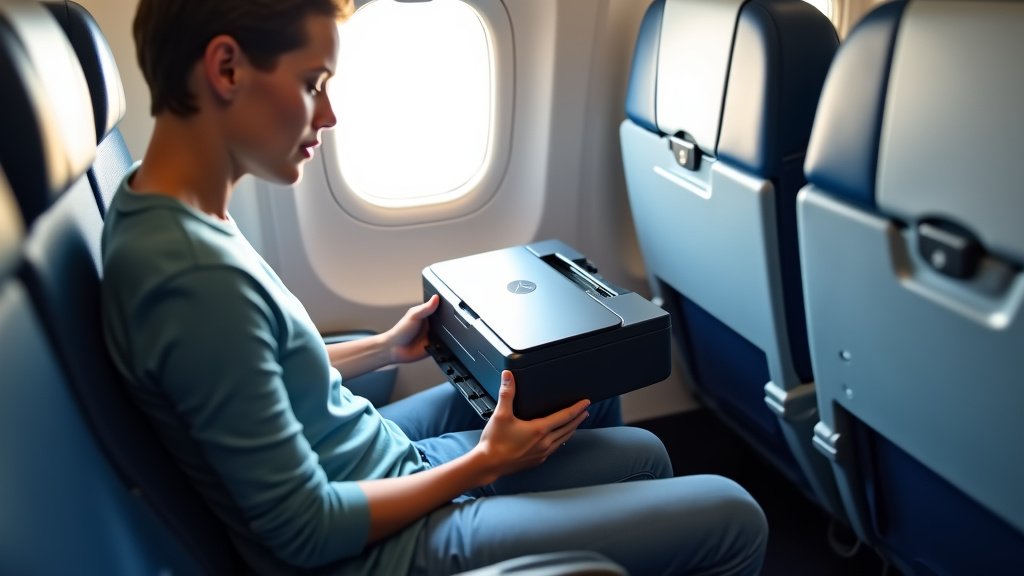
Your Printer Travel Checklist
To make sure you’ve covered all your bases, here’s a quick checklist for flying with your printer. Go through these points before heading to the airport. It will reduce stress and potential delays.
-
Check airline carry-on and checked bag size limits. Your printer and bag must fit!
-
Verify lithium-ion battery watt-hours. Ensure it’s under 100 Wh or airline approved.
-
Remove ink/toner cartridges if possible. Pack them separately and securely.
-
Place ink cartridges in a sealed plastic bag (carry-on). Stick to the 3-1-1 liquids rule.
-
Pack your printer securely with ample padding. Especially important for checked luggage.
-
Fully charge your printer before security. You might be asked to power it on.
Following this checklist helps ensure a smooth experience. You’ll move through security with confidence, knowing your printer is ready for its journey.
Conclusion
Flying with your printer is totally doable when you’re prepared. You’ve learned the ropes for whether to use your carry-on or checked bag, and how to handle those tricky batteries and ink cartridges. Remember, the TSA sets the baseline, but your airline might have extra rules. We really can’t stress enough how important it is to double-check their specific policies before you head to the airport. Taking a few proactive steps can save you a lot of worry and ensure your printer arrives safely at your destination, ready for use.
Frequently Asked Questions
Can a printer get damaged by cabin pressure changes?
While cabin pressure is regulated, extreme changes can still occur, especially in checked baggage. This pressure can sometimes cause ink cartridges to leak or toner to shake loose. We found that proper packing, like removing cartridges and using original packaging, significantly reduces this risk.
Do I need to declare my printer at airport security?
No, you typically don’t need to declare a printer as a special item at security. It’s treated like other electronic devices. Just be ready to remove it from your bag for X-ray screening if asked, especially if it’s large or packed densely.
What if my portable printer’s battery is non-removable?
Most printers with non-removable lithium-ion batteries are allowed in both carry-on and checked luggage if within the standard watt-hour limits (usually 100 Wh). However, some airlines might prefer them in carry-on for safety monitoring. Always confirm your printer’s battery specs and your airline’s policy.
Are there any size restrictions for printers in carry-on bags?
Yes, your printer must fit within your airline’s standard carry-on size limits. These dimensions vary by airline, but generally mean it needs to fit in the overhead bin or under the seat. We recommend checking your specific airline’s carry-on baggage dimensions before packing.
Can I bring a 3D printer on an airplane?
Bringing a 3D printer can be more complex due to its size and components. The same rules for batteries and types of filament (some might be restricted as hazardous materials) apply. We recommend checking with both the TSA and your airline for specific guidance on larger, specialized equipment like 3D printers.