How to Print a Photo Collage at Home?
On this page (9 sections)
- Creating Your Photo Collage Print at Home
- Step 1: Gather and Select Your Photos
- Step 2: Design Your Photo Collage Layout
- Step 3: Prepare Your Collage for Printing
- Step 4: Printing Your Photo Collage at Home
- Step 5: Finishing Touches and Display
- Quick Checklist for Printing Your Collage
- Conclusion
- Frequently Asked Questions
Yes, you can absolutely print a beautiful photo collage at home! It’s a fantastic way to display your favorite memories. You can easily turn your digital photos into a stunning print using your home printer and some common supplies. This process is simpler than you might think and allows for plenty of creative freedom.
Creating a photo collage at home is a wonderful DIY project. It lets you personalize your space and cherish moments. You’ll be able to arrange multiple pictures into one cohesive piece of art, turning your digital snapshots into tangible memories. For a bound keepsake, see our guide to printing a photo book at home. This guide will walk you through how to get started with printing your own collage.
- You can print photo collages at home easily.
- Use your home printer for this DIY project.
- Arrange multiple photos into one print.
- It’s a great way to display memories creatively.
- Requires simple supplies and minimal effort.
Let’s walk through exactly how to print a photo collage at home, step by step!
Creating Your Photo Collage Print at Home
Printing a photo collage right from your home is entirely achievable. You don’t need professional equipment to create a beautiful display. This guide will walk you through the steps. We’ll cover everything from choosing your photos to the final print. You’ll be amazed at how simple it can be to bring your memories to life.
Step 1: Gather and Select Your Photos
The first step is selecting the photos you want in your collage. Think about the memories you want to highlight. Do you want to showcase a specific event, like a vacation or a birthday? Or maybe a collection of everyday moments? Having a theme can make the selection process easier. It’s helpful to gather more photos than you think you’ll need. This gives you options later on.
Organizing Your Digital Files
Once you have your photos, it’s a good idea to organize them. Create a dedicated folder on your computer or cloud storage. This keeps everything in one place. You can even rename files if it helps you remember which photo is which. For example, “BeachTrip_001” is clearer than “IMG_5432.” This small organizational step saves time later.
Choosing the Right Resolution
The quality of your final print depends on the quality of your photos. For more guidance, see printing passport photos at home. Most modern smartphones take pictures with high enough resolution for printing. However, if you’re using older photos or screenshots, check their size and resolution. For a standard 8×10 inch print, you’ll generally want photos that are at least 240 DPI (dots per inch). Most photo editing software can tell you the resolution of an image. We found that images with fewer than 100 DPI may appear blurry when enlarged.
Step 2: Design Your Photo Collage Layout
This is where your creativity really shines! You’ll need to decide on the arrangement of your photos. Do you want a grid of evenly sized pictures? Or a more freeform, overlapping style? There are several ways to design your collage, each offering a different feel.
Using Online Collage Makers
Many websites offer free photo collage tools. These are often very user-friendly. You simply upload your photos, choose a template, and drag and drop your pictures into place. Some popular options include Canva, PicMonkey, and Fotor. These tools can help you resize, rotate, and add borders to your photos easily. We found these tools to be great for beginners because they provide a structured way to design.
Common Template Styles
Online makers usually have a variety of templates. You’ll find options for themed collages, such as birthday or holiday designs. There are also generic templates with different grid layouts. Some allow for picture frames or text additions. Experiment with a few to see which style best suits your photos and aesthetic.
Using Photo Editing Software
If you’re more comfortable with software, you can use programs like Adobe Photoshop, GIMP (a free alternative), or even Microsoft Paint. This gives you more control over every element. You can manually arrange photos, adjust spacing, and add effects. It offers a higher degree of customization than online tools.
Manual Arrangement Tips
When arranging manually, consider the flow of the collage. Place your strongest or most important photos in prominent positions. Vary the sizes and orientations of your photos to create visual interest. Think about color harmony – do the colors in your photos complement each other? You can also create a layered effect by overlapping photos slightly. This adds depth and a more artistic feel.
Printing Considerations for Design
Before you finalize your design, think about how it will be printed. If you plan to print on standard letter-sized paper (8.5×11 inches), design your collage to fit that aspect ratio. If you have a specific frame size in mind, like 5×7 or 8×10 inches, try to design your collage to match those dimensions as closely as possible. This will minimize cropping later.
Step 3: Prepare Your Collage for Printing
Once your design is complete, you need to prepare it for printing. This often involves saving the file in a suitable format. Most collage makers and editing software will allow you to export your creation as a JPEG or PNG file. These are standard image formats that home printers can easily read.
Saving Your Masterpiece
When saving, choose the highest quality option available. This ensures that all the detail from your design is preserved. If you used an online tool, look for a “Download” or “Save” button. For software, use the “Save As” or “Export” function. Aim for a resolution of at least 300 DPI if possible, especially if you’re printing a larger size. Many experts recommend 300 DPI for high-quality photo prints (National Geographic).
Checking for Print Readiness
Take a moment to review your saved file. Open it up and zoom in to check for any blurry areas or pixelation, especially around the edges of photos. Ensure all elements are positioned correctly and that there are no unintended gaps or overlaps. A quick visual check can prevent disappointment with the final print.
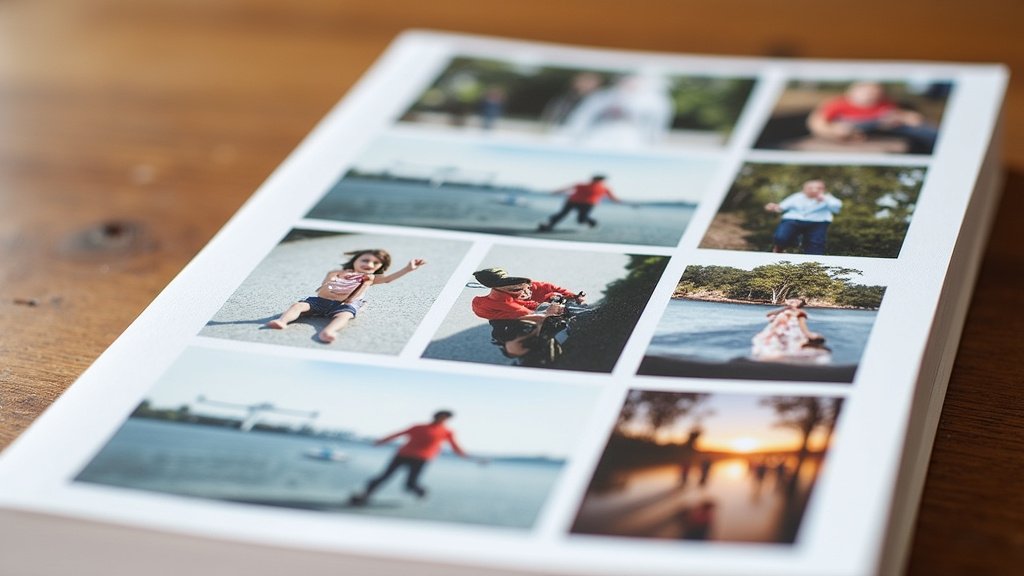
Step 4: Printing Your Photo Collage at Home
Now for the exciting part – printing! You’ll need a few supplies to get the best results. Having the right paper and ensuring your printer is ready are key.
Essential Printing Supplies
Here’s what you’ll need:
- A home inkjet printer.
- Photo paper or cardstock.
- Your saved collage file.
The type of paper you choose makes a big difference. Regular printer paper is usually too thin and can cause colors to look dull. Photo paper, available in glossy, matte, or satin finishes, is designed to make colors pop. Cardstock is another good option for a sturdier print. The type of paper you choose makes a big difference, and our guide covers the best photo paper for inkjet printers.
Printer Settings for Best Quality
Before you hit print, adjust your printer settings. Open the print dialog box and look for options related to print quality. Select the highest quality setting your printer offers, often labeled as “Best,” “Photo,” or “High Resolution.” Also, make sure you select the correct paper type. Choosing “Photo Paper” will adjust the ink density and drying time accordingly.
Tip: If your printer has a specific setting for “Collage” or “Multiple Photos Per Page,” use it if it aligns with your design. However, if you designed a full-page collage, setting the paper type and quality to the highest is most important.
Printing the Collage
Load your chosen photo paper into the printer according to the manufacturer’s instructions. Double-check that it’s loaded correctly to avoid smudges or misfeeds. Then, initiate the print job from your computer. Watch the printer work its magic!
What if it doesn’t look right?
Don’t panic if the first print isn’t perfect. Sometimes, colors can appear slightly different on screen than they do on paper. You might need to adjust the brightness or contrast in your design software and try printing again. Printing a small test section first can also save paper and ink. We found that a quick test print of a corner is a smart move.
Step 5: Finishing Touches and Display
Once your photo collage is printed, let it dry completely. This is especially important for glossy photo paper to prevent smudges. Then, you can trim any excess paper if needed. If you printed it slightly larger than your desired frame, you might need to trim it down carefully. A ruler and a craft knife or a paper trimmer can help with straight edges.
Mounting and Framing Options
You have several options for displaying your collage. You could simply place it in a frame. Another popular method is to mount it onto a piece of cardboard or foam board. This gives it a professional, sturdy look. You can then choose to frame the mounted collage or hang it as is.
Creative Display Ideas
Consider using a large clip frame for an industrial look. Or, if you printed on thick cardstock, you might be able to hang it directly on a bulletin board or wall using decorative pins. For a truly DIY approach, you could punch holes in the corners and use string or ribbon to hang it as a banner. The possibilities are as varied as your photos!
Tips for Longevity
To help your photo collage last longer, avoid placing it in direct sunlight, as this can cause colors to fade over time. If you’ve mounted it, consider using acid-free materials. This is particularly important if you plan to keep your collage for many years. These archival-quality materials help prevent yellowing and degradation (Smithsonian Magazine).
Quick Checklist for Printing Your Collage
Here’s a quick rundown to keep you on track:
- Photos Selected: Have you chosen all the pictures you want to include?
- Design Complete: Is your collage layout finalized and saved?
- High Resolution: Are your photos clear and suitable for printing?
- Correct Paper: Have you chosen the right type of photo paper or cardstock?
- Printer Settings: Are you using the highest quality print setting?
- Dry Time: Remember to let your print dry completely before handling.
Conclusion
You’ve learned how simple it is to bring your favorite memories to life by printing a photo collage at home! From selecting and organizing your best shots to designing your unique layout and choosing the right printer settings, you have all the tools you need. Remember, using quality photo paper and the highest print settings will make a big difference. Now it’s time to get creative and enjoy your personalized wall art.
Your next step is to gather your photos and start designing. Pick an online tool or software you’re comfortable with and see what beautiful creations you can make. Your cherished moments are ready to be printed!
Frequently Asked Questions
What kind of paper is best for printing a photo collage at home?
For the best results, we recommend using photo paper. It comes in finishes like glossy, matte, or satin and is designed to make colors pop. Cardstock is also a good choice if you want a sturdier print that feels more like a piece of art.
How do I ensure my collage prints with the best possible quality?
To get the highest quality print, always select the “Best” or “Photo” print quality setting on your printer. Also, make sure you choose the correct paper type in your printer settings, like “Photo Paper,” so it adjusts the ink accordingly.
Can I print a collage larger than my standard printer paper?
Yes, but it might require a bit more effort. You can design your collage to be larger and then print it in sections, which you’ll later piece together. Alternatively, many print shops can handle larger format printing if you’re not able to do it at home.
What should I do if my colors look different on the print than on my screen?
Screen colors can vary from printed colors. If your print doesn’t look quite right, try adjusting the brightness and contrast in your design software and print a test section. This can help you get the colors closer to what you want.
How long will my homemade photo collage last?
To help your collage last for years, avoid placing it in direct sunlight, which can cause fading. If you mount your collage, using acid-free materials will help prevent yellowing and degradation over time, preserving your memories beautifully.