How to Use a Sublimation Printer for Shirts
To use a sublimation printer for shirts, print in mirror with sublimation ink on sublimation paper, then heat press the transfer onto a polyester shirt. Choose a white or light shirt, press with firm heat, and peel or leave it in place as directed.
On this page (9 sections)
- How to use sublimation printer for shirts from start to finish
- What do you need before you print your first shirt?
- Which shirts work best for sublimation transfers?
- How do you set up the printer and paper for shirt designs?
- What paper should you use for sublimation shirts?
- How do you print and press the transfer on a shirt?
- When should you use heat transfer paper instead of sublimation?
- How do you care for sublimation shirts after pressing?
- How do you know if your setup is right for shirt printing?
To use a sublimation printer for shirts, print in mirror with sublimation ink on sublimation paper, then heat press the transfer onto a polyester shirt. The heat turns the ink into a gas that bonds with polyester fibers, so the design feels smooth and stays vibrant on the right fabric.
This guide follows the process in order. You will check your printer and ink, pick a shirt that can hold the transfer, print the design, then press and finish it.
How to use sublimation printer for shirts from start to finish
The basic order is prepare the shirt, print the design, press the transfer, then check the result. Heat, pressure, and fabric type must work together at each step.
Confirm your printer is set up for sublimation ink and that your paper is made for that ink. Regular ink will not transfer the same way.
What Is a Sublimation Printer? explains the setup in simple terms.
Pick a white or light polyester shirt, since sublimation ink has no white layer. Press the shirt flat and remove lint before printing.
Print in mirror image and let the ink dry. Press with firm, even pressure for the suggested time, then lift the sheet slowly and let the shirt cool.
What do you need before you print your first shirt?
You need a sublimation printer, sublimation ink, sublimation paper, a heat press, and polyester shirts. Missing one item can change the result.
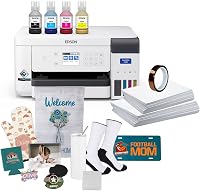
A sublimation printer is built to use sublimation ink without clogging the print head with pigment. Some inkjet printers can be converted, but the paper and ink still must match.
Is a Sublimation Printer Better Than a Regular Inkjet Printer for Shirts? helps you weigh that choice.
Sublimation paper holds the ink until heat releases it and keeps the design from bleeding too far into fibers. Match the sheet size to your design and printer tray.
A heat press gives steadier heat and pressure than a home iron. Keep Teflon sheets, a lint roller, scissors, and a clean, flat work area ready.
Which shirts work best for sublimation transfers?
White or light shirts with high polyester content work best for sublimation. Polyester accepts the gas form of the ink and holds color with a smooth finish.
Cotton-heavy shirts do not bond the same way, so prints can look pale.
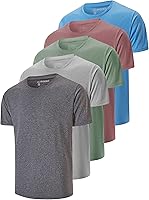
Look for shirts made for sublimation or plain polyester tees. Check the fabric label before you buy a multipack.
A blend with up to 30 percent cotton may still work, but expect softer color and less sharp detail than pure polyester.
Our guide to best shirts for sublimation breaks down fabric types and shirt fits. It can help if you plan to sell shirts or make gifts for a group.
Fit also matters, because a design that sits well on a medium shirt may sit high on a smaller size.
Can you sublimate on a dark shirt?
No, standard sublimation ink will not show well on dark shirts. The ink is clear, so black or navy fabric shows through the design.
You need a different method for dark garments.
Some crafters use a white backing or a vinyl base, but that changes the feel and the steps. If dark shirts are your goal, read how to sublimation on black shirt before you buy supplies.
For light shirts, the Gildan option below shows a more traditional cotton blank. That type suits heat transfer paper for dark fabrics, not standard sublimation.
How do you set up the printer and paper for shirt designs?
Set up mirror printing, sublimation ink, matte paper side up, and the correct paper size before you print. These settings control direction and transfer strength.
Load the paper with the coated side facing the print head, as marked on the pack. Backward loading can smear ink or weaken transfer.
Keep sheets flat and dry to avoid jams and gaps.
Flip your design horizontally so text reads backward on the sheet and forward on the shirt. Check names and dates at full size before printing.
Use the paper type setting your ink maker suggests. Too much ink can bleed, so print one test sheet and press it on a scrap shirt first.
What paper should you use for sublimation shirts?
Use paper made for sublimation ink, in a size that fits your design and printer. The right paper holds ink on the surface until heat moves it into the fabric.
Paper weight and coating affect how much ink the sheet holds and how cleanly it releases. A coated sheet can keep edges sharp, while a thin sheet may curl under heat.
Check that the pack states it works only with sublimation ink and a sublimation printer.
The A-SUB pack below is 8.5 by 11 inches with 110 sheets, which suits standard letter-size designs. A-SUB says it works with white or light polyester and with blends that have up to 30 percent cotton content.
It also states a transfer rate of at least 98 percent and fast drying, with no fracturing.
Store extra sheets in a dry place and keep them flat. If paper picks up moisture, prints can look washed out.
Trim designs close to the art before pressing, but leave a small border if your press needs room to lift the sheet.
For paper choices in more detail, see What Is the Best Paper for Sublimation Printing?. That guide can help you match paper weight to your printer and design size.
How do you print and press the transfer on a shirt?
Print in mirror, dry the sheet, position it on a flat shirt, then press with steady heat and pressure. Follow the times and temperatures for your paper and shirt.
Print the design and let it dry fully. Place the shirt flat and centered on the lower platen.
Remove lint with a roller, since lint can block ink in small spots.
Lay the sheet ink side down and align it by measuring from the collar and side seams. Cover it with a Teflon sheet, then close the press.
Press for the full time without peeking, since lifting a corner can shift the sheet. Open the press and lift the paper in one smooth motion, following your paper maker's peel instructions.
Let the shirt rest flat for a few minutes.
How do you avoid common pressing mistakes?
Avoid crooked placement, low pressure, short press times, and damp shirts. Those four issues cause most dull or shifted prints.
A damp shirt can steam under the platen and block transfer. Press the shirt for a few seconds before you add the design to remove moisture.
Use a lint roller right before you place the sheet.
Mark guides with painter tape on the platen or use a ruler on the shirt. For repeat designs, make a simple placement card for each size.
That card keeps chest prints at the same height across a batch.
Test pressure with a sheet of paper. It should pull out with slight resistance.
If it slides out freely, add pressure.
When should you use heat transfer paper instead of sublimation?
Use heat transfer paper when your shirt is dark, cotton, or a blend that sublimation cannot handle. That paper prints with your inkjet printer and bonds to the surface of the fabric, rather than into polyester fibers.
The TransOurDream paper below is made for dark shirts and works with inkjet printers using pigment or dye ink. It comes with 20 sheets in 8.5 by 11 inches, plus 2 reusable Teflon sheets.
The maker says transfers can stretch up to 2 times their original size without cracking.
This option suits cotton tees, hoodies, tote bags, and other dark fabrics that need a visible white base. You print, cut out the image, place it face up on the fabric, cover it with Teflon paper, then press with an iron or heat press.
Choose sublimation when you want a smooth, all-over print on light polyester. Choose heat transfer paper when you need bright color on dark cotton.
Our roundup of the Best Sublimation Printer For T-Shirts can help you compare printers if you plan to do both methods.
How do you care for sublimation shirts after pressing?
Wash sublimation shirts inside out in cold water and dry on low heat or air dry. That care helps the printed area last longer and keeps the fabric soft.
Turn the shirt inside out before washing so the design does not rub against other clothes. Use a mild detergent and skip bleach and fabric softener, which can affect the print and the fabric finish.
Hang the shirt to dry when you can, because high heat can fade color over time. If you must use a dryer, choose low heat and remove the shirt while it is still slightly damp.
Do not iron directly on the design.
Store finished shirts flat or folded with the design side protected. If you stack prints, place a clean sheet between layers.
That step prevents sticking or offset in warm storage.
How do you know if your setup is right for shirt printing?
Your setup is right when prints come out sharp, colors look deep on light polyester, and each press lands in the same spot. Repeat one test design three times and compare them side by side.
Check that ink, paper, and printer match. Also check that the shirt label lists polyester or a low cotton blend.
Faint color often points to fabric or heat. Blurry edges often point to paper or pressure.
Match each supply to the job, test one shirt, then scale up only after the test looks clean. Start with a small batch on light polyester, then add sizes and more complex art once the process feels steady.
Frequently asked questions
What shirts work best for sublimation printing?
White or light polyester shirts work best, because sublimation ink is clear when it bonds. Blends with up to 30 percent cotton can work, but color will look softer.
Avoid dark or 100 percent cotton shirts unless you use a different transfer method.
Do I need a heat press for sublimation shirts?
A heat press gives even heat and steady pressure, which helps the ink turn to gas and bond. A household iron can work for small tests, but pressure varies as you move it.
For repeat shirts, a press is easier to keep consistent.
Why does my sublimation print look faint on a shirt?
Faint prints often come from low heat, short press time, light pressure, or a shirt with too much cotton. Check the paper needs, confirm the print side faced the shirt, and test on the same fabric before you press a full batch.