Is It Worth Buying a Printer with a Scanner?
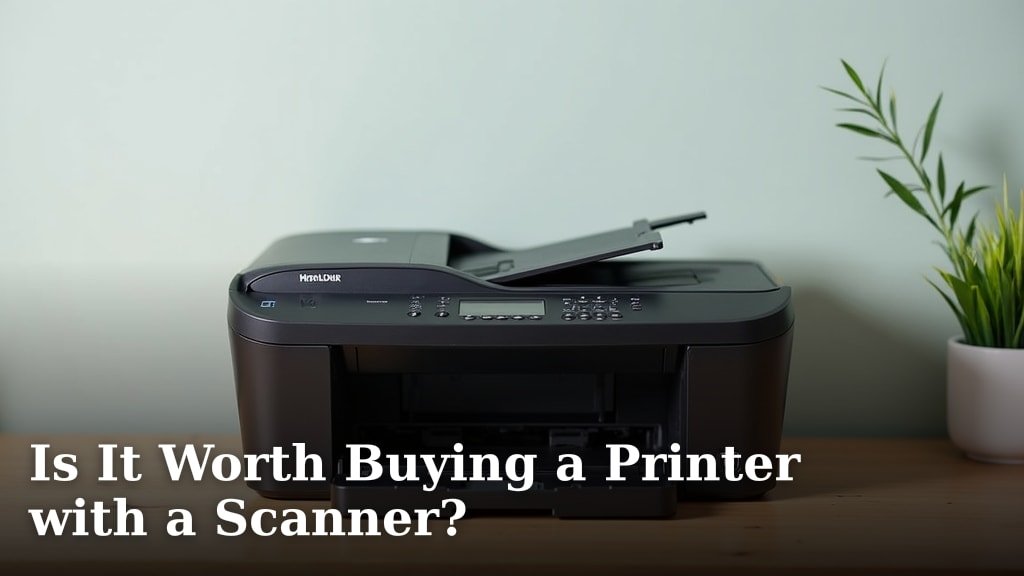
Yes, buying a printer with a scanner is often worth it for most home and small office users. You get the convenience of an all-in-one device, saving space and money compared to buying separate units. It’s a Our guide to the best all-in-one printer for home use can help you find a model that fits your specific needs.smart investment for versatility.
These multifunction devices, often called AIOs, combine printing, scanning, and usually copying into one machine. This makes them incredibly practical for everyday tasks, from digitizing old photos to making quick document copies. We found that almost everyone can benefit from having a scanner handy.
- Save money compared to buying separate devices.
- Save valuable desk space.
- Handle printing, scanning, and copying easily.
- Perfect for home, school, or small office needs.
- Offers great versatility for various tasks.
Let’s dive into the details to help you decide if an all-in-one printer scanner is right for your specific needs.
Is a Printer with a Scanner a Smart Buy?
Yes, for most individuals and small businesses, a printer with a scanner is a very smart buy. It offers practical benefits that simplify daily tasks.
These devices, often called all-in-one (AIO) printers, are incredibly popular. They combine several functions into one unit, making them a staple in many homes and offices.
Understanding All-in-One Printers
What exactly is an all-in-one printer? It’s a single machine that can print, scan, copy, and sometimes fax. Think of it as your office assistant, all bundled up.
Most models include a flatbed scanner. This is perfect for scanning books, photos, or delicate items. Many also feature an Automatic Document Feeder (ADF). An ADF lets you scan multiple pages without placing each one by hand.
We found that having an ADF can be a huge time-saver. It’s especially useful if you need to digitize stacks of documents.
Inkjet vs. Laser AIOs
When you’re looking at AIOs, you’ll mainly see two types: inkjet and laser. Each has its own strengths, depending on your needs. Deciding between a laser or inkjet printer depends on your specific printing needs and priorities.
- Inkjet AIOs: These are common for home users. They are great for printing photos with vibrant colors. They tend to be less expensive upfront.
- Laser AIOs: Ideal for office environments. They excel at printing text documents quickly and efficiently. Their toner cartridges often last longer, leading to lower per-page costs if you print a lot.
Consider what you’ll print most often. If it’s mostly documents, a laser AIO might save you money over time (PCMag).
Key Benefits of Owning an AIO Printer Scanner
Why should you consider an AIO? The advantages are clear, ranging from saving space to boosting your productivity. We found these to be the most compelling reasons.
Space and Cost Savings
Imagine having a separate printer, scanner, and copier. That would take up a lot of room! An AIO combines these into one compact device. This frees up valuable desk space.
Buying an AIO is also typically cheaper than purchasing each machine individually. You get more features for your money. This makes it a budget-friendly choice for most people.
Think about the cost of three separate power cords and outlets. An AIO uses just one. This small detail adds to its overall efficiency.
Versatility for Everyday Tasks
An AIO printer scanner is a true multitasker. It handles a wide array of jobs, making your digital life much easier.
- Scanning documents: Digitize important papers for backup or sharing.
- Copying: Make quick duplicates of forms, receipts, or notes.
- Printing: From school reports to boarding passes, it handles it all.
- Photo scanning: Preserve old family photos by turning them into digital files.
- Remote work/school: Scan homework, sign documents, or print meeting notes.
This versatility means you’re prepared for almost anything. It’s like having a mini-office at your fingertips.
Convenience and Ease of Use
Most AIOs are designed for simplicity. Setup is often straightforward, and many come with user-friendly software. You won’t need to be a tech expert to get started.
Wireless connectivity is standard on many models. This means you can print or scan from your laptop, tablet, or smartphone without cables. This adds a layer of convenience to your workflow.
We found that people appreciate the ability to quickly scan a document and email it. It streamlines tasks that used to take much longer.
Potential Downsides to Consider
While AIOs are great, they’re not without some trade-offs. It’s important to look at both sides to make an informed decision.
Performance Compromises
An AIO is a jack-of-all-trades, but sometimes a master of none. The print quality might not match a dedicated photo printer. The scan speed might not rival a high-end document scanner. We found this to be a common observation (Consumer Reports).
If you have extremely specific needs, like professional-grade photo printing or bulk document scanning, a separate specialized device might be better. However, for most home and small office uses, the performance is more than adequate.
Maintenance and Longevity
If one component breaks on an AIO, the entire unit might be affected. For instance, if the scanner fails, you might lose your printing ability too. This is something to keep in mind when comparing it to separate devices.
Inkjet printers, in particular, can suffer from dried-up print heads if not used regularly. This is a common complaint. Regular use helps keep them in good working order.
Who Benefits Most from an AIO Printer Scanner?
So, who really stands to gain the most from one of these handy devices? We’ve identified a few key groups.
Students and Educators
For students, an AIO is a lifesaver. You can print assignments, scan textbooks for notes, and make copies of study materials. It’s an essential tool for academic success.
Teachers also find them incredibly useful. Printing lesson plans, scanning student work, and copying handouts become simple tasks. It supports a dynamic learning environment.
Home Office Workers and Small Businesses
If you work from home, an AIO is almost non-negotiable. You need to print contracts, scan receipts, and sometimes even copy client documents. It brings professional capability to your home.
Small businesses often have tight budgets. An AIO provides all the necessary office functions without the expense or space requirement of multiple machines. It’s a cost-effective solution.
Families and Everyday Users
For families, an AIO handles everything from printing kids’ homework to scanning old photos. It’s a central hub for all your printing and scanning needs. It helps keep your household organized and efficient.
Do you ever need to quickly sign a document and email it back? An AIO makes this process almost instant. It removes a lot of typical paper hassle.
Making Your Decision: A Quick Checklist
Still wondering if an AIO is right for you? Use this checklist to quickly assess your needs. If you answer “yes” to most of these, an AIO is probably a great fit.
- Do you need to print documents regularly?
- Do you occasionally need to scan papers or photos?
- Would you benefit from making quick copies at home?
- Is desk space a concern for you?
- Are you looking for a cost-effective solution for multiple tasks?
- Do you value convenience and ease of use in your tech?
| Feature | Dedicated Printer | Dedicated Scanner | All-in-One Printer (AIO) |
|---|---|---|---|
| Initial Cost | Moderate | Moderate | Moderate to High |
| Space Required | Low | Low | Low (single unit) |
| Primary Function | Printing only | Scanning only | Printing, Scanning, Copying |
| Versatility | Low | Low | High |
| Performance (Specialized) | Often superior print quality | Often superior scan quality/speed | Good for general use |
| Maintenance | One component | One component | Multiple components |
Conclusion
Deciding if an all-in-one printer with a scanner is right for you boils down to your specific needs. For most homes, students, and small offices, we found that the convenience, cost savings, and versatility make them an excellent choice. You get printing, scanning, and copying in one compact device.
While dedicated machines offer specialized performance, an AIO provides more than enough quality for everyday tasks. Consider your usage patterns, space, and budget. If you want a single device to handle multiple functions efficiently, an AIO printer scanner is likely your best bet.
Frequently Asked Questions
Are all-in-one printers generally reliable?
Yes, modern all-in-one printers are generally reliable for typical home and small office use. Like any electronic device, their longevity often depends on proper care and consistent use. We’ve seen many models last for years with good maintenance.
Can I scan directly to email or cloud storage with an AIO printer?
Many contemporary all-in-one printers offer this capability. Most models with Wi-Fi connectivity allow you to scan documents directly to email, a network folder, or popular cloud services like Dropbox or Google Drive. This streamlines your workflow considerably.
Is it more expensive to replace ink/toner in an all-in-one printer?
Not necessarily. The cost of ink or toner depends more on whether it’s an inkjet or laser model, and the brand. All-in-one printers use the same types of cartridges as their single-function counterparts. We recommend checking cartridge prices for models you’re considering.
Do I still need a dedicated scanner if I have an AIO printer?
For most users, an AIO’s scanner is perfectly adequate. You might only need a dedicated scanner if you require extremely high-resolution scans, very fast multi-page scanning for large volumes, or specialized scanning features for specific media types. For everyday documents and photos, an AIO works well.
Can I use the scanner function even if the printer runs out of ink?
Yes, in most cases, you can still use the scanning and copying functions even if your printer is out of ink or toner. The scanning mechanism operates independently of the ink cartridges. This means you won’t be stuck if you just need to digitize a document.