Is Printer Dust Bad for You?
On this page (3 sections)
Yes, printer dust can be bad for you, especially the fine particles from toner. These tiny particles, when airborne, pose respiratory health risks and might affect sensitive individuals.
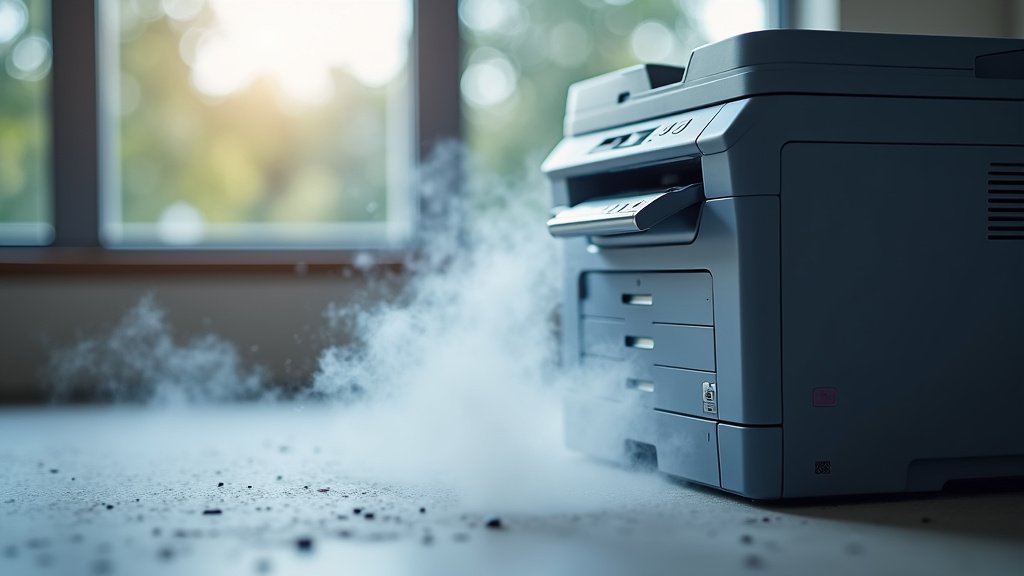
Your seemingly harmless office printer actually produces a mix of paper fibers and toner dust. Prolonged exposure can lead to irritation and other health concerns. We found many experts suggest taking precautions to minimize this exposure.
- Printer dust contains fine particles.
- Toner dust is a specific concern.
- It can irritate your respiratory system.
- Long-term exposure is not good.
Let’s look closer at why printer dust is a problem and what you can do about it.
Understanding the Health Risks of Printer Dust
So, you’ve heard that printer dust might not be your friend. But why exactly? What makes those tiny particles a potential health concern? We found it primarily boils down to their size and composition.
What Exactly is Printer Dust?
When you think of “dust,” you might picture household fluff. But printer dust is often different. It’s a mix of paper fibers — tiny bits of shredded paper — and, more significantly, toner particles. These toner particles are the main culprits in health discussions.
The Difference Between Paper Dust and Toner Dust
Let’s break it down simply. Paper dust is like miniature bits of what makes up your documents. It’s generally less irritating, though it can still contribute to general air pollution in your office.
Toner dust is the real concern. Think of it as a super-fine powder, almost like a cosmetic powder, but made for printing. It’s designed to stick to paper, which means it can also stick to other things, including the delicate lining of your respiratory system.
The Problem with Particle Size
The danger of printer dust, especially toner, really comes down to how small it is. We’re talking about microscopic particles here, much smaller than what you can easily see floating in the air.
Inhalable vs. Respirable Particles
You might hear terms like “inhalable” and “respirable.” Here’s what they mean:
- Inhalable particles are those that can enter your nose and mouth. Slightly larger, they can get caught in your upper airways.
- Respirable particles are much smaller. These are the troublemakers. They can bypass your body’s natural filters and travel deep into your lungs, reaching the tiny air sacs where oxygen is absorbed (American Lung Association).
Toner dust often falls into the respirable category. That’s why it’s a concern for your respiratory health.
What are the Potential Health Impacts?
You’re probably wondering what kind of problems this tiny dust can cause. Most issues stem from irritation and inflammation within your body. Think of it like constantly having a tiny, invisible irritant in your air.
Common Respiratory Symptoms
Many people experience mild, irritating symptoms. These might include a persistent cough or a feeling of tickle in your throat. You might notice your nose feels dry or runny more often than usual. Some people report a sore throat or even a loss of voice.
Skin and Eye Irritation
It’s not just your lungs. Printer dust can also land on your skin or get into your eyes. This can lead to itching, redness, or dryness. If you wear contact lenses, you might find them feeling gritty or uncomfortable.
Potential for Allergic Reactions and Asthma Exacerbation
If you already have allergies or asthma, printer dust can be particularly troublesome. The fine particles can act as triggers, causing allergic reactions or making asthma symptoms worse. We found that some studies suggest toner can contain chemicals that might act as allergens.
Are There Long-Term Risks?
This is where researchers are still gathering information. We know that long-term exposure to certain fine particles can have serious health consequences. For printer dust, particularly toner, some scientists are looking into whether it could contribute to more serious respiratory conditions over many years (National Institutes of Health).
However, we found no definitive, widespread evidence linking typical office printer exposure to widespread severe chronic diseases in the general population. It’s more about cumulative exposure and individual sensitivity.
Who is Most at Risk?
While anyone can be affected, some individuals face a higher risk. This often depends on pre-existing conditions and the amount of exposure they receive.
Individuals with Pre-Existing Conditions
If you have asthma, allergies, chronic bronchitis, or other respiratory issues, your body is already more sensitive. Printer dust can easily trigger or worsen your existing symptoms. You might feel its effects more quickly and severely.
Office Workers and IT Professionals
Consider people who spend hours in offices with multiple printers. They’re constantly exposed. IT professionals, who often perform maintenance or clean printers, get an even higher dose. They’re directly handling internal components where dust accumulates.
How Can You Reduce Your Exposure?
Knowing the risks is one thing, but what can you do about it? Thankfully, there are many simple steps you can take to minimize your exposure and breathe a little easier.
Printer Placement and Ventilation
Where your printer sits matters. Avoid placing it in small, enclosed spaces or directly at your desk if possible. A well-ventilated area is ideal. Think about an area with good air circulation or near a window.
If you have options, a dedicated printer room with its own ventilation system is best. But even simply moving it to a corner of a larger office can make a difference.
Regular Cleaning and Maintenance
This is probably the most effective step you can take. Printers accumulate dust both inside and out. Regular cleaning helps remove that build-up before it becomes airborne.
- Dust the exterior regularly: Use a damp cloth to wipe down the outside of your printer.
- Follow maintenance schedules: Stick to the manufacturer’s recommended cleaning and service intervals.
- Use proper cleaning tools: Never use a regular vacuum cleaner for toner spills; it can spread the dust and damage the vacuum. Instead, use a specialized toner vacuum or a damp cloth.
Air Filtration Systems
Consider using an air purifier in your office space. Specifically, look for purifiers with HEPA filters. These filters are designed to capture very fine particles, including those found in printer dust.
An air purifier acts like a miniature cleaning crew for your indoor air, helping to remove airborne irritants before they can settle or be inhaled.
Choosing the Right Printer for Healthier Air
Did you know your choice of printer can also impact indoor air quality? It’s true. Different printer technologies produce varying amounts and types of emissions.
Laser vs. Inkjet Printers
This is a big one. Laser printers use toner, which is a dry powder. During the printing process, tiny amounts of this toner can become airborne. They also use heat, which can, in turn, release other volatile organic compounds (VOCs).
Inkjet printers use liquid ink. While they have their own set of emissions (mostly VOCs from the ink), they generally produce less particulate matter in the form of fine dust. If particulate dust is your main concern, an inkjet might be a better choice for small, unventilated spaces.
Considering Emissions and Certifications
Some printer manufacturers are becoming more aware of internal air quality. Look for printers with certifications or those that boast low emissions. These might use advanced filtration internally or optimized printing processes to reduce output of fine particles and VOCs.
| Feature | Laser Printer | Inkjet Printer |
|---|---|---|
| Printing Method | Uses dry toner powder | Uses liquid ink |
| Primary Particulate Emission | Fine toner dust | Minimal dust (more VOCs from ink) |
| Heat Production | High (fusing process) | Low |
| Potential Health Concern | Respirable toner particles, some VOCs | VOCs from ink, less particulate concern |
| Best for Dust Sensitive | Less ideal (requires good ventilation) | Often preferred |
Personal Protection Strategies
Sometimes, despite all the environmental controls, you might still feel exposed, especially if you’re cleaning or maintaining a printer. That’s where personal protection comes in.
Using Masks during Maintenance
If you’re changing a toner cartridge, cleaning the inside of a laser printer, or dealing with a toner spill, wearing a mask is a smart move. An N95 respirator mask is recommended, as it filters out the very fine particles that simple surgical masks might miss.
Think of it like wearing gloves when you handle something messy – it’s just good practice for your health.
Hand Washing and Hygiene
After any interaction with a printer, especially if you’ve touched the toner or internal components, wash your hands thoroughly. This prevents you from unknowingly transferring dust particles to your face, eyes, or food. Good old soap and water do the trick!
A Quick Checklist for Better Air
If you’re feeling overwhelmed, here’s a simple checklist to get you started:
- Move your printer to a well-ventilated area.
- Wipe down your printer exterior weekly with a damp cloth.
- Consider getting an air purifier with a HEPA filter.
- Choose an inkjet printer over laser if dust is a big concern for you.
- Wear an N95 mask when changing toner or cleaning inside your printer.
Conclusion
While printer dust might seem minor, it can certainly impact your health, especially if you’re sensitive or exposed for long periods. From irritating your airways to potentially triggering allergies, understanding the risks is the first step.
You now have practical steps to take, from improving ventilation and cleaning practices to choosing the right printer. By making small changes in your office or home setup, you can significantly reduce your exposure. Take these simple precautions to ensure your workspace remains a healthier, more comfortable place for you to breathe and thrive.
Frequently Asked Questions
Is ink or toner dust worse for your health?
Toner dust is generally considered worse for your health than ink. Toner consists of very fine, dry particles that can become airborne, travel deep into your lungs, and cause respiratory irritation. Liquid ink, while still having some chemical emissions, doesn’t produce the same fine particulate matter.
Can printer dust affect my pets?
Yes, printer dust can potentially affect pets, especially those with respiratory sensitivities or allergies. Just like humans, animals can inhale fine particles, which may lead to coughing, sneezing, or worsening of existing conditions like asthma in cats.
How often should I clean my printer to minimize dust?
You should aim to dust the exterior of your printer weekly with a damp cloth. For internal cleaning, follow your manufacturer’s recommendations, but a deeper clean with a specialized toner vacuum might be beneficial every few months, especially in high-use environments.
Does opening a window help with printer dust?
Yes, opening a window can definitely help reduce airborne printer dust. Good ventilation helps to dilute and remove airborne particles, improving overall air quality in the room. This simple action can reduce the concentration of irritating dust in your breathing zone.
Should I worry about printer dust if I only print occasionally?
If you only print occasionally, your risk from printer dust is significantly lower. The primary concerns arise from cumulative exposure over time and consistent presence of airborne particles. However, it’s still good practice to follow basic hygiene, like washing your hands after handling toner cartridges.