8 Best Replacement Blades for Silhouette Cameo (November 2026)
The best silhouette cameo blade replacement include the Replacement Silhouette Blade for Cameo for most Cameo owners, the Silhouette SILHBLADEAUTO Cameo 3 Auto Blade Replacement for automatic depth setting, and the Silhouette Premium Blade for longer tungsten alloy life.
On this page (9 sections)
- Replacement blades for Silhouette Cameo, compared by depth control and fit
- How the best silhouette cameo blade replacement options stack up
- How we compared these blades
- How to choose the best silhouette cameo blade replacement for your machine
- Which blade angle should you use for vinyl, fabric and detail?
- How do you set depth for vinyl, fabric and thicker Cameo projects?
- When should you replace a silhouette cameo blade?
- What other Silhouette guides should you read next?
- Verdict: pick the blade that matches your machine and material
The best silhouette cameo blade replacement for most people is the Replacement Silhouette Blade for Cameo, Portrait & Curio, because it covers vinyl, cardstock, chipboard and fabric with ratchet depth control from 0.1mm to 1mm. It also fits all Silhouette electronic cutting tools and includes an adjustment tool.
Our score weighs specs, features and buyer feedback against what you are shopping for. We compared blade material, depth control, machine fit, angle options, pack count and safety design.
We checked the specs and looked at compatibility carefully, because a blade that fits another brand will not help your Cameo.
A dull blade is the most common cause of a bad cut. Torn edges, dragging, skipped lines and weeding problems often mean the tip is worn.
A fresh silhouette cameo blade replacement fixes those issues faster than changing pressure or speed.
Start with your machine model before you buy. Cameo 3, Cameo 4, Portrait and Curio do not all use the same housing or depth system.
Our craft cutting machines guide helps you place these blades in the wider machine range.
Our picks at a glance
-
1

-
2
 Best for automatic depth setting
Silhouette SILHBLADEAUTO Cameo 3 Auto Blade Replacement
9.6/10 our score
See it on Amazon -
3

- 4
 Best for finger friendly ceramic safetyCheck it
- 5
 Check it
UTNVBTR Deep Point Blade + Housing
Best for deep point multi packs - 6
 Check it
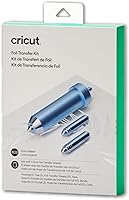
Cricut Premium Fine-Point Replacement Blade
Best fine point pack for Cricut - 7
 Check it
EVISWIY CB09 Blades for Silhouette Cameo 4/4
Best for CB09 angle variety - 8
 Check it
FOSHIO 100PCS 30 Degree Carbon Steel Snap
Best for hand craft snap blades
Replacement blades for Silhouette Cameo, compared by depth control and fit
The top three picks here are true Cameo machine blades. The other picks cover ceramic hand blades, Cricut blades and snap off hand blades, so check fit before you order anything.
Replacement Silhouette Blade for Cameo: Best for most Cameo owners
- Ratchet-style 0.1mm to 1mm adjustable carbide blade
- Includes adjustment tool
- Compatible with all Silhouette electronic cutting tools
A broad fit ratchet blade with an included adjustment tool, suited to vinyl, cardstock, chipboard and fabric projects.
Pros
- Wide Silhouette compatibility
- Fine depth steps
- Includes adjustment tool
Cons
- Manual depth adjustment
- Single blade per pack
This ratchet blade suits Cameo owners who cut a mix of vinyl, cardstock, chipboard and fabric. Its 0.1mm to 1mm depth range lets you dial in thin vinyl without pushing force through the mat.
The ratchet style gives you repeatable steps when you switch materials. You can note the setting for vinyl, then move one step deeper for cardstock.
That control helps with repeat jobs and small business orders.
Silhouette America says it fits all Silhouette electronic cutting tools and CraftROBO tools. The pack includes one blade, one ratchet cap and an adjustment tool.
A spare blade in your craft box is a smart habit for long cutting days.
Trade offs are manual adjustment and a single blade per pack. If you want automatic depth on a Cameo 3, the AutoBlade below removes that step.
If you want a multi angle bundle, the CB09 set below covers more options.
Silhouette SILHBLADEAUTO Cameo 3 Auto Blade Replacement: Best for automatic depth setting
- Automated depth adjustment from software settings
- Sintered tungsten alloy blade
- Made for Silhouette Cameo 3
Let the Cameo 3 set blade depth from Silhouette Studio settings, which suits everyday cardstock and vinyl work.
Pros
- Automatic depth adjustment
- Tungsten alloy tip
- Simple one blade pack
Cons
- Cameo 3 focused
- Less manual control than ratchet or CB09 options
This AutoBlade suits Cameo 3 owners who want the machine to set depth from Silhouette Studio. Its automated adjustment reads your software cut settings, so you spend less time turning a cap by hand.
The blade uses sintered tungsten alloy. That material holds an edge well for everyday cardstock, vinyl and paper work.
It is a simple one blade pack with auto and manual operation modes listed.
Daily use is faster when you switch between thin and thicker materials in one session. You set the material in software, and the machine adjusts the blade for you.
That helps when you run several small jobs back to back.
The main trade off is fit. It is made for the Silhouette Cameo 3, so check your exact model first.
Manual ratchet and CB09 blades give you more direct control if you like fine tuning depth yourself.
Silhouette Premium Blade: Best for longer tungsten alloy life
- Premium tungsten alloy construction
- Silhouette America says up to 3x longer life
- Manual operation, fits all Silhouette cutting machines
A manual premium blade for paper, cardstock, vinyl and heat transfer material when you want fewer replacements.
Pros
- Tungsten alloy durability
- Broad Silhouette fit
- Compact pack
Cons
- Manual depth setting
- Single blade per pack
This Premium Blade suits buyers who want tungsten alloy durability with manual control. Silhouette America says the premium tungsten alloy lasts up to 3x longer than standard blades.
That claim matters if you cut often and dislike frequent swaps.
It fits all Silhouette cutting machines, including Cameo 3. You can cut paper, cardstock, vinyl and heat transfer material with one blade type.
The manual operation keeps depth setting in your hands.
In daily use, the benefit is fewer interruptions. A longer lasting tip means fewer mid project changes and more consistent edges on repeat orders.
The compact 2.75 x 4 x 0.875 inch pack is easy to store in a drawer.
Trade offs are manual depth setting and a single blade per pack. If you want the machine to set depth for you, choose the AutoBlade.
If you want three angles for fabric and detail, the CB09 bundle below gives you more choice.
Slice 10408 Replacement Blade: Best for finger friendly ceramic safety
- Ceramic zirconium oxide blade
- Finger friendly edge
- Reversible design, lasts 11x longer than metal per Slice
A safety focused ceramic blade for hand cutting thin materials and intricate work, not a Cameo machine blade.
Pros
- Finger friendly edge
- Reversible for longer use
- Rust resistant ceramic
Cons
- Not for Silhouette Cameo machines
- Hand tool use only
This Slice blade suits hand cutting work, not Cameo machine work. Its ceramic zirconium oxide edge is finger friendly and made to resist piercing skin during use.
That safety design is its main value.
Slice says the slow to dull ceramic edge lasts 11x longer than steel. The blade is reversible, which doubles its useful life in hand tools.
It also removes the need for special sharps disposal boxes, according to Slice.
The pointed tip helps pierce thin materials to start a cut. It fits all Slice box cutters, pen cutters and the Mini cutter.
Use it for cutting thin materials by hand, trimming, and craft knife tasks where control matters.
Trade offs are clear. It will not fit a Silhouette Cameo, Portrait or Curio.
If you need a machine blade for vinyl or fabric, choose a Silhouette ratchet, AutoBlade, Premium or CB09 option from this guide instead.
UTNVBTR Deep Point Blade + Housing: Best for deep point multi packs
- 6 deep point blades plus housing
- 60 degree deep cut design
- For thicker chipboard, foam, felt and cardstock
A deep point multi pack for thicker materials, aimed at Maker and Explore machines rather than Cameo.
Pros
- Six blades in one pack
- Housing included
- Suited to thicker materials
Cons
- Not a Silhouette Cameo blade
- Maker and Explore focused
This UTNVBTR set suits deep point work on Maker and Explore machines. It includes 6 deep point blades plus a housing, which helps if you cut thicker materials often and want spares ready.
The 60 degree deep cut design targets chipboard, rubber sheets, thick cardstock, stiffened felt, foam sheets and cardboard. German alloy construction and a rubber sleeve safety design support that thicker material focus.
Daily use suits people who switch between standard and deep point tools. Six blades mean you can keep one installed and store five spares.
The housing included in the pack simplifies replacement and installation.
Trade offs are brand fit. This set lists Maker 3, Maker 4, Maker, Explore 3, Explore 4, Explore Air 2, Air, One and Venture.
It is not a Silhouette Cameo blade. Cameo owners should choose a Silhouette or CB09 blade above.
Cricut Premium Fine-Point Replacement Blade: Best fine point pack for Cricut
- 5 count fine point blades
- Hard durable carbide steel
- For cardstock, vinyl, iron-on and lightweight fabrics
A five pack of fine point blades for light to mid weight materials on Cricut Maker and Explore machines.
Pros
- Five blades per pack
- Fine point detail
- German carbide steel design
Cons
- Not for Silhouette Cameo
- Housing sold separately
This Cricut five pack suits fine point work on Cricut machines. It includes 5 fine point replacement blades for cardstock, vinyl, iron-on, poster board and lightweight fabrics.
The blades use hard durable carbide steel with an improved design for lasting sharpness. Fine point geometry helps with small shapes and clean detail on light to mid weight materials.
Cricut lists compatibility with Maker and Explore, including Explore One, Explore Air and Explore Air 2.
Daily use fits crafters who cut many small designs. Five blades per pack reduce how often you reorder.
You will still need a housing, sold separately, to use them in your machine.
Trade offs are fit and material range. This is not a Silhouette Cameo blade.
It also targets light to mid weight materials, so thicker chipboard or foam work needs a deep point tool instead. Cameo owners should stay with Silhouette blades in this guide.
EVISWIY CB09 Blades for Silhouette Cameo 4/4: Best for CB09 angle variety
- 15 CB09 blades plus holder in 30, 45 and 60 degree
- Fits Cameo 1 to 4, Portrait and Curio
- Manual depth adjustment
A CB09 bundle that gives you three blade angles for fabric, general cuts and intricate detail on Cameo machines.
Pros
- Three angles in one bundle
- Holder included
- Broad Cameo range fit
Cons
- Manual depth only
- Requires separate angle learning
This EVISWIY bundle suits Cameo owners who want blade angle choice. It includes 15 CB09 blades plus one holder, with five each in 30, 45 and 60 degree.
The 45 degree blade covers most general purpose cuts. The 60 degree blade handles intricate and delicate cuts.
The 30 degree blade is recommended for fabric, thin cardboard and leather. That range helps you match tip geometry to the job.
It fits Silhouette Cameo 1, 2, 3 and 4, Portrait, Curio and Graphtec 6000 and CE 5000-60 plotters. The hard alloy tip is stated at HRA92 hardness for toughness and durability.
Materials include cardstock, fabric, heat transfer material, transparencies, paper, vellum and adhesive vinyl.
Trade offs are manual depth adjustment and a learning curve. These blades do not adjust automatically in Silhouette, so you set depth as a continuous variable by hand.
If that control sounds useful, this bundle gives the most angle variety here.
FOSHIO 100PCS 30 Degree Carbon Steel Snap: Best for hand craft snap blades
- 100pcs 9mm snap off blades
- 30 degree carbon steel
- Snap off design with 7 sections
A bulk snap off refill for hand craft knives cutting fabric, leather, vinyl and wallpaper, not for Cameo machines.
Pros
- 100 blades per pack
- Fresh edge by snapping
- Wide hand tool use
Cons
- Not for Silhouette Cameo
- Hand knife use only
This FOSHIO pack suits hand craft knife work. It includes 100pcs of 9mm 30 degree snap off blades in carbon steel.
That bulk count helps if you use hand tools for vinyl film, fabric, leather and wallpaper.
The snap off design has 7 sections. When one section dulls, you snap it off for a fresh edge.
The black coating and multi step sharpening support smooth cuts with a razor sharp acute angle.
Daily use fits artists, hobbyists and home crafters who prefer hand cutting for weeding, trimming and detail work. The 9mm width fits universal art knife handles.
Gloves are advised when you snap off a dull section.
Trade offs are fit. These are hand knife blades, not Silhouette Cameo blades.
They will not work in a Cameo, Portrait or Curio carriage. If you need machine cutting for vinyl or fabric, choose a ratchet, AutoBlade, Premium or CB09 blade above.
How the best silhouette cameo blade replacement options stack up
The table below shows the real split in this guide. Three picks fit Silhouette Cameo machines directly.
The rest fit Slice hand tools, Cricut machines or hand craft knives.
| Product | Best for | Blade type | Depth range | Compatibility | Our score |
|---|---|---|---|---|---|
| Replacement Silhouette Blade for Cameo | most Cameo owners | Ratchet carbide | 0.1mm to 1mm | Silhouette and CraftROBO tools | 9.7 |
| Silhouette SILHBLADEAUTO Cameo 3 Auto Blade Replacement | automatic depth setting | AutoBlade | Silhouette Cameo 3 | 9.6 | |
| Silhouette Premium Blade | longer tungsten alloy life | All Silhouette cutting machines | 9.5 | ||
| Slice 10408 Replacement Blade | finger friendly ceramic safety | Slice box, pen and Mini cutters | 9.2 | ||
| UTNVBTR Deep Point Blade + Housing | deep point multi packs | Maker and Explore series | 9.0 | ||
| Cricut Premium Fine-Point Replacement Blade | fine point pack for Cricut | Fine point | Cricut Maker and Explore | 8.8 | |
| EVISWIY CB09 Blades for Silhouette Cameo 4/4 | CB09 angle variety | Silhouette Cameo, Portrait, Curio | 8.5 | ||
| FOSHIO 100PCS 30 Degree Carbon Steel Snap | hand craft snap blades | 8.2 |
How we compared these blades
We compared blade type, depth control, material, angle, pack count and machine fit. We gave higher scores to true Silhouette Cameo blades because the search asks for that fit.
Tungsten alloy and carbide tips scored well for edge life. Ceramic scored well for hand safety.
Deep point and fine point Cricut blades scored for their own machine range, not for Cameo use.
We checked compatibility lists against each title and spec set. Cameo 3 AutoBlade fit is narrower than broad ratchet, Premium and CB09 fit.
That narrower fit is why the AutoBlade sits below the top ratchet pick.
We also weighed daily friction. Automatic depth saves time.
Manual ratchet and CB09 depth gives control. Bulk packs and multi angle bundles save reorders but add learning.
How to choose the best silhouette cameo blade replacement for your machine
The right silhouette cameo blade replacement starts with your exact machine. Cameo 3 can use AutoBlade, ratchet, Premium and CB09 options.
Cameo 4 and Portrait owners should check housing fit before you buy.
Which Cameo model do you own?
Cameo 3 owners have the most choice here. The AutoBlade is made for Cameo 3.
Ratchet and Premium blades list broad Silhouette fit. CB09 blades list Cameo 1 through 4.
Portrait and Curio owners should favor ratchet, Premium and CB09 options. The AutoBlade is Cameo 3 focused, so it is not the safe first choice for other models.
If you are still learning your machine, read how to use Silhouette Cameo 5 before you swap blades. The same machine basics help you test depth on scrap material.
Do you want automatic or manual depth?
Automatic depth suits speed. The Cameo 3 AutoBlade reads Silhouette Studio settings and sets itself.
That helps when you switch materials often in one session.
Manual depth suits control. Ratchet blades move in 0.1mm steps from 0.1mm to 1mm.
CB09 blades let you set depth as a continuous variable for each angle.
Pick AutoBlade if you want fewer steps. Pick ratchet or CB09 if you want to fine tune depth for vinyl, fabric or thicker stock.
Which blade angle should you use for vinyl, fabric and detail?
Angle changes how the tip enters the material. A sharper angle suits detail.
A wider angle suits general cuts and thicker stock.
30 degree, 45 degree and 60 degree CB09 blades
The EVISWIY CB09 bundle gives you all three angles. Use 45 degree for most general purpose cuts.
Use 60 degree for intricate and delicate cuts.
Use 30 degree for fabric, thin cardboard and leather, as EVISWIY recommends. That sharper tip enters soft or thin material with less drag.
If you only buy one angle, start with 45 degree. It covers vinyl, cardstock, paper and heat transfer material for most daily projects.
Ratchet and Premium blades for everyday Cameo work
The top ratchet blade and the Premium Blade do not split by angle in the same way. They focus on depth control and tungsten alloy or carbide durability.
That simplicity suits most vinyl and cardstock users. You set depth, cut, and adjust one step if the material changes.
Fewer angle choices can mean faster setup.
Choose Premium if you want Silhouette America to supply a longer lasting tungsten alloy tip. Choose ratchet if you want the included adjustment tool and broad tool fit.
How do you set depth for vinyl, fabric and thicker Cameo projects?
Depth is the first setting to check when a cut fails. A blade set too shallow will drag and tear.
A blade set too deep can cut the backing or mat.
Vinyl and heat transfer material
Start shallow for vinyl and heat transfer material. Test on scrap vinyl with your exact material and mat.
Weed the test shape before you judge the setting.
If the cut is hard to weed, try one small depth step deeper. If the backing is scored, step back.
Small steps matter more than force.
Fabric and thicker materials
Fabric needs a blade that can enter soft material without pushing it. CB09 30 degree blades are recommended for fabric in the bundle above.
For thicker Cameo work, check that your blade and housing allow the depth you need. Deep point Cricut and UTNVBTR blades target thicker stock, but they do not fit Cameo machines.
If you print then cut fabric projects, read How To Inkjet Print On Fabric? and How to Print on Fabric with an Inkjet Printer? to plan material order and prep.
When should you replace a silhouette cameo blade?
Replace a blade when the cut quality changes at the same settings. Rough edges, torn vinyl, skipped lines and poor weeding are clear signs.
Signs your current blade is dull
A dull tip drags instead of slicing. You may see fuzz on fabric, rough cardstock edges or small shapes that will not weed cleanly.
Try a fresh blade on the same scrap material. If the cut improves at the same depth, the old tip was worn.
Keep the old blade out of your active holder to avoid confusion.
How to store spare blades
Keep one spare blade in your craft box, as Silhouette America advises. Store blades in their holders or caps, away from loose tools that can bend the tip.
Label spare blades by type if you keep ratchet, AutoBlade, Premium and CB09 blades at once. That habit prevents a wrong fit during a rushed job.
What other Silhouette guides should you read next?
Machine fit matters as much as blade fit. A blade that matches your model will save you time and wasted material.
Read What Is a Silhouette Cameo 3? if you are new to the range. It explains the model basics before you choose a blade.
Compare machine bundles in Best Silhouette Cameo Machines and Bundles if you are thinking about an upgrade. A newer machine may use a different blade system.
If you use a Portrait, read Best Replacement Blades for Silhouette Portrait for Portrait specific fit checks. The same depth and angle rules apply, but housing fit differs.
Verdict: pick the blade that matches your machine and material
The best silhouette cameo blade replacement for most Cameo owners is the Replacement Silhouette Blade for Cameo, Portrait & Curio, because its ratchet depth from 0.1mm to 1mm covers vinyl, cardstock, chipboard and fabric with broad Silhouette fit.
Pick the Silhouette SILHBLADEAUTO Cameo 3 Auto Blade Replacement if you own a Cameo 3 and want automatic depth from software. Pick the Silhouette Premium Blade if you want tungsten alloy and manual control.
Pick the EVISWIY CB09 bundle if you want 30, 45 and 60 degree choice for fabric and detail.
Skip the Slice, UTNVBTR, Cricut and FOSHIO picks for Cameo use, even though each one is strong for its own tool. Fit comes first.
Then match depth control and angle to the material you cut most.
Start with your machine model, test depth on scrap material, and keep one spare blade ready. That simple routine will improve most vinyl, fabric and thicker Cameo projects right away.
Our top 3 picks at a glance
-
1
-
2
Best for automatic depth setting
Silhouette SILHBLADEAUTO Cameo 3 Auto Blade Replacement
9.6/10 our score
See it on Amazon -
3
Frequently asked questions
How often should you replace a Silhouette Cameo blade?
Replace a Cameo blade when cuts tear, drag or leave rough edges at the correct depth. Heavy vinyl, fabric and chipboard work dulls a tip faster than paper.
Keep a spare blade in your craft box so a job does not stop mid project.
What blade angle should you use for vinyl?
A 45 degree blade suits most general vinyl and cardstock cuts. A 60 degree blade handles intricate small detail.
A 30 degree blade suits fabric, thin cardboard and leather in CB09 systems.
Match the angle to detail and material thickness.
Can you use a Cricut blade in a Silhouette Cameo?
No. Cricut fine point and deep point blades use Cricut housings and machine settings.
Silhouette Cameo blades use Silhouette housings, ratchet caps, AutoBlade control or CB09 holders depending on the model.
What is the difference between AutoBlade and manual blades?
An AutoBlade reads depth from Silhouette Studio and adjusts itself on a Cameo 3. Manual ratchet, premium and CB09 blades need you to set depth by hand.
AutoBlade suits speed, while manual blades give direct control.