Cricut Maker vs Explore: Which Fits Your Crafts? (November 2026)
Pick the Cricut Maker for thicker materials and more tool options, and the Explore for vinyl, cardstock and everyday crafts. In this cricut maker vs explore comparison, material range and tool support decide the choice more than speed alone.
On this page (12 sections)
- Cricut Maker vs Explore side by side
- Materials: 300+ versus 100+
- Tools: 13 tools versus 6 tools
- Vinyl, iron-on and cardstock for everyday work
- Fabric, leather, wood and thick materials
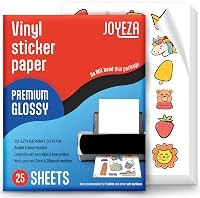
- Stickers and Print-Then-Cut with your printer
- Foil, scoring and card making
- Bundles, digital content and first projects
- Size, setup and daily use
- Who should buy the Cricut Maker?
- Who should buy the Cricut Explore?
- Verdict: which fits your crafts in this cricut maker vs explore match?
Pick the Cricut Maker for thicker materials and more tools, and the Explore for vinyl, cardstock and everyday projects. For a generation-by-generation Maker comparison, read Cricut Maker vs Maker 3.
In this cricut maker vs explore test, the Maker family works with 300+ materials, while the Explore 5 works with 100+ materials.
Our score weighs specs, features and buyer feedback against what you are shopping for. We compared the materials, tool counts, bundle contents and project types for each machine.
If your work is mostly decals, cards and stickers, the Explore covers it. If you also want leather, wood, engraving or debossing, the Maker is the fit.


Cricut Maker vs Explore side by side
The Maker wins on material range and tools; the Explore wins on simple everyday scope. For a wider format option, compare Cricut Maker vs Venture.
Both cut at 12 in wide, so size alone does not separate them.
| Point | Cricut Maker family | Cricut Explore 5 |
|---|---|---|
| Materials | 300+ materials | 100+ materials |
| Tool support | 13 tools on Maker 5 | 6 tools on Explore 5 |
| Thick materials | Up to 3 mm, including leather and foam core | Deep Cutting Tool for thicker materials like foam and rubber |
| Common crafts | Vinyl, iron-on, cardstock, fabric, stickers | Vinyl, iron-on, cardstock, stickers, decals |
| Bundle projects | Up to 65 projects in Maker 5 bundle | Up to 65 projects in Explore 5 bundle |
| Print-Then-Cut | Yes, with most inkjet printers | Yes, with home inkjet printer |
The table shows the real split. Maker is built for range.
Explore is built for the most common craft list.
Materials: 300+ versus 100+
Choose the Maker if your material list goes beyond paper, vinyl and iron-on. The Maker works with 300+ materials, including leather, wood, vinyl, iron-on, cardstock and stickers.
Maker 5 precision-cuts popular materials such as vinyl, iron-on, cardstock and fabric. It also cuts thicker materials up to 3 mm, including leather and foam core board.
Explore 5 precision-cuts 100+ popular materials, including vinyl, iron-on, cardstock and printable materials. That list covers a lot of weekly crafting, but it is a shorter list.
Think about the project you want next month, not only this week. A quilter, leather worker or sign maker will feel the Maker limit less than the Explore limit.
Our guide to craft cutting machines helps you match material range to project types. Start there if you are new to this category.
How to map your material list before you choose
Make a plain list of every material you plan to cut in the next few months. Put vinyl, iron-on, cardstock and printable materials in one group.
Put fabric, leather, wood, foam core board, metal and acrylic in another group.
The first group is where the Explore 5 feels strong. It precision-cuts 100+ popular materials, including vinyl, iron-on, cardstock and printable materials.
That group also covers custom decals, personalized apparel, full-color stickers and cards.
The second group is where the Maker earns its place. Maker 5 works with 300+ materials and cuts thicker materials up to 3 mm.
That range includes leather and foam core board for cutting, plus metal and acrylic for engraving.
Check thickness as well as material name. Maker 5 is described as cutting and engraving materials up to 3 mm.
Explore 5 can work with a Deep Cutting Tool sold separately for thicker materials like foam and rubber.
Do not assume a material name tells the whole story. Cardstock for a card and a thicker board for a sign need different settings, tools and machine range.
The 12 in cutting width is shared, but the material ceiling is not shared.
Look at your current supplies first. If your drawer already holds cardstock, vinyl and printable materials, the Explore list may cover your next projects.
If it holds leather, fabric and board, the Maker list fits better.
Use the bundle contents as a clue, not as the decision. Both Essential Bundles include supplies for up to 65 projects, but the machines behind those supplies handle different material ranges.
The bundle helps you start, while the material list decides which machine lasts.
Tools: 13 tools versus 6 tools
Choose the Maker if you want engraving, debossing and perforating in one machine. Maker 5 works with 13 tools, while Explore 5 works with six tools.
Both families cut, write, draw, foil and score. The Maker adds more specialty options, and Cricut says it cuts, engraves, writes, draws, foils, scores, debosses and more.
Explore 5 works with six tools, including a Deep Cutting Tool sold separately for thicker materials like foam and rubber. It also has a snap-in pen holder.
Specialty tools are sold separately in both bundles. Compare the tool you want before you buy, since a tool you will use weekly matters more than a long tool list.
If you compare an older pairing, our cricut maker vs explore 5 post breaks down that newer match in more detail.
Vinyl, iron-on and cardstock for everyday work
Choose the Explore if most projects are vinyl decals, iron-on apparel and cards. Explore 5 is made for custom decals, personalized apparel, full-color stickers and cards.
It precision-cuts vinyl, iron-on and cardstock with precision. It writes, draws, foils, scores and cuts intricate designs.
The Maker also cuts those materials, plus thicker options. That extra range costs you in machine scope, not in everyday quality.
For vinyl work, blade choice and material settings matter. Our guide on what blade to use for cutting vinyl helps you set up clean cuts.
If your projects are mostly small and quick, the Explore may feel simpler. For a compact Cricut option, read the Cricut Joy Xtra review.
You get the same 12 in cutting width for larger decals and apparel designs.
Fabric, leather, wood and thick materials
Choose the Maker for fabric depth, leather, wood and materials up to 3 mm. Maker 5 cuts delicate fabric and paper, plus thicker materials like wood.
It engraves materials up to 3 mm, such as metal and acrylic. It can deboss leather and handle foam core board.
Explore 5 does not match that thick-material range. Its Deep Cutting Tool helps with thicker materials like foam and rubber, but it is not the same as the Maker range.
If you plan fabric appliques, leather goods or signs, the Maker is the safer pick. If you only cut iron-on for T-shirts, the Explore still covers that job.
Older model shoppers should also read our cricut maker vs cricut explore air 2 comparison. For a broader generation comparison, see Cricut Explore vs Explore Air.
It helps you place the Explore 5 against a prior generation.
Stickers and Print-Then-Cut with your printer
Both families make full-color stickers with Print-Then-Cut, so your printer and material matter most. Maker 4 is compatible with most inkjet printers for Print-Then-Cut.
Explore 5 lets you print a design with a home inkjet printer, then the machine cuts around the printed image. The bundle includes Printable Vinyl for that workflow.
You still need the right printable material for your use. A sticker for a water bottle and a sticker for a laptop need different durability.
Our post on Can You Print Labels without a Label Maker? explains when a printer and cutting machine can handle label-size work.
For shrink film and other printed crafts, our Best Inkjet Printer For Printing Shrink Film Crafts guide covers printer fit. Match the printer to the material, then let the cutter do the cut.
Foil, scoring and card making
Both families can foil and score, so foil work does not force you into a Maker. The Cricut Foil Transfer Kit is compatible with Cricut Maker and Cricut Explore machines.
The kit includes 12 foil transfer sheets in gold and silver at 4 x 6 in, 3 tips in fine, medium and bold, 1 tool housing and tape. It uses a pressure-activated system with no heat.
Cards, thank you notes and invites are a natural fit. The 4 x 6 in sheets suit card fronts, but larger projects need planning across sheets.
Card makers should also plan scoring and writing tools. Both families score and write, so choose the machine by your thicker materials first.
Bundles, digital content and first projects
Choose a bundle if you want tools and materials for many first projects without buying pieces one by one. Maker 5 and Explore 5 bundles both include supplies for up to 65 projects.
The Maker 5 Essential Bundle includes the Premium Fine Point Cutting Tool, Scoring Tool and Engraving Tool, plus Printable Vinyl and Insert Card Sets. It also includes 25 bonus premium images and 1 font.
The Explore 5 Essential Bundle includes Smart Vinyl, Smart Iron-On, Value Cardstock, Insert Card Sets and Printable Vinyl. It also includes 25 bonus premium images and 1 font.
Maker 4 includes a Fine-Point Blade, Materials Sampler, Fine Point Pen, Light Grip Mat, Weeder and 30 bonus images. That sampler includes Smart Vinyl, Matless Vinyl, Smart Iron-On, Matless Heat Transfer Vinyl, Cardstock and Transfer Tape.
Digital content is registered in Design Space and is not a physical disc. Add a Cricut Access subscription only if you want the full content library.
Size, setup and daily use
Both new bundles use 12 in cutting performance, but Maker 5 is described as 30% more compact than previous models. Explore 5 is also described as 30% more compact than previous models.
Maker 4 measures 22.1 in wide, 7.1 in deep and 6.2 in high. Measure your table and storage space before you order, especially if you keep the machine out daily.
Both new machines use Design Space through a compatible computer or mobile device with Bluetooth and high-speed internet. System requirements can change, so check before setup.
No design experience is required for either family. Design Space has step-by-step flows and templates, plus a free library with 3,000+ images and 100+ fonts.
Keep mats, blades and tools sorted by material type. Clean the mat, check blade wear and store specialty tools where you can find them fast.
Who should buy the Cricut Maker?
Buy the Maker if you want one machine for thick materials, fabric depth and specialty tools. It suits quilters, leather crafters, sign makers and mixed-media crafters.
It also suits sticker and apparel makers who want room to grow. You can start with vinyl and cardstock, then add engraving or debossing later.
The Maker is less ideal if your list is only vinyl, cards and iron-on. In that case, the Explore covers your core list with fewer features to manage.
If you want the smallest Cricut for simple cuts, compare our Cricut Maker vs Joy post. That match helps you see when a compact machine is enough.
Who should buy the Cricut Explore?
Buy the Explore if your crafts center on vinyl, iron-on, cardstock, decals and stickers. It suits beginners, card makers and apparel crafters who want a focused machine.
Explore 5 cuts 100+ materials and works with six tools. That scope fits most everyday projects without paying for Maker-only depth.
It is less ideal for leather, wood, metal engraving or debossing. If those projects are on your list, choose the Maker instead.
Our Silhouette Cameo 5 Alpha review offers a close look at a rival family. Read it if you are cross-shopping brands before you commit.
Verdict: which fits your crafts in this cricut maker vs explore match?
Pick the Maker for 300+ materials, 13 tools and thick projects; pick the Explore for 100+ materials and everyday vinyl, card and sticker work. Your next three projects should make the call.
List the materials you will cut in the next 3 months. If leather, wood, foam core or engraving appears, choose the Maker.
If your list is vinyl, iron-on, cardstock and printable materials, the Explore 5 bundle is a strong fit. Both bundles include supplies for up to 65 projects, so either can start strong.
For foil accents on cards, add the Foil Transfer Kit to either machine. For stickers, match your inkjet printer and printable material first, then choose the cutter.
Start with the machine that cuts the materials you already own. That choice saves more money than any bundle bonus.
Frequently asked questions
Is the Cricut Maker better than the Explore?
The Maker is better if you cut thick materials or want more specialty tools, since it works with 300+ materials and 13 tools in the Maker 5 bundle. The Explore suits vinyl, iron-on and cardstock, with 100+ materials and six tools.
Your material list should decide, not the name alone.
Can the Explore cut fabric and leather?
The Explore precision-cuts 100+ popular materials, including vinyl, iron-on and cardstock, and it works with a Deep Cutting Tool for thicker materials like foam and rubber. The Maker range goes further, with materials up to 3 mm, including leather and foam core board.
Check your fabric and material types before you choose.
What is the difference between Maker and Explore tools?
Maker 5 works with 13 tools, while Explore 5 works with six tools. Both families cut, write, draw, foil and score, but the Maker adds more specialty options such as engraving and debossing.
The Foil Transfer Kit works with both families, so foil accents do not require a Maker.
Which machine is better for stickers?
Both families handle full-color stickers through Print-Then-Cut with a home inkjet printer. The Explore 5 bundle includes Printable Vinyl, and the Maker 4 bundle works with most inkjet printers for Print-Then-Cut.
Choose by your other materials, since sticker quality depends on the printable material and printer match.
Can either machine use Design Space?
Yes. Design Space is the free app that connects to all Cricut cutting machines, and both Maker and Explore bundles include bonus digital images.
The free library includes 3,000+ images and 100+ fonts, with more content available through a paid subscription.
You will need a compatible computer or mobile device with Bluetooth and internet.