How to Use Sublimation Paper with Cricut
Use Cricut to cut or draw your design, but print sublimation transfers with sublimation ink before applying heat to a compatible blank. Cricut does not turn regular printer ink or ordinary blanks into sublimation projects.
On this page (10 sections)
- What do you need to use sublimation paper with Cricut?
- Can Cricut print on sublimation paper?
- How do you prepare a sublimation design in Cricut Design Space?
- Which sublimation paper works with a Cricut workflow?
- How do you cut sublimation paper with Cricut?
- How do you apply a sublimation transfer with heat?
- What if you are decorating a dark cotton shirt?
- Which shirt suits a Cricut transfer project?
- How do you avoid common Cricut sublimation mistakes?
- What is the safest way to choose between the materials?
Use Cricut to prepare and cut a sublimation design, then print it with sublimation ink and apply it to a compatible blank with controlled heat. A Cricut cutting machine is not a sublimation printer, so the printer, paper, ink, blank, and heat source all need to match.
The workflow is simple: design, mirror, print, cut, position, press, and cool. Before you begin, decide whether you are making a true sublimation transfer or using printable heat transfer paper for a cotton or dark shirt.
What do you need to use sublimation paper with Cricut?
You need a Cricut machine or design tool, a compatible sublimation printer, sublimation ink, sublimation paper, a suitable blank, heat-resistant tape, and a heat press or Cricut EasyPress. You may also need a lint roller, protective paper, and a flat pressing surface.
Sublimation paper works with sublimation ink only. Regular ink does not create the gas transfer needed for sublimation, and a standard inkjet printer cannot simply be converted by loading sublimation paper.
For printer and paper choices, compare the Best Sublimation Printer For T-Shirts before starting a shirt project. Paper quality matters, but it cannot fix the wrong ink or an unsuitable blank.
Can Cricut print on sublimation paper?
Cricut machines do not print sublimation ink. Use Cricut Design Space to arrange the artwork if you want, then send the mirrored file to a compatible sublimation printer.
A Cricut Explore Air 2 can cut materials and help with design preparation, but it does not replace the printer or heat press. See how to use cricut explore air 2 if you need help with that machine's basic controls.
Keep the design within the printable area of your paper. An 8.5 x 11 in sheet suits many small and medium designs, but measure the blank first so the artwork is large enough without wasting transfer paper.
How do you prepare a sublimation design in Cricut Design Space?
Prepare the design at the size you need, check the colors, and mirror it before printing. Mirroring is especially important for text, logos, and artwork with a clear left and right direction.
- Create or upload the design.
- Set the finished size to match the blank.
- Flatten layered artwork if needed so it prints as one design.
- Turn on Mirror before sending the file to the printer.
- Print on the correct side of the sublimation paper.
- Let the printed sheet dry before handling it.
Use the printer's sublimation-paper or recommended media setting when available. Avoid touching the printed area, since handling can transfer ink or leave marks before pressing.
Which sublimation paper works with a Cricut workflow?
The A-SUB Sublimation Paper 8.5x11 Inch 110 Sheets suits people who want 110 coated sheets for repeated sublimation projects. The 8.5 x 11 in size works with many standard print layouts, and the paper is designed for sublimation ink rather than regular ink.
A-SUB describes this paper as fast drying, with a transfer rate of at least 98%, and says it works with white or light-colored high-quality polyester, material with cotton content of 30% or less, and coated ceramic, tile, phone case, metal plate, tumbler, and mug blanks. The surface must be compatible with sublimation.
Choose this type of paper when you are making true sublimation transfers. For more paper guidance, read What Is the Best Paper for Sublimation Printing? and What Paper Should I Use for Sublimation Printing?.
How do you cut sublimation paper with Cricut?
Cut the printed transfer only when cutting helps the design fit the blank or removes extra paper. For a full-sheet design, trimming around the artwork with scissors may be enough.
If you use a Cricut to cut the transfer, place the printed sheet on a cutting mat with the correct side facing up. For a sticker-specific workflow, see how to use sublimation sticker paper.
Use a setting that cuts the paper without damaging the mat, and test a small area when you are unsure.
Avoid cutting through important artwork or leaving a large paper border around the design. Extra paper can create unwanted transfer marks if it reaches the heated area.
Cricut's Print Then Cut process can help with shaped designs, but the printed transfer still needs sublimation ink and a suitable blank. Confirm the final orientation before cutting because the mirrored design may look backward on the mat.
How do you apply a sublimation transfer with heat?
Place the printed design against a clean, compatible blank, secure it with heat-resistant tape, and press it using the blank and paper maker's heat instructions. Time, temperature, pressure, and cooling affect the result, so use the settings recommended for the exact materials.
Prepare the blank by removing dust and lint. A lint roller can help with fabric, while a clean cloth may remove loose particles from a hard blank.
Place protective paper above and below the project when appropriate. Keep the transfer flat, tape the edges so it cannot shift, and avoid touching the printed side after positioning.
Use a heat press or Cricut EasyPress on a stable, heat-safe surface. Apply even pressure, keep the project still during pressing, and lift the press straight up when the cycle ends.
Let the item cool as directed before removing the paper. Pulling the transfer while it is hot can move the design or affect the finish.
What if you are decorating a dark cotton shirt?
True sublimation is not the right first choice for a dark cotton shirt. Sublimation needs a light-colored polyester or a compatible coated surface, while dark cotton usually needs printable heat transfer paper or another garment-transfer method.
The TransOurDream Heat Transfer Paper for Dark T suits people who want an inkjet transfer for dark cotton fabrics. It includes 20 sheets sized 8.5 x 11 in and 2 reusable A3 Teflon papers, and it is designed for pigment or dye ink, scissors or a cutting machine, and an iron or heat press.
The transfer method is different from sublimation: print and cut the image, peel and place it facing upward, cover it with Teflon paper, then apply heat. TransOurDream describes it for black and dark 70% to 100% cotton fabrics, including T-shirts, hoodies, totes, canvas bags, aprons, masks, pillow cases, cushion covers, tablecloths, flags, and banners.
Read sublimation paper vs heat transfer paper before choosing the paper. You can also compare how to use sublimation paper with iron if an iron is your available heat source, and review htv sublimation paper when you are considering a vinyl-based project.
Which shirt suits a Cricut transfer project?
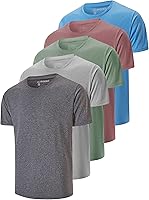
The Gildan Men's Crew T-Shirts, Multipack, Style G1100 suits people who want soft, breathable cotton crew-neck shirts for printable transfer projects. The design has a classic length, a lay-flat collar, tag-free construction, durable stitching, and moisture-wicking technology.
Because this is a cotton shirt, it is better matched to a dark-fabric heat transfer method than to direct sublimation. Check the shirt color and fiber content before choosing paper, since a transfer made for dark cotton does not follow the same process as sublimation paper.
Keep the shirt flat and smooth before pressing. Place the artwork where you want it, protect nearby fabric, and follow the transfer paper's instructions for pressure, heat, and peeling.
How do you avoid common Cricut sublimation mistakes?
The most common mistakes are using regular ink, printing on the wrong side, forgetting to mirror text, pressing an unsuitable blank, and moving the transfer during heating.
Check these points before pressing:
- Confirm that the printer uses sublimation ink for a sublimation project.
- Make sure the printed side is the side that receives the blank.
- Mirror text and directional artwork before printing.
- Use a white or light polyester surface or a compatible coated blank.
- Remove dust and lint from the blank.
- Tape the transfer so it cannot shift.
- Use a heat source with stable pressure and the correct material settings.
- Let the project cool before removing the paper when instructed.
A pale or uneven result can come from the wrong blank, weak pressure, incorrect heat settings, damp material, or a transfer that moved. Change one part of the process at a time so you can identify the cause.
What is the safest way to choose between the materials?
Choose sublimation paper when you have sublimation ink and a light polyester or coated blank. Choose dark-fabric heat transfer paper when you are using an ordinary inkjet printer and a dark cotton shirt.
For a Cricut sublimation workflow, the Cricut handles design preparation and cutting, the sublimation printer creates the transfer, and the heat press bonds it to the blank. For cotton garments, switch to a compatible heat-transfer product and follow its separate instructions.
The simple decision rule is: use A-SUB paper for true sublimation, TransOurDream paper for dark cotton inkjet transfers, and the Gildan shirt when your chosen transfer method matches its cotton fabric.
Frequently asked questions
Can you use sublimation paper with a Cricut?
Yes. Use Cricut Design Space or another design tool to prepare the artwork, then print it onto sublimation paper with sublimation ink.
Cricut can cut printed transfer sheets or help prepare a design, but the heat application still needs a compatible heat press, EasyPress, or another controlled heat source.
Do you mirror sublimation prints before cutting?
Yes, mirror the design before printing when the transfer will be pressed face down onto the blank. Mirroring keeps words and directional artwork readable after transfer.
Check the instructions for your paper and blank before printing, especially when using a transfer method that sits face up.
What blanks work with sublimation paper?
Sublimation works best on white or light-colored polyester and specially coated blanks. The transfer can also suit materials such as coated ceramic, tile, metal, phone cases, tumblers, and mugs when they are made for sublimation.
Cotton shirts need a different transfer method unless a compatible surface is added.
Can a Cricut print sublimation designs?
A Cricut cutting machine does not print sublimation ink. Use a compatible printer filled with sublimation ink to make the transfer, then use the Cricut for cutting, alignment, or other design preparation.
A heat press applies the printed design to the blank.