Inkjet vs DeskJet Printer: What Is the Difference? (November 2026)
DeskJet is HP’s printer brand, while inkjet describes a printing technology. Many DeskJet models use inkjet printing, so the terms aren’t competing printer types.
On this page (6 sections)
DeskJet is HP’s printer brand, while inkjet describes a printing technology. Many DeskJet printers use inkjet printing, so “inkjet vs DeskJet” isn’t a choice between two different printing methods.
The useful comparison is between individual models: what they print, how they handle paper, which ink system they use, and whether they include scanning or copying. A printer’s brand name alone doesn’t answer those questions.
Is a DeskJet an inkjet printer?
Yes, many HP DeskJet printers are inkjet printers. “DeskJet” identifies a product line, while “inkjet” describes a technology that sprays small drops of liquid ink onto paper.
That means an inkjet printer can be a DeskJet, but it can also be made by Canon, Brother, or another brand. HP’s Envy 6155, for example, is identified as an inkjet printer without being called a DeskJet.
When comparing printers, look for the exact model’s technology and features. The name on the front may tell you the family, but not whether that model has an automatic document feeder, two-sided printing, or a particular ink setup.
What does “inkjet” describe?
Inkjet describes how a printer makes an image with liquid ink. The term applies across brands and product lines, including cartridge printers and ink-tank models.
Inkjet printers can suit documents, color graphics, and photos. The results and operating costs vary by model, ink system, paper, and print settings, so the technology name alone doesn’t promise a particular output quality or cost.
There are different types of inkjet printers, from basic cartridge units to models with refillable tanks. Think about how often you print and whether you need color before choosing between them.
A thermal printer uses heat to create an image on compatible media. It isn’t another name for an inkjet; learn what the meaning of thermal printer is if you’re comparing label or receipt devices.
What does “DeskJet” describe?
DeskJet is a name for an HP printer family, not a universal printer category. HP uses other family names too, and features can differ from one model to the next.
A DeskJet label doesn’t tell you whether a model prints on both sides, scans documents, or uses a particular paper tray. Notaries handling different paper stocks can compare dual-tray laser printers for notaries.
Those are model-level details to check when deciding if a printer will fit your routine.
The same goes for ink. Don’t assume that every printer with a similar brand name accepts the same cartridges.
Confirm cartridge compatibility for the exact model before buying replacement supplies.
How should you compare an inkjet with a DeskJet?
Compare the exact models by features and supplies, because “inkjet” and “DeskJet” describe different things. Start with your print volume, the kinds of pages you make, and the tasks you want one machine to handle.
Once you narrow the features, compare current inkjet printer deals.
Match the ink system to how much you print
Cartridge inkjets can be a straightforward fit for occasional printing, while an ink-tank model may suit a household that prints often. Compare the printer’s ink system and the cost and availability of compatible supplies.
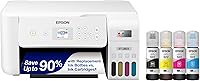
For a higher-volume option, the Canon MegaTank G3270 is an inkjet all-in-one with wireless printing, copying, and scanning. Canon says one set of inks can print up to 6,000 black-and-white or 7,700 color pages; actual results depend on what and how you print.
Check paper handling and extra functions
If you scan or copy multi-page documents, an auto document feeder can save you from placing each page on the glass. Compare all-in-one color laser printers for those tasks.
Automatic two-sided printing can help when you regularly print longer documents and want both sides used.
The Canon PIXMA TR7120 combines inkjet printing with an auto document feeder, scanning, copying, and automatic duplex printing. It’s a more feature-rich choice for document tasks than a printer used only for occasional single-page jobs.
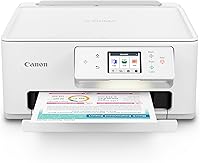
For simpler everyday use, the Canon PIXMA TS6520 prints, scans, and copies, with automatic two-sided printing in a compact design. It doesn’t include an auto document feeder, so it may be a better match when multi-page scanning is uncommon.
Check the software and controls you’ll use
Wireless printing and a phone app can make sense if you often send pages from a tablet or smartphone. Also look at the printer’s display and setup details, since a small screen and a touchscreen offer different ways to control jobs.
The HP Envy 6155 is an inkjet all-in-one with a color touchscreen, wireless printing, and print, scan, and copy functions. HP states that the model works only with cartridges that use original HP chips or circuitry, so factor that requirement into your supply choice.
If you’re comparing brands and trying to keep to a budget, our guide to Brother or HP inkjet printers under 200 dollars can help you narrow the options.
When is an inkjet a better fit than a laser printer?
An inkjet may fit better if you want color documents or photos in a home printer. A laser printer may suit frequent text printing or a workflow where toner-based printing is a better match.
Compare black and white printers for that option. Compare color laser printers for home use for that option.
The right choice depends on the models and your use. Compare print volume, color needs, available supplies, and functions such as scanning or automatic duplex printing.
For a fuller comparison, see what the difference between inkjet and laser printers is and how an inkjet differs from a laser printer.
You may also want to decide which printer functions matter before choosing a family name. Our guide to which type of printer you should choose walks through common printer types and uses.
Which should you choose: an inkjet or a DeskJet?
Choose an inkjet by technology and features, and treat DeskJet as an HP brand name. If you’re looking at a particular DeskJet, check its exact functions, paper handling, ink supplies, and connectivity against your needs.
For everyday color printing, a cartridge inkjet may be enough. Frequent printing may point you toward an ink-tank model, while multi-page scanning can make an auto document feeder useful.
A DeskJet may be right for you if a specific HP model has the functions and supplies you want. For the clearest decision, compare model specifications side by side rather than treating “inkjet” and “DeskJet” as competing categories.
Frequently asked questions
Is a DeskJet an inkjet printer?
Many DeskJet printers are inkjet printers. DeskJet is a product brand name used by HP, while inkjet describes how a printer places liquid ink onto paper.
Check the exact model’s specifications if you need to confirm its printing technology or features.
What is the difference between inkjet and DeskJet?
Inkjet is a printing method, and DeskJet is a printer brand name. The terms describe different things, so a DeskJet can also be an inkjet printer.
Other brands make inkjet printers under their own product names.
Are all HP printers DeskJet printers?
No. DeskJet is one HP printer line, and HP also sells other printer families, including Envy models.
Compare the exact model’s functions, ink system, paper handling, and connectivity instead of assuming every HP printer is a DeskJet.
Should I choose an inkjet or a laser printer?
Choose by the type of work you do and the printer’s ongoing supplies. Inkjet models use liquid ink and commonly handle color documents and photos; laser models use toner.
Compare the exact models’ print functions, media support, and supply costs before deciding.