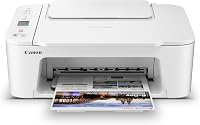
Types of Inkjet Printers: Which Should You Choose?
The main types of inkjet printers differ by printhead design, ink system and intended use. Choose a standard cartridge model for everyday documents, a photo inkjet for image detail, a tank printer for frequent volume, or a specialty model for a specific material or task.
On this page (5 sections)
Types of inkjet printers include cartridge models for everyday work, photo printers for image detail, tank printers for frequent printing, mobile printers for work on the go, and specialty models for particular materials. Start with what you print, how often you print, and whether you need portability or a specific output.
The word “inkjet” describes how a printer puts ink onto paper. It does not tell you whether the printer is best for family photos, schoolwork, travel documents or stencil transfers.
If you are still choosing between printer technologies, our guide to the best type of printer compares inkjet with other printer families.
What are the main types of inkjet printers?
The main types are cartridge, ink tank, photo, mobile and specialty inkjet printers. Some models fit more than one group, such as a mobile all-in-one that prints, scans and copies.
| Type | Best fit | What to check |
|---|---|---|
| Standard cartridge inkjet | Everyday documents and occasional color printing | Cartridge availability, paper sizes and print functions |
| Ink tank inkjet | Frequent printing in higher volumes | Included ink, refill process and expected print mix |
| Photo inkjet | Photos and image-heavy work | Supported media, borderless printing and ink colors |
| Mobile inkjet | Printing away from a fixed desk | Battery, size, wireless setup and available functions |
| Specialty inkjet | A particular material or output, such as transfers | Media compatibility, printer settings and workflow |
These groups describe design choices and common uses, not strict categories. A printer may serve as both a document machine and a photo printer, but the best fit depends on how often you use each function.
How do inkjet printers put ink on paper?
Inkjet printers create an image by placing tiny drops of ink onto a surface. The exact method depends on the printhead design, but the basic idea is the same across common inkjet types.
Some printers use a thermal process to heat ink and push droplets through the printhead. Others use piezoelectric parts that flex to move ink.
For a closer explanation, read how an inkjet printer works.
Which inkjet type suits your printing tasks?
Choose a type by matching your regular print jobs to the printer’s ink system and features. Occasional homework and forms call for different priorities than weekly photo projects or mobile office work.
Are cartridge inkjet printers right for occasional use?
A cartridge inkjet can suit a home that prints documents and color pages in modest amounts. It usually keeps the purchase decision simple: check which cartridges it takes, whether it prints in color, and if it also scans or copies.
The trade-off is that replacement cartridges are part of the ongoing cost. Before you choose, consider how often you print and whether a long gap between print jobs could leave ink sitting unused.
If you are comparing lower-cost models, our guide to a printer under 200 dollars with a straight paper path can help you assess paper handling alongside price range.
Are ink tank printers better for frequent printing?
An ink tank printer may suit you if you print often and want refillable ink reservoirs instead of relying on small cartridges. Check what ink comes in the box, how refills work, and whether the printer handles your mix of text and color pages.
A larger reservoir does not automatically make a model the right choice. Compare the printer’s functions, supported media and supplies with your needs, and check current ink availability before committing.
Should you choose a photo inkjet for photos?
A photo inkjet is designed around image printing, so start by checking the photo sizes, paper types and borderless options it supports. Models vary, and the word “photo” alone does not promise that a particular printer supports the size or finish you want.
If photos are only an occasional part of your workload, compare their paper requirements with the document features you need. You may not need a separate photo-focused model if your regular printer already supports your preferred photo paper and dimensions.
When does a mobile inkjet make sense?
A mobile inkjet suits work that moves between locations, especially when printing, scanning or copying away from a desk matters. For laptop-friendly options, see portable inkjet printers for laptops.
Check the battery, wireless connection method, supported paper sizes and the space you have for carrying it.
The HP OfficeJet 250 is a mobile all-in-one inkjet that can print, scan and copy. It supports paper sizes including letter, legal, cards and photo formats.
What counts as a specialty inkjet printer?
A specialty inkjet is built for a defined output or material, such as labels, art prints or transfer work. Compatibility with the printer and workflow matters more than the “inkjet” label by itself.
Tatu-Derm Inkjet Stencils Tracing Paper is made for printing tattoo stencils with compatible desktop inkjet printers. It comes in 8.5 x 11 in and 8.5 x 14 in sizes, so check that the printer and chosen design can handle the sheet size you need.
Which ink and printhead system should you compare?
Compare the ink format and printhead setup described for each model, then check that you can get the supplies when needed. Cartridge and tank systems shape how you replenish ink, while printhead design affects how the printer places droplets.
A buyer’s guide that says only “inkjet” leaves out key differences. Confirm the exact cartridge or refill system, how color ink is handled, and whether the printer needs a particular media setting for your task.
The printer’s name can also blur category boundaries. For example, HP’s OfficeJet brand includes inkjet printers, so “DeskJet” and “inkjet” do not always describe competing technologies.
See our explainer on inkjet vs DeskJet printers for the distinction.
What should you check before choosing an inkjet printer?
Check paper fit, print volume, functions, connection needs and supply availability before deciding. These practical details help narrow the type and model without assuming that every printer in a category works the same way.
- Print jobs: List the pages you make most often, such as text documents, color graphics, photos or specialty transfers.
- Frequency: Estimate how often you print and whether you may leave the printer unused for weeks.
- Paper: Check supported sizes and types against the sheets you plan to use.
- Functions: Decide if you need scanning, copying or only printing.
- Portability: If you work in different places, confirm battery and wireless needs.
- Supplies: Identify the ink system and confirm the replacement supplies suit your budget and workflow.
If two models meet the same needs, compare their setup and paper path. A straight path can be useful when you have a specific paper-handling need, so review the details in our inkjet printer under 200 dollars straight paper path guide.
When comparing brands, focus on the exact models and supplies rather than assuming all printers from a brand share the same features. Our Brother or HP inkjet under 200 dollars comparison helps frame that model-by-model decision.
Which type of inkjet printer should you choose?
Choose a cartridge inkjet for modest everyday printing, a tank model for frequent volume, a photo model for regular photo work, a mobile printer for portable jobs, or a specialty printer for a defined material. Then confirm supported paper sizes, functions and ink supplies for the specific model.
If your needs are mixed, start with the most important job and make sure the printer handles the rest acceptably. For more model-selection criteria, see what makes a good inkjet printer.
A new-sibling keepsake book is not a printer, but it can suit families looking for a gift to read together when a new baby arrives.