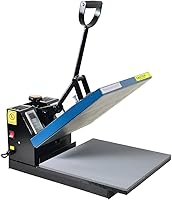
How to Choose an Automatic Dual Station Heat Press
Pick an automatic dual heat press by platen size, auto release and pressure range first: a dual station setup lets you load one garment while the other presses. Check heat up time, thickness limits and safety shutoff before you compare price.
On this page (11 sections)
- How does an automatic dual station heat press change your workflow?
- What platen size fits an automatic dual heat press?
- How do auto release and hands free modes really work?
- How much pressure should an automatic dual heat press have?
- How fast should an automatic heat press heat up?
- How do you load two stations without slowing down?
- What safety features matter on an automatic dual heat press?
- How do presets and modes help with HTV and sublimation?
- What footprint and setup should you plan for dual stations?
- How do you judge quality from specs and buyer patterns?
- Which automatic dual heat press setup should you choose?
An automatic dual heat press works best when you plan for two garments in motion at once, with auto release doing the timing while you load the second station. That workflow cuts idle time between presses.
You do not need a dual station on day one. You need a size, pressure range and release cycle that match the blanks you press most.
Start with your biggest design, then work backward to the machine footprint.
The models below show how current auto presses handle release, heat and pressure. Use them to judge features, even if your final pick is a true two station unit.
How does an automatic dual station heat press change your workflow?
A dual station layout lets one side press while you prepare the other side. The main gain is overlap, not raw pressing speed.
Loading, weeding checks and alignment no longer wait for a timer to end.
Think of each cycle as three parts: load, press and unload. On a single station, those parts run one after another.
On two stations, load for garment B can happen during the press for garment A.
That overlap matters most when load time is long. Hoodies, layered transfers and youth sizes often need careful placement.
A dual station setup gives you a steady rhythm instead of start, stop, start.
You still handle every garment. Auto release lifts the platen, but it does not center a shirt, check a fold or pull a finished blank off the tray.
Your hands stay busy, just in a better order.
Dual stations also add footprint and weight. Measure the table, the swing or slide travel and the space behind the machine before you assume two stations will fit.
Rule: choose dual stations only when loading time, not pressing time, is your bottleneck.
What platen size fits an automatic dual heat press?
Choose platen size from your largest design and garment. A 15x15 in platen covers many adult shirt designs in one press, while a 16x20 in platen adds room for wide prints.
Bigger is not always better for dual stations.
Small youth shirts and tote bags can feel awkward on a very large platen. You spend more time centering and more time reaching across the surface.
A smaller platen can feel faster for small blanks, even with less overlap.
Long garments create a different problem. Hoodies and dresses may drape past the tray edge.
Check how the garment hangs, folds or needs support while the other station loads.
Size also affects heat recovery. Larger platens can take longer to return to a set temperature after a cold garment goes on.
Maker specs for heat up time help, but recovery under load is what you feel in a batch.
If you mostly press adult tees in 10 to 12 in wide designs, 15x15 in is a sound starting point. If wide chest prints are routine, look at a larger automatic heat press 16x20 before you lock in dual stations.
Rule: size for your largest routine design, then confirm small blanks still load with control.
How do auto release and hands free modes really work?
Auto release means the machine lifts after the timer ends. You set time and temperature, start the cycle, and the platen rises without a pull handle.
Look for how the cycle starts. Some models use a button press after you slide a tray in, while others start when the platen closes.
In a dual station workflow, a clear start button helps you keep two stations out of sync on purpose.
Thickness sensing also matters. HTVRONT describes auto adjust for project thickness up to 1 inch on one 15x15 model.
That helps with layered items, but you still need to test pressure on your actual blanks.
Hands free does not mean unattended. You can prep the next garment or weed a transfer while a cycle runs, but stay close enough to hear the buzzer or timer end.
A best automatic heat press roundup helps you compare release types side by side. Check tray design, buzzer sound and whether the machine auto rises or only releases.
How much pressure should an automatic dual heat press have?
Pressure needs to match the transfer and the blank, not a trophy number. Adjustable pressure is more useful than a fixed maximum, because shirts, hoodies and tote blanks differ.
You will change settings by material.
Some transfers need firm contact for clean edges. Others can mark fabric if pressure is too high.
Test on scrap blanks first, then check the inside of the garment for impressions after you remove it.
Thicker items raise the stakes. HTVRONT lists a press height up to 1.77 in on its Auto Heat Press 2 model for hoodies and heavier items.
That extra height gives you room, but it does not replace a pressure test.
Dual stations make pressure consistency more important. If one station presses harder than the other, repeat orders can drift in quality.
Ask whether pressure is shared, separate or adjusted by station before you buy.
The Cricut EasyPress SE uses a handheld design with a ceramic coated plate, so it is not a dual station auto press. It still shows why even pressure and a steady hand matter on small items.
Rule: choose adjustable pressure you can set per material, not the highest number alone.
How fast should an automatic heat press heat up?
Heat up time shapes your first shirt of the day and your gaps between batches. A press that reaches common temperatures in about 4 to 5 minutes keeps short sessions moving.
Faster heat up matters more for part time sellers.
HTVRONT describes one 15x15 model reaching 320°F in 4 minutes, with faster heat up to 410°F than some other auto models. Its Auto Heat Press 2 model lists heat up to 410°F within 5 minutes and 30 seconds.
Those numbers help you compare, but your room and voltage also affect real heat up.
Even heat matters as much as speed. Dual tube heating and NTC thermistor control are cited by HTVRONT for stable temperature.
Even heat reduces cold spots at platen edges, where designs can peel or fade first.
Dual stations add a twist. If both stations draw power and heat at once, recovery can slow.
Ask how the maker handles dual heating, standby and temperature recovery between back to back cycles.
Rule: compare heat up, recovery and even heat together, not heat up alone.
Heat up time versus recovery time
Heat up is the empty platen warming from cold. Recovery is the return to set temperature after a cold garment loads.
Recovery decides batch speed once you are already running.
A cold hoodie can pull temperature down more than a thin tee. That drop shows up as a longer wait before the next station is ready.
In a dual workflow, one slow recovery can stall both stations.
Large platens often recover more slowly because more metal must reheat. Smaller platens can feel snappier, even if their top temperature is lower.
Match the platen to your blank weight.
Temperature range and control
Check the top temperature against your transfer guide. HTVRONT lists 410°F on its 15x15 models.
Cricut lists up to 400°F on the EasyPress SE. Choose a range that covers your materials with margin, then favor precise control over extra degrees.
A digital display and preset modes help repeat settings. HTVRONT lists 4 fast modes and 2 custom modes on one model.
Presets reduce setup errors when you switch between HTV and sublimation blanks.
{% raw %}Rule: test recovery on your thickest blank before you judge batch speed.{% endraw %}
How do you load two stations without slowing down?
Loading is where a dual station earns or loses its keep. Build a fixed load order, then keep it through every batch.
A steady order beats a clever shortcut you must rethink each time.
Stage blanks in pressing order before you start. Place transfers face up in the same orientation.
Keep a small scrap area nearby for quick test presses when you change materials.
Load station A, start its cycle, then load station B while A presses. When A releases, unload A first, reload A, then check B.
That pattern keeps one station loading while the other finishes.
Alignment tools help more than speed. A laser guide, platen ruler or simple centering mark can cut repositioning.
On shirts, check the neckline and side seams before you start the cycle, not after.
Our heat press machine buying guide covers platen types and tray styles in more detail. Read it if you are new to cling, swing, drawer and auto designs.
Rule: stage every blank before the first cycle, then follow the same load order each time.
Single station load for comparison
A single auto press still benefits from auto release. You load, start, prep the next item and unload on release.
The workflow is simpler, but pressing and loading never overlap.
That simplicity suits one off gifts, prototypes and mixed sizes. You spend more time waiting, but you also spend less time managing two garments at once.
If your orders are mixed, a single station can reduce errors. You can change settings, test a scrap and restart without disturbing a second garment mid cycle.
Dual station load rhythm
A dual rhythm works best with similar blanks. Adult tees of one color repeat cleanly.
Mixed youth and adult sizes can break the rhythm because load times differ.
Keep transfers pre weeded and stacked by size. If weeding happens during loading, the overlap gain shrinks fast.
Prep transfers in a separate pass before pressing starts.
Rule: keep dual stations for repeat blanks, and use single stations for mixed one off work.
What safety features matter on an automatic dual heat press?
Auto release helps safety, but it is only one layer. Look for auto shutoff, insulated handles and a tray design that keeps hands from the hot platen.
HTVRONT lists auto shutoff after 15 minutes of no operation on both 15x15 models. That timer protects against a forgotten press between batches.
Check whether it resets on any button press or only on a full cycle.
Drawer slide trays keep the platen raised while you load. Side handles and insulated placement plates add distance between fingers and heat.
In a dual setup, check both stations for the same protection.
Burn risk rises when you rush. A buzzer and auto rise give you space, but you still need a clear unload path.
Keep finished shirts and tools away from the tray travel line.
If you compare an auto open model, read our 16x20 heat press auto open guide. It covers how auto open differs from auto release and why that matters for loading.
Auto off and idle timers
An idle timer should match real shop pauses. Fifteen minutes suits short breaks, but it can shut down during a long weeding session.
Check whether restart is quick and whether settings are kept.
Some users prefer a manual power switch for long breaks. Others like auto off as a safety net.
Know which habit fits your room before you choose.
Heat, steam and ventilation
Heat presses do not create the same ventilation load as a printer, but sublimation blanks can release odors. Work with airflow, open a window or use a fan where possible.
Keep the press away from paper, vinyl scraps and heat sensitive supplies.
Rule: treat auto off as a backup, not a reason to leave a hot press alone.
How do presets and modes help with HTV and sublimation?
Presets save time when you switch materials often. Stored modes let you recall time and temperature without retyping settings for each blank.
That helps a dual workflow stay consistent.
HTVRONT lists fast modes and custom modes on one 15x15 model. Custom modes matter when your transfer maker recommends a narrow window.
Fast modes help when you press the same material all day.
HTV and sublimation blanks still need separate tests. HTV often needs a first press, peel check and second press.
Sublimation often needs even pressure and a clean, dry blank. Presets help, but they do not replace material guides.
Dual stations can hold different materials at once. That sounds efficient, but it adds risk.
If station A runs HTV settings and station B runs sublimation settings, a swapped blank can ruin both. Label stations or keep one material per batch.
For more on cutter workflow, see our best automatic heat press 15x15 guide. It compares 15x15 models that suit many small shops.
Rule: use presets for repeat materials, and test every new transfer on a scrap first.
What footprint and setup should you plan for dual stations?
Dual stations need more than a bigger table. Measure width, depth, tray travel and space for finished garments before you buy.
A press that fits the table can still block your work path.
Auto presses are heavy. HTVRONT lists 18.23 kg for one 15x15 model and 21.54 kg for the Auto Heat Press 2 model.
Weight affects setup, table strength and moves between rooms.
The Cricut EasyPress SE is far lighter and handheld, which shows the trade off. Portability suits small projects, but it is not a dual station auto workflow.
Choose based on fixed shop space versus moving between rooms.
Plan power as well. HTVRONT lists 110 volts for one model and 120 volts with 1500 watts for the Auto Heat Press 2 model.
Check your circuit, outlet position and cord reach before the press arrives.
Rule: tape the full footprint on your table, including tray travel, before you order.
How do you judge quality from specs and buyer patterns?
Specs tell you what a press can do. Buyer patterns tell you where it struggles.
Read both, and weight repeated comments about release, pressure and heat more than one time praise.
Owners often mention buzzer volume, tray smoothness and pressure consistency. Those details matter in a dual workflow because small friction adds up over a batch.
A sticky tray slows loading on both stations.
HTVRONT describes drawer slide design and side handles for safer loading. Cricut describes an easy to hold handle and ceramic coated plate for even pressure on small items.
Compare those design choices against your blank size.
Warranty terms also differ. HTVRONT lists 1 year on one model and 365 days in specs.
Cricut lists a 1 year limited warranty on the EasyPress SE. Read the full terms for what the warranty covers and excludes.
If you use a printer for transfers or paperwork, do not mix categories. Our guide to a What Is an Automatic Document Feeder? post is a separate topic.
It does not judge a heat press.
Which automatic dual heat press setup should you choose?
Choose a dual station setup when repeat blanks and long load times slow you down. Choose a single auto press when orders are mixed, space is tight or you are still learning materials.
For a 15x15 starting point, compare auto release, pressure adjustment and heat up time. HTVRONT lists adjustable pressure up to 80 kg and height up to 1.77 in on its Auto Heat Press 2 model.
That range suits thicker blanks and hoodies where single station models can feel tight.
For small, portable work, the Cricut EasyPress SE offers a different path. Its 12 in x 10 in plate, ceramic coating and 400°F top temperature suit small projects and Cricut users.
It does not provide dual station overlap.
If your designs run wide, step up in platen size before you add stations. A larger single platen can beat a crowded dual setup for wide chest prints.
If load time is the issue, dual stations earn their footprint.
Use our Best Inkjet Printer With Automatic Document Feeder guide only if printing order sheets is part of your workflow. Keep heat press choice focused on platen, pressure, release and safety.
Frequently asked questions
What is an automatic dual heat press?
An automatic dual heat press has two stations or platens so you can load one garment while another presses. The machine lowers, holds time and temperature, then releases on its own.
You still load, align and unload each item by hand.
Is a dual station workflow faster than one station?
It can be faster when load time is long, because pressing and loading happen at the same time. It helps most for repeat shirts, youth sizes and batch runs.
For one off projects, a single auto press may be simpler and cheaper to store.
What platen size should I choose first?
Choose by your largest blank and design, not by the smallest item. A 15x15 in platen fits many adult shirt designs in one press.
A 16x20 in platen gives more room for wide designs, chest hits and larger garments, but it needs more table space.
How much pressure does an automatic heat press need?
Start with the range your material maker recommends, then test on scrap blanks. Higher pressure helps some transfers and thicker items, but too much can mark fabric.
Adjustable pressure matters more than a single maximum number on the box.