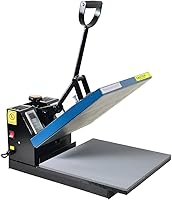
9 Best Cricut Heat Presses (November 2026)
The best Cricut heat press reviews include the HTVRONT Auto Heat Press Machine for T for hands-free batch pressing, the Cricut EasyPress® SE for Cricut owners, and the Calogy Mini Heat Press for small blanks on a budget.
On this page (9 sections)
- The best Cricut heat presses for garments and small projects
- Cricut heat press reviews: side-by-side comparison
- How we compared these heat presses
- Which size heat press do you need for garments?
- What temperature and pressure do HTV and sublimation need?
- Automatic or handheld: which Cricut heat press style fits you?
- How do you press small blanks with a mini heat press?
- What should you check before you order a heat press?
- Verdict: which Cricut heat press should you buy?
The best Cricut heat press for most crafters is the Cricut EasyPress SE 12 in x 10 in, because it gives you a large plate, heat up to 400°F and exact settings from the Cricut Heat Guide. If you press in batches, the automatic HTVRONT models save your arms.
If you only press small blanks, a mini press is easier to store and easier to aim.
These Cricut heat press reviews compare 9 presses by plate size, maximum heat, pressure control and how each one fits daily use. Our score weighs specs, features and buyer feedback against what you're shopping for.
We checked the specs, we compared the controls, and we looked at who each press suits best.
Start with the job, not the brand. A 15x15 automatic press, a 12x10 handheld press and a pocket mini press solve different problems.
You can read our full heat press machine buying guide before you narrow the list.
Our picks at a glance
-
1
 Best for hands-free batch pressing
HTVRONT Auto Heat Press Machine for T
9.6/10 our score
See it on Amazon -
2

-
3

- 4
 Best for DTF and thick blanksCheck it
- 5
 Best for mid-size handheld pressingCheck it
- 6
 Check it
HTVRONT Heat Press Mini Heat Press Machine
Best for travel and craft days - 7
 Best for precision spotsCheck it
- 8
 Check it
HTVRONT Heat Press Machine for T Shirts
Best for seeing pressure numbers - 9
 Check it
Calogy Super Mini Heat Press Machine
Best mini for high heat
The best Cricut heat presses for garments and small projects
These 9 picks cover the main choices in Cricut heat press reviews: full-size automatic presses, mid-size Cricut handhelds and mini presses for shaped blanks. Each write-up explains who it suits, what its specs mean in daily use and where it falls short.
HTVRONT Auto Heat Press Machine for T: Best for hands-free batch pressing
- 15x15 in pressing area
- Auto press and auto release
- Up to 410°F
- Adjusts to material up to 1 in thick
A 15x15 automatic press that clamps, times and releases for you after you slide the drawer in.
Pros
- True hands-free auto cycle
- Large 15x15 area for full shirt fronts
- Drawer design keeps hands away from the plate
Cons
- Heavy at 40.3 lb
- Needs table space for the 20 x 12 x 16 in footprint
This HTVRONT suits sellers and batch crafters who press shirt after shirt. The 15x15 in plate covers a full front design in one press, so you avoid overlap lines from smaller plates.
After you slide the drawer in and press R, it clamps down, auto-adjusts to material up to 1 in thick and releases when the timer ends. That hands-free cycle lets you prep the next blank while it works.
HTVRONT says it reaches 320°F in about 4 minutes and saves nearly 130 seconds on the way to 410°F compared with other auto presses. The NTC thermistor and dual-tube heating hold temperature more steadily across the plate.
The trade-off is size and setup. At 40.3 lb with a 20 x 12 x 16 in footprint, it needs a sturdy, clear table and it is not a press you move often.
The 15 minute auto shut-off helps safety when you step away between batches.
Cricut EasyPress® SE: Best for Cricut owners
- 12 in x 10 in heat plate
- Up to 400°F
- Ceramic-coated plate
- Cricut Heat Guide settings
A large handheld Cricut press that pairs directly with Cricut cutting machines and the Cricut Heat Guide.
Pros
- Large plate covers most shirt designs in one press
- Cricut Heat Guide gives time and temperature settings
- Works with HTV, Infusible Ink and sublimation
Cons
- Handheld pressure depends on your arm
- No auto release or timer beep control beyond the guide
This Cricut suits Cricut owners who want the simplest path from cut vinyl to finished shirt. The 12 in x 10 in ceramic-coated plate is large enough for most chest designs in one press.
It reaches controlled heat up to 400°F (205°C), which covers iron-on, Infusible Ink and sublimation work that Cricut lists for this model.
The Cricut Heat Guide gives precise time and temperature settings, so you spend less time guessing. The easy-to-hold handle helps you apply even pressure, but handheld pressure is still in your arms.
At 13.7 x 4.7 x 11.5 in, it stores upright and travels better than a fixed press.
Compared with an automatic press, you do more work per shirt, especially on back-to-back batches. Compared with the 9x9 Cricut below, this one covers wider designs but is a heavier handheld tool to hold steady for long presses.
Calogy Mini Heat Press: Best for small blanks on a budget
- 2.87 x 4.43 in heat plate
- Three heat levels to 356°F
- LED temperature display
- One-button control
A small one-button press with a live temperature display, sized for hats, pillows and small shirt details.
Pros
- LED shows real-time temperature
- Light and easy to store
- Insulated safety base included
Cons
- 356°F ceiling limits some sublimation blanks
- Large shirt designs take several presses
This Calogy suits crafters who want a small press with a clear temperature readout. The heat plate is 2.87 x 4.43 in, so it fits hats, pillows, small shirt details and shaped blanks that a large plate handles badly.
Three heat levels run from 284°F to 356°F, and the LED display shows real-time temperature, which helps you confirm settings before you press.
One button handles power, temperature changes and unit switching between Celsius and Fahrenheit, and it auto powers off after 15 minutes of inactivity. Calogy says it heats to 284°F in about 3 minutes, then moves from 284°F to 320°F in about 40 seconds.
The trade-off is the heat ceiling. At 356°F, some sublimation blanks that need 380°F or 400°F will not cure fully.
Large designs will take several overlapping passes, and you need steady hand movement to keep edges even.
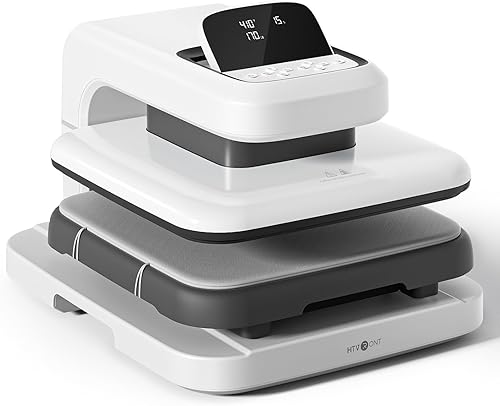
HTVRONT Auto Heat Press: Best for DTF and thick blanks
- 15x15 in pressing area
- Adjustable pressure to 170 lb
- Up to 410°F
- Angle-adjustable screen
A 15x15 automatic press with high adjustable pressure and a taller opening for hoodies and DTF work.
Pros
- Adjustable pressure up to 170 lb for DTF
- Tall 1.77 in opening fits thick hoodies
- Auto cycle frees you while it presses
Cons
- Very heavy at 21.54 kg
- Large footprint needs a dedicated table
This HTVRONT suits DTF users and anyone pressing thick hoodies. The 15x15 in area handles full garment designs, and pressure adjusts up to 80 kg (170 lb), which matters for DTF transfers that need firm, even pressure.
The opening height rises to 1.77 in (4.5 cm), so thicker items such as hoodies fit more easily than on a flatter press.
After you set parameters and press R, it presses automatically and buzzes when done, then releases the material. HTVRONT says it heats to 410°F in about 5 minutes 30 seconds, and claims up to 30% less waiting through NTC thermistor and dual-tube heat.
The screen angle adjusts across 7 levels from 0 to 75 degrees, which helps you read settings from your working position. The trade-off is weight and space: at 21.54 kg with a 20.9 x 17.1 x 13 in footprint, this is a fixed workstation press, not a travel tool.
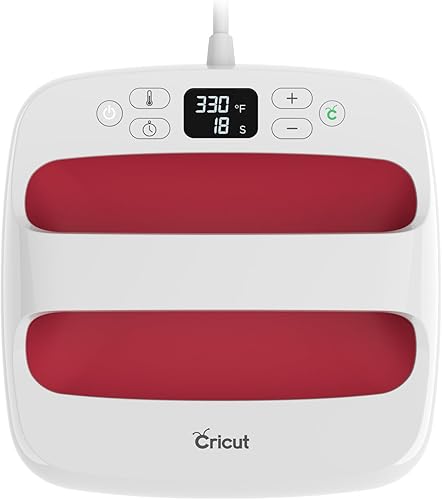
Cricut EasyPress 2-9 in x: Best for mid-size handheld pressing
- 9 in x 9 in heat plate
- Up to 400°F
- Ceramic-coated plate
- Insulated safety base
A mid-size Cricut handheld press that is easier to handle than a 12 in model and still covers most designs.
Pros
- 9x9 plate fits most chest designs
- Up to 400°F for HTV and sublimation
- Safety base and auto-shutoff
Cons
- Handheld pressure varies by user
- Wide designs may need two overlapping presses
This Cricut suits crafters who want a lighter handheld press than the 12x10 model. The 9 in x 9 in plate covers most chest designs, tote bag prints and baby clothes in one press.
It reaches up to 400°F (205°C) with a ceramic-coated plate that Cricut says delivers edge-to-edge heat.
The Cricut Heat Guide supplies time and temperature settings, and an insulated safety base plus auto-shutoff help with storage. It works with major brands of iron-on, Infusible Ink and sublimation products, at 1150 watts and 110 volts.
At about 13.07 x 13.98 x 7.36 in for the unit, it stores in a closet more easily than a fixed press.
The trade-off is coverage. Wide designs may need two overlapping presses, and overlap seams can show if pressure changes between passes.
If you press wide logos often, the 12x10 Cricut above saves passes. If you lack table space, this 9x9 is easier to handle and park.
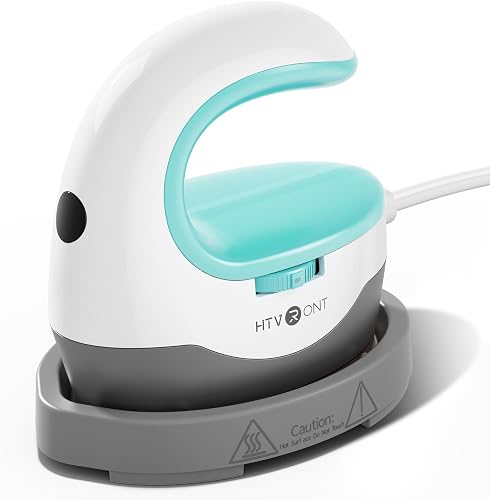
HTVRONT Heat Press Mini Heat Press Machine: Best for travel and craft days
- Mini handheld size
- Three heat settings to 356°F
- Insulated base included
- Lightweight for travel
A mint-colored mini press made for small HTV and sublimation projects away from a full-size press.
Pros
- Very light for craft fairs and travel
- Three clear heat settings
- Insulated base in the box
Cons
- 356°F ceiling
- Too small for full front shirt designs
This HTVRONT mini suits travel crafting, craft fairs and small touch-ups at home. Three heat settings run from 284°F to 356°F, which covers many HTV and small sublimation projects on hats and small blanks.
The knob slides between modes, so you can change heat without menus.
It comes with 1 insulated base and 1 user manual, and at 439.98 g it packs easily in a craft bag. The housing is rated from 140°C to 356°F, with an aluminum alloy soleplate that spreads heat more evenly.
HTVRONT says it saves about 20 seconds of heat-up time versus other brands.
The trade-off is scope. A mini plate cannot press a full shirt front or a large tote design in one pass, so overlapping is normal.
Treat it as a second press for small jobs, or as your main press only if your projects are mostly small. For a fuller mini roundup, see our best portable heat press machine guide.
Cricut EasyPress Mini™ LT: Best for precision spots
- Mini handheld with precision tip
- Up to 355°F
- Ceramic-coated plate
- Insulated safety base
A Cricut mini press with a pointed tip for seams, buttons and uniquely shaped blanks.
Pros
- Precision tip reaches tight spots
- Single setting keeps use simple
- Cricut Heat Guide covers mini materials
Cons
- Single setting near 355°F
- Not suited to large designs
This Cricut mini suits precision work around seams, buttons and odd shapes. The precision tip lets you aim heat at shoes, baby clothes, hats and small shirt areas that a flat wide plate would miss.
It uses a ceramic-coated plate and reaches up to 355°F (180°C), with a single setting that keeps use simple.
An insulated safety base is included, and the Cricut Heat Guide lists compatible materials and blanks with step-by-step pressing instructions. At only 2.52 x 3.94 x 4.61 in and 0.48 kg, it fits in a drawer and travels to a craft night without much effort.
That makes it useful as a companion press next to a larger one.
The trade-off is flexibility. With one setting, you cannot raise heat for blanks that need more, and it is too small for large designs.
If you want to learn the basics first, our guide on how to use Cricut EasyPress Mini walks through setup and pressing in plain steps.
HTVRONT Heat Press Machine for T Shirts: Best for seeing pressure numbers
- 10X10 pressing area
- Real-time pressure display
- Dual handle design
- Timer and auto shutoff
A compact 10x10 clamshell-style press with a digital screen for pressure, time and temperature.
Pros
- Digital pressure display removes guesswork
- Dual handles help even pressure
- Compact 12 x 12 in footprint
Cons
- 10x10 area is smaller than 15x15 models
- Temperature range is not stated in the data we checked
This HTVRONT suits buyers who want numbers, not guesswork, for pressure. A built-in sensor drives a real-time pressure display, and the digital screen also shows time and temperature.
The 10x10 pressing area sits between mini presses and 15x15 models, so it covers many shirt designs without taking over your table.
Dual handles help you apply balanced pressure, which can reduce edge lifting. HTVRONT says it reaches 212°F (100°C) in the first minute, with an aluminum plate and ceramic coating for even heat.
A timer beep signals completion and auto shut-off activates after 15 minutes of inactivity.
The trade-off is size and data. At 12 x 12 x 6.1 in, it is compact, but 10x10 is still smaller than 15x15 for wide designs.
The maximum temperature is not stated in the data we checked, so confirm heat needs for your blanks before you order.
Calogy Super Mini Heat Press Machine: Best mini for high heat
- Pocket size 4.25 x 4.02 x 2.44 in
- Four settings to 410°F
- Precision tip
- LED temperature display
A pocket-size mini press that reaches 410°F, higher than most mini presses in this group.
Pros
- 410°F helps sublimation on small blanks
- Precision tip for shoes, hats and patches
- Heat-resistant base and carry bag included
Cons
- Tiny plate means many passes on larger designs
- One-button settings take practice
This Calogy Super Mini suits small-project crafters who need higher heat than most minis offer. It measures only 4.25 x 4.02 x 2.44 in, yet reaches 410°F, with four settings from 284°F to 410°F.
That range helps with sublimation and HTV on shoes, hats, patches, socks and small shirt details.
The precision tip focuses heat on corners, and the LED screen gives real-time readings you can check before each pass. Calogy says it reaches 410°F in about 3 minutes, using uniformly distributed heating tubes for more even warmth.
It includes a heat-resistant base, a bag and a manual, and auto-off kicks in after 15 minutes.
The trade-off is plate size. Tiny plates mean many passes and more chances for uneven overlap on larger designs.
One-button control is simple, but cycling through settings takes a little practice, especially when you switch between 140°C and 284°F steps.
Cricut heat press reviews: side-by-side comparison
The table below compares plate size, maximum heat and the main control difference for all 9 picks. Use it to spot the trade-off you care about most: coverage, heat, pressure or portability.
| Product | Best for | Pressing size | Max temperature | Weight | Our score |
|---|---|---|---|---|---|
| HTVRONT Auto Heat Press Machine for T | hands-free batch pressing | 15 x 15 in | 410°F | 40.3 lb | 9.6 |
| Cricut EasyPress® SE | Cricut owners | 12 x 10 in | 400°F | 9.6 | |
| Calogy Mini Heat Press | small blanks on a budget | 2.87 x 4.43 in | 356°F | 0.65 kg | 9.5 |
| HTVRONT Auto Heat Press | DTF and thick blanks | 15 x 15 in | 410°F | 21.54 kg | 9.5 |
| Cricut EasyPress 2-9 in x | mid-size handheld pressing | 9 x 9 in | 400°F | 9.4 | |
| HTVRONT Heat Press Mini Heat Press Machine | travel and craft days | Mini handheld | 356°F | 439.98 g | 9.1 |
| Cricut EasyPress Mini™ LT | precision spots | Mini handheld | 355°F | 8.8 | |
| HTVRONT Heat Press Machine for T Shirts | seeing pressure numbers | 10 x 10 in | Not stated | 8.3 | |
| Calogy Super Mini Heat Press Machine | mini for high heat | Pocket mini | 410°F | 0.5 kg | 8.1 |
How we compared these heat presses
We compared specs, controls and stated uses across all 9 models. We looked at plate size first, because size decides how many passes a design needs.
We checked maximum temperature next, because blanks require specific heat ranges. We then compared pressure method, since automatic clamping, handheld arm pressure and dual handles feel very different in daily use.
We also checked safety features such as insulated bases, auto shut-off and drawer designs. We noted what is in the box, such as safety bases and manuals, because those extras affect first-day setup.
Scores reflect specs, features and buyer feedback against the needs of Cricut heat press reviewers, from garment pressers to mini-press users.
What the scores reward
Higher scores went to presses that cover more jobs without extra steps. Full-size automatic models scored well for batch work.
The Cricut handhelds scored well for guided settings and compatibility. Mini models scored on portability and reach, but they lost points when heat ceilings limited sublimation.
Limits of this comparison
We relied only on listed specs and stated features. Some listings omit details such as maximum temperature or exact plate size.
We noted those gaps rather than guessing. That is why the HTVRONT 10x10 shows a temperature gap in the table.
Which size heat press do you need for garments?
Pick 15x15 if you press full fronts and batches, 9x9 to 12x10 if you press handheld at home, and mini if your blanks are small. A 15x15 plate covers a full shirt front in one press.
That saves time and avoids overlap lines.
A 9x9 or 12x10 handheld plate covers most chest designs in one or two passes. A mini plate fits hats, shoes and shaped blanks that large plates cannot reach.
15x15 automatic presses for sellers
The two HTVRONT 15x15 models suit sellers, DTF users and batch crafters. Automatic clamping applies steady pressure without arm fatigue.
The Auto Heat Press 2 adds pressure adjustment to 170 lb and a taller opening for hoodies. Both need a strong table and permanent space.
9x9 to 12x10 handheld presses for home crafters
The Cricut EasyPress SE, Cricut EasyPress 2 and HTVRONT 10x10 suit home crafters. Handheld models store in a closet and move to a craft table.
You control pressure with your arms, so practice even passes. The Cricut Heat Guide helps you match time and temperature to materials.
Mini presses for shaped blanks
Mini presses suit hats, shoes, socks, pillows and small designs. They reach seams and curves that a wide plate misses.
They are not replacements for a full-size press. In our best mini heat press picks, you will find more detail on mini models and their limits.
What temperature and pressure do HTV and sublimation need?
Aim for up to 400°F for most garment work, and confirm pressure needs for DTF and thick blanks. The Cricut handhelds reach 400°F, and the HTVRONT automatic models reach 410°F.
Mini presses vary widely: the Calogy Super Mini reaches 410°F, while the Cricut EasyPress Mini LT tops out near 355°F.
Always check the blank and transfer instructions first.
Heat ranges in this group
Low settings near 284°F suit delicate materials and some HTV. Mid settings near 320°F to 356°F cover many mini-press projects.
High settings near 400°F to 410°F suit sublimation blanks and many garment transfers. If your blank needs 400°F, a 356°F mini will not do the job.
Pressure matters more than extras
Handheld presses rely on your arm pressure. Automatic presses clamp with set force.
The HTVRONT Auto Heat Press 2 adjusts pressure to 170 lb, which helps DTF work. The HTVRONT 10x10 shows pressure numbers on a screen.
Match the pressure method to the transfer type, not just the brand.
Automatic or handheld: which Cricut heat press style fits you?
Choose automatic if you press batches or struggle with arm pressure, and handheld if you want storage and portability. Automatic presses clamp, time and release for you.
That consistency helps sellers and DTF users.
Handheld presses weigh less, store faster and cost less in space. You supply the pressure, so results depend on your technique.
Automatic heat press Cricut alternatives
HTVRONT automatic models press without Cricut branding, but they work with the same HTV and sublimation materials. The drawer design on the first HTVRONT keeps hands away from the hot plate.
The Auto Heat Press 2 adds an adjustable screen and higher pressure. Both suit a fixed craft station.
Handheld Cricut presses for flexible storage
Cricut EasyPress models combine press speed with iron-like handling. The 12x10 and 9x9 models cover adult garments.
The Mini LT covers small and shaped blanks. If you lack a dedicated table, handheld storage is a real benefit.
Our guide on how to use a mini heat press covers setup for handheld models.
How do you press small blanks with a mini heat press?
Use steady passes, check the temperature display and let the base cool the plate between blanks. Mini plates need overlapping passes for any design wider than the plate.
Keep passes even and avoid long pauses that can scorch edges.
Small blanks cool fast, so have the next blank ready.
Which mini suits which blank
The Calogy Super Mini suits high-heat sublimation on shoes, hats and patches. The Calogy Mini suits low-budget small blanks with a clear LED display.
The HTVRONT Mini suits travel and craft days. The Cricut EasyPress Mini LT suits precision spots with its tip and single setting.
Mini heat press safety basics
Use the insulated or heat-resistant base every time. Let the press cool on the base, not on the table.
Auto shut-off features help, but they do not replace attention. Keep cords away from water and hot plates.
What should you check before you order a heat press?
Check plate size, maximum heat, pressure method and footprint against your projects and table. Measure your largest design and your craft table.
Confirm the blank's required temperature.
Decide whether you want automatic clamping or handheld control. Read the warranty and care notes before you commit.
Size and footprint checks
A 15x15 automatic press needs about 20 in of table length. A handheld 12x10 press needs flat table space but stores upright.
A mini press fits in a drawer. Measure before you order, especially for automatic models.
Included items and support
Check the box contents for each pick. The Cricut EasyPress 2 includes a safety base, welcome book and practice materials.
HTVRONT mini includes an insulated base and manual. Calogy Super Mini includes a base, bag and manual.
Warranty lengths vary, so read the terms for your model.
Verdict: which Cricut heat press should you buy?
Buy the Cricut EasyPress SE 12 in x 10 in if you own a Cricut machine and press garments at home. Buy the HTVRONT Auto Heat Press 15x15 if you want hands-free batch pressing.
Buy the HTVRONT Auto Heat Press 2 if you do DTF or thick hoodies.
Buy the Calogy Super Mini if you need high heat in a pocket-size press. Buy the Cricut EasyPress Mini LT if precision spots matter more than temperature range.
These Cricut heat press reviews point to one rule: match plate size to your largest design, match heat to your blanks and match pressure method to your arms. Start with your biggest project, then work down.
If you already own a mini, add a mid-size handheld next. If you press daily, an automatic 15x15 will save you time on every shirt.
One last note on scope: some buyers confuse heat presses with paper tools. A document feeder, for example, is a scanner part, not a press accessory.
For clarity, see our explainer on What Is an Automatic Document Feeder?.
Our top 3 picks at a glance
-
1
Best for hands-free batch pressing
HTVRONT Auto Heat Press Machine for T
9.6/10 our score
See it on Amazon -
2
-
3
Frequently asked questions
Is a Cricut heat press better than an iron?
Yes for most heat transfer work. A heat press holds a set temperature and applies steadier pressure than an iron.
Cricut says its presses reach up to 400°F with a ceramic-coated plate.
An iron can work for small touch-ups, but it rarely matches a press for even heat.
Do I need a Cricut press if I own a Cricut machine?
No, but it pairs well. Cricut designs its presses as a complement to its cutting machines.
You can use any press with Cricut-cut vinyl.
The main benefit is the Cricut Heat Guide, which gives time and temperature settings for Cricut materials.
What size heat press should I buy first?
A 9x9 or 12x10 handheld press covers most shirt designs in one or two presses. A 15x15 automatic press suits batch work and sellers.
A mini press is a second tool for hats, shoes and small blanks, not a full replacement.
Can a mini heat press do sublimation?
Some can, if the blank needs no more heat than the press reaches. The Calogy Super Mini reaches 410°F, while the Cricut EasyPress Mini LT tops out near 355°F.
Check the blank's required temperature before you choose a mini for sublimation work.