How to Use a Mug Press Machine
To use a mug press machine, wrap a dry sublimation transfer around a coated mug, secure it with heat-resistant tape, set the maker's time and temperature, then press until the cycle ends. Let the mug cool before removing the transfer.
On this page (9 sections)
- What do you need before using a mug press machine?
- How do you prepare the mug and transfer?
- How do you set up a mug press machine?
- How do you press the mug?
- How do you avoid common mug pressing problems?
- Can you use a tumbler press for mugs?
- How do you use a Cricut Mug Press with Infusible Ink?
- How should you cool and care for the finished mug?
- What is the simplest mug press workflow?
To use a mug press machine, prepare a coated sublimation mug, attach the transfer tightly, set the recommended heat cycle, and remove the mug carefully after pressing. The right process depends on the mug coating, transfer type, press shape, and instructions for your materials.
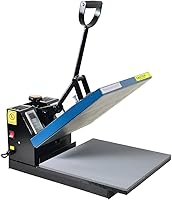
A dedicated press gives the mug more even contact than trying to heat a curved surface with a flat heat press machine. Before you start, clear a heat-safe work area and keep the press away from children, loose fabric, and water.
What do you need before using a mug press machine?
You need a compatible coated mug, a printed sublimation transfer or compatible ink sheet, heat-resistant tape, and a mug press that fits the mug. You also need a clean, dry surface and a safe place for the hot mug to cool.
A sublimation mug needs a coating that accepts the transfer. The mug should be free of dust, grease, moisture, and packaging residue because anything between the transfer and mug can leave a blank spot.
For more buying context, compare the best mug heat press for sublimation and check the best mug press accessories for tools that support setup and cleanup.
Which mug blank works for sublimation?
Choose a mug blank with a smooth, coated pressing area and a shape that matches your machine. Straight-sided mugs are easier to wrap because the transfer can sit evenly against the surface.
Cricut Ceramic-Coated Mugs are 15 oz white ceramic blanks in a 36-count pack, with a smooth outside and a coating designed for Cricut Mug Press and Infusible Ink use. They are also described as dishwasher and microwave safe.
The white surface gives sublimation artwork a clear base. Their 36-count format suits people making several gifts, event favors, or repeat designs rather than a single test mug.
For more blank options, see the guide to best Cricut Mug Press blanks. If you plan to use Infusible Ink sheets, compare the best Infusible Ink sheets for Cricut Mug Press.
How do you prepare the mug and transfer?
Clean the mug, size the design, trim excess paper, and position the transfer before heating the press. The design should fit inside the mug's usable coated area without crossing the handle or a sharply curved edge.
Wipe the mug with a clean, dry cloth. Avoid leaving lint near the transfer area, and let any cleaning moisture evaporate fully before pressing.
Print the design in the correct orientation for your transfer method. Sublimation artwork often needs to be mirrored before printing, while the correct setting depends on the printer, paper, ink, and design software.
If you're choosing a printer, our guide to the best sublimation printer for mugs explains the role of printer and ink compatibility. Heat transfer vinyl follows a different process, so see what printer is compatible with heat transfer vinyl if vinyl is your planned material.
Trim the transfer close to the artwork, leaving enough paper to handle without touching the printed area. Wrap it around the mug with the printed side against the coated surface.
Use heat-resistant tape to hold the paper in place. Keep tape away from the artwork when possible, and smooth the transfer so there are no loose folds or air gaps.
How do you set up a mug press machine?
Set the press on a stable, heat-safe surface and choose the recommended temperature, time, and pressure for your mug and transfer. The machine's instructions take priority because coatings and transfer materials vary.
A dedicated mug press usually uses a shaped heating area that closes around the mug. Adjust the pressure so the mug is held firmly without forcing the handle, cracking the blank, or making the press difficult to close.
Never heat an empty mug attachment for longer than the machine instructions allow. Keep the handle and power cord clear of the hot area, and use the controls without touching the heating parts.
A combo machine may need a separate attachment for mugs. The best mug press attachment for heat press guide can help when you already own a flat press and want to add curved-item work.
Can a 5-in-1 press handle mugs?
A 5-in-1 press can handle mugs only with the correct mug or tumbler attachment and a compatible blank. Its broader accessory set may suit a crafter who also presses shirts, hats, plates, or other supported items.
The Hitgrand Heat Press Machine 12x15 inch has a 15 x 12 in flat press, a 30 oz tumbler press, hat and plate attachments, and a temperature range of 30–450°F. Its timer range is 0–999 seconds, and the machine has a 360-degree swing-away design and slide-out platform.
This machine suits a workspace where one press needs to cover several project types. Its 1,400-watt design and 110-volt power match the stated electrical requirements, but you still need to choose the correct attachment and settings for each blank.
If you only make mugs, a dedicated press may take less setup space and involve fewer attachment changes. For Cricut users, read how to use Cricut Mug Press with sublimation and the Cricut Mug Press review for a more focused workflow.
How do you press the mug?
Place the wrapped mug in the press with the transfer facing the heating area, close the press, and start the programmed cycle. Keep the mug still while it heats and do not open the press early unless the instructions require it.
Confirm that the mug handle sits in the intended position and that the transfer remains flat. If the press uses a pressure knob, make small adjustments rather than forcing the clamp closed.
Watch the timer and stay near the machine during the cycle. Do not touch the mug, heating element, or attachment with bare skin while they are hot.
When the cycle ends, open the press carefully and lift the mug by a safe area. Place it on a heat-safe surface away from drafts, water, and anything that could touch the design.
How do you avoid common mug pressing problems?
Most mug press problems come from the wrong blank, loose transfer, uneven contact, or incorrect settings. Check one part of the process at a time instead of changing heat, time, and pressure together.
A pale design may point to insufficient heat, time, pressure, or contact. A dark or discolored result may point to excess heat or time, but the correct fix depends on the mug and transfer instructions.
White lines or blank spots often appear where the transfer did not sit flat. Trim bulky paper, smooth the wrap, and keep tape from pulling the design away from the mug.
A doubled image or shadow usually means the transfer moved. Keep the mug steady during removal and wait until the mug is safe to handle before pulling off the paper.
Cracks, chips, or a press that will not close can indicate a poor fit or excessive pressure. Stop the cycle and check the mug shape, attachment, and pressure setting.
Can you use a tumbler press for mugs?
A tumbler press can work for mugs when its heating area and attachment support the mug's size and shape. Check the stated compatibility before inserting a ceramic mug, glass cup, or metal vessel.
The BetterSub Tumbler Heat Press Machine supports 30 oz, 20 oz, and 16 oz straight skinny tumblers plus 11 oz and 15 oz standard mugs. It has a 0–482°F temperature range, a 0–1,000 second time range, dual pressure knobs, and a 350-watt, 110-volt design.
Its aluminum construction and silicone heating pad are intended for even heat distribution. BetterSub also warns against heating the mug attachment empty for a long time because the pad may deform.
Choose this style when mugs and tumblers are your main projects. If you're wondering can Cricut Mug Press do tumblers, compare the machine's shape and supported sizes before assuming a mug press will handle every vessel.
How do you use a Cricut Mug Press with Infusible Ink?
Use a compatible coated blank, place the Infusible Ink design against the mug, secure it, and follow the Cricut Mug Press cycle for that blank. The design becomes part of the mug surface through the transfer process rather than sitting on a separate adhesive layer.
The mug must be clean and dry, and the design must make full contact with the coated area. Keep the transfer aligned around the mug and avoid touching the printed side.
For the detailed material steps, read how to use Infusible Ink with Cricut Mug Press. A Cricut Mug Press carrying bag can also help protect the press when you store or move it.
Use the manufacturer's current instructions for heat settings and safety. A Cricut Mug Press accessories guide may help you plan tools for handling hot blanks and organizing supplies.
How should you cool and care for the finished mug?
Let the mug cool before removing the transfer, then wash and store it according to the blank's care instructions. Cooling reduces the chance of moving the design while the surface is still hot.
Peel the transfer slowly once the mug is safe to handle. Inspect the design for gaps, blurred edges, or areas that did not contact the mug.
Follow the mug's care instructions rather than assuming every sublimation blank has the same durability. Cricut's 15 oz ceramic-coated mugs are described as dishwasher and microwave safe, with hand washing also included in the care information.
Clean the press only after it is unplugged and cool. Remove loose paper or tape residue with the method approved for your machine, and avoid wetting electrical controls or heating parts.
What is the simplest mug press workflow?
For how to use a mug press machine, follow this order: choose a compatible coated blank, clean and dry it, prepare the correctly sized transfer, tape it tightly, set the recommended cycle, press without moving the mug, and cool before peeling.
Choose Cricut Ceramic-Coated Mugs when you need a large supply of 15 oz blanks for Cricut Mug Press and Infusible Ink projects. Choose the Hitgrand machine when one press must cover mugs, tumblers, hats, plates, and flat garments.
Choose BetterSub when standard mugs and straight skinny tumblers are the main focus.
For your next step, compare the best mug press accessories and keep the press instructions beside your workspace while you learn the settings for each blank.
Frequently asked questions
Can you use any mug in a mug press machine?
No. Use a mug with a coating made for sublimation or the transfer method you choose, plus a shape that fits the press.
A smooth, straight surface helps the design contact the mug evenly.
Ordinary ceramic mugs may not accept sublimation ink correctly, even if they fit inside the machine.
How do you heat press a mug without ghosting?
Keep the transfer tight against the mug, secure it with heat-resistant tape, and avoid moving the mug while it is hot. Ghosting can happen when the paper shifts as the press opens.
Let the mug cool enough to handle before removing the transfer.
What temperature do you use for a mug press?
Use the temperature, time, and pressure recommended for your mug coating, transfer, and press. There is no single setting for every combination.
Start with the mug or transfer instructions, then change one setting at a time if the result needs adjustment.
Can you use a mug press for tumblers?
Only if the machine or its attachment is designed for the tumbler size and shape. A dedicated mug press may not fit a tumbler, while a combo machine or tumbler press may support both.
Check the press dimensions and compatible diameter before heating a blank.