What Equipment Do You Need to Start a Sublimation Business?
On this page (3 sections)
To start a sublimation business, you’ll primarily need a sublimation printer, heat press, special sublimation inks, and sublimation paper. For the full budget, see our sublimation setup cost guide. You will also need blanks for printing, a computer, and graphic design software. We found these items are essential for getting started with your own printing business.
Starting a new venture can feel overwhelming, can’t it? Don’t worry, we’ve got you covered. We found that gathering the right equipment is your first big step. This ensures you can create high-quality, durable prints for your customers. You’ll be surprised how quickly you get the hang of things with the correct setup.
TL;DR:
- A sublimation printer is a must-have.
- You’ll need a good quality heat press.
- Don’t forget special sublimation inks and paper.
- Blanks, a computer, and design software complete your setup.
Let’s walk through exactly what equipment you’ll need to transform your creative ideas into profitable products. We’ll break down each item, so you know exactly what to look for.
Essential Gear for Your Sublimation Business
To kickstart your sublimation journey, you’ll need a core set of equipment. Think of it as your workshop’s foundation. We found that selecting the right tools from the beginning saves you time and money down the road.
Sublimation Printer: Your Creative Engine
The sublimation printer is where the magic begins. This isn’t just any printer; it’s designed to handle special sublimation inks. You’ll use it to print your designs onto sublimation paper.
Choosing the Right Sublimation Printer
When you’re looking for a printer, you’ll generally find two main types: converted desktop printers and dedicated sublimation printers. Converted printers are often more budget-friendly to start. Many small businesses begin with an Epson EcoTank printer converted for sublimation. Dedicated printers offer more robust features and print larger sizes. Our guide on whether you can use an inkjet printer for sublimation provides more details on this common question.
We found that for beginners, a converted Epson EcoTank offers a great balance of cost and capability. Remember to only use new printers for conversion; once it has regular ink, it cannot be used for sublimation.
Printer Size and Volume Considerations
Think about the size of the items you want to sublimate. Do you plan on creating small keychains or large t-shirts? Your printer’s maximum print width will dictate this. Most desktop sublimation printers handle up to 8.5 x 14 inches. If you want to print larger, you’ll need a wider format printer.
Consider your expected production volume too. A high-volume business might need a more heavy-duty printer than someone making items as a hobby. We found reliability is key when fulfilling customer orders.
Heat Press: The Transfer Master
Once you’ve printed your design, the heat press is what transfers it permanently onto your blank item. It uses a combination of heat and pressure to infuse the ink into the material.
Types of Heat Presses for Sublimation
There are several types of heat presses, each suited for different items. We found that most beginners start with a flatbed press, which is versatile for t-shirts, mousepads, and other flat items.
- Flatbed Heat Press: Ideal for t-shirts, tote bags, and other flat objects. These come in various sizes, like 9×12 inches up to 16×20 inches or larger.
- Mug Press: Specifically designed to apply designs to mugs and other cylindrical items. You’ll need different attachments for different mug sizes.
- Cap Press: For hats and caps, this press has a curved platen to fit the shape.
- Multi-functional Press: Some presses combine several functions, offering interchangeable platens for mugs, caps, and plates. This can be a good space-saver.
When selecting a heat press, look for even heat distribution and consistent pressure. These factors are critical for a professional-looking result. Poor heat distribution can lead to faded or uneven prints.
Heat Press Features to Prioritize
What features should you look for? We found that digital temperature and time controls are essential. This allows for precise settings, which are crucial for consistent results. A strong, durable build is also important, as your heat press will get a lot of use.
Sublimation Inks and Paper: The Color Bearers
These two components work hand-in-hand to bring your designs to life. You can’t use just any ink or paper for sublimation.
Understanding Sublimation Inks
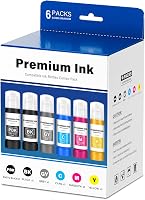
Sublimation inks are unique. They turn into a gas when heated, directly infusing into the fibers of polyester materials or polyester-coated items. This creates a vibrant, durable, and wash-resistant print. You cannot use regular printer ink for sublimation.
We recommend buying high-quality sublimation inks. Cheaper inks can lead to dull colors or clogging of your print heads. Research and found that reputable brands often provide better color accuracy and longevity.
The Role of Sublimation Paper
Sublimation paper is specially coated to hold the sublimation ink on its surface. When heated, the ink releases cleanly from the paper onto your blank. Using regular copy paper will not work; the ink will absorb into the paper instead of transferring.
Different papers have different release rates and absorption qualities. We found that experimenting with a few types can help you find what works best for your specific projects. Thicker paper often helps prevent “ghosting,” where the design blurs slightly during transfer.
Sublimation Blanks: Your Canvas
Sublimation only works on specific materials. You can’t just sublimate on any cotton t-shirt. The blank item must be made of polyester or have a polymer coating. Think of it as preparing your canvas for painting.
Common Sublimation Blanks to Start With
What kinds of items can you sublimate? The possibilities are quite vast. Many businesses start with: If you’re specifically interested in creating custom drinkware, our guide to the best sublimation printer for tumblers can help you choose the right equipment.
- Polyester apparel (t-shirts, hoodies, activewear)
- Mugs and drinkware (ceramic, stainless steel, glass with coating)
- Mousepads
- Keychains
- Coasters
- Phone cases
- Plaques and awards
- Jigsaw puzzles
When sourcing blanks, consider quality and consistency. Your customers will appreciate durable products. We found that choosing a reliable supplier for blanks is just as important as choosing good equipment.
Computer and Software: Your Design Hub
You’ll need a computer and some graphic design software to create your images. This is where your creative ideas take shape before printing.
Computer Specifications
A decent computer is necessary, but it doesn’t need to be top-of-the-line. We found that a computer with at least 8GB of RAM and a reasonably fast processor will handle most design software without significant lag. You’ll also need enough storage for your design files.
Graphic Design Software Options
There are many software options available, ranging from free to professional-grade. What works best for you depends on your design skills and budget.
- Canva: User-friendly, great for beginners, often has pre-made templates.
- Adobe Photoshop/Illustrator: Industry standard, offers professional-level control and features, but has a learning curve.
- Affinity Designer/Photo: A one-time purchase alternative to Adobe products, offering similar capabilities.
- GIMP/Inkscape: Free, open-source options that can be powerful but may require more learning.
Many experts say that starting with a simpler program like Canva can help you get comfortable with design principles before moving to more complex software. You can always upgrade later!
Additional Supplies and Accessories
Beyond the core equipment, a few other items are essential for a smooth workflow and successful transfers.
Heat-Resistant Tape
This tape holds your printed design onto the blank item during the heat press process. It’s designed to withstand high temperatures without leaving residue or melting. We found this prevents your design from shifting, which can cause ghosting.
Butcher Paper or Parchment Paper
You’ll place a sheet of this paper both above and below your blank item in the heat press. The top sheet protects your heat press platen from ink transfer, and the bottom sheet prevents any ink from bleeding through onto the bottom platen. It’s a cheap insurance policy for your equipment!
Heat-Resistant Gloves
Items coming out of the heat press will be extremely hot. Heat-resistant gloves protect your hands from burns. Safety first, always!
Lint Roller
Before pressing any fabric item, use a lint roller to remove any dust, lint, or debris. Even a tiny piece of lint can block ink transfer and leave a white spot on your finished product. It’s a small step that makes a big difference in print quality.
Budgeting for Your Sublimation Business
Understanding the costs involved is crucial. We found that many new entrepreneurs underestimate the total startup costs. Here’s a general idea:
| Item Category | Estimated Cost Range (USD) | Notes |
|---|---|---|
| Sublimation Printer | $300 – $1,500+ | Converted desktop vs. dedicated wide-format. |
| Heat Press | $200 – $800+ | Flatbed, mug press, or multi-functional. |
| Sublimation Inks | $50 – $150 | Initial set, will need refills. |
| Sublimation Paper | $20 – $50 | Per pack, depending on quantity/size. |
| Starter Blanks | $100 – $300+ | Varies greatly by item type and quantity. |
| Computer/Software | $0 – $1,000+ | Utilize existing computer or buy new, software subscriptions. |
| Accessories | $50 – $100 | Tape, butcher paper, gloves, lint roller. |
These are just estimates, and prices can vary greatly. Remember to factor in shipping costs and potential taxes. We recommend starting with a modest setup and expanding as your business grows.
Getting Organized: A Checklist
To help you keep track, here’s a quick checklist of the core items we discussed:
- Dedicated Sublimation Printer
- Flatbed Heat Press (at minimum)
- High-Quality Sublimation Inks
- Specialized Sublimation Paper
- A Variety of Sublimation Blanks
- Computer with Graphic Design Software
- Heat-Resistant Tape
- Butcher Paper (or Parchment Paper)
- Heat-Resistant Gloves
- Lint Roller
Conclusion
You’ve now got a clear roadmap for setting up your sublimation business. See our starting a printing business from home guide for more on this topic. We’ve walked through everything from your essential printer and heat press to the crucial inks, papers, and blanks. Remember, starting small and choosing quality equipment will set you up for long-term success. Your design skills, combined with the right tools, will allow you to create stunning, personalized products.
Now, take this knowledge and begin sourcing your initial setup. You’ll be amazed at what you can create once you have your gear ready!
Frequently Asked Questions
What’s the absolute minimum equipment I need to start sublimating?
To begin, you truly need a sublimation printer, sublimation inks, sublimation paper, a flatbed heat press, and some sublimation blanks. See our special printers for sublimation guide for more on this topic. These core items form the foundation of any sublimation setup.
Can I use my regular inkjet printer for sublimation if I just change the ink?
No, you cannot. Once a printer has had regular ink run through it, the print heads are contaminated and unsuitable for sublimation ink. You must start with a brand-new printer, usually an Epson EcoTank, and fill it only with sublimation ink.
How long do sublimation prints typically last on items like mugs or t-shirts?
When done correctly on appropriate blanks, sublimation prints are incredibly durable. They won’t crack, peel, or fade quickly. On mugs, they are dishwasher and microwave safe, and on apparel, they typically outlast the garment itself.
Is it better to buy an all-in-one heat press or separate presses for different items?
For beginners, a versatile flatbed heat press is a great start. If you plan to specialize in items like mugs or hats, dedicated presses often offer better consistency and ease of use for those specific products. Multi-functional presses can save space but sometimes compromise on quality for specific attachments.
Besides the equipment, what’s a common beginner mistake to avoid in sublimation?
A very common mistake is not fully understanding temperature and time settings for different blanks. Each blank material requires specific heat press settings. We found that incorrect settings lead to faded colors, incomplete transfers, or scorching of your items. Always test and follow manufacturer recommendations.