Why Is My Printer Ink Drying Out Between Uses?
On this page (7 sections)
Your printer ink dries out between uses because of exposure to air, which causes the liquid solvents in the ink to evaporate over time. This leaves behind a thick, clumpy pigment that can clog print nozzles.
You might notice your prints looking faded or streaky. This usually means the ink has started to dry, even if the cartridge isn’t empty. Infrequent printing and the environment around your printer play a big part in this problem.
- Air exposure causes ink solvents to evaporate.
- Infrequent printing speeds up drying.
- Heat and low humidity can make ink dry faster.
- Clogged nozzles lead to poor print quality.
- Proper storage and regular use can prevent issues.
We know how frustrating it is to need a print and find your ink is useless. Let’s walk through why this happens and what you can do to prevent it, so you can keep your printer ready when you need it.
Understanding Why Printer Ink Dries Out
The main culprit behind dry printer ink is simple: air exposure. Every time you open your printer, or even when it sits unused, tiny amounts of air can reach the ink. This air causes the liquid solvents in the ink to evaporate. Think of it like a puddle drying up on a hot day. The water disappears, leaving behind anything that was dissolved in it. With printer ink, that “anything” is the pigment.
As these solvents evaporate, the ink becomes thicker and more concentrated. Eventually, it can turn into a clumpy, solid mass. This solid ink then blocks the tiny nozzles that spray ink onto your paper. The result? Streaky prints, missing lines, or no print at all.
The Role of Ink Formulation
Have you ever wondered what makes printer ink so special? It’s not just colored water. Printer ink is a carefully balanced mix of dyes or pigments, solvents, and binders. The solvents keep the ink liquid so it can flow smoothly through those microscopic print nozzles. Binders help the ink stick to the paper.
Each component has a job. The pigments give the ink its color. The solvents ensure it flows properly. When the solvents disappear, the whole system breaks down. This delicate balance is why ink drying is such a common issue, especially with today’s advanced printer technology (Consumer Reports).
Dye-Based vs. Pigment-Based Inks
You might use two main types of ink: dye-based or pigment-based. Dye-based inks use colorants dissolved in a liquid. They tend to produce vibrant colors and are generally cheaper. However, they can be more susceptible to drying out because the dye particles are so small and easily carried away by evaporating solvents.
Pigment-based inks use solid color particles suspended in a liquid. These inks offer better water resistance and fade resistance. While they can still dry, the larger pigment particles might sometimes resist evaporation a little more. Still, both types are vulnerable to the same drying process if left unused.
Factors That Speed Up Ink Drying
While air exposure is the primary cause, several other factors can significantly accelerate the ink drying process. Understanding these can help you better protect your cartridges.
It’s not just about how old the cartridge is; it’s also about how you use it and where your printer lives. Think about how a sponge dries out much faster in a warm, dry room than in a cool, humid one. Ink cartridges are similar.
Infrequent Printer Use
This is probably the biggest contributor to ink drying. Printers are designed to be used regularly. Each time you print, a small amount of ink moves through the printhead. This keeps the nozzles clear and the ink fresh. When you don’t print for days or weeks, the ink just sits there.
The longer the ink sits idle, the more time it has to be exposed to air and for its solvents to evaporate. Imagine leaving a pen uncapped for a week. The ink eventually dries up, right? A printer cartridge acts much the same way, especially if the printhead is exposed to the air.
Environmental Conditions Around Your Printer
The environment where your printer resides plays a huge role. Printers placed in certain spots are much more prone to ink drying problems.
- High Temperatures: Heat makes liquids evaporate faster. If your printer is near a sunny window, a heat vent, or even in a very warm room, the ink will dry out more quickly.
- Low Humidity: Dry air pulls moisture out of everything, including your ink cartridges. An air-conditioned room or a dry winter environment can be particularly harsh on ink.
- Dust and Debris: While not directly drying the ink, dust can contribute to clogs. These clogs can then trap dried ink, making the problem worse.
Many printer manufacturers suggest an optimal temperature and humidity range for their devices. For example, many recommend storing ink cartridges at room temperature, ideally between 60-77°F (15-25°C), and in a moderate humidity environment (HP).
Signs Your Ink Is Drying Out
How do you know if your ink is drying out before it completely ruins your printing job? Your printer will often give you clues. Paying attention to these signs can help you catch the problem early and potentially save a cartridge.
It’s like your car making a strange noise; you probably want to check it out before it breaks down completely. Your printer tries to tell you things, too.
Print Quality Issues
The most obvious sign is a noticeable drop in print quality. This can manifest in several ways:
- Faded or Light Prints: Colors might look dull, or black text might appear gray. This happens because less ink is getting through the nozzles.
- Streaks or Missing Lines: If you see lines or gaps in your text or images, it usually means some of the print nozzles are blocked by dried ink.
- Incorrect Colors: Sometimes, one color might dry out more than others, leading to a strange color balance in your prints.
- Patchy Areas: Parts of your print might be completely blank or very unevenly printed.
These issues are your printer’s way of saying, “Hey, I’m struggling here!” A print nozzle check or test page can quickly show you these problems. Most printers have a utility for this built into their software or on the printer’s control panel.
Error Messages and Printer Behavior
Sometimes, your printer might even give you a direct warning. You might see error messages on your computer screen or the printer’s display. These could include phrases like “Printhead Clogged,” “Ink Cartridge Error,” or “Replace Ink Cartridge.”
Another subtle sign is the printer taking a long time to start printing, or making unusual noises. It might be trying to clear clogs or struggling to push ink through partially blocked nozzles. Don’t ignore these cues!
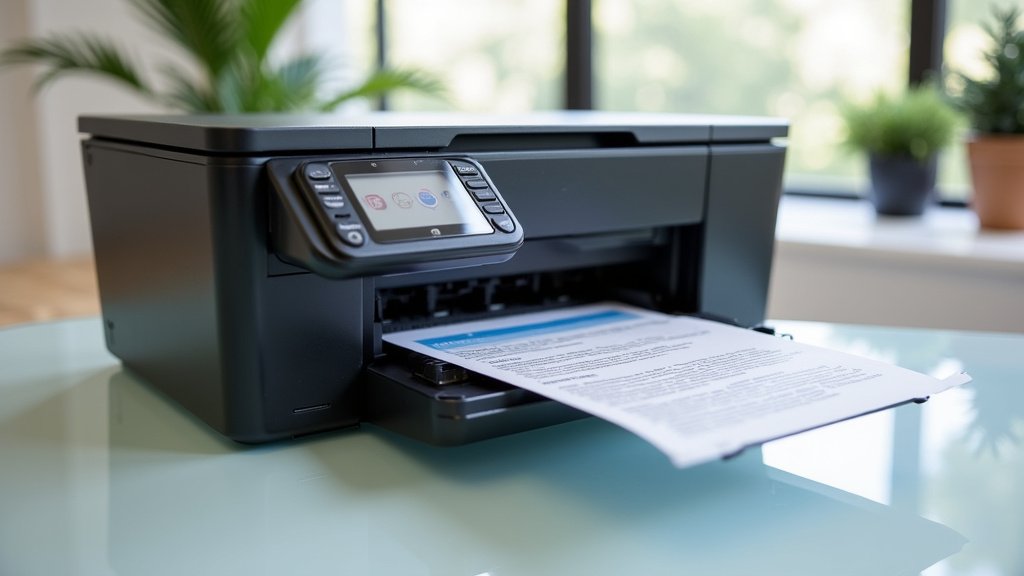
Preventing Ink from Drying Out
The good news is that you can take several steps to prevent your printer ink from drying out. A little proactive care goes a long way in saving you money and frustration.
Think of it as routine maintenance for your printer. Just as you change the oil in your car, you can take simple steps to keep your printer running smoothly.
Regular Printer Use
This is arguably the most effective prevention method. Aim to print something at least once a week. It doesn’t have to be a big document; even a small text page or a color test print will do. This helps keep the ink flowing and prevents it from settling and drying in the printhead.
Many experts suggest a print every few days. Even if you don’t need to print, running a quick test page can be a smart move. It circulates the ink and cleans the nozzles. This small habit can make a huge difference in cartridge longevity.
Proper Storage of Ink Cartridges
How you store your spare ink cartridges also matters. Always keep new, unused cartridges in their sealed packaging until you’re ready to use them. The original packaging protects them from air exposure and maintains optimal humidity.
Store cartridges in a cool, dark place. Avoid direct sunlight, extreme temperatures, or areas with high humidity. Never remove the protective tape or seals from a new cartridge until you install it. This tape is crucial for preventing air exposure.
| Best Practice | Why It Helps |
|---|---|
| Keep sealed in packaging | Prevents air exposure and evaporation |
| Store in cool, dark place | Avoids heat that speeds drying |
| Install immediately after opening | Minimizes initial exposure to air |
| Run a test print weekly | Keeps ink flowing through nozzles |
Optimizing Printer Placement and Environment
Consider where you place your printer. Move it away from direct sunlight, heating vents, or air conditioning units. These can create rapid temperature and humidity changes that stress your ink.
If you live in a very dry climate, using a small humidifier near your printer (but not so close that it causes moisture damage!) might help. Keeping your office space at a comfortable, stable room temperature is ideal for your printer and its ink.
Using Printer Maintenance Functions
Your printer has built-in tools to help prevent and fix minor clogs. These often include:
- Nozzle Check: Prints a pattern to show if any nozzles are blocked.
- Printhead Cleaning: Forces ink through the nozzles to clear minor clogs.
- Printhead Alignment: Ensures the printhead sprays ink accurately.
If you notice print quality issues, running a few cleaning cycles can often resolve the problem. However, cleaning cycles use a fair bit of ink, so it’s best to use them only when needed rather than as a daily preventative measure.
Quick Checklist for Ink Longevity
Here’s a quick summary of what you can do to keep your printer ink from drying out:
- Print Regularly: Aim for at least once a week to keep ink flowing.
- Store Correctly: Keep spare cartridges sealed and in a cool, dark place.
- Mind Your Environment: Avoid placing the printer near heat sources or in very dry areas.
- Use Printer Cleanings: Run nozzle checks and printhead cleanings when needed.
- Power Down Properly: Allow your printer to complete its shutdown cycle; it often caps the printhead.
Following these simple steps can greatly extend the life of your ink cartridges and ensure your printer is always ready when you are. Nobody wants to be stuck with a printing emergency and dry ink!
Conclusion
Dealing with dry printer ink is a common, yet frustrating, problem. As we’ve seen, it usually comes down to air exposure causing ink solvents to evaporate, especially with infrequent use. Understanding the role of ink types and environmental factors can help you protect your investment.
The good news is that preventing dry ink is largely within your control. By making small changes, like printing regularly and optimizing your printer’s environment, you can save yourself a lot of hassle and money. Take these steps today to ensure your printer is always ready for your next important document.
Frequently Asked Questions
Does turning off my printer help prevent ink from drying out?
Yes, turning your printer off correctly can help. Most printers cap the printhead when powered down, which creates a seal to reduce air exposure. Avoid simply unplugging it; let the printer complete its normal shutdown cycle to ensure the printhead is properly protected.
Can refilled ink cartridges dry out faster than new ones?
Refilled cartridges can sometimes dry out faster, especially if not sealed perfectly or if they’ve been sitting for a while before refilling. The quality of the ink used in refilling and the cartridge’s overall condition also play a role. Always ensure refills are fresh and the cartridge seals are intact.
Is it better to leave my printer on all the time?
Leaving your printer on or turning it off frequently has pros and cons. Some experts suggest leaving it on helps with automatic cleaning cycles, preventing clogs. However, if you won’t use it for several days, properly shutting it down to cap the printhead is generally a better strategy to prevent drying.
Can a dirty printhead cause the ink to dry faster?
While a dirty printhead doesn’t directly cause ink to dry faster within the cartridge, it can trap dried ink and debris. This creates blockages that mimic the effects of dried ink, making it seem like your ink is drying out more quickly. Regular printhead cleaning helps maintain optimal flow.
How long do unused, sealed ink cartridges last before drying?
Unused, sealed ink cartridges can last for a significant time, often 1-2 years, when stored correctly in their original packaging in a cool, dark place. The sealed packaging prevents air exposure, preserving the ink’s solvents. Always check the expiration date on the packaging for the manufacturer’s recommendation.