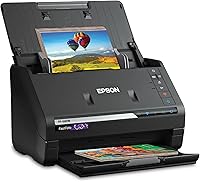
8 Best Document Scanners for PC (November 2026)
The best document scanners for PC include the Epson Workforce ES-400 II High-Speed Color Duplex for everyday office stacks, the Epson Workforce ES-590W Wireless & USB High-Speed for wireless touchscreen scanning, and the Brother DS-640 Compact Mobile Document Scanner for compact mobile scanning.
On this page (10 sections)
- The best document scanners for PC, ranked by score
- How the best document scanner for PC compares side by side
- How we compared these document scanners
- What feeder size do I need for a document scanner?
- Is duplex scanning worth it for PC document work?
- Should I choose USB or Wi-Fi for a document scanner?
- What resolution and OCR features matter for office documents?
- Which brand fits my PC setup: Epson, ScanSnap, Canon or Brother?
- How do I set up and care for a PC document scanner?
- Our verdict: which document scanner for PC should you buy?
We compared eight models from Epson, Brother, ScanSnap and Canon by feeder size, speed, connection and software. For another office-focused brand, compare Ricoh document scanners.
Our score weighs specs, features and buyer feedback against what you are shopping for. A high score means the model fits Windows desktop document workflows well, not that it suits every room or every paper type.
If you mainly scan photos, start with our best scanner for pictures guide instead. Document scanners here are built for text pages, receipts and forms, and their feeders handle those jobs differently from flatbed photo scanners.
For books and overhead capture, see CZUR book scanners.
Our picks at a glance
-
1
 Best for everyday office stacks
Epson Workforce ES-400 II High-Speed Color Duplex
9.7/10 our score
See it on Amazon -
2
 Best for wireless touchscreen scanning
Epson Workforce ES-590W Wireless & USB High-Speed
9.7/10 our score
See it on Amazon -
3
 Best for compact mobile scanning
Brother DS-640 Compact Mobile Document Scanner
9.5/10 our score
See it on Amazon
- 4
 Check it
Epson Workforce ES-50 Compact & Lightweight Mobile
Best for light portable single sheets - 5
 Check it
ScanSnap iX2500 Wireless or USB High-Speed Document
Best for fast batch organization - 6
 Check it
ScanSnap iX2400 High-Speed One-Touch Button Color Document
Best for one-touch USB scanning - 7
 Check it
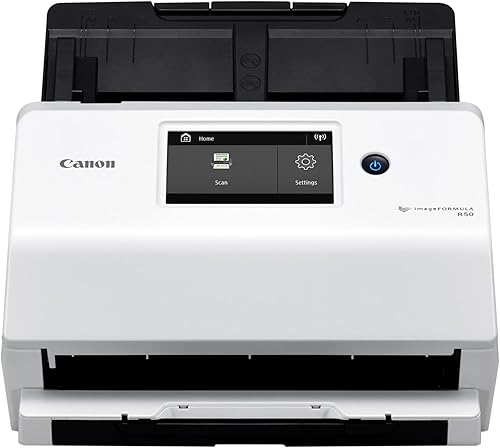
Canon imageFORMULA R50 Business Document Scanner
Best for shared business use - 8
 Best for simple USB setupCheck it
The best document scanners for PC, ranked by score
The top picks split into three groups. Desktop duplex models handle daily stacks, wireless models free the scanner from your PC, and mobile models travel with a laptop.
Pick the group that matches your desk before you compare brands.
Epson Workforce ES-400 II High-Speed Color Duplex: Best for everyday office stacks
- 50-sheet Auto Document Feeder
- Duplex scanning
- 35 pages per minute at 300 dpi
- Searchable PDFs with OCR
- Epson ScanSmart software
- TWAIN driver
A fast desktop duplex scanner with a 50-sheet feeder, OCR and cloud sharing for Windows workflows.
Pros
- 50-sheet feeder for batches
- Scans both sides in one pass
- Searchable PDFs and editable files
Cons
- USB only, so the PC stays nearby
- 300 dpi is lower than some rivals
The Epson ES-400 II suits a home office or small business that scans stacks of letters, contracts and forms each week. Its 50-sheet Auto Document Feeder loads a full batch at once, so you can place pages and let the machine work through them.
Epson says it scans up to 35 pages per minute at 300 dpi for letter-size pages, and duplex mode captures both sides in one pass. That speed matters when a batch grows past 20 pages.
Epson ScanSmart helps you preview scans, email files and upload to cloud storage. OCR creates searchable PDFs and can convert scans to editable Word or Excel files, which saves time when you need to find text later.
Image tools include auto crop, blank page removal, background removal and skew correction. A TWAIN driver also lets most document management software talk to the scanner.
It connects by USB, so your Windows PC needs to stay close. It also weighs 3.7 kg, so it is a fixed desk unit rather than a travel scanner.
For a single fixed desk with steady batches, that trade-off is easy to accept.
Epson Workforce ES-590W Wireless & USB High-Speed: Best for wireless touchscreen scanning
- 100-sheet Auto Document Feeder
- Wi-Fi and USB
- Up to 45 ppm duplex
- 4.3-inch color touchscreen
- 600 dpi
- ScanWay computer-free scanning
A wireless desktop scanner with a large touchscreen, 100-sheet feeder and direct email and cloud sending.
Pros
- 100-sheet feeder
- Wi-Fi for flexible placement
- Touchscreen sending without a PC
Cons
- Larger and heavier than portable models
- Touchscreen adds setup choices
The Epson ES-590W suits a busy desk where you want to scan without returning to your PC each time. Its 100-sheet Auto Document Feeder holds twice the pages of the ES-400 II, so large batches need fewer reloads.
Epson says duplex scanning runs at up to 45 pages per minute, and a single pass captures both sides. That makes tax files, client paperwork and long reports much quicker to digitize.
A 4.3-inch color touchscreen supports ScanWay computer-free scanning. You can send scans to email, cloud storage or a connected USB flash drive from the scanner itself.
Built-in Wi-Fi lets you place it where it fits your room and scan to a computer or mobile device. Epson ScanSmart AI technology is meant to turn pages into smart, searchable data for AI apps.
The trade-off is size and weight at 8.2 pounds. If your desk is small, the ES-400 II takes less room.
If you value wireless placement and a large feeder, the ES-590W earns its footprint.
Brother DS-640 Compact Mobile Document Scanner: Best for compact mobile scanning
- Up to 16 ppm color scanning
- About 1.5 lb
- Under 12 inches long
- USB powered
- OCR and document management software
- TWAIN and WIA drivers
A pocket-size mobile scanner that runs from a PC or laptop USB port for receipts, IDs and single pages.
Pros
- Very compact and light
- USB powered for travel
- Handles long pages and cards
Cons
- Single-sheet feed, so batches take longer
- No duplex scanning
The Brother DS-640 suits a laptop user who needs a scanner that packs into a bag. It measures under 12 inches long and weighs about 1.5 pounds, so it fits in a briefcase, purse or drawer.
It scans color and black-and-white pages at up to 16 ppm, with the same speed in color. That is slower than desktop batch models, but it is quick for single pages, receipts and cards.
Power comes through the included micro USB 3.0 cable from your PC or laptop. You do not need an outlet, which helps at a client site, in a small office or while traveling.
The scanner handles documents up to 72 inches long and media such as business cards, plastic ID cards and receipts. Brother's free iPrint&Scan app can scan to your PC, network, cloud services, email and OCR destinations.
Its limit is clear: it feeds one sheet at a time and has no duplex mode. For a 50-page double-sided batch, a desktop feeder model will finish far faster.
For one page at a time on the move, the DS-640 is hard to beat.
Epson Workforce ES-50 Compact & Lightweight Mobile: Best for light portable single sheets
- Single page in 5.5 seconds at 300 dpi
- Up to 8.5 x 72 inches
- 9.44 ounces
- USB powered
- Nuance OCR
- TWAIN driver
An ultra-light mobile scanner for single pages, receipts, ID cards and extra-long documents.
Pros
- Lightest pick here
- Fast single-sheet scans
- Handles extra-long pages
Cons
- One sheet at a time
- No duplex or large feeder
The Epson ES-50 suits someone who scans single sheets in different places. It weighs 9.44 ounces and runs from a USB port, so there is no battery or external power supply to carry.
Epson says it scans a single page in as fast as 5.5 seconds at 300 dpi. That speed suits receipts, expense slips, ID cards and one-off forms.
Paper handling reaches 8.5 x 72 inches, so extra-long pages and cards pass through the same slot. Automatic feeding mode combines multi-page scans into one file when you insert sheets one after another.
Epson ScanSmart helps you scan, review and save files, and included Nuance OCR creates searchable PDFs and editable Word and Excel files. A TWAIN driver adds compatibility with other imaging software.
The trade-off is capacity. With a one-sheet feed and no duplex mode, it cannot match a 50 or 100 sheet desktop feeder for office stacks.
Choose it for portability and single-sheet jobs, not for high-volume batches.
ScanSnap iX2500 Wireless or USB High-Speed Document: Best for fast batch organization
- 45 ppm duplex scanning
- 100-sheet feeder
- Wi-Fi 6 and USB-C
- Large touchscreen
- Automatic naming and sorting
- Quick Menu drag and drop
A high-speed wireless ScanSnap with a 100-sheet feeder, touchscreen profiles and automatic file organization.
Pros
- Fast 45 ppm duplex speed
- 100-sheet feeder
- Touchscreen profiles and cloud sending
Cons
- Desktop footprint is large
- More features than simple workflows need
The ScanSnap iX2500 suits a Windows user who wants fast batches with less file cleanup afterward. It scans duplex pages at 45 pages per minute and holds 100 sheets in its feeder.
A large touchscreen lets you choose personalized profiles and send files to a PC, Mac, mobile device or cloud service. ScanSnap Cloud also supports scanning without a computer.
Wi-Fi 6 and USB-C give you placement choices. You can keep it wired for a stable desk link or move it to a shared network position.
Automatic features optimize images, name files and sort documents into folders. A brake roller system, multi-feed sensor and skew detection help reduce jams and protect pages.
Quick Menu lets you drag and drop a scan to a favorite app, which suits receipts, photos, business cards and tax papers. The trade-off is size at 7.7 pounds and a feature set that may be more than a light user needs.
ScanSnap iX2400 High-Speed One-Touch Button Color Document: Best for one-touch USB scanning
- Up to 45 pages per minute
- 100-sheet feeder
- USB connection
- One-touch button
- Automatic size and color detection
- ScanSnap Home software
A one-touch USB ScanSnap with fast duplex scanning, a 100-sheet feeder and automatic image cleanup.
Pros
- One-touch operation
- Fast duplex batch scanning
- Automatic cleanup features
Cons
- Wired USB only
- No touchscreen or Wi-Fi
The ScanSnap iX2400 suits a home office that wants one-touch scanning over touchscreen choices. You press one button, and the scanner feeds, cleans up and organizes the pages.
It scans at up to 45 pages per minute with a 100-sheet feeder, so large batches move quickly. Duplex scanning captures both sides in a single pass.
Connection is wired USB, which gives a stable link to your Windows PC. That suits a fixed desk where Wi-Fi placement adds no real benefit.
Automatic detection finds document size and color depth. It also removes streaks and blank pages, de-skews pages and rotates images when needed.
ScanSnap Home brings documents, receipts, business cards and photos into one place for editing and use. Quick Menu supports drag-and-drop to favorite apps.
Compared with the wireless iX2500, this model gives up Wi-Fi and touchscreen profiles. If your PC stays on the same desk, that simpler design can be an advantage rather than a loss.
Canon imageFORMULA R50 Business Document Scanner: Best for shared business use
- 60-sheet automatic feeder
- Up to 40 ppm color duplex
- Wi-Fi and USB
- 4.3-inch color touchscreen
- 600 dpi
- TWAIN driver
A business scanner with touchscreen control, Wi-Fi sharing, a 60-sheet feeder and mixed-batch handling.
Pros
- Wi-Fi for shared use
- Handles mixed document batches
- Touchscreen shortcuts
Cons
- Slower than the 45 ppm picks
- Touchscreen control may be more than some users need
The Canon imageFORMULA R50 suits a small business that shares one scanner among several users. Wi-Fi and USB connections allow local and networked use, so more than one PC can reach it.
It scans both sides in color at up to 40 pages per minute with a 60-sheet automatic feeder. That speed sits just below the 45 ppm picks, but it still handles office batches well.
A 4.3-inch color touchscreen lets you select scan destinations, shortcuts and device settings at the scanner. That helps shared devices where each user wants a different destination.
Canon says it handles receipts, plastic cards, contracts and thick, thin or long documents, alone or in mixed batches. Automatic resolution adjustment can improve image quality and reduce file size.
A TWAIN driver is included, and the scanner supports Windows and Mac systems. The trade-off is a desktop size of 7.4 pounds.
For a shared business desk, that size is a fair price for network access and mixed-batch handling.
Canon imageFORMULA R30: Best for simple USB setup
- 60-sheet automatic feeder
- Up to 25 ppm duplex
- USB connection
- No software installation required
- Searchable digital formats
- 600 dpi
A simple USB duplex scanner with a 60-sheet feeder and device-embedded software for quick setup.
Pros
- No installation needed to start
- 60-sheet feeder
- Simple USB setup
Cons
- Slower 25 ppm duplex speed
- TWAIN and ISIS drivers are not supported
The Canon imageFORMULA R30 suits a small office that wants simple setup over advanced controls. It connects with the supplied USB cable and needs no software installation to start scanning.
Device-embedded software scans and organizes files from the scanner itself. Canon says it updates automatically, which can reduce setup steps on a new PC.
It scans both sides at up to 25 pages per minute with a 60-sheet automatic feeder. That is slower than the 40 and 45 ppm models here, but it still suits moderate batches.
The feeder handles documents, invoices, contracts and business cards, including mixed batches. Searchable digital formats help you find text after scanning.
One limit matters for some Windows workflows: TWAIN and ISIS drivers are not supported. If your document management software needs a TWAIN driver, choose the Epson ES-400 II or Canon R50 instead.
For a simple USB desk scanner, the R30 keeps the task simple.
How the best document scanner for PC compares side by side
The table below puts feeder size, speed and connection in one view. Use it to match the scanner type to your workflow before you read the buying sections.
| Product | Best for | Feeder Capacity | Connection | Resolution | Our score |
|---|---|---|---|---|---|
| Epson Workforce ES-400 II High-Speed Color Duplex | everyday office stacks | 50 sheets | USB | 300 dpi | 9.7 |
| Epson Workforce ES-590W Wireless & USB High-Speed | wireless touchscreen scanning | 100 sheets | USB, Wi-Fi | 600 dpi | 9.7 |
| Brother DS-640 Compact Mobile Document Scanner | compact mobile scanning | 1 sheet | USB | 300 dpi | 9.5 |
| Epson Workforce ES-50 Compact & Lightweight Mobile | light portable single sheets | 1 sheet | USB | 1200 dpi optical | 9.4 |
| ScanSnap iX2500 Wireless or USB High-Speed Document | fast batch organization | 100 sheets | USB, Wi-Fi | 600 dpi | 9.3 |
| ScanSnap iX2400 High-Speed One-Touch Button Color Document | one-touch USB scanning | 100 sheets | USB | 600 dpi | 8.9 |
| Canon imageFORMULA R50 Business Document Scanner | shared business use | 60 sheets | USB, Wi-Fi | 600 dpi | 8.5 |
| Canon imageFORMULA R30 | simple USB setup | 60 sheets | USB | 600 dpi | 8.1 |
How we compared these document scanners
We compared feeder capacity, duplex speed, resolution, connection type, size, weight and software features from the product data for each model. We looked at how those specs fit a Windows PC workflow, including OCR, cloud destinations and driver support.
Speed figures are maker figures for stated page sizes and resolutions.
Feeder counts are standard sheet capacity, so mixed paper sizes can change how many pages fit at once.
Buyer patterns in the data also guided the badges. Models with large feeders earn batch-oriented badges, while single-sheet mobile models earn travel badges.
That keeps each badge tied to a real use.
What feeder size do I need for a document scanner?
A 50 to 100 sheet feeder suits office batches, while a one-sheet feed suits travel and single pages. Match the feeder to your largest normal stack, not your rare maximum stack.
100-sheet feeders for large batches
The Epson ES-590W, ScanSnap iX2500 and ScanSnap iX2400 each hold 100 sheets. That helps with tax files, client folders and long reports where reloads waste time.
50 to 60 sheet feeders for steady office use
The Epson ES-400 II holds 50 sheets, and both Canon models hold 60 sheets. That range fits weekly invoices, contracts and forms without taking as much desk space as a 100-sheet unit.
Single-sheet feeders for mobile work
The Brother DS-640 and Epson ES-50 feed one sheet at a time. They suit receipts, IDs and single pages, but they are slow for a 40-page double-sided batch.
Why feeder type matters more than brand
A large feeder only helps if you load it and let it run. If you mostly scan one receipt at a time, a mobile model may serve you better than a desktop unit that sits unused.
Is duplex scanning worth it for PC document work?
Duplex scanning is worth it if you scan two-sided pages more than once a week. It captures both sides in one pass and cuts your handling time roughly in half.
Duplex models in this list
The Epson ES-400 II, Epson ES-590W, both ScanSnap models and both Canon models scan both sides at once. Speeds range from 25 to 45 pages per minute depending on the model.
Single-sheet models without duplex
The Brother DS-640 and Epson ES-50 do not scan both sides in one pass. You flip each sheet by hand, which is fine for one page but slow for a contract packet.
When duplex is not important
Receipts, ID cards and single-page forms rarely need duplex mode. For those jobs, weight, length and USB power may matter more than two-sided speed.
Should I choose USB or Wi-Fi for a document scanner?
USB is simpler for one PC, and Wi-Fi is better for shared or remote placement. Choose the connection that matches where the scanner will sit each day.
USB for a fixed Windows desk
The Epson ES-400 II, Brother DS-640, Epson ES-50, ScanSnap iX2400 and Canon R30 use USB. That gives a direct link and fewer network settings.
Wi-Fi for shared or flexible placement
The Epson ES-590W, ScanSnap iX2500 and Canon R50 offer Wi-Fi. You can place the scanner away from your PC and send files to cloud storage or another device.
Touchscreen sending without a PC
The Epson ES-590W and ScanSnap iX2500 can send scans to email or cloud storage from the scanner. That helps when your PC is off or another person needs to scan.
A note on wireless document scanners
If Wi-Fi is your top priority, compare our best wireless document scanner picks. They focus more on network placement and mobile sending than USB-only desktop models.
What resolution and OCR features matter for office documents?
300 dpi suits most text documents, and OCR matters more than raw resolution for finding words later. Look for searchable PDFs if you archive contracts or invoices.
300 dpi for text and forms
The Epson ES-400 II, Brother DS-640 and Epson ES-50 scan at 300 dpi. That is enough for readable text, receipts and standard office forms.
600 dpi for fine print and mixed batches
The Epson ES-590W, both ScanSnap models and both Canon models offer 600 dpi. That can help with fine print, small text and mixed page types.
OCR and searchable PDFs
The Epson ES-400 II and Epson ES-50 create searchable PDFs and editable Word or Excel files. The Brother DS-640 also includes OCR and document management software.
Drivers for your existing software
The Epson ES-400 II, Brother DS-640, Epson ES-50 and Canon R50 include TWAIN support. The Canon R30 does not support TWAIN or ISIS, so check your software needs first.
Which brand fits my PC setup: Epson, ScanSnap, Canon or Brother?
Brand choice matters less than feeder, connection and software fit. Still, each brand here takes a different approach to PC workflows.
Epson for software and cloud workflows
Epson models use ScanSmart for previewing, emailing and cloud uploads. Our best epson document scanner guide covers that range in more depth.
ScanSnap for batch organization
ScanSnap models focus on automatic naming, sorting and cleanup. That suits users who scan many mixed papers and want files organized with less manual work.
Canon for business and shared use
Canon models split between shared Wi-Fi use in the R50 and simple USB use in the R30. Our best document scanner hp guide is a useful stop if you are comparing office brands by ecosystem.
Brother for mobile PC scanning
Brother's DS-640 is built around laptop power and compact size. It suits a Windows laptop user who scans single pages away from a desk.
Home office setups
If your scanner will live in a home office, our best document scanner for home office guide helps you weigh desk space, noise and daily volume. A 50-sheet USB model often fits that setting well.
How do I set up and care for a PC document scanner?
Setup takes about 10 to 20 minutes for most USB models, and Wi-Fi models need a few extra network steps. Keep the manual or brand support page handy for driver and software downloads.
Connect and install the software
Plug in the USB cable or join the Wi-Fi network, then install the brand software on your Windows PC. Scan a test page and check that the file lands in the right folder.
Set the destination first
Choose email, cloud storage, a PC folder or a document management app before you scan a batch. That prevents a large stack from saving to the wrong place.
Clean the feed path
Wipe the feed rollers and glass with a dry, lint-free cloth as directed. Dust and paper residue can cause skew, streaks or missed pages over time.
Store paper correctly
Keep paper flat and dry before scanning. Curled or damp pages feed poorly, and staples or clips should be removed before they enter the feeder.
Pair it with the right printer
If you also print the documents you scan, compare our Best Inkjet Printer For Printing Documents picks. For an all-in-one that scans and prints, see our Best Inkjet Printer For Scanning Documents guide.
Our verdict: which document scanner for PC should you buy?
Buy the Epson Workforce ES-400 II if you want one answer for a fixed Windows desk. Its 50-sheet feeder, duplex scanning and OCR cover most office batches without Wi-Fi complexity.
Buy the Epson ES-590W if you want a 100-sheet feeder with touchscreen and Wi-Fi sending. It suits larger batches and shared desks where the PC is not always nearby.
Buy the ScanSnap iX2500 if batch organization matters most. Its 45 ppm speed, touchscreen profiles and automatic naming help mixed papers stay sorted.
Buy the Brother DS-640 or Epson ES-50 if you scan on the move. Both run from a laptop USB port, but they feed one sheet at a time and lack duplex mode.
Buy the Canon R50 for shared business use and the Canon R30 for simple USB setup. The R50 adds Wi-Fi and a touchscreen, while the R30 keeps setup basic but lacks TWAIN support.
For most buyers, the best document scanner for PC is the one whose feeder size matches your normal stack. Start with the ES-400 II, then move up to a 100-sheet wireless model only if your batches or desk layout demand it.
Our top 3 picks at a glance
-
1
Best for everyday office stacks
Epson Workforce ES-400 II High-Speed Color Duplex
9.7/10 our score
See it on Amazon -
2
Best for wireless touchscreen scanning
Epson Workforce ES-590W Wireless & USB High-Speed
9.7/10 our score
See it on Amazon -
3
Best for compact mobile scanning
Brother DS-640 Compact Mobile Document Scanner
9.5/10 our score
See it on Amazon
Frequently asked questions
What should I look for in a document scanner for PC?
Look first at feeder size, duplex speed, connection and software. A 50 to 100 sheet feeder suits batches, while duplex scanning halves your handling time.
USB gives a stable PC link, and Wi-Fi helps shared desks.
Is duplex scanning worth it?
Yes, if you scan two-sided contracts, invoices or forms each week. Duplex scanning captures both sides in one pass, so you do not flip each sheet.
Single-sheet mobile models without duplex suit receipts and IDs instead.
Do I need Wi-Fi on a document scanner?
Wi-Fi helps when the scanner sits away from your PC or several people share it. A USB-only model is simpler and often more stable for one desk.
Choose Wi-Fi if direct cloud sending or mobile scanning matters to you.
What resolution do I need for documents?
300 dpi is enough for most text documents and searchable PDFs. Some models here offer 600 dpi, which can help with fine print or mixed batches.
Resolution matters less than feeder reliability, duplex speed and OCR for daily office use.