Sublimation Printer vs Cricut: Which Tool Do You Need? (October 2026)
A sublimation printer prints designs, while a Cricut cuts materials and can use Infusible Ink sheets. Choose one based on the task you need to do, or use both when a project needs custom printed artwork and precise cuts.
On this page (6 sections)
A sublimation printer prints custom designs, while a Cricut cuts materials and can work with ready-to-cut Infusible Ink sheets. For a sublimation printer vs Cricut choice, start with the task: print artwork, cut a shape, or do both in one craft workflow.
These tools don't do the same job. A printer such as the Epson SureColor F170 makes sublimation prints, while a Cricut Maker or Explore family machine cuts compatible materials.
A Cricut cutter alone won't print custom artwork, and a sublimation printer alone won't cut it. If you want a sublimation printer and cutter setup, you'll need to plan for both tools and the transfer materials your project uses.
 Best for custom sublimation prints
Johnson Plastics Plus Epson SureColor F170 Dye-Sublimation Printer.
 Best for a printer-only setup
Johnson Plastics Plus Epson SureColor F170 Dye-Sublimation Printer
Sublimation printer vs Cricut: what does each tool do?
A sublimation printer puts custom artwork onto transfer paper, and a Cricut cuts shapes from compatible materials. A cutting machine isn't a printer, even when both tools appear in the same craft workflow.
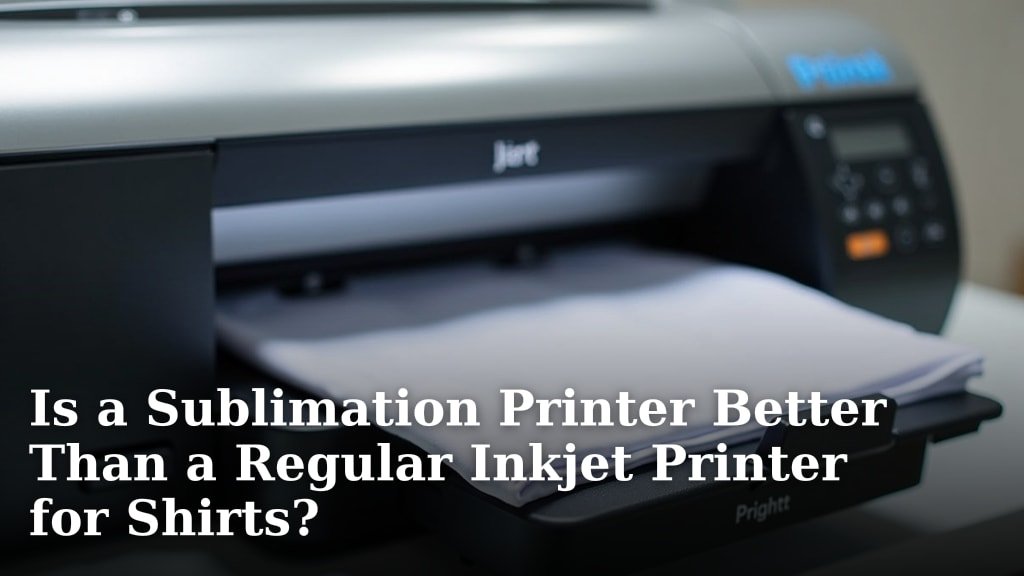
The SureColor F170 is a print-only dye-sublimation printer. Its included supplies depend on the bundle: one version includes Epson sublimation ink, paper, thermal tape and starter items, while another includes Epson ink, a user guide and power cable.
A Cricut machine follows cut lines in material. Infusible Ink sheets give Cricut users pre-inked material to cut, but they aren't a way to print a custom photo or image from a computer.
For a plain-language explanation of the printing process, see what a sublimation printer does. If your main question is about choosing between sublimation and a regular inkjet for shirts, read our sublimation printer vs regular inkjet comparison.
Is a sublimation printer cutter one machine?
A sublimation printer cutter isn't one function built into the SureColor F170. The printer is designed to print; cutting requires a separate cutter or another suitable way to trim the design.
Some crafters use both machines to print custom artwork and then cut material or shapes for a project. Before buying a pair, map each step and confirm your software, material and transfer method work together.
Which tool should you choose for your project?
Choose a sublimation printer for custom printed artwork and a Cricut for cut shapes or Cricut-compatible Infusible Ink sheets. Your project materials and preferred design process determine whether one tool is enough.
A printer suits you if your design starts as an image or layout that you want to transfer through sublimation. The Epson SureColor F170 is a printer-only option, with an 8.5-inch maximum media width and a 150-sheet auto-feed tray.
A Cricut suits you if you need to cut designs from compatible sheets or other compatible materials. Cricut Infusible Ink Sheets come as 12 x 12-inch transfer sheets and are made to be cut with Cricut Maker and Explore family machines.
When do both tools help?
Both tools help when a project needs custom sublimation printing and a separate cut step. The printer creates the artwork, and the Cricut handles cutting where your material and workflow support it.
For example, you might print a custom design on transfer paper and use a cutter to prepare a shape or another project layer. The exact workflow varies by material, design and transfer method, so consult the instructions for your printer, cutter and blank before making a batch.
A Cricut isn't automatically required just because you're making sublimation crafts. If the printed transfer can be trimmed by hand and the project doesn't need precise cuts, a cutter may add a step without solving a problem.
Use both if you regularly create designs with cut outlines, layered materials or repeated shapes. A best sublimation printer for T-shirts guide can help you choose the printing side of that setup.
How do printed transfers and Cricut cuts fit together?
A printed transfer and a cut design may be separate materials or stages, depending on the project. Don't assume a printer and cutter automatically align a printed image with a cut line; check the workflow and software instructions for your machine.
If you're new to shirt transfers, our guide to using a sublimation printer for shirts covers the printing and transfer steps. For a cutter-led approach with pre-inked sheets, see how to use sublimation paper with Cricut.
What materials work with each approach?
The printer approach depends on sublimation paper and blanks suited to sublimation, while the Cricut approach depends on cuttable material and machine compatibility. Check the blank's instructions before making a transfer.
The F170 bundles described here include sublimation ink, but only the larger bundle lists paper, thermal tape and starter items. Its maximum media width is 8.5 inches, so consider the design size before choosing it.
Cricut Infusible Ink sheets are pre-inked and ready to cut. Their transfer process uses high heat, and Cricut describes pairing them with compatible blanks such as coasters, T-shirts and tote bags.
A blank kit can help you explore what you want to make, but it doesn't replace printing, cutting or heat equipment. The Modacraft kit includes varied blanks such as coasters, keychains, makeup bags, pillowcases and puzzles.
What should you buy first?
Buy the tool that handles the step you currently lack. If you already have a cutter but need custom sublimation artwork, prioritize a sublimation printer; if you already print and need controlled cuts, consider a Cricut.
If you have neither, choose a project and list each required step before buying equipment. Include the printer, cutter if needed, transfer materials, suitable blank and heat source.
A best inkjet printer for sublimation guide can help if you're comparing converted inkjet options with a purpose-built sublimation printer. Be sure to compare ink compatibility and setup requirements for the specific printer model.
If you only want to use Cricut Infusible Ink sheets, you may not need a separate sublimation printer. If you want your own photos, logos or other custom artwork, a printer is the key tool in this comparison.
Which tool fits your workflow?
Choose a sublimation printer for custom transfers, a Cricut for cutting, and both when the project needs both steps. Match your purchase to the designs you plan to make and the blanks you can use.
Pick the F170 when you want a dedicated sublimation printer with Epson ink and a 150-sheet tray. Pick Cricut-compatible Infusible Ink sheets when you want pre-inked designs to cut with a compatible Maker or Explore machine.
Choose a printer and cutter together only if your projects benefit from custom printing and precise cuts. Before you buy, sketch the process from design to finished blank so every tool has a clear job.
Frequently asked questions
Can a Cricut print sublimation designs?
A Cricut cutting machine cuts materials; it doesn't replace a sublimation printer for printing custom artwork. Cricut Infusible Ink transfer sheets are pre-inked, so you can cut their designs with a compatible Maker or Explore machine and transfer them to compatible blanks with heat.
Can you use a sublimation printer with Cricut?
Yes, you can use both in one project when you need custom printed artwork and a cut shape. Print the design with a sublimation printer, then use the Cricut for cutting where the material and project workflow allow; check the instructions for your exact materials and machine.
Do you need a Cricut for sublimation shirts?
No. A Cricut isn't required to print and transfer a sublimation design onto a suitable shirt.
A cutter can help when you want cut shapes or use ready-to-cut Infusible Ink sheets, while a printer handles custom sublimation artwork.
What does a sublimation printer and cutter setup include?
A printer and cutter setup includes separate tools for printing and cutting, plus suitable transfer materials and a heat source for the chosen blank. The printer creates the artwork, while the cutter trims or shapes material; confirm each component supports your design and project.
Can a Cricut cut sublimation paper?
A Cricut can cut compatible materials, but the paper and cut settings need to suit your machine and design. For a workflow using printed sublimation paper, review how to use sublimation paper with Cricut and check the material guidance for your specific machine.