Which Sublimation Printers Can Print 13x19?
A printer must support at least 13 inches of paper width and 19 inches of length to print a 13 x 19 inch sheet. Check its media limits and paper path, then confirm the ink and transfer paper suit the printer.
On this page (6 sections)
- Which sublimation printer prints 13x19?
- What should you check before buying a 13x19 sublimation printer?
- Which smaller printers are not a fit for a full 13x19 sheet?
- What can you do if your printer cannot print 13x19?
- How do you prepare a large sublimation transfer?
- How do you choose the right printer for 13x19 transfers?
A sublimation printer needs to support 13 inches of paper width and 19 inches of length to print a full 13 x 19 inch transfer on one sheet. Many compact sublimation models stop at 8.5 inches wide, so check maximum media size before you buy.
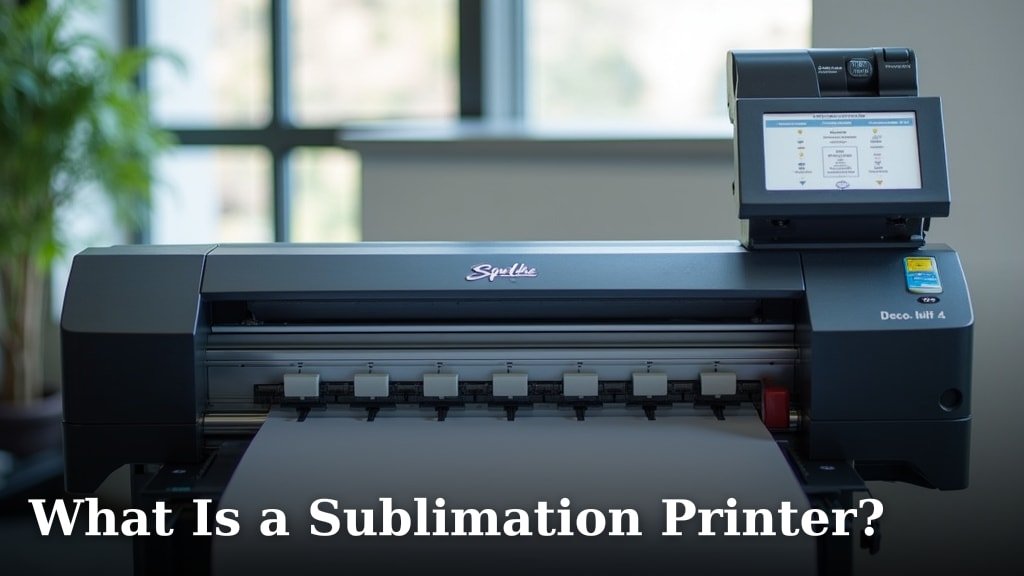
The printer also needs a compatible sublimation ink setup and a paper path that can feed your chosen transfer paper. Learn what a sublimation printer is if you are comparing the process with standard inkjet printing.
Which sublimation printer prints 13x19?
A printer can print 13 x 19 only if its supported media size includes sheets at least that large. Check the maximum paper width and length in the manufacturer's specifications, and confirm the tray or manual feed accepts your paper type.
A printer labeled “wide format” may not accept every 13 x 19 sheet. Some models support a wide sheet but have a shorter maximum length, so verify both dimensions.
For a single uninterrupted transfer, check the printer's usable print area too. Margins can make the printed design smaller than the sheet, and borderless printing is a separate feature from media support.
What should you check before buying a 13x19 sublimation printer?
Confirm media size, ink compatibility and transfer workflow before choosing a printer. Any one of these can rule out a model that otherwise looks suitable.
| Check | What to confirm | Why it matters |
|---|---|---|
| Maximum sheet size | At least 13 in wide and 19 in long | The paper must fit and feed through the printer |
| Ink system | Designed for sublimation or suitable for a planned conversion | Standard ink does not create a sublimation transfer |
| Paper feed | Tray or manual feed supports your paper type | Stiff or heavy transfer paper may need a specific feed path |
| Print area | The image area fits your design after margins | A 13 x 19 sheet may have a smaller printable area |
| Heat press | The press accommodates the transfer and blank | A large print is only useful if your transfer setup can handle it |
| Software | The driver offers the paper size or a custom size option | You need to send the artwork at its intended dimensions |
Check the manufacturer's manual or support information for exact media limits. If those details are unclear, ask the manufacturer about 13 x 19 transfer paper before buying.
Does a sublimation printer that prints 13x19 need special ink?
Yes, it needs sublimation ink compatible with the printer's ink system. For a specific Epson example, see sublimation ink for the ET-8550.
A wide-format inkjet may accept 13 x 19 paper but still be unsuitable for sublimation unless it is designed for that ink or can be converted according to reliable instructions.
Refillable tanks alone do not make an inkjet a sublimation printer. Read whether you can use an inkjet printer for sublimation before considering a conversion.
Is 13x19 the same as A3+?
The names often refer to similar large paper formats, but check the actual dimensions before treating them as interchangeable. Confirm the sheet width and length in inches or millimeters, plus the printer's accepted media sizes.
Your transfer paper should match the printer's feed limits and the design dimensions. Check the package before loading it, especially when paper is labeled by a format name instead of exact measurements.
Which smaller printers are not a fit for a full 13x19 sheet?
A printer with a maximum media width below 13 inches cannot print the full sheet in one pass. The Epson SureColor F170 supports media up to 8.5 inches wide, while the Liene M100 is a 4 x 6 inch photo printer.
The F170 is a dye-sublimation printer with Epson sublimation ink and a 150-sheet auto-feed tray. Its media limit makes it a poor fit when your design must print as one oversized transfer.
The Liene M100 uses thermal dye-sublimation for photo printing and supports media up to 4 x 6 inches. That makes it a compact photo option, not a printer for 13 x 19 transfer sheets.
The ET-2803 is an all-in-one inkjet with refillable tanks, scanning and copying. Its media limit and compatibility with sublimation ink are not confirmed here, so check both with Epson before considering it for this job.
For a wider selection of equipment and media sizes, compare our best sublimation printer for large prints guide. If you work with smaller sheets, the Best Inkjet Printer For Sublimation guide can help you compare other options.
What can you do if your printer cannot print 13x19?
Use a printer that supports the full sheet, or split the design into smaller sections if your project can accommodate seams. A tiled transfer needs careful alignment, and the transfer paper must still match the printer's size limits.
Before splitting the artwork, check the blank and press dimensions. Make sure the separate sections can be positioned without gaps or unwanted overlap when heat is applied.
You can also redesign the transfer to fit a smaller sheet. This works for smaller blanks or projects where a reduced image still covers the intended area.
How do you prepare a large sublimation transfer?
Set the document dimensions to match the sheet and finished design. Keep important artwork inside the printable area, and check the driver preview before printing.
Use the paper type and feed method recommended for the printer. Follow the ink and transfer paper instructions for print settings, drying time and heat application.
Large designs use more paper and ink than small ones. Our guide to how much ink a sublimation printer uses per print can help you plan consumables for your project.
How do you choose the right printer for 13x19 transfers?
Choose a model only after you confirm that it can feed 13 x 19 inch sheets and use compatible sublimation ink. If the printer supports only 8.5 inch media, plan smaller transfers or select a different machine.
For a single full-size design, choose a printer with both the required media dimensions and enough printable area for your artwork. For small crafts, a compact printer can be easier to fit into your workspace.
If your designs fit smaller sheets, read our Sawgrass SG500 review.
If you're weighing a sublimation printer against a cutting machine, see sublimation printer vs Cricut.
If photo transfers are part of your plans, compare the options in our Best Sublimation Printer For Photos guide.
FAQ: Does splitting a 13 x 19 design let a smaller printer handle it?
You can divide the artwork across smaller sheets, but the printer still cannot feed a full 13 x 19 sheet. Check whether your project can tolerate seams, plan how the sections will align, and verify that the heat press can transfer them cleanly.
FAQ: What is the most important specification for 13 x 19 printing?
Check maximum media width and length first. A printer must accept both dimensions to print the sheet in one pass, and its printable area may be smaller than the paper.
Then confirm sublimation ink compatibility and the paper feed method for your transfer material.
Frequently asked questions
Which sublimation printer can print 13x19?
A sublimation printer needs to support sheets at least 13 inches wide and 19 inches long to print a full 13 x 19 inch transfer. Check the manufacturer's maximum media size and paper feed options before buying.
Many compact dedicated sublimation printers have narrower media limits.
Can the Epson SureColor F170 print 13x19?
No. The Epson SureColor F170 supports media up to 8.5 inches wide, so it cannot print a full 13 x 19 inch sheet.
It can suit smaller transfers, such as designs that fit on letter-size paper, but choose a wider printer for a single oversized transfer.
Can I split a 13x19 design across smaller sheets?
You can divide a large design in image software, then print and align the pieces if your project allows seams or overlap. Check the heat press area and transfer method first, since alignment can be difficult and some designs need to transfer as one continuous image.
Does 13x19 paper fit any wide-format inkjet printer?
No. A printer may support wide sheets but still lack a paper path for 19-inch length, or may not work with sublimation ink.
Check the exact media dimensions and whether the printer is designed or converted for sublimation before preparing a large transfer.