6 Best Portable Photo Scanners (November 2026)
The best portable photo scanners include the Epson FastFoto FF-680W High-Speed Duplex Photo for large photo collections, the Canon CanoScan LiDE 400 Slim Scanner for slim flatbed scanning, and the HP Small USB Document & Photo Scanner for light travel.
On this page (5 sections)
The Epson FastFoto FF-680W is the best portable photo scanner for large photo collections, thanks to batch scanning, duplex capture and USB or Wi-Fi connections. The Canon CanoScan LiDE 400 is better for a thin flatbed, while the HP Small USB Scanner is the easiest to carry.
A portable photo scanner can help you digitize prints while visiting relatives, sorting albums at a second home or working away from a permanent office. It turns a short visit into a chance to preserve photos that might otherwise stay boxed or tucked inside an album.
The right choice depends on how many photos you scan, how fragile they are and whether you need a computer-free workflow. A batch scanner suits a large family archive, while a slim flatbed or lightweight sheetfed model may suit a few prints at a time.
If you need broader advice before choosing a compact model, read our guide to the best scanner for pictures. For a family archive with faded or delicate prints, our guide to the best scanner for old photos covers the details that matter most.
Our picks at a glance
-
1
 Best for large photo collections
Epson FastFoto FF-680W High-Speed Duplex Photo
9.7/10 our score
See it on Amazon -
2
 Best for slim flatbed scanning
Canon CanoScan LiDE 400 Slim Scanner
9.5/10 our score
See it on Amazon -
3

- 4
 Check it
ScanSnap iX2500 Photo Edition Wireless or USB
Best for wireless workflow - 5
 Check it
Plustek ePhoto Z300 Photo Scanner
Best for gentle old-photo scanning - 6
 Check it
Pandigital Personal Photo Scanner/Converter
Best for computer-free SD scanning
The best portable photo scanners for different uses
The best portable photo scanner depends on your scanning pattern. The Epson and ScanSnap are the fastest choices for batches, Canon is the thinnest flatbed, and Pandigital is the simplest option for saving directly to removable storage.
Our score weighs specs, features and buyer feedback against what you're shopping for. We checked photo capacity, connection types, stated resolution, size, workflow and the trade-offs that affect travel or family photo projects.
| Product | Best for | Size | Resolution | Photo batch | Our score |
|---|---|---|---|---|---|
| Epson FastFoto FF-680W High-Speed Duplex Photo | large photo collections | 11.7 x 11.7 x 6.9 in | 600 dpi | Up to 36 photos | 9.7 |
| Canon CanoScan LiDE 400 Slim Scanner | slim flatbed scanning | 7.7 x 14.5 x 0.4 in | 4800 x 4800 dpi | 9.5 | |
| HP Small USB Document & Photo Scanner | light travel | 2 x 11.6 x 1.4 in | Up to 1200 dpi; 300 dpi listed in specs | 9.4 | |
| ScanSnap iX2500 Photo Edition Wireless or USB | wireless workflow | 6.26 x 11.5 x 6.34 in | 600 dpi | 9.3 | |
| Plustek ePhoto Z300 Photo Scanner | gentle old-photo scanning | 19.3 x 4 x 11.4 in | 600 x 600 dpi or 300 x 300 dpi | 9.2 | |
| Pandigital Personal Photo Scanner/Converter | computer-free SD scanning | 600 dpi | 8.6 |
Epson FastFoto FF-680W High-Speed Duplex Photo: Best for large photo collections
- Up to 36 photos per batch
- Up to 1 photo per second at 300 dpi
- Duplex photo and document scanning
- USB and Wi-Fi connectivity
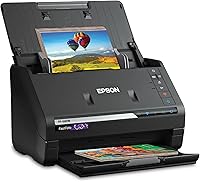
The Epson FastFoto FF-680W is built for quickly digitizing many photos, including Polaroid photos, panoramas, postcards and photos up to 8 x 10 in. Duplex capture can save an image and handwritten notes from the back in one scan.
Pros
- Fast batch photo scanning
- Duplex capture
- USB and wireless connections
Cons
- Larger and heavier than the compact single-sheet picks
The Epson FastFoto FF-680W is the strongest choice when you have hundreds or thousands of photos to digitize. It can scan up to 36 photos in a batch and reaches up to 1 photo per second at 300 dpi under the stated scanning conditions.
Its photo support covers Polaroid photos, panoramas, postcards and photos up to 8 x 10 in. That range suits mixed family collections, where prints may not all be the same size.
The most useful feature for preserving family history is single-step duplex scanning. It can capture the photo and handwritten notes on the back in one scan, so dates and names can stay with the image.
Epson also includes auto enhancement, color restoration, red-eye reduction, de-skew, crop and rotate tools. The FastFoto app can add voice and text to photos or create slideshows from a smartphone.
The scanner connects by USB or Wi-Fi and includes Epson ScanSmart software with OCR for documents. It is larger than the smallest travel scanners, but its batch workflow can save substantial handling time.
Choose it when speed and mixed photo sizes matter most. It is also the best fit when you want to preserve notes on the backs of prints.
Canon CanoScan LiDE 400 Slim Scanner: Best for slim flatbed scanning
- 4800 x 4800 dpi resolution
- USB Type-C data and power
- Color restore and dust removal
- Vertical stand included
The Canon CanoScan LiDE 400 suits careful one-photo-at-a-time scanning when a thin flatbed matters. Its USB Type-C cable handles both data and power, while EZ Buttons support quick scans and searchable PDF creation.
Pros
- Very thin design
- High stated resolution
- USB-powered setup
Cons
- One item at a time
- Requires flatbed placement for each photo
The Canon CanoScan LiDE 400 is the best portable photo scanner here when a slim flatbed matters more than batch speed. For a computer-based setup, compare flatbed scanners for Windows 11.
Its stated size is 7.7 x 14.5 x 0.4 in, so it takes little vertical space when stored.
The 4800 x 4800 dpi resolution suits buyers who want detailed scans from individual prints. Canon also lists color restore and dust removal features for improving the appearance of scanned images.
Its USB Type-C cable handles both data and power. That makes the setup simple when you have a nearby computer and don't want a separate power adapter.
The scanner includes five EZ Buttons, including auto scan and PDF controls. It can create multi-page PDFs that are editable and searchable, which adds value if you also scan documents.
The trade-off is the one-item workflow. You place each photo on the flatbed, scan it, remove it and repeat.
That is slower for a large album, but it gives you a familiar flat surface for careful individual work.
Choose Canon for a thin USB flatbed and high stated resolution. For more advice on this style, see our guide to the best flatbed scanner for photos.
HP Small USB Document & Photo Scanner: Best for light travel
- 3 ounces
- USB 2.0 power
- 1-sided sheetfed scanning
- Windows and Mac compatibility
The HP Small USB Document & Photo Scanner is the lightest option here for carrying between home, office and family visits. Its sheetfed design handles photos, receipts, cards and paper through a single-sided pass.
Pros
- Very low weight
- Compact profile
- Windows and Mac software
Cons
- Single-sided scanning
- Designed for light to medium batches
The HP Small USB Document & Photo Scanner is the easiest model here to carry because it weighs 3 ounces and measures 2 x 11.6 x 1.4 in. It suits a travel setup where every ounce matters.
Its sheetfed design scans one side at a time at 15 pages per minute, or about 4 seconds per page. For recurring business paperwork, compare receipt scanners for small businesses.
It supports photos, receipts, business cards and other small paper items. HP includes USB 2.0 power and HP WorkScan software for Windows and Mac, and Mac users can also see photo scanners for Mac.
The software can auto-scan, detect size, preview, zoom, crop, edit and clean up backgrounds, edges and holes. The scanner handles paper from 2 x 2.9 in up to 8.5 x 14 in.
The listed resolution is 300 dpi, while the product features also describe output up to 1200 dpi, so check the setting you need before starting. This is a practical pick for occasional batches, travel documents and a few family photos at a time.
It is less suited to a large archive that needs automatic two-sided capture or a large feeder. Choose HP when portability and USB simplicity matter more than high-volume photo throughput.
ScanSnap iX2500 Photo Edition Wireless or USB: Best for wireless workflow
- Up to 100 photos per minute
- 100-document feeder capacity
- Up to 36-photo capacity
- Wi-Fi and USB connectivity
The ScanSnap iX2500 Photo Edition combines a large feeder with Wi-Fi 6, USB-C and automatic file organization. Three photo carrier sheets are included for delicate prints.
Pros
- Large feeder capacity
- Wireless or USB connection
- Photo carrier sheets included
Cons
- Heavier than the smallest portable scanners
- System requirements vary by device
The ScanSnap iX2500 Photo Edition suits a wireless workflow with a larger feeder and automatic organization. It can scan up to 100 photos per minute, hold up to 100 documents or up to 36 photos, and connect by Wi-Fi or USB.
A large touchscreen lets you select personalized profiles from the scanner. The Quick Menu can send scans to computer apps, mobile devices or cloud services.
The Photo Edition includes 3 photo carrier sheets for delicate prints and quick-start instructions for photo scanning profiles. Those carrier sheets add a protective step when you don't want a fragile print moving directly through the feeder.
Automatic rotation, cropping, color restoration and red-eye reduction can reduce manual cleanup. The system can also automatically optimize, name and sort scanned data from photos, documents, receipts and business cards.
At 7.7 pounds, it is heavier than the HP and Canon. Its 6.26 x 11.5 x 6.34 in size also needs a stable place when you are scanning, so it is portable in the sense of moving between work areas rather than carrying in a small bag.
Choose it when Wi-Fi, a large feeder and organized digital files are central to your workflow.
Plustek ePhoto Z300 Photo Scanner: Best for gentle old-photo scanning
- CCD sensor
- 300 dpi and 600 dpi settings
- 3 x 5 through 8 x 10 in photos
- 2-second 4 x 6 scan at 300 dpi
The Plustek ePhoto Z300 uses a CCD sensor and a roller design intended for photo scanning. It supports several photo sizes, including 3 x 5, 4 x 6, 5 x 7 and 8 x 10 in.
Pros
- CCD sensor
- Photo-size flexibility
- Fast 4 x 6 scanning at 300 dpi
Cons
- USB connection only
- One photo at a time
The Plustek ePhoto Z300 is a strong choice for scanning older prints one at a time. Its CCD sensor and roller design are intended for photo scanning, and the product information describes the roller as gentle on old photos.
It supports 3 x 5, 4 x 6, 5 x 7 and 8 x 10 in photos, along with letter and A4 paper. A 4 x 6 photo can scan in 2 seconds at 300 dpi, while an 8 x 10 photo takes 5 seconds at 300 dpi.
The scanner offers 300 dpi and 600 dpi settings. Its software can auto-crop and rotate images, restore faded colors and apply other image adjustments.
The Z300 uses USB and scans one photo at a time. That makes it slower to load than the Epson or ScanSnap, but it gives you direct control over each print as you work through an album.
Its stated dimensions are 19.3 x 4 x 11.4 in, and it weighs 1.5 kg. Plan for a longer footprint than the HP or Canon even though the scanner is still designed for compact photo work.
Choose Plustek for old prints, several photo sizes and a dedicated roller workflow.
Pandigital Personal Photo Scanner/Converter: Best for computer-free SD scanning
- No PC needed
- Direct SD card scanning
- 600 dpi color JPEGs
- Photos up to 8.5 x 11 in
The Pandigital Personal Photo Scanner/Converter saves scans directly to an SD card, so you can digitize photos without a computer. It supports photos from wallet size up to 8.5 x 11 in.
Pros
- Computer-free workflow
- Direct SD card saving
- Supports large photo size
Cons
- Older-style storage workflow
- No wireless connection
The Pandigital Personal Photo Scanner/Converter is the best portable photo scanner here for saving images directly to removable storage. It can scan without a PC and save files directly to an SD card.
It scans photos up to 8.5 x 11 in at 600 dpi in full-color JPEG format. That covers wallet-size prints through larger standard photo pages.
The included five-in-one reader supports SD, MS, MSPRO, MMC and XD cards. You can then transfer the scanned files to a digital photo frame or computer.
This approach is different from the USB and Wi-Fi models. You don't need to keep a computer beside the scanner during the scan, which can help when you are visiting relatives and working through photos away from your regular desk.
The trade-off is a more basic storage workflow and no wireless connection. You need a compatible memory card and a later transfer step if you want to organize the images on a computer.
Choose Pandigital when direct SD card saving and computer-free scanning are more useful than wireless sharing or automatic batch features. For USB-focused buying advice, see how to choose a photo scanner with USB.
What should you look for in a portable photo scanner?
Look for a workflow that matches your photo volume first. A feeder or batch capacity matters more for a full family archive, while a flatbed can make sense when you scan a few valuable prints at a time.
How many photos can a portable photo scanner handle?
The Epson FF-680W can batch up to 36 photos, and the ScanSnap iX2500 Photo Edition also supports up to 36 photos in its photo feeder.
For several albums, estimate the number of prints before buying. A slower scanner may still be the right choice if you only scan a few photos on each visit.
Is 600 dpi enough for a portable photo scanner?
600 dpi is a useful target for archiving many printed photos. The Epson, ScanSnap, Plustek and Pandigital models list 600 dpi capabilities, while Canon lists 4800 x 4800 dpi and HP lists 300 dpi in its specifications with higher output described in its features.
Higher resolution can create larger files. Use a setting that matches your goal, such as quick sharing, long-term archiving or enlarging a small print.
Should you choose USB, Wi-Fi or an SD card?
Choose USB when you want a direct connection to a computer. Choose Wi-Fi when you want to send scans to mobile devices or cloud services, and choose SD storage when you want to scan without keeping a computer nearby.
The Epson and ScanSnap support both USB and wireless connections. The Canon, HP and Plustek use USB, while Pandigital supports direct SD card saving.
How do you scan photos while traveling?
Pack the scanner, its cable or power equipment, a clean work surface and a way to protect loose prints. Keep photos flat and sort them before scanning so you can use consistent file names and settings.
The HP is the easiest model to carry by weight. The Pandigital is useful when you will not have a computer beside you, while the Epson and ScanSnap make more sense for larger setups moved between homes.
Clean dust from prints and use a carrier sheet when the scanner supports one. Avoid forcing thick or fragile photos through a feeder, and check size support before starting a mixed stack.
Treat the bag like a small workstation and keep the scanner where it will not shift in transit. Keep its cable or power parts separate so they do not press against the housing.
Sort photos into small groups before you start. That helps you keep one setting per group, avoid mixing large and small prints, and spot prints that need extra care.
For a sheetfed model, feed fragile photos one at a time. Use the carrier sheet for delicate prints you would regret sending through without protection.
For a flatbed model, lift the lid gently and place each photo flat on clean glass. Dust can show up in the scan, so keep the surface clean between prints.
For a computer-free model, check the memory card before you leave. Make sure it has enough space, label it clearly, and bring a second card for a full album.
For a wireless model, connect to your network or device in advance. Confirm where files will go so finished scans do not sit only on the scanner.
Bring a folder or sleeve for loose prints to protect surfaces and keep your sorted order. Once you arrive, set the scanner on a stable surface with room for photos to enter and leave.
Scan a small first group and check the result before you continue. That early check confirms size, resolution and file destination for the rest of the session.
Keep notes on dates, names or stories as you go for later file names or folder labels. Check that files saved correctly before you pack up, since a quick look can prevent discovering a missing batch later.
How should you organize scanned family photos?
Create folders by family, event or year, then use clear file names with the date or subject when you know it. Keep an untouched scan and a separate edited copy so later changes do not replace the archive file.
Use 300 dpi for quick sharing and 600 dpi for a stronger archive target. Back up files to a second location after each session, especially when originals are old or hard to replace.
A simple structure is easiest to maintain over time. Use a top folder for the family archive, then subfolders by year or event to keep browsing easy.
File names should describe the photo at a glance. A date, short subject and sequence number can distinguish similar prints and speed up later searching.
Keep the original scan exactly as it came from the scanner. That untouched copy is your archive master, even if you later crop, brighten or straighten a version for sharing.
Make edits on a copy rather than the master file. This protects the record of the original print and lets you try a different edit later without starting again.
If a photo has writing on the back, keep that information with the image. A duplex scan can capture both sides in one step, or save the reverse as a linked file with a matching name.
Use 300 dpi for quick sharing by message or email, since smaller files are easier to send and still look clear on screens. Use 600 dpi for a stronger archive copy or when you may enlarge a small print later.
For mixed collections, decide resolution before scanning each group. Changing settings mid session can create mixed file sizes that are harder to manage.
Back up after each session rather than waiting until the project ends. A second copy on another drive or in cloud storage protects the work if a computer fails or a card is lost.
Check backups by opening a few files from the copy, not just by seeing the folder. That confirms images are readable and not stored as empty or damaged files.
Which portable photo scanner should you choose?
Choose the Epson FastFoto FF-680W for large collections, duplex notes and mixed photo sizes. Pick the Canon CanoScan LiDE 400 for a very thin flatbed, or the HP Small USB Scanner when the lowest carry weight matters.
Choose the ScanSnap iX2500 Photo Edition for wireless organization and a large feeder. Pick the Plustek ePhoto Z300 for older photos and the Pandigital when direct SD card scanning without a computer is your priority.
The best portable photo scanner is the one that removes the biggest obstacle in your project, whether that is loading time, carrying weight, connection limits or storage steps.
For a large family archive, the Epson can batch up to 36 photos and scan duplex prints in one pass. That helps when dates and names are written on the backs of photos.
For careful individual work, the Canon offers a thin flatbed with high stated resolution. Its one photo at a time workflow is slower, but it gives you direct control over each print.
For travel, the HP weighs 3 ounces and uses a simple USB setup. Its single sided sheetfed design works best for occasional batches rather than a full archive.
For a wireless workflow, the ScanSnap offers a larger feeder with automatic organization and Wi-Fi or USB. It fits a fixed work area better than a small bag.
For older prints, the Plustek offers a dedicated photo roller design and CCD sensor. Loading one at a time gives more control, but requires more patience across many photos.
For computer-free scanning, the Pandigital saves directly to SD card without a PC beside you. It fits visits where you capture photos first and organize them later.
If you scan only a few photos each year, a compact simple model may serve you well. If you face boxes of prints, a batch model can save substantial handling time.
If fragile prints are the main concern, check carrier sheet support and handling before you choose. A gentler one at a time workflow may matter more than raw speed.
Our top 3 picks at a glance
-
1
Best for large photo collections
Epson FastFoto FF-680W High-Speed Duplex Photo
9.7/10 our score
See it on Amazon -
2
Best for slim flatbed scanning
Canon CanoScan LiDE 400 Slim Scanner
9.5/10 our score
See it on Amazon -
3
Frequently asked questions
What is the best portable photo scanner for large collections?
The Epson FastFoto FF-680W is the strongest choice for large collections because it can batch-scan up to 36 photos and scan as quickly as 1 photo per second at 300 dpi. The ScanSnap iX2500 Photo Edition is another high-capacity option with a feeder for up to 36 photos.
Can a portable photo scanner work without a computer?
Yes. The Pandigital Personal Photo Scanner/Converter can save scanned photos directly to an SD card and does not need a PC for scanning.
Most other options here use USB or Wi-Fi with a computer, mobile device or cloud workflow.
Is a flatbed or sheetfed portable photo scanner better?
A flatbed scanner such as the Canon CanoScan LiDE 400 gives you a stationary glass surface and high stated resolution, but you place each photo separately. A sheetfed scanner can move through photos faster, but delicate prints may need a carrier sheet or careful handling.
What resolution should you use for scanning photos?
Use 300 dpi for convenient sharing when you need smaller files, 600 dpi for archiving, and a higher setting when you plan to enlarge an image if the scanner supports it. The Epson FF-680W offers 300, 600 and 1200 dpi options for different uses.